@ambrogio thank you bro, I'll try it  And as it says the adjust's field is optional, so I don't have to fill it, right?
A
Posts made by allstarengin
-
RE: How To Code Proper Heikin Ashi Candlesposted in Questions & Answers
-
RE: How To Code Proper Heikin Ashi Candlesposted in Questions & Answers
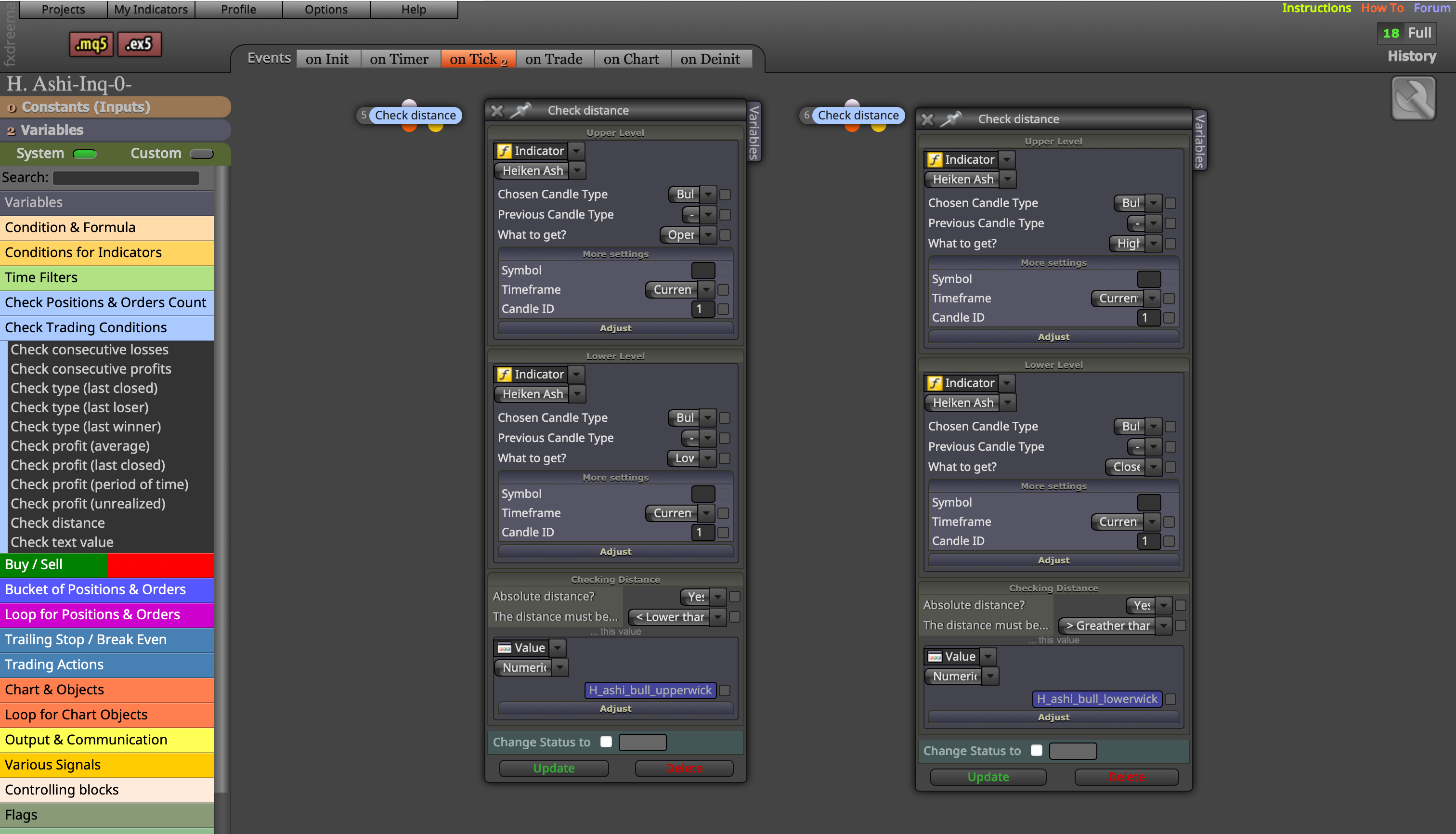
@l-andorrà But for instance, how will the bot understand what "H_ashi_bull_upperwick" is? I mean I just wrote H_ashi_bull_upperwick in variables block with letters. I think I must define the variables "H_ashi_bull_upperwick" and "H_ashi_bull_lowerwick" for the bot, but how? Is it possible and which blocks should I use?
-
RE: How To Code Proper Heikin Ashi Candlesposted in Questions & Answers
Take Bull1 above for example: Can't we just code H_ashi_bull_upperwick as bigger than H_ashi_bull_lowerwick like attached via formula, check distance or other condition blocks?
ss
-
How To Code Proper Heikin Ashi Candlesposted in Questions & Answers
Hello,
Does anyone know how to code Heikin Ashi candles like the examples below?
Bull 1: Body larger than wicks, and upper wick larger than lower wick
Bull 2: Body larger than wicks, and only upper wick present (no lower wick)
Bear 1: Body larger than wicks, and lower wick larger than upper wick
Bear 2: Body larger than wicks, and only lower wick present (no upper wick)
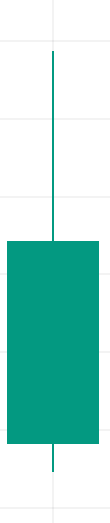 Bull1
Bull1 Bull2
Bull2 Bear1
Bear1 Bear2
Bear2 -
RE: About How "And" Block Worksposted in Questions & Answers
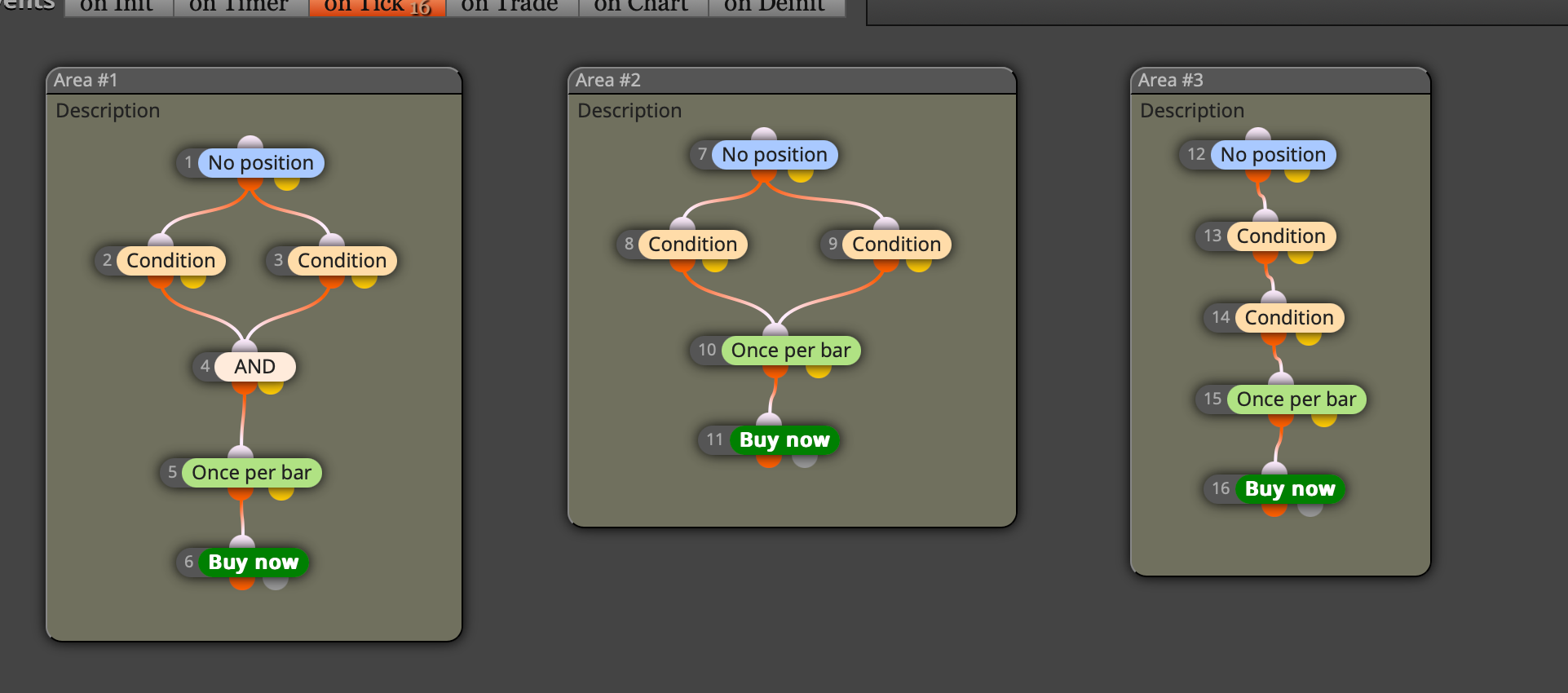
On another note, I have a question about Area 2:
"If blocks 8 and 9 in Area 2 signal simultaneously, how does the bot decide which one to trade? Or is it impossible for them to trigger at the exact same moment - meaning one will always signal a few milliseconds earlier/later than the other?"
-
About How "And" Block Worksposted in Questions & Answers
Hello,
Maybe it's a simple question but I still don’t get it. How does an “and” block work?
For instance, area 1 is not same with area 2 or 3, right?
Regards.
ss
-
RE: How To Make "If Position" Blocks Run on Certain Area or Blocks?posted in Questions & Answers
OMG! How did I miss this? Plus, I also needed to assign groups to the 'close position' blocks. You’re awesome, brother! Thank you so much once again for your support. It’s true that I’ve been a bit distracted lately; I’ve been in my hometown for the past few days to visit my father’s grave. I’ve been feeling a bit down and emotional these days. Thanks again. God bless you. Below is the final link, and it’s working according to the logic I wanted...
-
RE: How To Make "If Position" Blocks Run on Certain Area or Blocks?posted in Questions & Answers
@allstarengin I believe what I want is simple; it seems to me that we should be able to do these things easily on fxdreema which is a comprehensive and professional platform... but how?

-
RE: How To Make "If Position" Blocks Run on Certain Area or Blocks?posted in Questions & Answers
To summarize, there are 2 things I want to achieve, which seem like they should be very simple to do in Fxdreema, but I haven’t been able to yet...
- "If conditions" blocks should only work within their assigned groups.
- There should be a maximum of 1 open trade in the same direction.
-
RE: How To Make "If Position" Blocks Run on Certain Area or Blocks?posted in Questions & Answers
@tradingatr If the two conditions for buying are in diferent groups, then why "if conditions" blocks get activated for all buy condition blocks? Because, "if position" blocks should be triggered only for those which have the same group numbers. At least, is it possible to design if position blocks like that? Do you know how to make it?
-
RE: How To Make "If Position" Blocks Run on Certain Area or Blocks?posted in Questions & Answers
I guess the groups don't work the way we think they do... Because the documentation (https://fxdreema.com/documentation/builder/groups-and-magic-numbers) says:
#Group Numbers In fxDreema?
We already know that we can use multiple Expert Advisors to work with different trading strategies under the same MetaTrader. But we can also apply different strategies inside the same Expert Advisor, because it can operate with trades with different Magic Numbers. There is no requirement for our Expert Advisor to use only one Magic Number, it can use many.
So, the Group number is just an extension of the Magic Number. Each Expert Advisor created with fxDreema has one input parameter called MagicStart, which is the base magic number for all trades. The Group number is by default 0 (empty value) everywhere, so each trade/order would have Magic Number that is equal to the MagicStart input parameter.
This is the relationship between all these numbers:
Magic Number = MagicStart + Group
Now, let's imagine that we have MagicStart set as 1000. Then...
If Group is 0, then the Magic Number will be 1000
If Group is 1, then the Magic Number will be 1001
If Group is 2, then the Magic Number will be 1002
... and so on -
RE: How To Make "If Position" Blocks Run on Certain Area or Blocks?posted in Questions & Answers
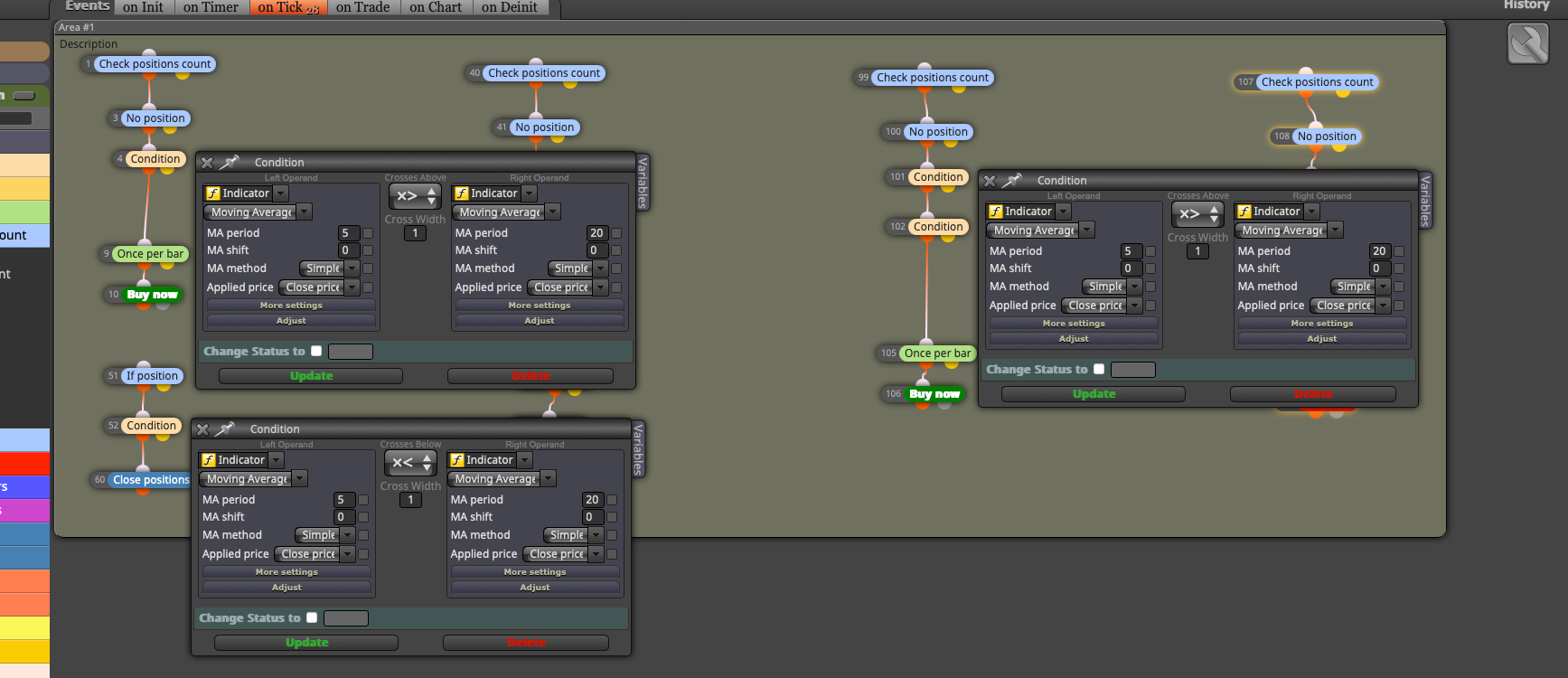
@l-andorrà Might conditions be the reason for multiple same-way trades? You can see attached. Do those conditions mean Group 1 and 2 are not independent?
-
RE: How To Make "If Position" Blocks Run on Certain Area or Blocks?posted in Questions & Answers
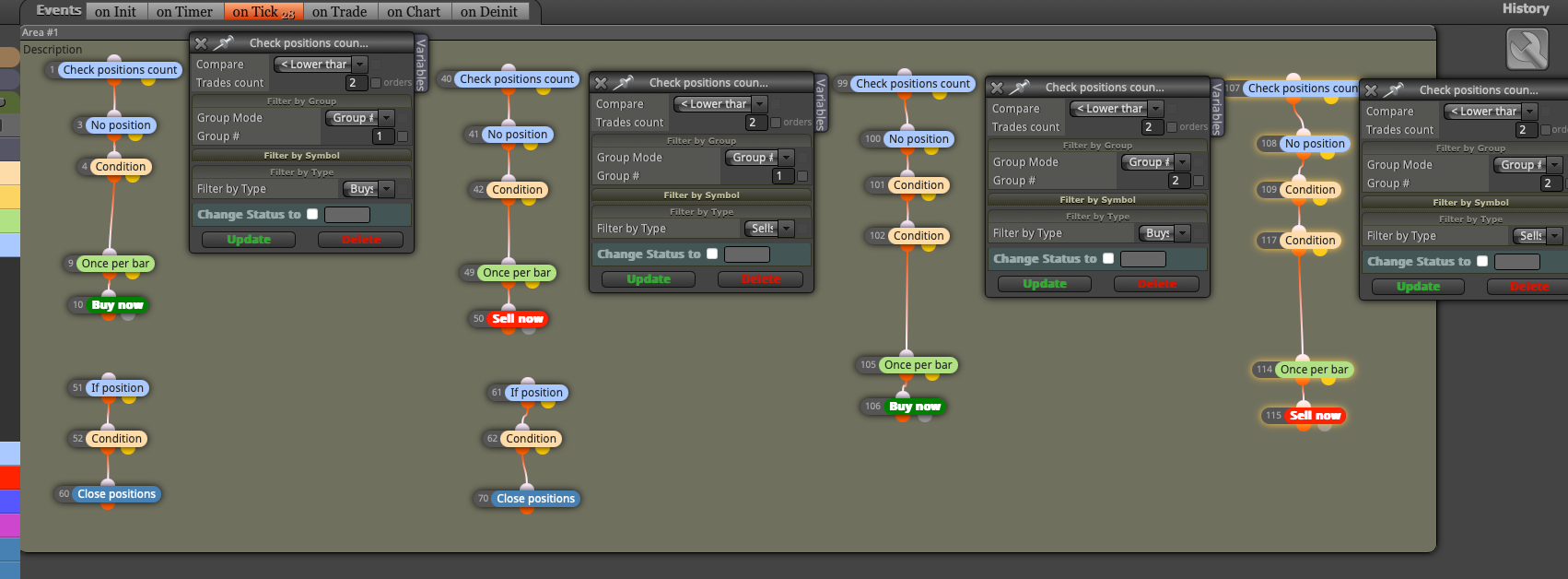
@l-andorrà I've located them at the top as attached but it didn't work.
-
RE: How To Make "If Position" Blocks Run on Certain Area or Blocks?posted in Questions & Answers
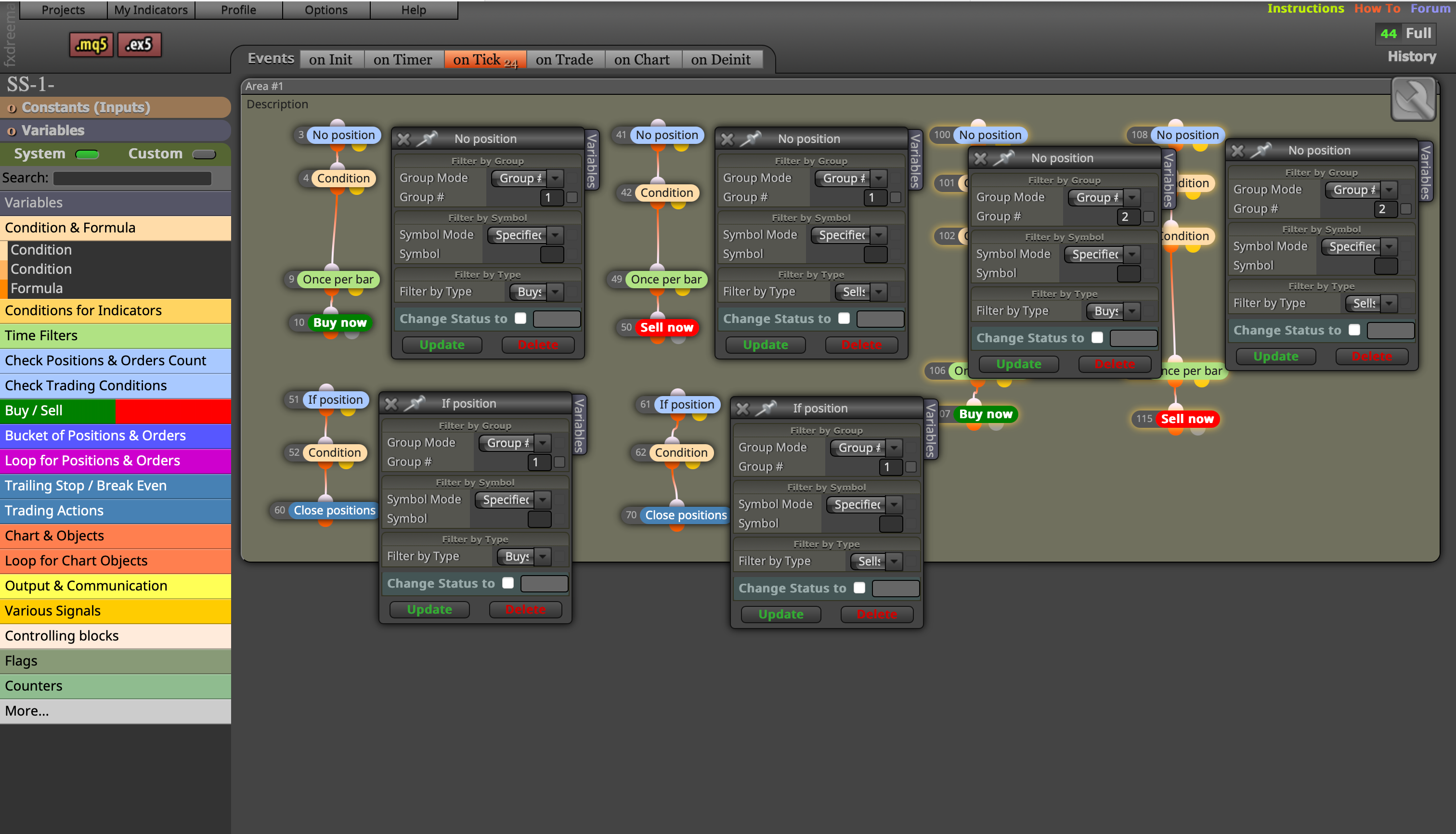
@Byens But now, multiple trades are opening in the same direction. However, I want only a maximum of 1 trade to be opened in the same direction. I don't understand
-
RE: How To Make "If Position" Blocks Run on Certain Area or Blocks?posted in Questions & Answers
@l-andorrà And what if trades open on Area 1 be closed by those 'close positions' blocks on area 2, bro? What should be done?
-
RE: How To Make "If Position" Blocks Run on Certain Area or Blocks?posted in Questions & Answers
@l-andorrà Areas 1 and 2 completely independent, bro. Actually, before asking you, I had already assigned the group as you suggested, but it didn’t work. However, I had set the 'filter by type' option based on the trade type, not as 'trade either...'. Maybe, the reason was that. I’ll try again accordingly. Thank you.
Best regards...
