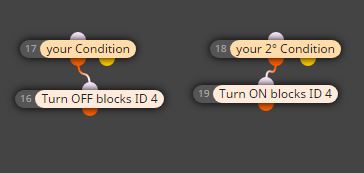
@oluwaseyifunmi Hi, import the file following this tutorial made by @Xfire
https://fxdreema.com/forum/topic/9105/tutorial-working-with-ex4-ex5-indicator-file
Then you have to use "indicator appear" block using the two buffers you can see, the lime buffer correspond to the blue arrow, the red buffer correspond to the white arrow
A
Posts made by ambrogio
-
RE: What is the meaning of this symbol: ==, >=, <=, != ?posted in Questions & Answers
-
RE: Help meposted in Questions & Answers
@nguyen-bac Maybe this topic is useful https://www.mql5.com/en/forum/110327
-
RE: My Indicator EAposted in Questions & Answers
@javed77 Hello! I managed projects, take a look (I have not tried).
Make sure that your EA can find your indicator, because the MQL5.COM products are downloaded in a subfolder called "markets"
https://fxdreema.com/shared/JgcVxbaad -
RE: Trailing Stops... only under specific conditionsposted in Questions & Answers
@fxgjg with two consecutive condition blocks, one over the other: (if trade buy)-(no trade sell)-(trailing stops buy trade). Trailing stop at the bottom
-
RE: My Indicator EAposted in Questions & Answers
@xfire Hi, you have to download that indicator from MQL5 market by your MT4 , it works this way only
-
RE: EMA Crossoverposted in Questions & Answers
@javed77 Split the condition "no trade" and "if trade" in one block "no trade buy" for buy condition and one block "no trade sell" for sell condition (specify inside the block). The same for "if trade" block
And put the "trailing" block alone below a "pass" block -
RE: How can i read balance and equity?posted in Questions & Answers
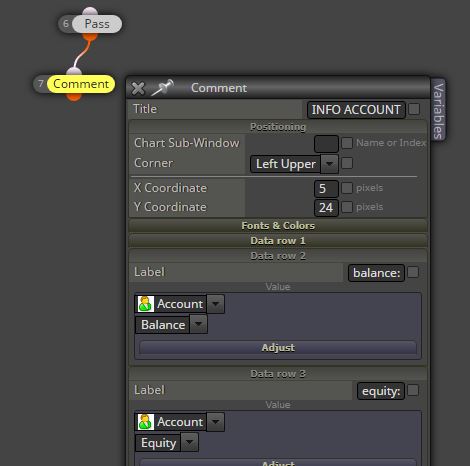
@fxgjg Hi! With a comment block?
-
RE: Stop the EA when positions are in progress and Start again after closed position.posted in Questions & Answers
@fabiobioware try in this way : for each position => once per trade position => check how it was closed=> turn on
Otherwise, please upload your project -
RE: Stop the EA when positions are in progress and Start again after closed position.posted in Questions & Answers
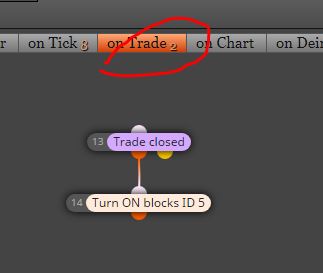
@fabiobioware apologize, my mistake. In on trade section
-
RE: Stop the EA when positions are in progress and Start again after closed position.posted in Questions & Answers
@ambrogio in this case you can use easily a "no trade block" only, but if you want to turn off other blocks shoul work my example
-
RE: Stop the EA when positions are in progress and Start again after closed position.posted in Questions & Answers
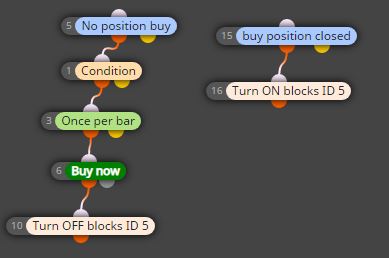
@fabiobioware Hi, using a few controlling blocks?
Just for example