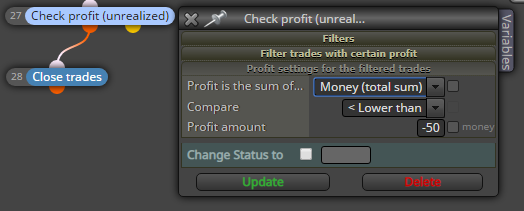
@dgrl -18.78 is greather than -25.00, so the expert don't close the orders
A
Posts made by ambrogio
-
RE: Loss equal to or greater thenposted in Questions & Answers
-
RE: Loss equal to or greater thenposted in Questions & Answers
@dgrl for me works, check the > and < sign
-
RE: Delete text objects from EA MT4posted in Questions & Answers
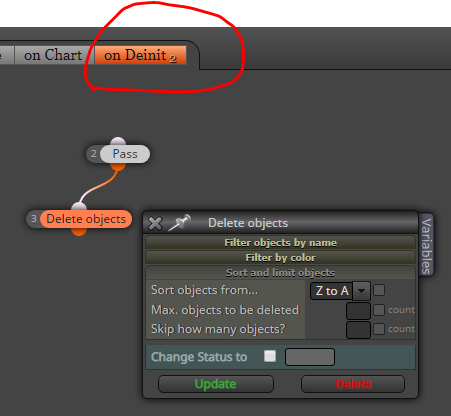
@dgrl l'andorrà is right, if you only want to clean whole chart A to Z after remove the expert:
-
RE: Multiple trades are created one after another?posted in Questions & Answers
@fxgjg you have to use the "no pending orders" block
-
RE: how to open a trade every time the condition occursposted in General Discussions
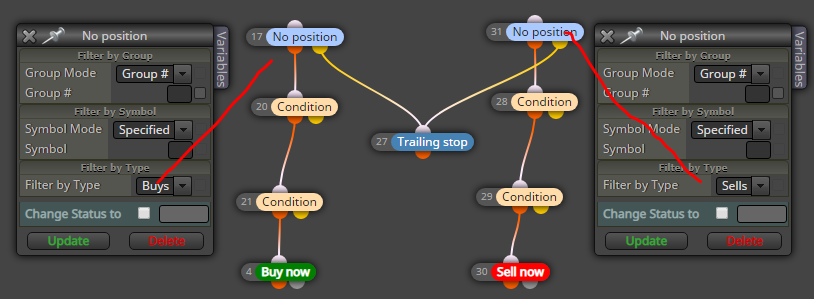
@maverick83 Oh yes, because you put a single block "no position" for both order types, you should put "no position buy" for the path to buy, and a "no postion sell" for the path to sell
-
RE: how to open a trade every time the condition occursposted in General Discussions
@maverick83 Change the "no position" block with a "once per bar" block, then place the "trailing stop" block under a "pass" block or a "if trade" block
-
RE: Please help. Is this a bug? Not working in MT5posted in Questions & Answers
@jzfusion Similar error, the main line cannot intersect itself, unless you change the input of the EMA's and signal (12,26,9) in one of the operand

Try this way, and always put the candle ID=1 and not zero

-
RE: Please help. Is this a bug? Not working in MT5posted in Questions & Answers
@jzfusion said in Please help. Is this a bug? Not working in MT5:
That was an error in the buy leg which I have corrected. That's a red herring as the sell part should have generated trades but still not working even after the correction.
Please, can you share the last version?
-
RE: Please help. Is this a bug? Not working in MT5posted in Questions & Answers
@jzfusion Cannot work. How can a Moving Average intersect a MACD ?

-
RE: "Customized Indicator" I cant click the Input parameter for Optimisationposted in Bug Reports
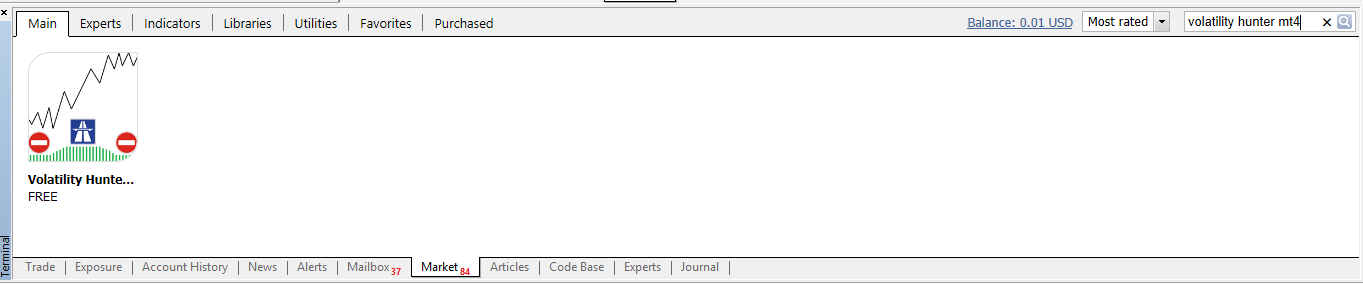
@trader-philipps no no, you are right, works only if you download it from the mql5 market. I was never able to make downloads from the web site, so I download them directly from the MT4 terminal (only .ex4 file)
-
RE: "Customized Indicator" I cant click the Input parameter for Optimisationposted in Bug Reports
@polishinglife said in "Customized Indicator" I cant click the Input parameter for Optimisation:
@ambrogio Thank you so much for the response. I have just edit in the indicator to the post, may I ask if you could show this in an example with the indicator? Im new to this and I would really appreciate your help
Assigning a name to the constants you need can avoid the compile problems you found. This way: create two constants in the appropriate table (and save), then with the right button enter them in your box without checking it
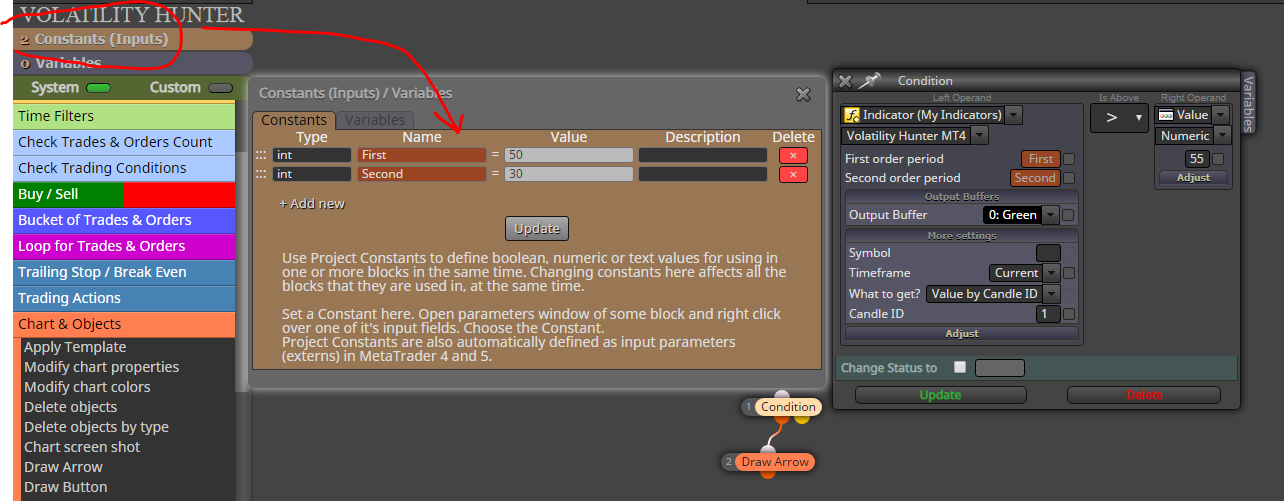
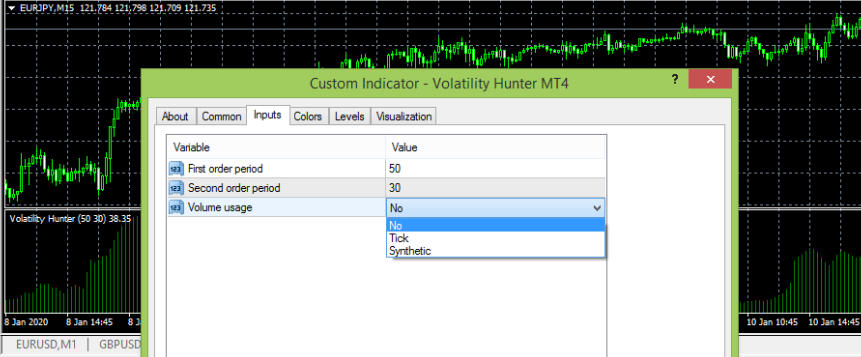
The other problem I haven't solved is this:
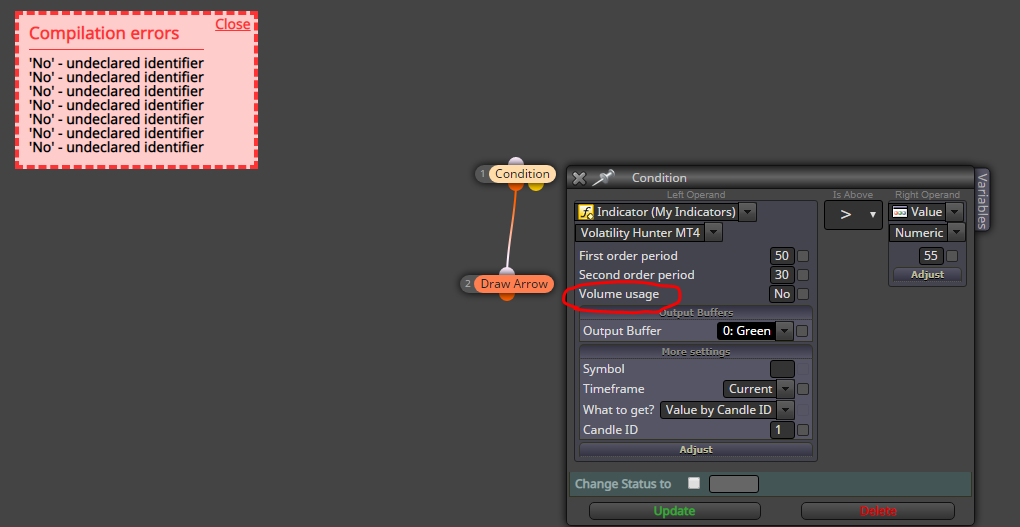
Without this input there are no problems, it may be that Trader philipps has some ideas
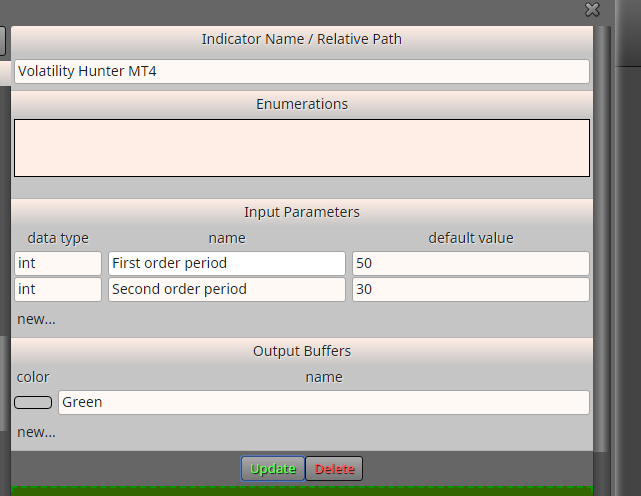
These below are the indicator settings
-
RE: "Customized Indicator" I cant click the Input parameter for Optimisationposted in Bug Reports
@polishinglife Try creating constant and put them in their place without check off the boxes
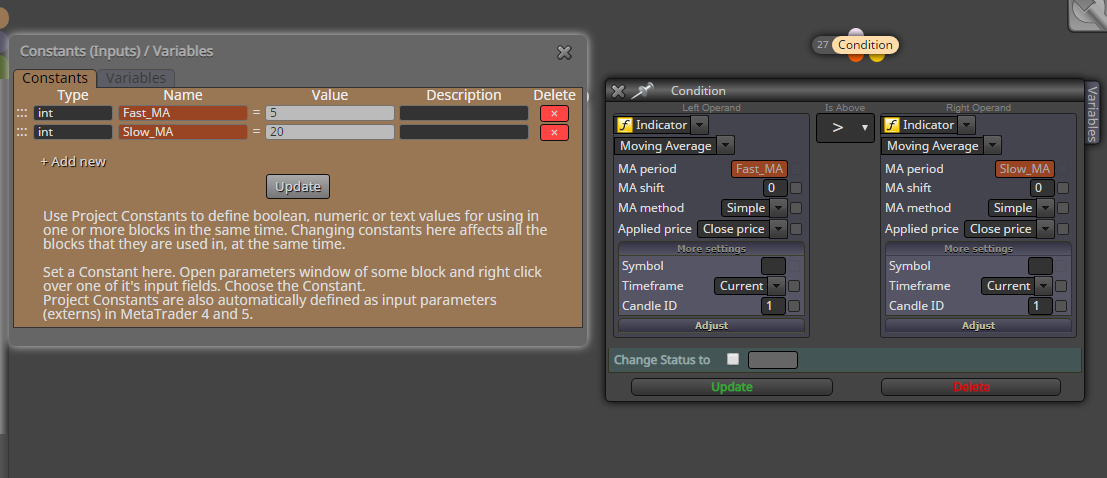
This above like an example, i don't have your indicator
-
RE: News filter and EAposted in Questions & Answers
@tradingstrategy88 If your EA was done with FxDreema you don't have to pay anyone, check these topic
-
RE: Found this weird errorposted in Bug Reports
@l-andorrà Unfortunately, I vaguely remember that something like this had happened in the past......, try to see if it's like I say and possibly open a ticket with the admin
-
RE: new EAs wont work but one made yesterday are working?posted in Questions & Answers
@mcarl42 There may be several problems, have you checked in the journal table if there is any error? Or do you have a high spread filter?
-
RE: Binary options backtestposted in Questions & Answers
@inquiry For what I see, you get the arrow late because you specified candle ID2 in the blocks # 1 and # 28, change this value to candle ID1
-
RE: Moving Average EA not working properlyposted in Questions & Answers
@luisd72 This is for the buy tree: divide the "no trade" block (once for buy orders and once for sell orders), specify candle ID1 in all the MA condition block, remove the link after "buy now" block and put an "if trade" block before the condition to close the buy trades
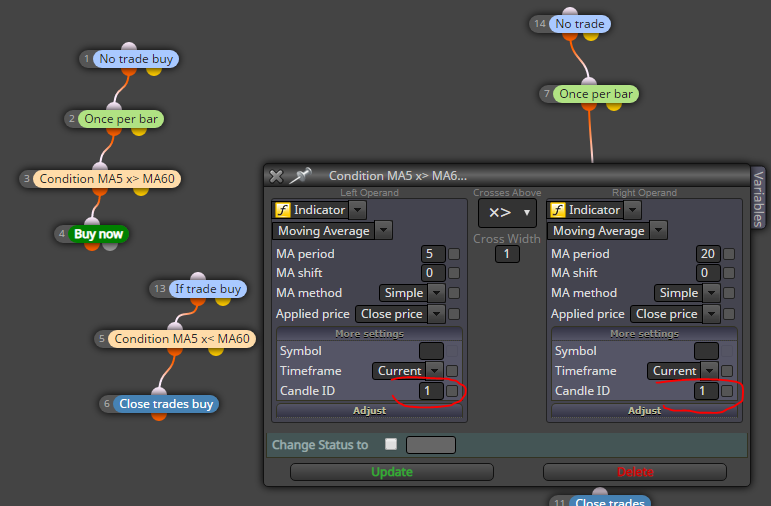
The blocks 1-2-3-4 are for entry rules, the blocks 13-5-6 are for exit rules