I finished majority of these a while ago. They're all based on wick and candle body percentages and all operate 100%. This was a fun project to do in the MQL5 Custom Block building studio.
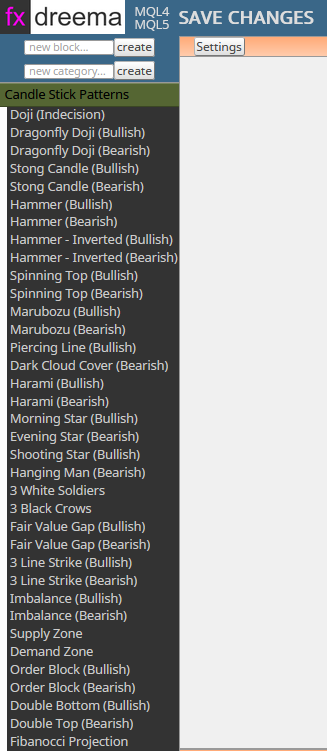
I finished majority of these a while ago. They're all based on wick and candle body percentages and all operate 100%. This was a fun project to do in the MQL5 Custom Block building studio.
I’m sorry @CAVINCENT, my EA doesn’t use any indicators at all. It’s not a grid strategy either. It’s time based and everything functions flawlessly except for closing trades after the Close (partials) block executes. My concept is quite sound but I believe this is a programming bug of some sort. When only Buys are on the chart, everything is fine. When both buys and sells are on the chart, my break even module doesn’t work.
I've managed to collect enough info from cross posts to determine that my "Close (partials) Module" and my "Break Even Module" are conflicting. Why? No clue. But the way this is triggered is if TP1 is hit, it modifies a variable to True that allows a condition to be used like a gate. The Break Even module can then pass as a condition and if the Equity of the Bucket of Positions (Blue for Buys, Red for Sells) (Also stored the values separately in their own variable) for Group #1 Buys <= 'Account Balance', Closes Group #1 Buy Positions only. BUT! When I select the whole Break Even module, turn those blocks off, Close (partials) will work normally. When I turn all those blocks back On, Close (partials) doesn't function correctly at all. It closes partials back to back. The history shows it being closed in 2 parts. But, I have a Counter (pass once) block in condition tree only allowing it to pass once. So, I am stumped. I've been running this EA from April 4th to Current and this EA is profitable with Close (partials) set to 0. I would like to see these modules function together for testing purposes. And I'm sure this would be a very powerful addition to the Forum if solved correctly.
Social Trader Tools link for proof:
https://my.socialtradertools.com/view/2fsKDqgoqlDLohFR
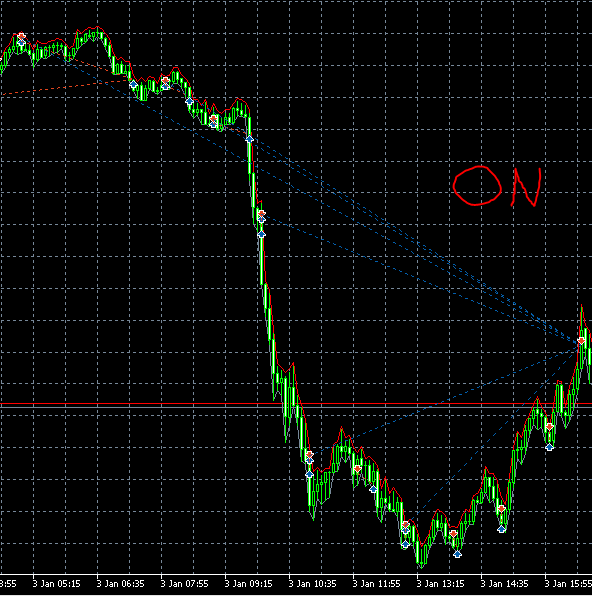
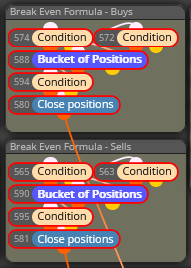
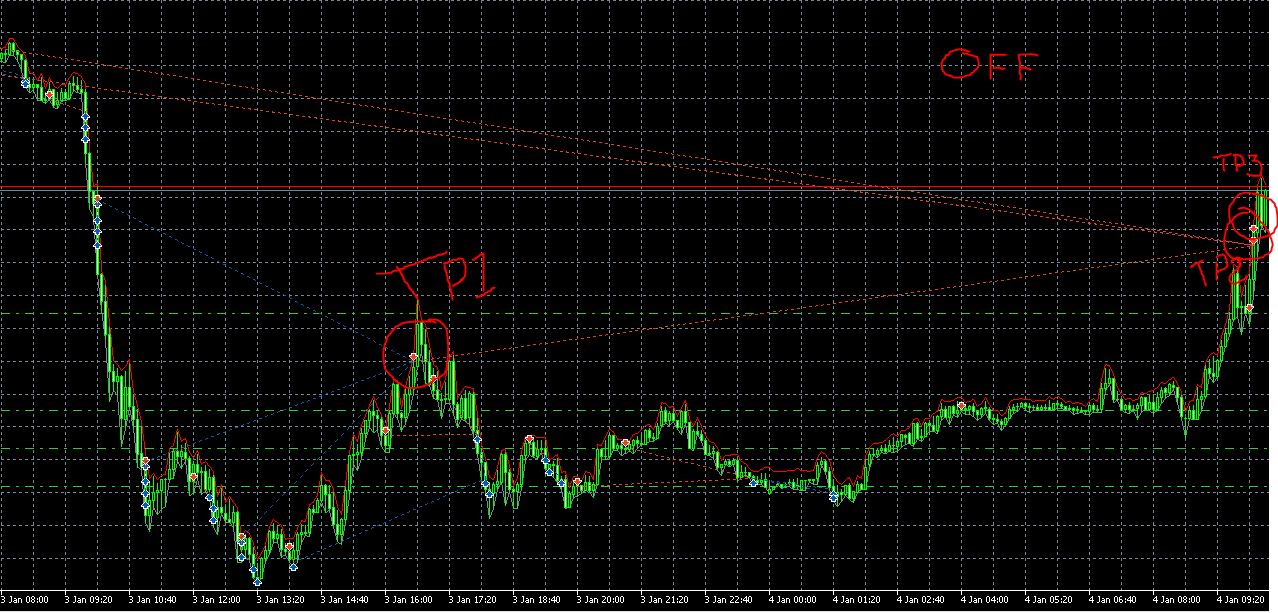
The Stop Loss formula works correctly @CAVINCENT but I wanted to check and see if my eyes weren’t seeing something correctly. I use this same Close Partials module in a different EA and it functions flawlessly BUT there’s only Buys or Sells on the chart at 1 time. So, I was a bit puzzled why managing them both separately all at the same time would be any different.
And I will do that @jstap. Thanks for looking this over.
I'm struggling to get this EA to Close Partials correctly when there's both Buys and Sells on the chart. I have an input for TP1, TP2 and TP3 and in the visual tester, I have witnessed it taking Partials but there is still something that causes a trade in the opposite direction to be closed. For Example;
If there's 3 Buys and 2 Sells, The Buys will eventually come into the profit target of 4 Pips collectively, then it should only Close Partials of the Buy Trades. Same goes with the Sells. If the Close Partials input is set to 0, TP1 will close the proper trades. Can you guys see something that I can't. Below is a copy of the Project. Let me know what you think and thanks in advance.
It shouldn't be having those massive spikes down. That tells me it's taking losses when it's not supposed to.

Does this make sense to those that code projects outside of FXDreema?
@roar I understand that might have been the issue. I'll test removing the parameter and see what different errors pop up. Perhaps there's a different fix for this that I don't know anything about.
Good day,
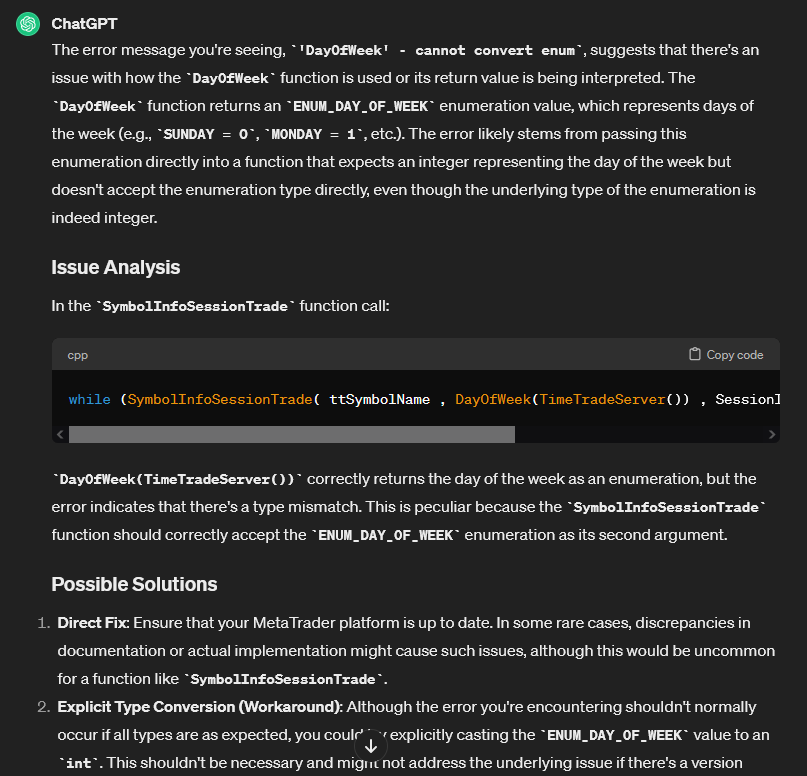
I'm getting an issue compiling this code when it's used in a project. The error states 'DayOfWeek' - cannot convert enum in fxdreema.
So I went into MetaEditor and it's showing me that this line has the error but I can't figure out what it's issue is.
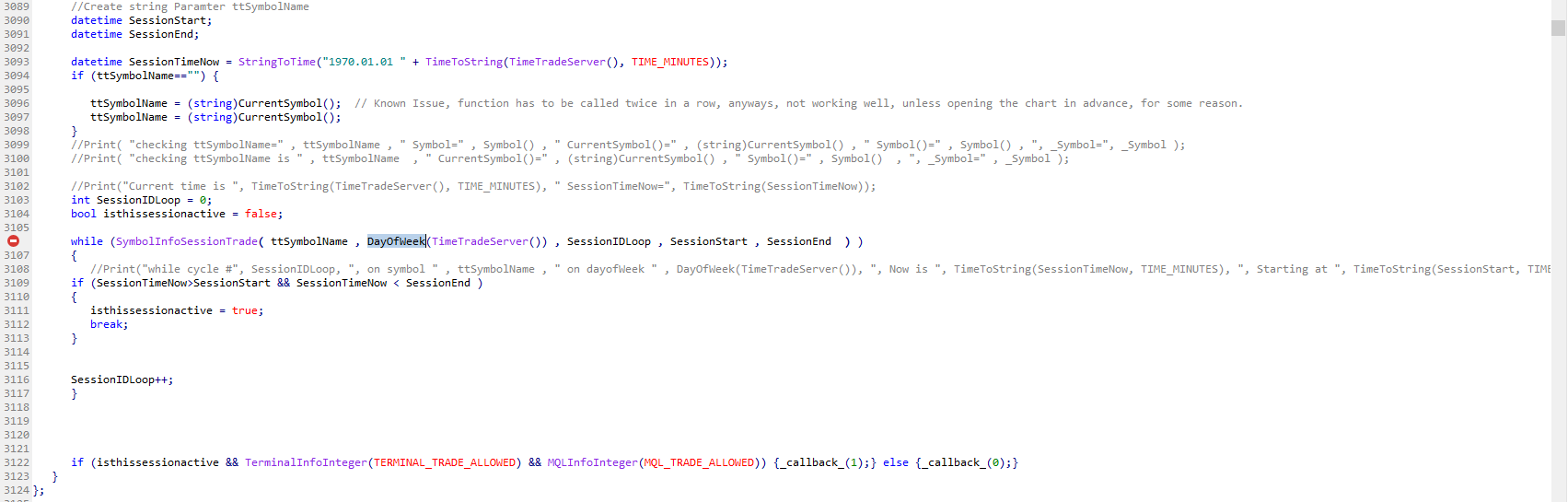
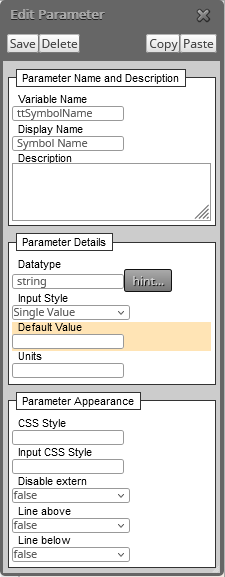
May I please get an assist with this?
Thanks in advance and I greatly appreciate it!
I see 1 Problem here:
The Block ID's are in an incorrect order. The blocks need to pass in the correct order. Change the Buy Now to "14" (To the left of the physical block where it says Buy now)
Or the condition you're having trouble with could look like this;
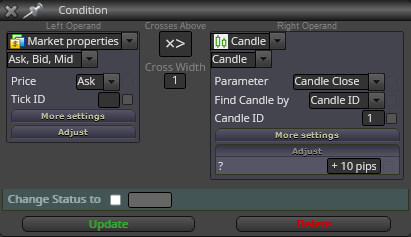
Try using Market Properties instead of Candle ID0. C.ID 0 wont work.
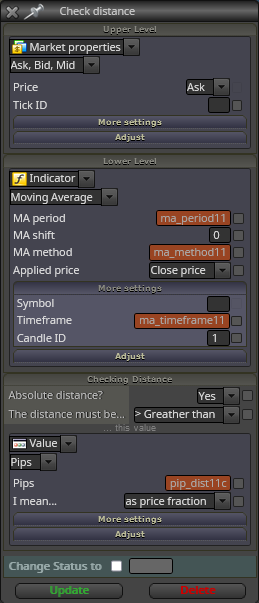
I use this block often and it functions perfectly. Are the Pip rules correct in Setting?
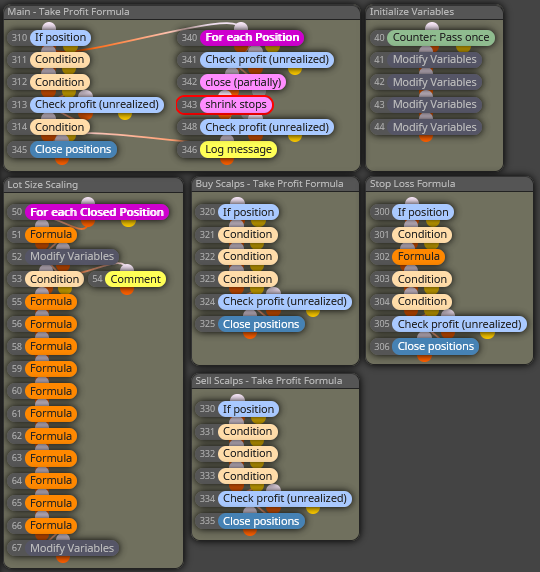
There has been a ton of people wondering how to use "% of Equity/Balance" to get a Lot Size without using a Stop Loss. What I think people actually need is a way to set a % target and have the Lot Size scale after the Target has been met and loop back into itself to continue to scale.
I've built a work around. It functions how the Fixed Ratio by Ryan Jones Money Management is supposed to work;
https://fxdreema.com/shared/thI3OqqM
@l-andorrà
This is under Bug Reports. With all the evidence needed to cultivate a fix. Sorry for the confusion.
Good day,
I've read through the documentation on this Fixed Ratio type of Money Management and I'm wondering if something may be off with the way it's calculating and scaling the positions. Below is 2 examples;
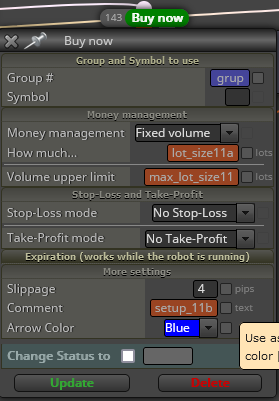 Fixed Volume in the MQL Code shows "VolumeSize = (double)c::lot_size11a;"
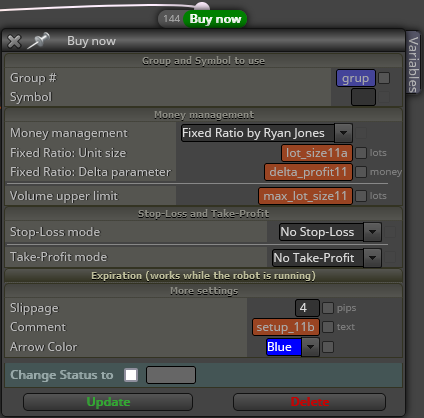 Fixed Ratio in the MQL code "FixedRatioUnitSize = (double)c::lot_size11a;"
The problem I'm seeing is that when using Fixed Ratio, it's not using the values from the other constants. I have 16 Buy Now blocks here, 8 of which are Fixed Ratio and all 8 have a different Constant to use.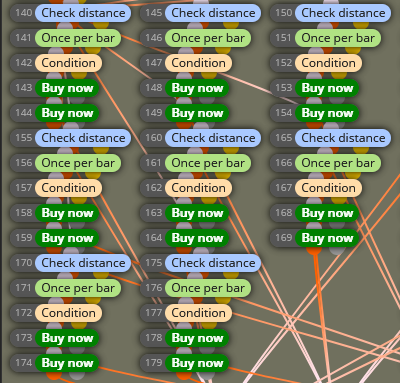
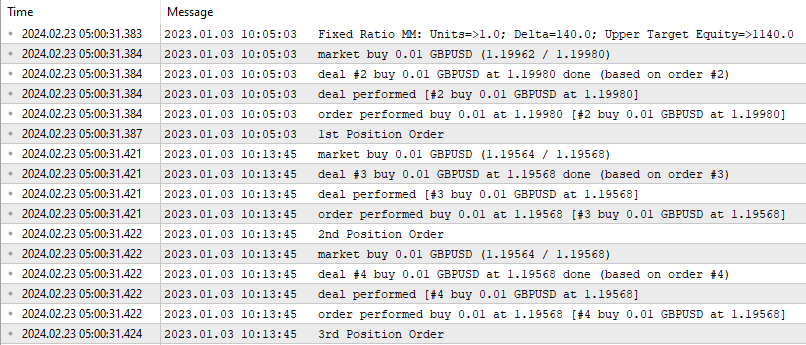
I have a Log Message block printing the Position Order so I know if the 1st or 2nd or 3rd Buy Now block is being used. And as you can see, all 3 use the same Lot Size when there's 3 different constants in each with different values.
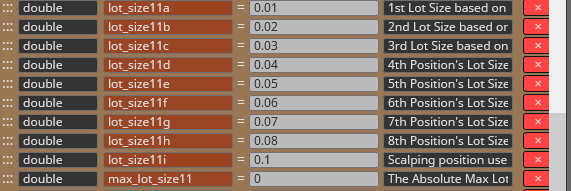
If you want an expedited way to test this, I can give you the code to my project and a .set file and you will see right away that it's not using the correct values. unless there's something I'm doing wrong but I can't see anything as of right now.
Thanks in advance and thank you again for everything!
I did, and I believe my project is using it correctly. The problem is that each Buy Now and Sell Now block has a different constant for the lot size and no matter what position is placed, a 0101 Lot Size is used. I flip it back to Volume and the lot size increases normally. Just wondering if anyone else knew something I didn't but I'm thinking that it may be bugged. How does it know what "1 Unit" is worth to calculate "1 Unit's" worth of lot size?
@DragonZueloTrends
Lo siento, sólo puedo traducir español usando Google Translate y seguir un vídeo puede que no me ayude. Aunque lo aprecio.
¿Sabes si lo configuré mal usando una constante dos veces?
Hey everyone!
I am running into a weird issue when using the Fixed Ratio by Ryan Jones money management system. Below is the link to my project;
https://fxdreema.com/shared/MPLCuQeeb
I have made a condition that allows me to use the enumeration to select either "Volume" (for a Lot Size only) or "Ratio" (to use the Fixed Ratio)
This condition block functions perfectly but when I have it set to "Volume", I get all the separate Lot Sizes as per whats written in the constants. But, when I flip it to "Ratio", I only get 0.01 Lot Sizes until the Delta Value is exceeded. Then all 8 Position's worth of Lot Size increase 1 Step. (Which is also correct)
Any idea why the constants aren't having their values used when I use the"Ratio" condition?
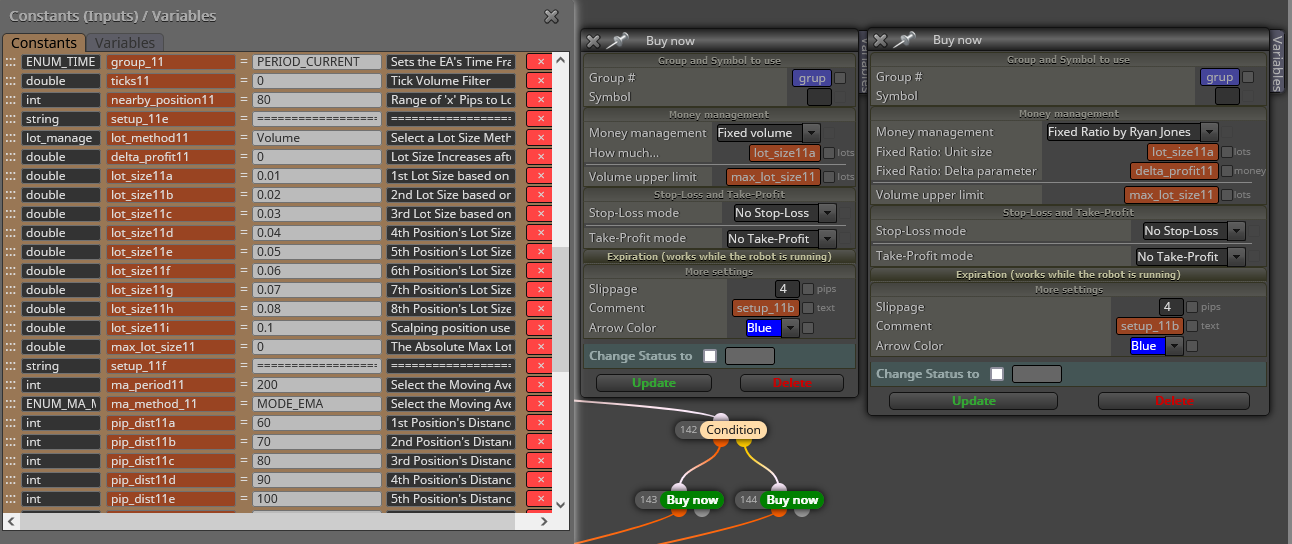
Any and all help is greatly appreciated!
You can add a constant in the seconds area to test if 1 second will be enough or change it in the EA Parameters without the need to compile a new version every time you want to test it.
