fxDreema

    • Register
    • Login
    • Search
    • Back to the main page
    • Categories
    • Recent
    • Tags
    • Popular
    • Search
    1. Home
    2. BBMess
    3. Posts
    B
    • Profile
    • Following 2
    • Followers 4
    • Topics 8
    • Posts 39
    • Best 4
    • Controversial 0
    • Groups 0

    Posts made by BBMess

    • RE: Using a Delay Function in the MT5 Tester

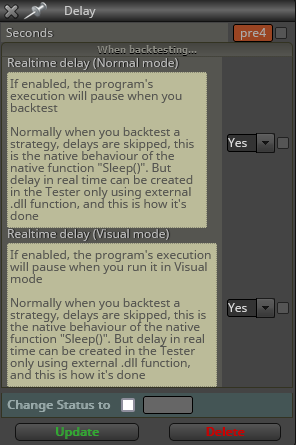
      There is a 'Delay' block found under "More" and it's use is described in the picture below;
      You will need to go into your MetaTrader terminal and go to "Tools/Options/Expert Advisors (Tab) and click the "Allow DLL Imports"
      This will ensure the delay actually happens naturally in the tester.

      image.png

      posted in Questions & Answers
      B
      BBMess
    • RE: Opening new trades with a time delay from current trade if conditions are met

      I’m also struggling to get this captured correctly. Can you post your example. I’m trying to make a delay after a candle opens in seconds and for whatever reason I cannot figure it out.

      posted in Questions & Answers
      B
      BBMess
    • RE: My EA compiled without issue, but won't run any tests (Edit: allow dll imports for kernel32.dll)

      The "DELAY" blocks call a Sleep() Function. This is the issue you're having.
      image.png

      posted in Questions & Answers
      B
      BBMess
    • RE: Easy way to make ENUM

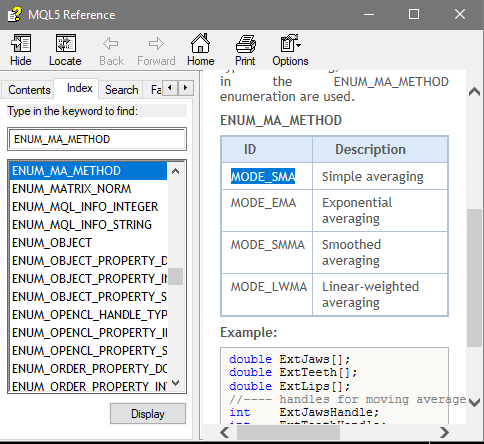
      Yep, wasn't thinking this through correctly. I changed it to this and used the correct values and it obviously worked. Thank you for the nudge. I needed that!
      image.png

      posted in Tutorials by Users
      B
      BBMess
    • RE: Easy way to make ENUM

      Good day everyone,

      I have tried this out in a bit of a different method and I'm either missing something or I'm unsuccessful somehow. Are you able to Spot what I've done incorrect?;

      image.png

      image.png

      Thanks for any and all help in advanced!

      posted in Tutorials by Users
      B
      BBMess
    • RE: Need help to delete pending orders if the 1st doesn't trigger.

      This way you can turn off "One Cancels Other" if you're straddling price and not wanting to worry about a stray Pending Order.

      posted in Questions & Answers
      B
      BBMess
    • RE: Need help to delete pending orders if the 1st doesn't trigger.

      @FX-EA
      This is how I've done it. Left side for Sells and right side for Buys. The "oco15" constant is only relevant to my 15th Parameter set;
      f9e43212-e256-4abf-a2a6-a645d8e807b6-image.png

      posted in Questions & Answers
      B
      BBMess
    • RE: Fibonacci ea

      @max-c I think what needs to happen is have the Fibo paint onto your chart, open the data window (Ctrl+D) then look for what output buffers give what for data. if the 61.8 on the fib outputs the charts price, you will need to use a condition block to find what price you want on what Fib line then write a formula block to get that price/level stored into a Variable. Once price is in a variable, you can have a condition block react when price contacts the level. I hope this helps.

      PS - Output buffers start with 0, 1, 2, 3 etc etc.

      posted in Questions & Answers
      B
      BBMess
    • RE: Candle Patterns logic

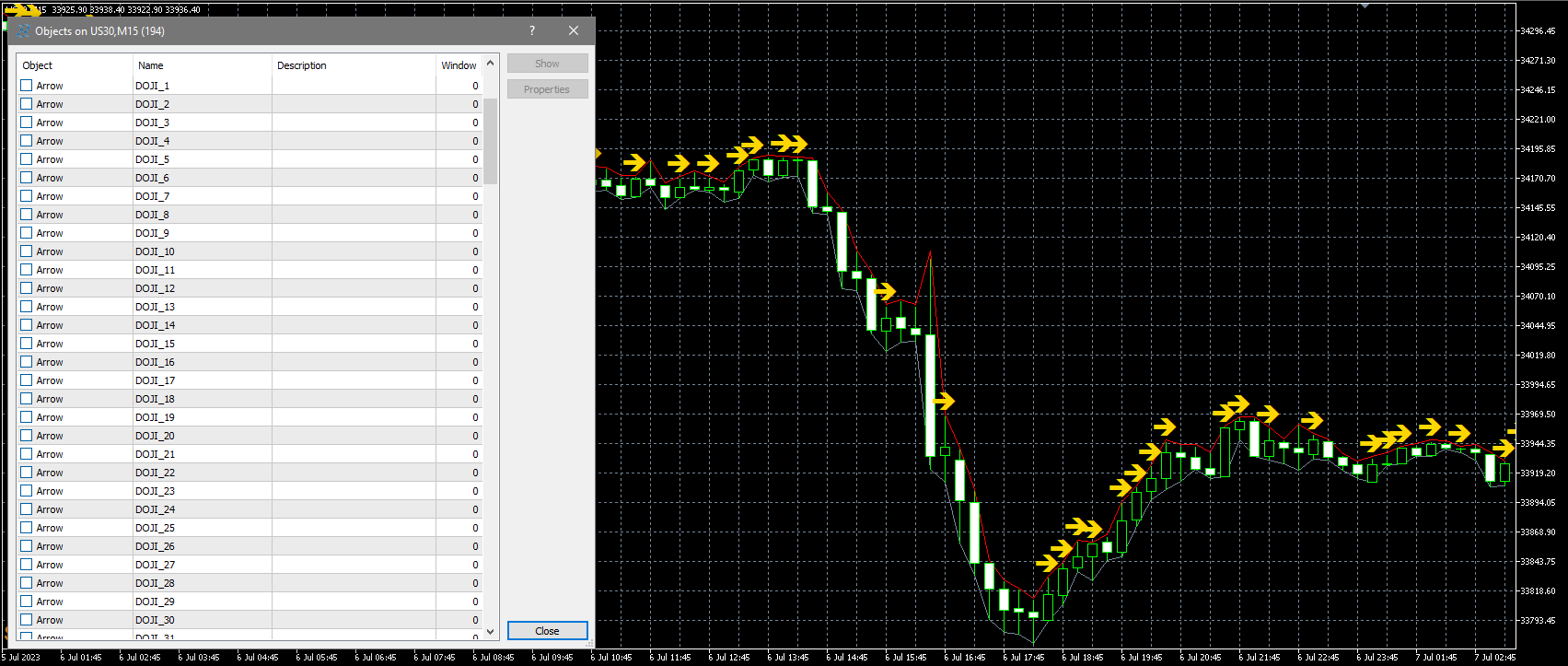
      I just have the Doji Candle Stick Pattern painting here. What is going wrong?

      image.png

      posted in Questions & Answers
      B
      BBMess
    • RE: Candle Patterns logic

      Good day @PhiLykia,

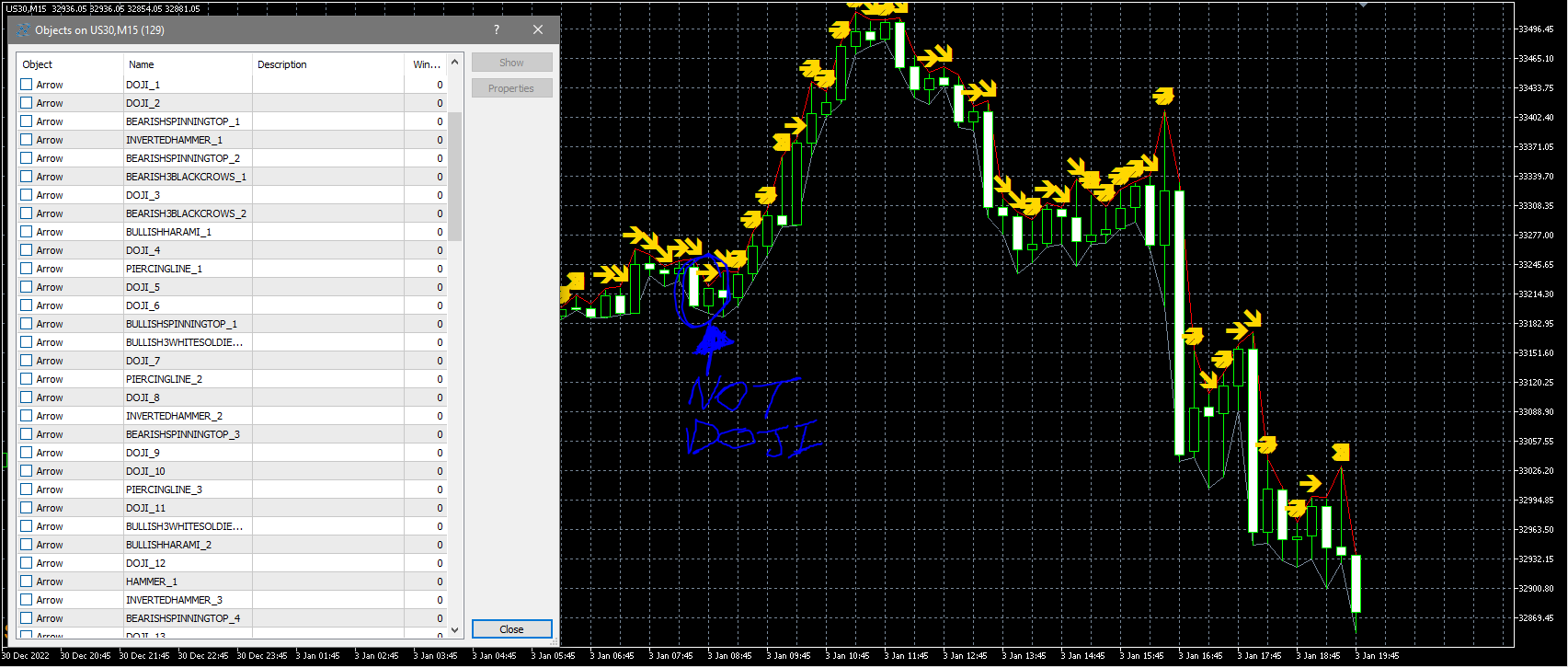
      I've taken the examples and added the Boolean condition to allow me to turn each pattern to True/False for testing purposes but what I've noticed is that the Candle Stick Patterns are painting sporadically at candle close. The logic is accurate and I see that the 'More Settings' area has the Time Frame set to current but doesn't seem to be accurate. I watched a Doji print on a candle that clearly isn't a Doji. Curious if you've found the same or is there a Once per Bar block that needs to be added to support the accuracy of this; (Right Pointing Arrow is Doji)

      6f7a4e60-6ff2-4219-a435-5d57f142dfa2-image.png

      posted in Questions & Answers
      B
      BBMess
    • RE: My expert advisor

      Upload a copy of the EA here so we can all help you reverse engineer it. We need to see the settings/constants and variables used, when they're triggered and why they're triggered. If we don't get visibility, we can do anything to assist.

      posted in Questions & Answers
      B
      BBMess
    • RE: Not objects deleted while deinit

      Good day, can you please post the fix here so others may learn?I would like to see what I'm doing wrong in DeInit as well so I can correct my EA's reboot ability. Thanks in advance.

      posted in Questions & Answers
      B
      BBMess
    • RE: Trade Panel object wont modify variable for Lot Size selection

      Those just define the vaiables so the constants are tied together yet separate. Irrelevant for this question.

      posted in Questions & Answers
      B
      BBMess
    • RE: Object on Chart (Button) malfunction. Used to operate 100%

      @Alan-paredes2
      Yeah, still haven't figured it out but it's operational again and that's all that matters.

      posted in Questions & Answers
      B
      BBMess
    • RE: Trade Panel object wont modify variable for Lot Size selection

      @l-andorrà
      https://fxdreema.com/shared/7gRZ8L0nd

      posted in Questions & Answers
      B
      BBMess
    • RE: Object on Chart (Button) malfunction. Used to operate 100%

      I think it was something that was done on my end. It's very strange. It only took me an additional 20 minutes to get back to where I was but not knowing what happened is what's getting me.

      posted in Questions & Answers
      B
      BBMess
    • Trade Panel object wont modify variable for Lot Size selection

      Good day everyone,

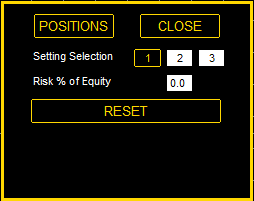
      On my trade panel that's displayed on my chart;
      3b75f8a6-fab4-4e6b-867c-8fbe062a54a5-image.png
      I use the 'Risk % of Equity' option for Lot Size and I cannot get the 0.0 on that panel to modify the lot size of the settings. Changing the Lot Size in the EA Parameters works fine, but I may have this setup wrong. What do you guys think?
      6deaa5cf-4fab-4d59-8832-e94e76fa56db-image.png

      posted in Questions & Answers
      B
      BBMess
    • RE: Object on Chart (Button) malfunction. Used to operate 100%

      I actually just found an older version of my code, opened and compiled it and it functions perfectly fine. Whatever happened between v1.5 and v1.7 (which wasn't a crazy amount) caused this directly. I'll rebuild the small list of features and consider this solved but unsolved 😞

      posted in Questions & Answers
      B
      BBMess
    • Object on Chart (Button) malfunction. Used to operate 100%

      Good day everyone!

      I created a trade panel that looks like this;
      c5f7e61d-2f10-4980-98a6-da227911c0b7-image.png
      And the way it works is when I click on the POSITIONS button, in places a Buy & Sell Pending Order. It gets it's parameters from the Setting Selection Buttons (1, 2 & 3)
      About a week ago, This panel functioned at wicked speeds but now, it seem that I have to oftentimes double mouse click each button to get them to function. I'm wondering if something on the back end of FXDreema has changed and/or if MQL compiling has changed. I had to delete the animated version of the buttons that show visibly them getting pressed because it would only work for 1 click then never again.

      Like I said, nothing has changed on my end in regards to the blocks and their arrangement but something is causing these buttons to delay. Any help or suggestions are welcomed.
      Thanks in advance.
      077595b8-032c-49b4-94ab-c94305e5c202-image.png

      posted in Questions & Answers
      B
      BBMess
    • 1
    • 2
    • 2 / 2