Solved. I love you. 

Here are all the inputs. I don't see what can be wrong now. 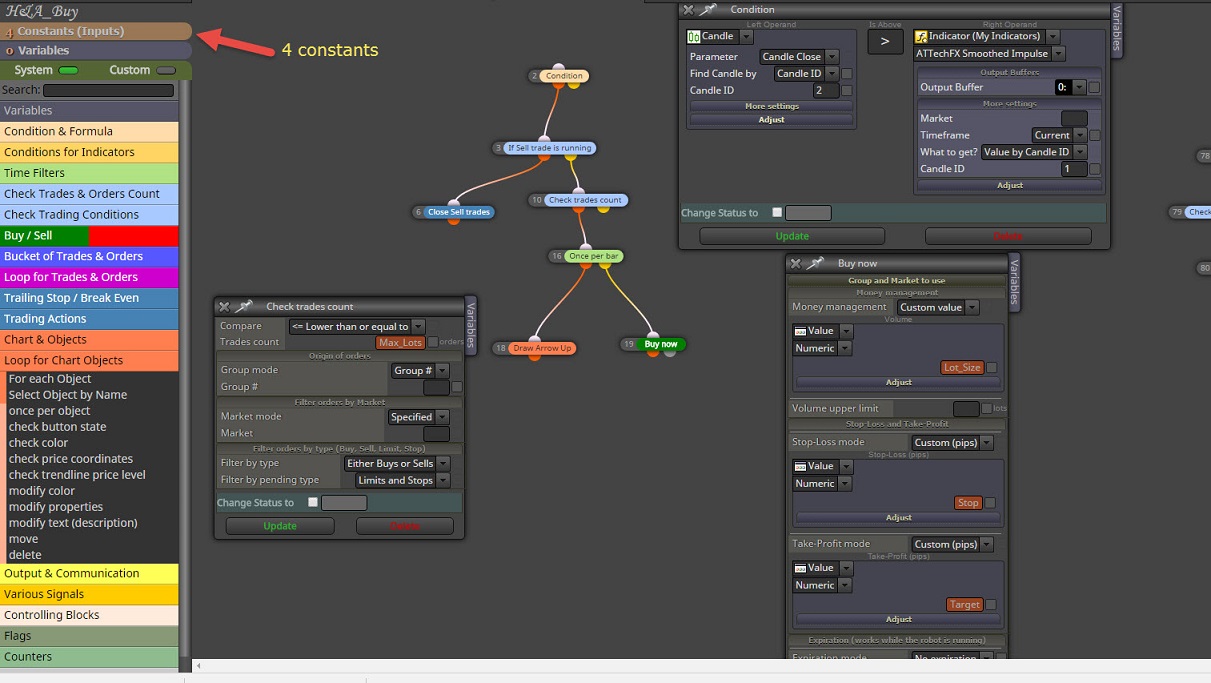
Ok getting there. That Constants thing is new for me. But still one left. The bottom one. 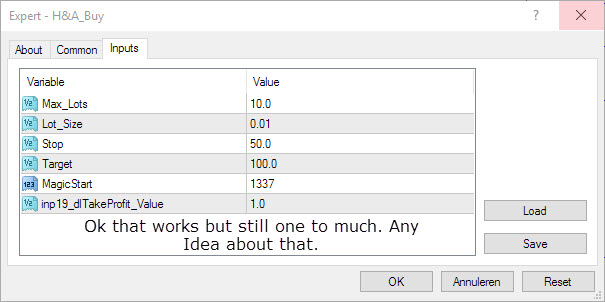
Might as well show the input blocks. No Idea why I have double input fields.
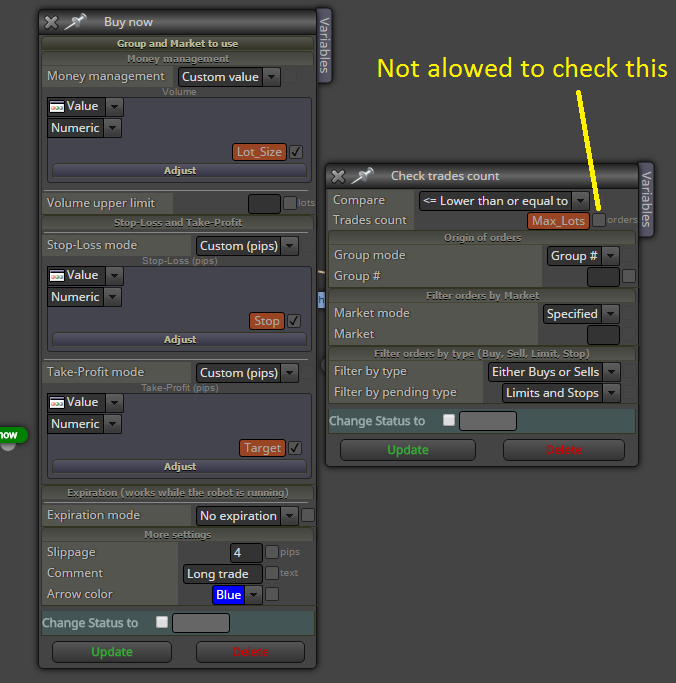
Ok been playing with it but it gets weirder and weirder. Sometimes it tells me it expected a constant and sometimes I need to cross input area and other times I must leave it blank. Sure I understand its just me LOL Anyway it's all under constants now. Do notice that for example the same input fields have totally different values. Forr example Stop and Stoploss_value.
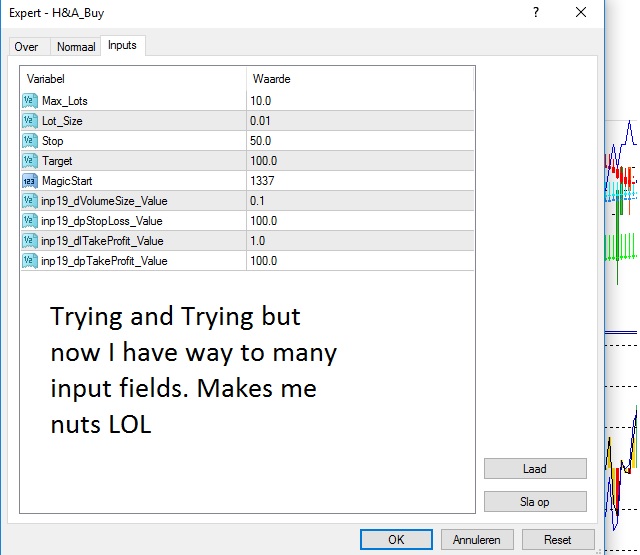
Why aren't my variables working when made in online version. No problem with desktop version. 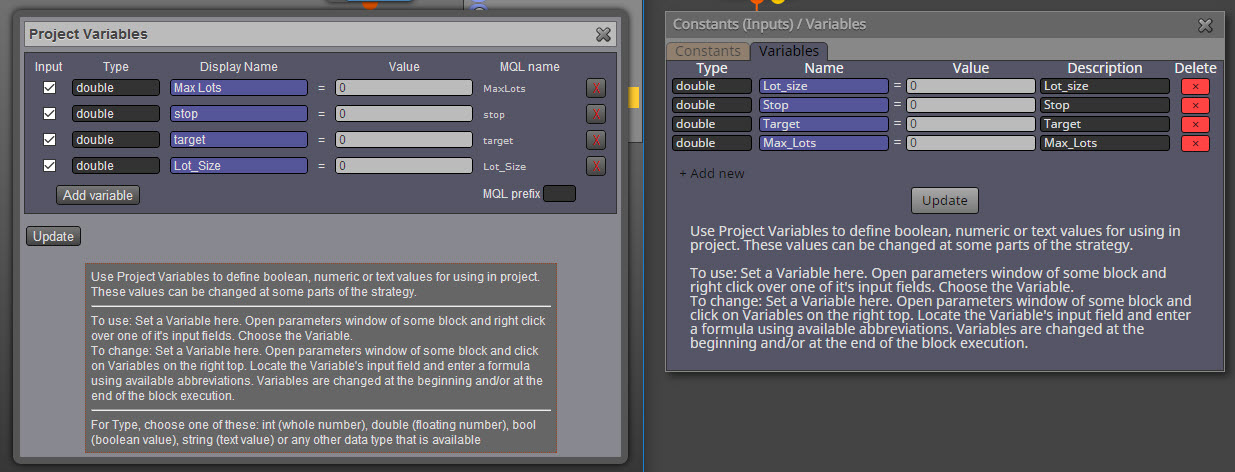
Top Menu "My Indicators"
Check Profit (avrage) is a nice block but what I like is Check Loss (Average) Or in other words when the total loss of "N" Trades exeeds a certain amount of money >>>> Close all trades.
Program works again (Desktop Version). But I do not want to steal your money. It shows 85 days and that is not right. Should be around 11 days or so I think.
Update: Just logged in again and now it shows 37 days so there is still a problem with subscription days.
Well My subscription days vary fro 30 to 99 days each time I open the programm. But I can not write the code to my platform because it says you have basic. I know 4sure I have a few days left but not 99 days. So when do you think everything will be ok again???
I can't get my fingers behind it. Each time conditions are true the EA should sell without take profit or stop loss. However when all trades are in the combined loss may not exceed 100 dollar. When for example 35 se3ll trades have a combined loss of 100 dollar or more the EA should close all trades and terminate.
So far I could only figure this out on one singel trade and not a whole group of trades.
Below what I have and I know its wrong. Maybe you can give me a hint.
......
combi.png
I found a solution for my previous question on Oct 24 One attached picture shows that many trades were made and closed with a profit in the end. Because I trade candles high and low and I never know when the bot will take such a trade its pretty important to know the overall loss or profit. So My question is about the second picture. Is this the right way to check loss and profit.
(Oh I know the block nrs are set wrong at this moment)
......
eurjpy-m5.png
max.png
Can you create such a block in the future? Would be great. Because after all the magic nr in candles is all about 3. The third candle always controls the balance for up and down.
This can't be done with MA's. Its all a bout sell a break of 2 higher lows in a row or buy a break of 2 lower highs in a row. Thought I made it simple to understand.
As seen in picture the first part is easy to solve with candle ID's but the second part the candle wicks keep making lower lows without breaking 2 higher lows in a row. Hope you can solve this for me.
I figure its simple but can't find it
......
Wick Lows.jpg
Hi,
I understand what you mean and maybe my question was a bit incomplete or hard to read.
I have 1 instant order, 2 pending limit orders and 1 pending stop order in "On Tick"
I have a stoploss for all trades in "ON TRADE" ( no matter how a trade is closed all trades and pending orders must be closed)
so far no problem.
The real question is can I trail or set break even on the pending stop order only.
I have seen a few blocks:
(on trade) Order SL modified.
check type
check how it was closed >>>Is there also a block how it was opened???
In short, the robot will enter a trade and when price goes against me it will ad 2 limit orders.
Best case scenario is that all orders stay in and price goes in my favor again untill the stop order gets hit.
Its that stop order I want to trail when price goes even more in my favor.
Hope you understand what I mean now.
I can always do a video on the subject as I did before.
Thanks in advance again,
Erik (picture attached)
......
stop.jpg
Hi again,
I can imagine many things but putting it in to a program remains hard for me even when its as simple as your FXDREEMA. Its the very best program out there. I have attached a picture again to make things super clear. All pending orders should run until stop out, specially the limit orders. But with stop orders I get very nervous because it means you are in profit. So I would like to have those at break even at a certain point. The robot will close all open orders and pending orders once that stop gets hit. I do have that set on trade. I just can't have it when a profitable trade turns in to a losing trade. When it is not achieved as shown in the picture any ideas are very welcome.
And again many thatnks in advance because you are the best
Erik
......
breakeven.jpg
Looking for a condition "When a still open Candle breaks 5 pips above or below Candle ID X" The EA should buy or sell depending on the break above or below that candle ID.
Erik
PROBLEM SOLVED. I need to read better. Must be DOUBLE instead of INT.


