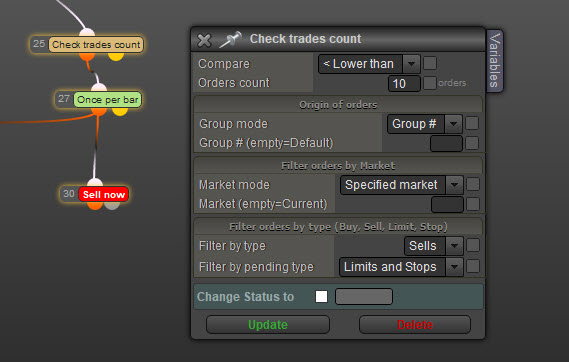
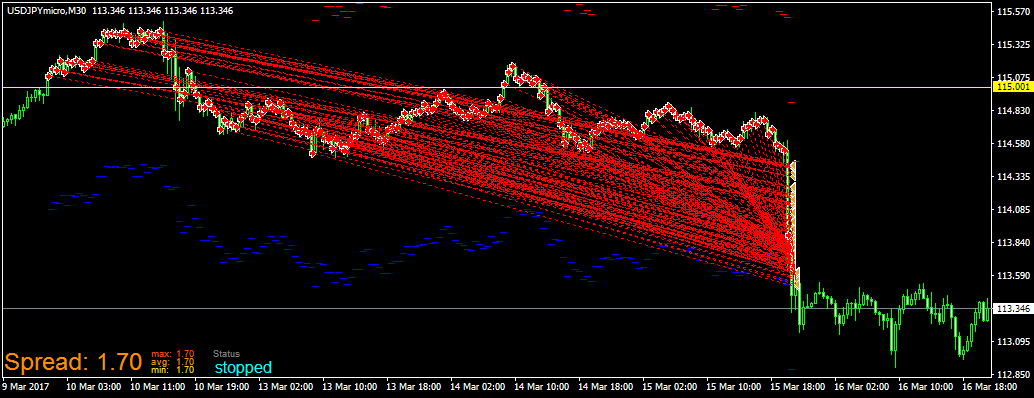
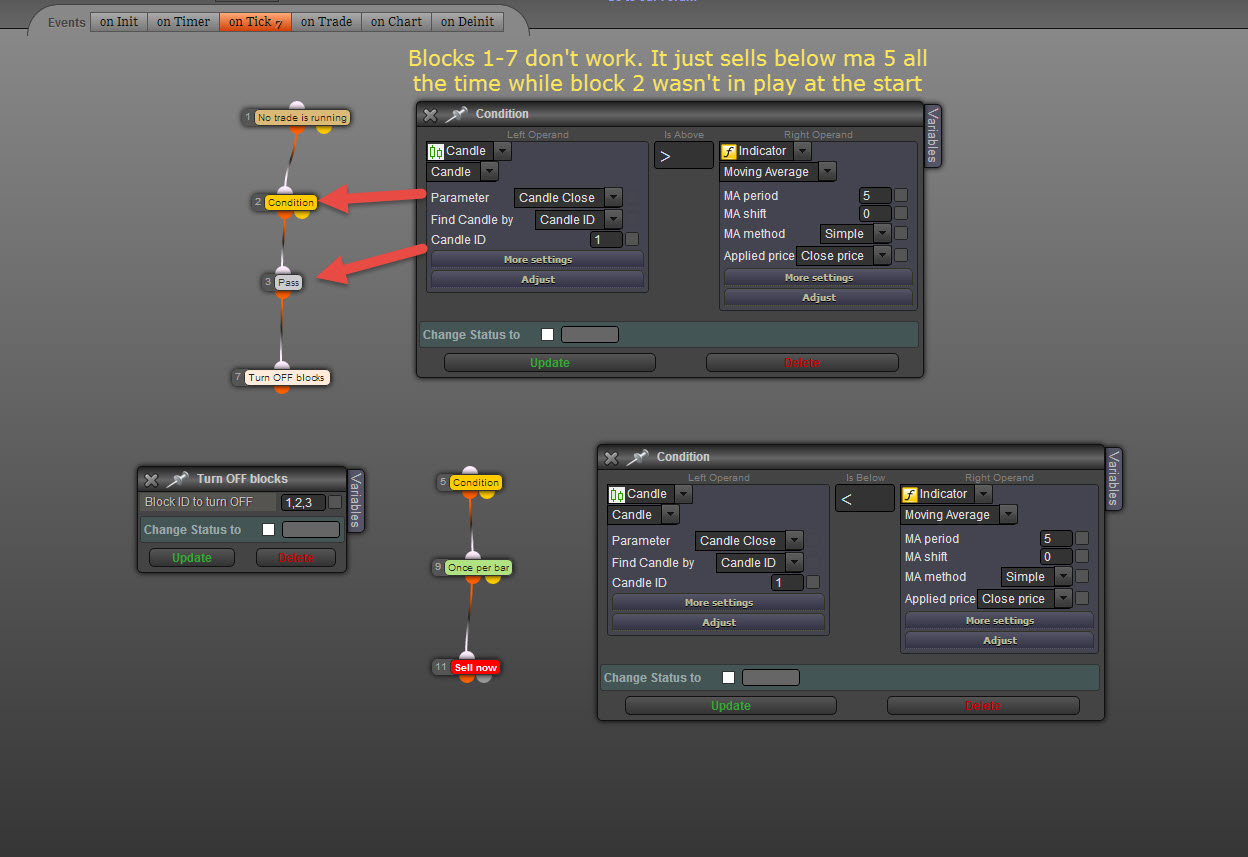
The Block must be placed between condition and Buy - Sell block.
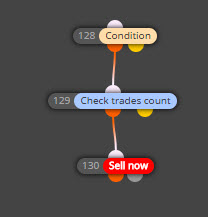

The Block must be placed between condition and Buy - Sell block.
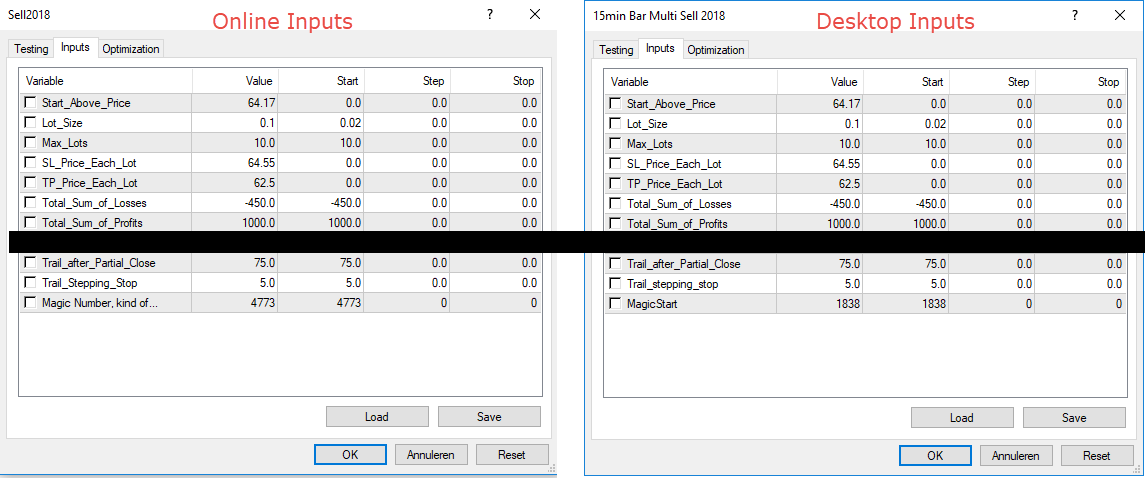
Ok I have checked and double checked. Time frame and Inputs are exactly the same and below the result of both versions. 10 trades total.
Note: In the desktop version variables are used and in the online version Constants are Used.
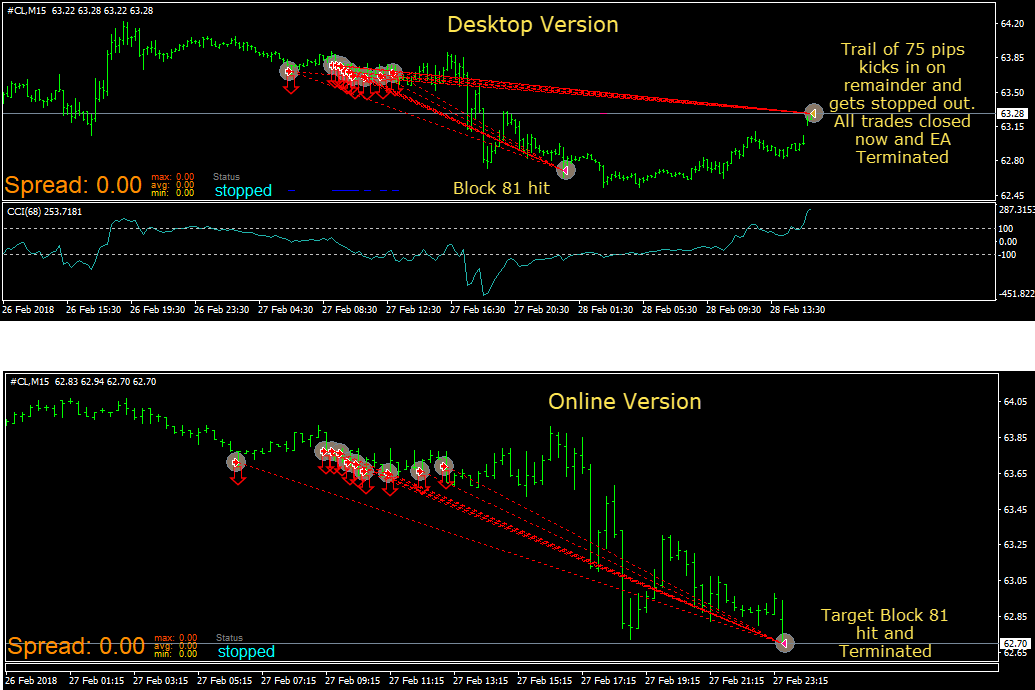
Below the desktop version. Above is all online version.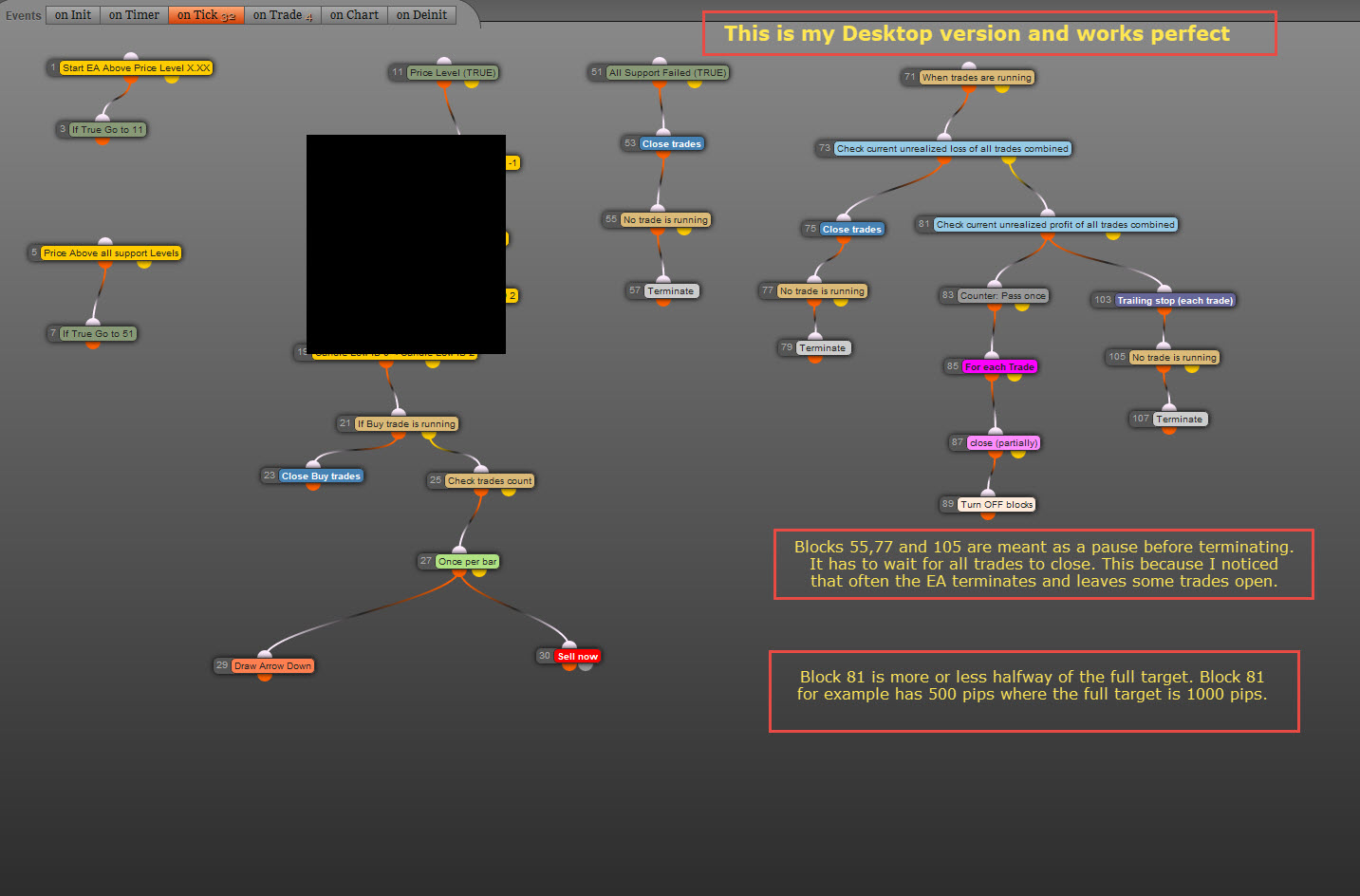
No I am saying the EA can't get past Block 81. The blocks (No Trade Running) are a must because often the EA terminates when not all trades are closed. That is the reason for Block 55, 77 and 105.
In the desktop version when the EA gets to block 81 it will close 50% of all trades and trails the remaining 50% of all trades. In the online version when the EA gets to block 81 it closes all trades and the robot terminates. The Robot only terminates when trades are FULLY CLOSED. This is set in the on trade section. See second picture.
P.S. Or as you say it goes straight from Block 81 to 107. That's possible.
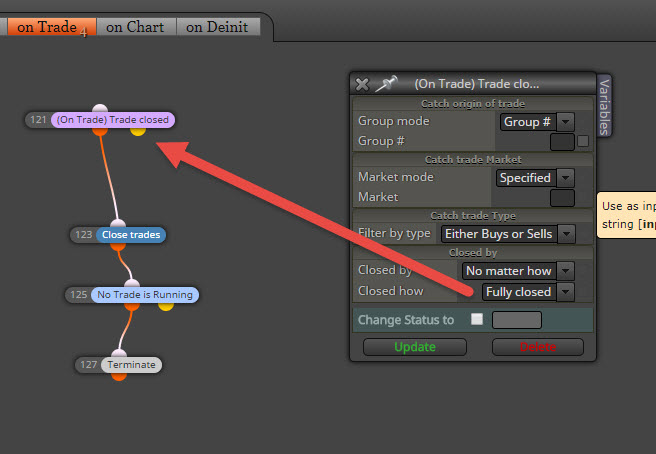
@migen This will pause the EA untill all trades are closed. Not sure how to do that in a script.

Still Strugling with the online version. This is an exact copy of the desktop version. From block 1 to 81 both versions work perfect. It's the partial close area in the online version (Block 81 to 107) that doesn't work. The Robot Terminates at Block 81. No Idea why.

Maybe I am using a wrong block in the online version. Both versions have exactly the same blocks but the online version does not act on total Loss or Profit. The Desktop version however works perfect.
Desktop uses variables where the Online version uses Constants in the exact same way. Only difference is the top block. In both cases the loss is filtered by a - sign. So profit profit doesn't mean anything
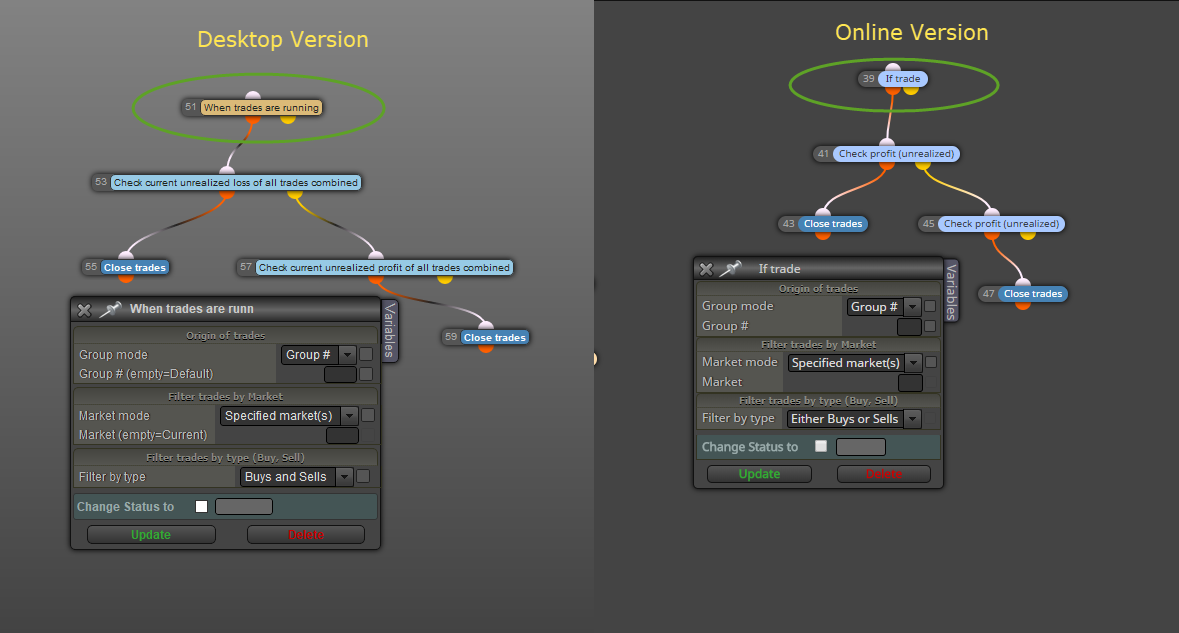
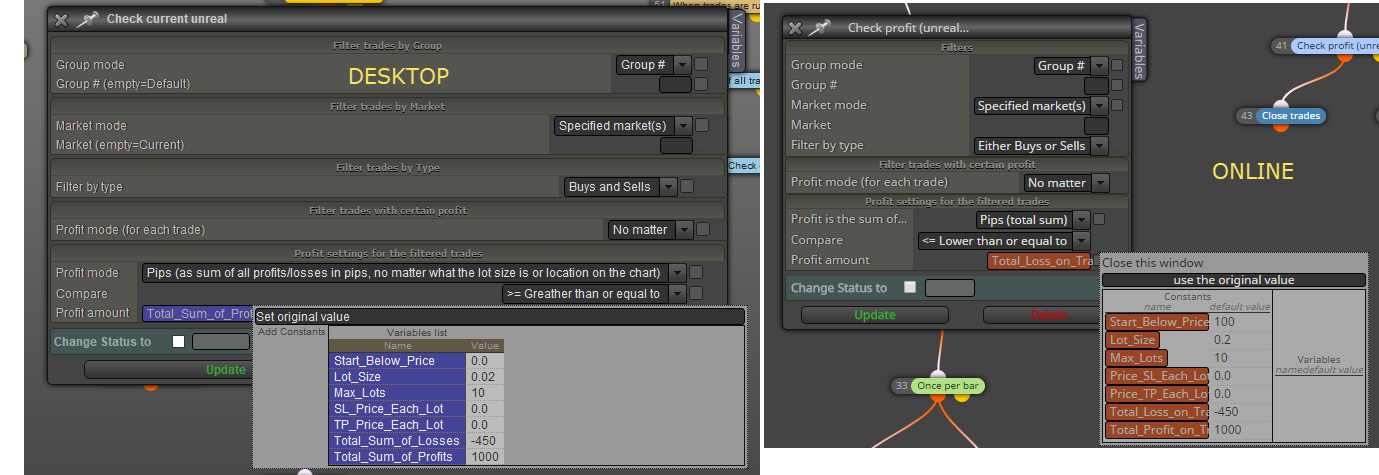
@fxdreema All I wanted was the input fields in Meta Trader. Thanks 
Today I tried the online version again just in case and what do I notice. Constants are acting like variables in the past. No complicated stuff and works like clockwork or am I missing something here? Please tell me ...."Yes its that simple." (see picture)
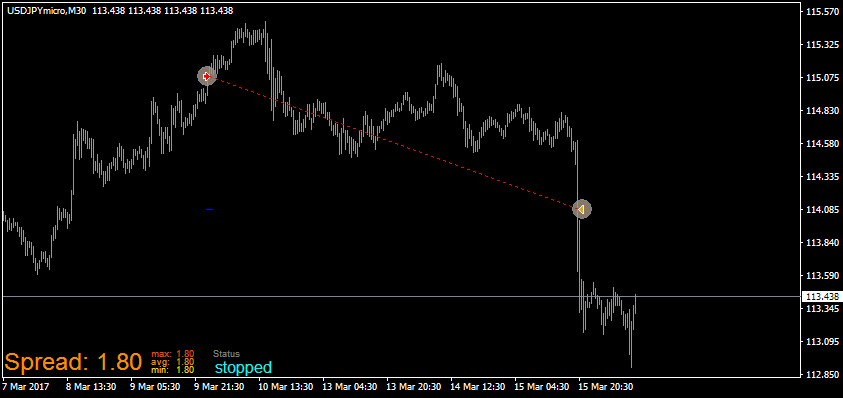
I want to start the EA at a certain level and act from there. But can't figure out how to turn off block 1. Have tried multiple ways. It works but only sells once in this case. 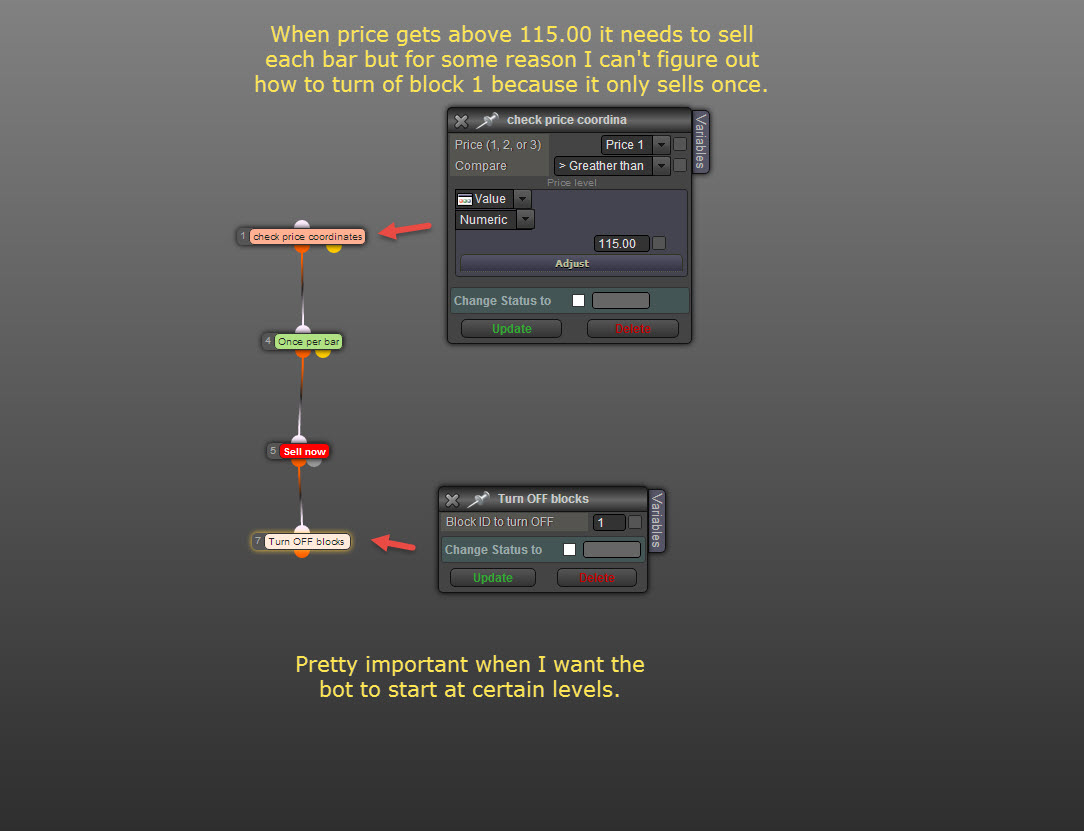
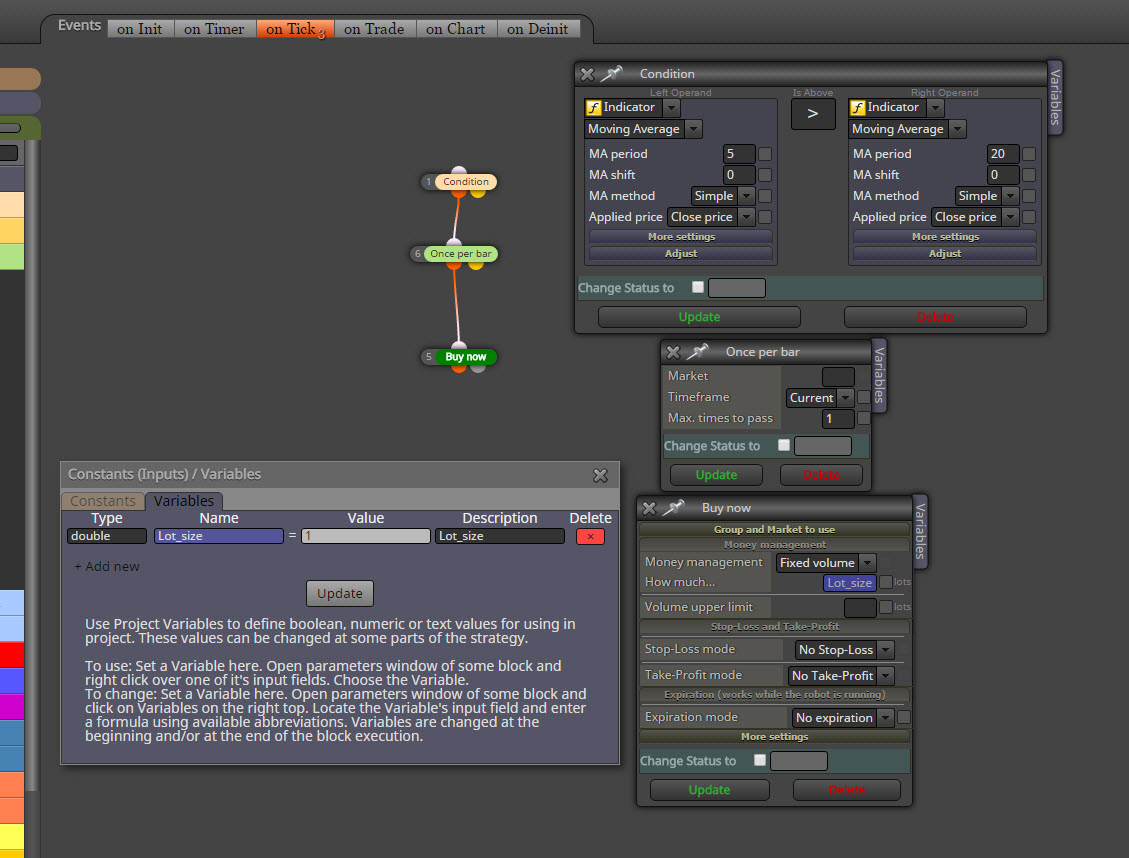
In the old program, in both web and desktop, FXDreema had this ingenious tool to place variables in a very easy way. Place a variable for Lot size, Oder count or whatever you needed to alter before the EA was running. Just put in the number and connect with your field. This is now out the door. Variables that don’t show up and Constants that cannot be altered. To get the same result as before you need to go a mile and more.
Connect constants with variables, pass and what more. Even an explanation from someone is too complicated to grasp. All the blocks were so simple to use but now it’s going in the direction of programming. I hope this will not continue because it takes the fun away of creating an EA for simple minds like me.
The desktop version still has that simplicity and I guess I just have to use that and be a happy programmer (block builder).
Just an opinion but a valid one I think.
Ok so what was simple in the past like going from A to B we now need to go over the whole Alphabet. But thanks I am going to work with that. At least you explained it as simples as possible. I did tell you I love you didn't I
Constants show up in the EA's input screen but can't be changed. On the other hand Variables that can be changed don't show up in the EA's input screen. What am I missing here??? Below a simple bot.
"Solved" Its working and the exact profit amount was reached. But its the exact same bot as before (apart from arrows) So I think somehow a lot of old and wrong info remain when changing stuff. In this case I think It used data from the copied sell bot that was used to build the buy bot. Anyway "SOLVED"
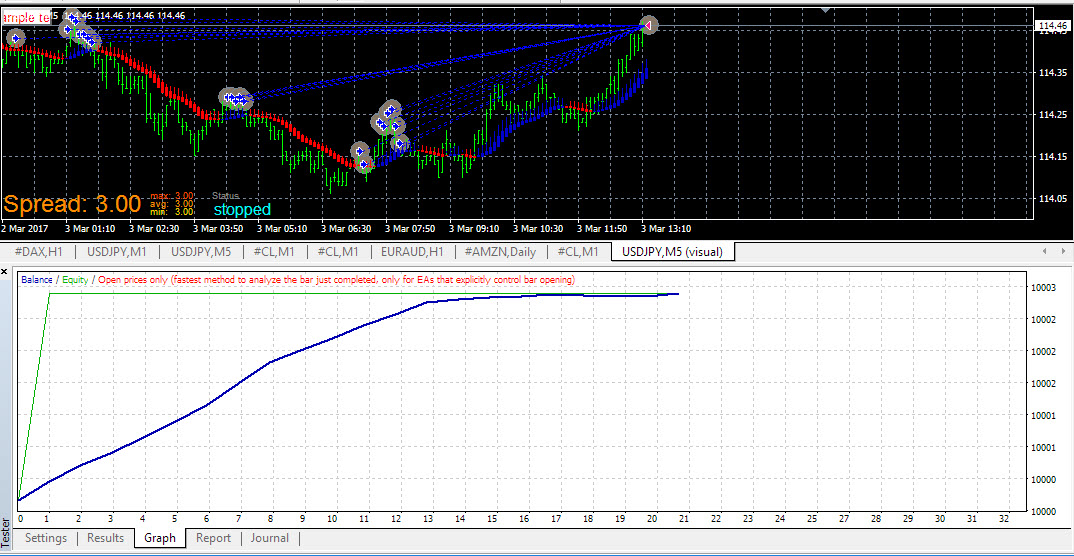
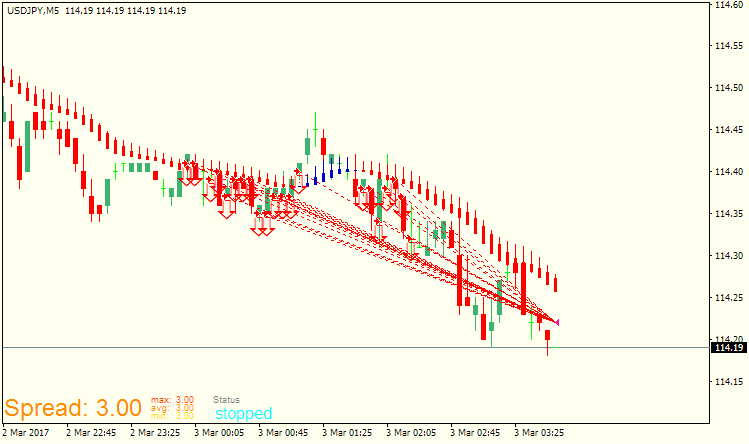
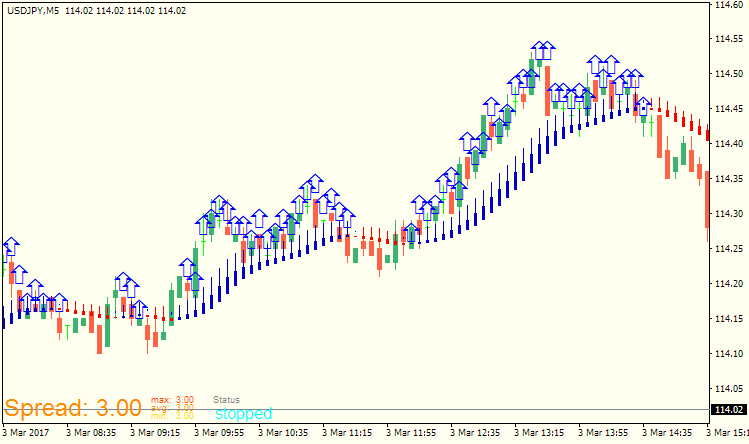
My sell bot now works perfectly but my buy bot which is the exact oposite of the sell bot does everything right except it does not buy. This makes me insane. It keeps drawing arrows because it never reaches the maximum buys. But each arrow should be a buy. For bot settings see my previous post. Now I will start recreating the buy bot from scratch because that was one of the last solutions in previous post. (I keep you updated when ready) 2 pictures included.