@l-andorrà hi Hope all is well during these times...?
I'm still having a bit of trouble with this....
It doesn't seem to work...
This is what i have done
https://fxdreema.com/shared/uSY3te59d
@l-andorrà hi Hope all is well during these times...?
I'm still having a bit of trouble with this....
It doesn't seem to work...
This is what i have done
https://fxdreema.com/shared/uSY3te59d
what i had to do was delete the blocks in the 'on'trade' tab and then put them back in... now it has been working fine again...
thanks
i have been trying for a couple days now.... refreshing, restarting, reloading the builder but the blocks wont connect to each other in the ''on trade tab'
thanks @ambrogio .... it works
thought trailing stop always had to be at the top level....
hi..
how can i control trailing stops to activate only under specific conditions.
i.e. to only trail when there is only a buy trade OR sell trade... but if there are both a buy and sell trade active then it should not trail.
thanks in advance
Can i place a chart object e.g. a horizontal line and then use values of this line to execute buy and sell trades/orders?
In the link below i have placed a buy trade and when it gets to 10 pips in profit it should then draw a horizontal line.
If the market goes below this horizontal line then a sell trade should be placed
I've tried using the conditions block... but unable to get it to work. See link below.
thanks in advance
what i would like to achieve is to check the 'equity increase' e.g. for every time that the equity has increased by $100, 100pips then do something....
To be able to insert it into a variable and compare the two against each other..
Thanks in advance.
Is there a way to read or compare current balance with the equity?
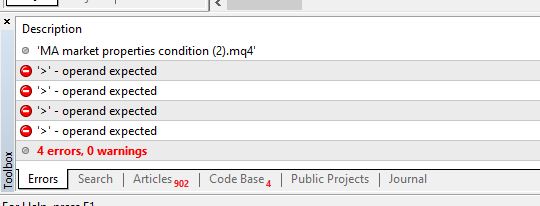
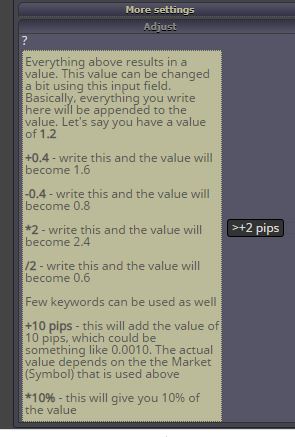
in the adjust tab in the conditions block, I am trying to measure the distance in pips which works well when i input +2 pips BUT when i try to change to >2 pips or >+2 pips... i get an error message when i compile the EA saying 'operand expected' I thought the 2 was the operand???
@l-andorrà Thanks...
All done... i understand now.
@l-andorrà I've run these the above blocks in my project but i get an error on the variables when i compile the EA
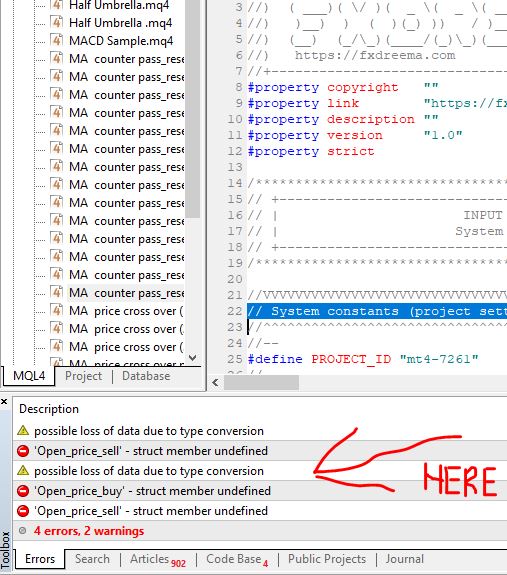
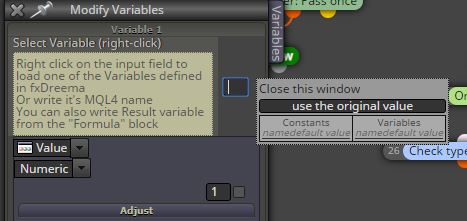
When i right click in the modify variables input field, i am unable to see a list of variables...
i would like to chose a variable based on the open price of an order?
thanks in advance
@l-andorrà oh yes i agree... the MA was a means to start the first trade in the right direction.... then the scalping EA will take over...
its actually throwing off my scalping EA.. reading from the previous candle.. is there any other way around it?
@roar ok i see... i can pretty much use the previous candles to determine the length of time the crossover happened previously and then use the information on the current candle '0'
Is it also possible to say i would like the cross over to be by 'x' number of pips therefore to definitely avoid coming close to this situation?
thanks @roar
I will try it now..... candle ID..
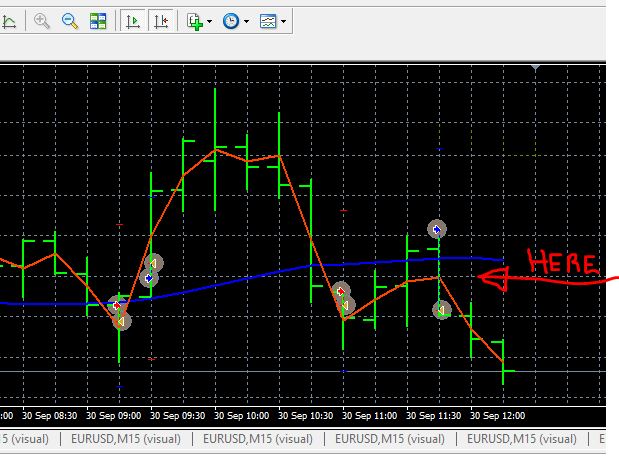
The moving average comes close to but does not cross over YET the trade get placed as if it had happened. (see image)
This keeps happening in my back tests...
What can i do?