@MattCoward Create an object loop in which you check the time of each object that draws the FVG. Store the time value of the first object that comes through the loop in a variable. Check for the next object that comes through the loop if the time value is earlier than the already stored time value. If so, store that time value in the variable. When the loop is finished, the variable should contain the time value of the earliest FVG.
F
Posts made by fxpim
-
RE: pending ordersposted in Questions & Answers
-
RE: Compilation errors '-' - illegal operation use '-'posted in Bug Reports
@akallai86 Just to make sure, have you already tried to deduct or add the symbol spread from sell_open_price without converting it into a string value?
-
RE: Licensingposted in Questions & Answers
A fellow developer did this with his own web based license server. You had to enter your account number when you bought the EA, the account number was stored in his database and the EA would request from the website if the account number was in the database. He used fxdreema as well but I don´t know the exact block structure he used.
-
RE: counter pass issueposted in Questions & Answers
you are using the counter blocks wrong. If you only want the buy and sell blocks to run once, I suggest to use the no position blocks. You can otherwise use the flags blocks as well.
-
RE: Licensingposted in Questions & Answers
Make a database on a website with all of the account numbers of your clients. If the account number matches, the blocks will be executed. I believe that you can do this with the HTTP request block and the login number in the account section of the choosable variables.
-
RE: Open new trades only when the previous is above Breakevenposted in Questions & Answers
Use the "Set current market for next blocks" and connect your conditions to each pair you want to use for your EA. You can use the symbol filter in the buy/sell blocks for your trade. For this trade, store the entry price in a variable. Use a condition block to check wether the bid/ask is above the entry price.
-
RE: How to break or next an object loop?posted in Questions & Answers
@GeoFX I think I can explain by now. What you need to do is the following: take a For Each Object loop and store all of the variables you want to check against another object. For me, that would be the upper and lower price coordinates and the beginning of the rectangle. After storing these variables, connect another For Each Object loop to the block that stores the variables and take the condition blocks to check the object of the second loop against the variables you stored in the first loop. The picture shows the block's structure.
So basically: first object loop -> store object variables -> connect second loop -> use condition blocks to check the object properties against the variables you have just stored -> object action for the object of your second loop

-
RE: is anyone using fxdreema desktopposted in Questions & Answers
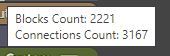
Is there any news on this topic? I am encountering the limits of the web version of fxdreema with big projects... For example, one of my projects contains 2744 blocks and now and then, connections randomly disappear and even updated block content does not stay in the blocks which is very frustrating.
-
RE: How to wait for a new bar open to place trade ?posted in Questions & Answers
can you share a project link?
-
RE: Help!posted in Questions & Answers
@GOKACHIT connect the buy and sell blockls to the close positions blocks. When the work of the close positions block is done it will open a new trade
-
RE: How to take repeated trades with same lot size and different pipsposted in Questions & Answers
modify variable -> initial price
modify variable -> pending_order_price1 (initial price minus 100 pips)
modify variable -> pending_order_price2 (initial price plus 100 pips)come up with your conditions to place the limits/stops
-
RE: We need to have an in-built News Filter...It is high time we have this MT4 and MT5posted in General Discussions
Exclude all trading activity when news events are likely to happen. So, exclude trading every day from 15:00-15:45 and close all positions by 19:00 for USD pairs. Use the same logic for EUR pairs and other currencies. By doing this, you are excluding 95% of all risk events and you are also filtering out the noise of your test data. This will also always work when you are backtesting. Writing a script that hooks up to i.e. investing.com calendar is tricky to use in the strategy tester.
-
RE: How to break or next an object loop?posted in Questions & Answers
@l-andorrà @GeoFX I will try to share it but then I will have to re-create some parts of the project since the project is under contract and pretty big...
-
RE: How to break or next an object loop?posted in Questions & Answers
@l-andorrà I am sorry that I did not answer you earlier but I think I have found the logic in the For Each Object loop. You can nest multiple For Each Object loops into another and the loop is always empty and exited. It exits the loop via the yellow dot when the tasks for each object are done via the red dot. If there are no objects on the chart that meet the filters in the for each block, the loop will always exit via the yellow dot. This allows you to count the number of objects on the chart, check if, for example, a rectangle from another timeframe is inside a rectangle on another timeframe etc. I have added a screenshot of what I have now been able to produce using FXDreema: my version of SMC I have used for manual trading

-
How to break or next an object loop?posted in Questions & Answers
Hi there,
Right now I am working on an object-based project for the first time. My learning curve, so far, about objects in MQL and fxdreema is pretty decent with all of the information that is available on the forum and elsewhere. However, I have been left with some questions. Since I am using a lot of "for each object" blocks, I frequently hop from one loop to another in the project, and now I am in a situation where two loops mess with each other with their data and the wrong stuff happens, etc.
Long story short, how do I break or next a for each object loop like you can with a for each position loop?
Hopefully, you can help me out