@jstap I just tried that but the results are still the same; see below. I also tried the same blocks on the 'On trade' tab but there the EA doesn't trade at all.
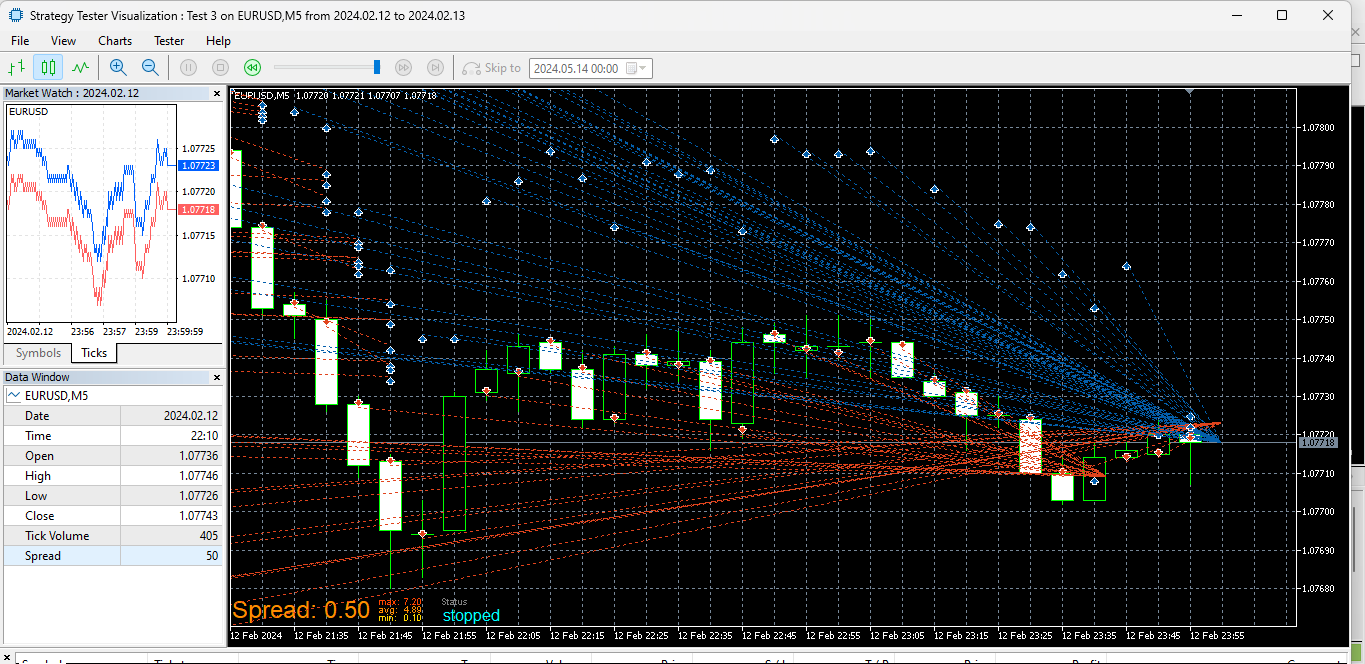
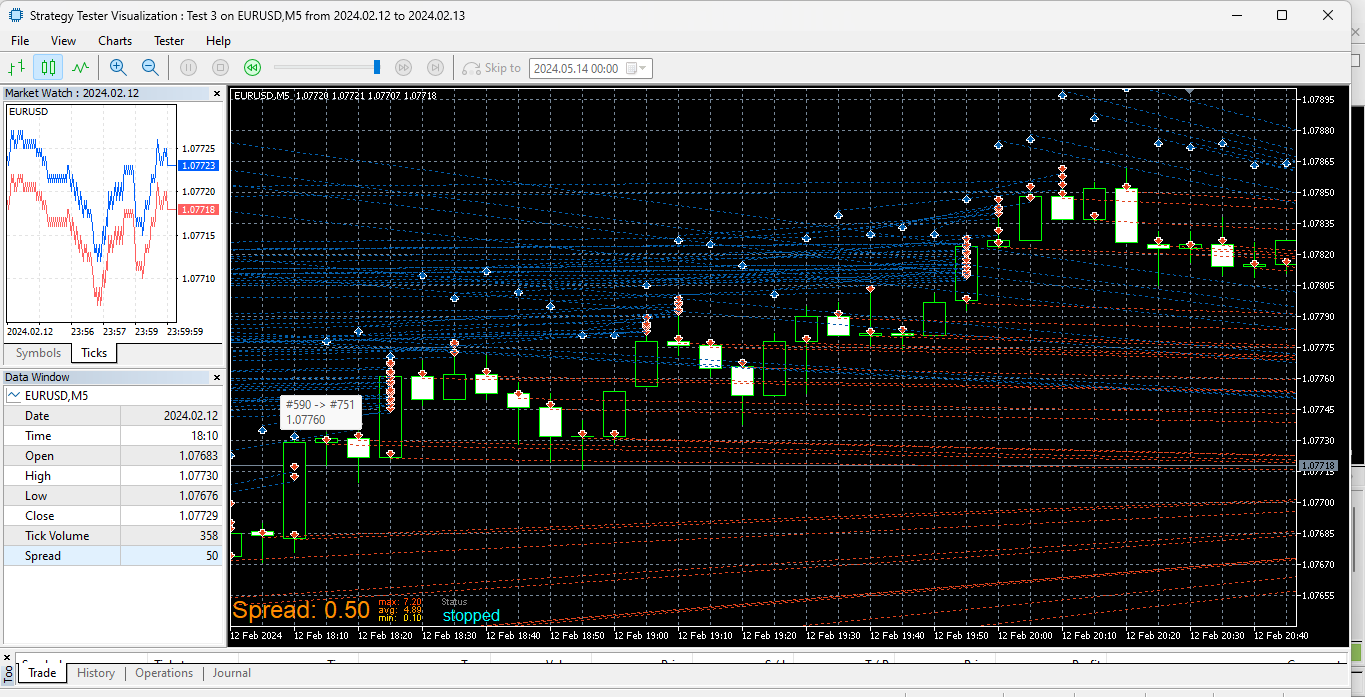
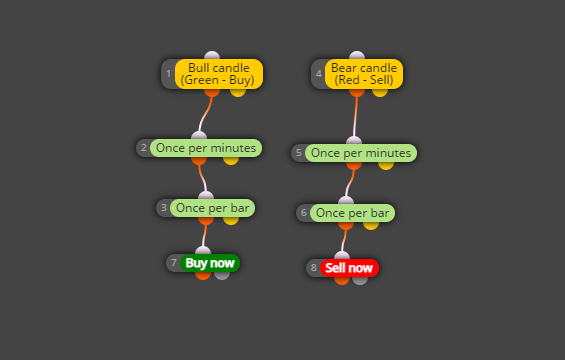
@jstap I just tried that but the results are still the same; see below. I also tried the same blocks on the 'On trade' tab but there the EA doesn't trade at all.
Hi guys. The above link in my original post is the whole project. But I've just removed the 'once per minutes' block; the problem still persists. See below the new link and snapshots of multiple orders in single 5-minute bars. I also tried as @Xeta50 suggested but the results are similar to the pictures below. I believe there should be only one red/blue arrow per bar, indicating one position per bar.
https://fxdreema.com/shared/ur6NzEhYc
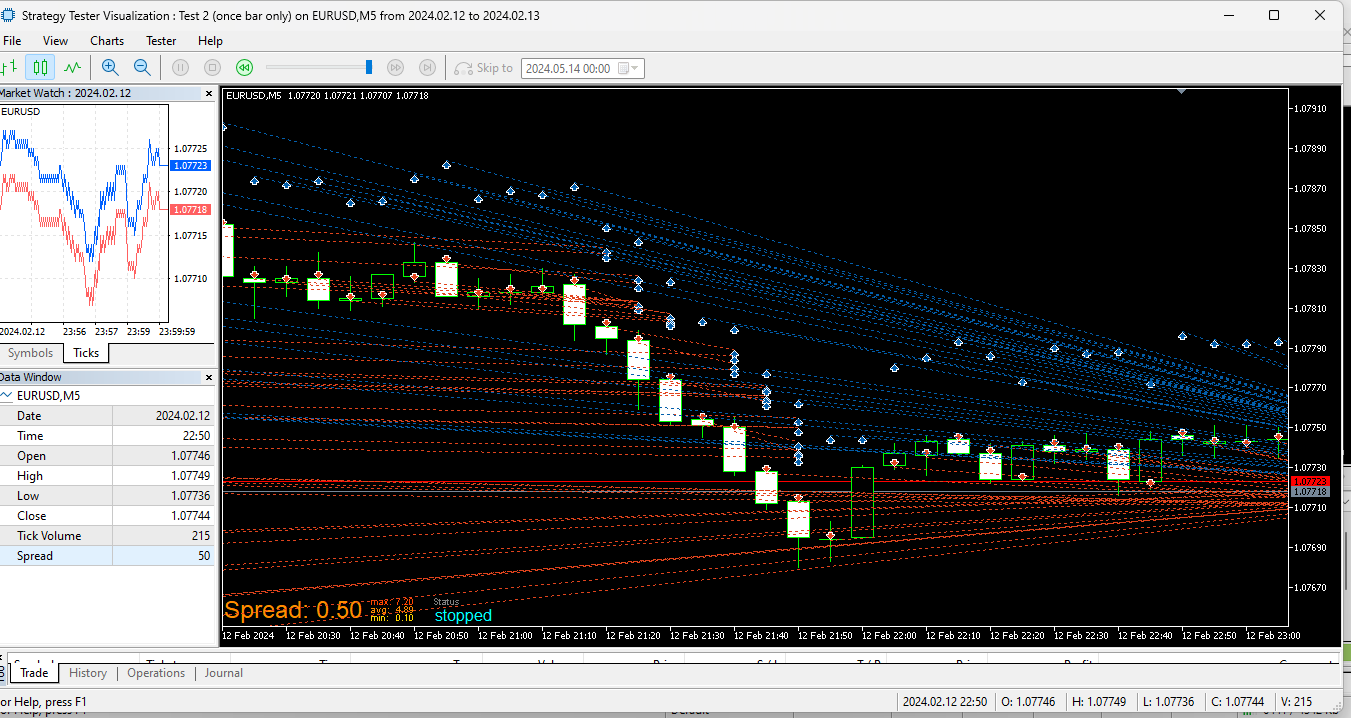
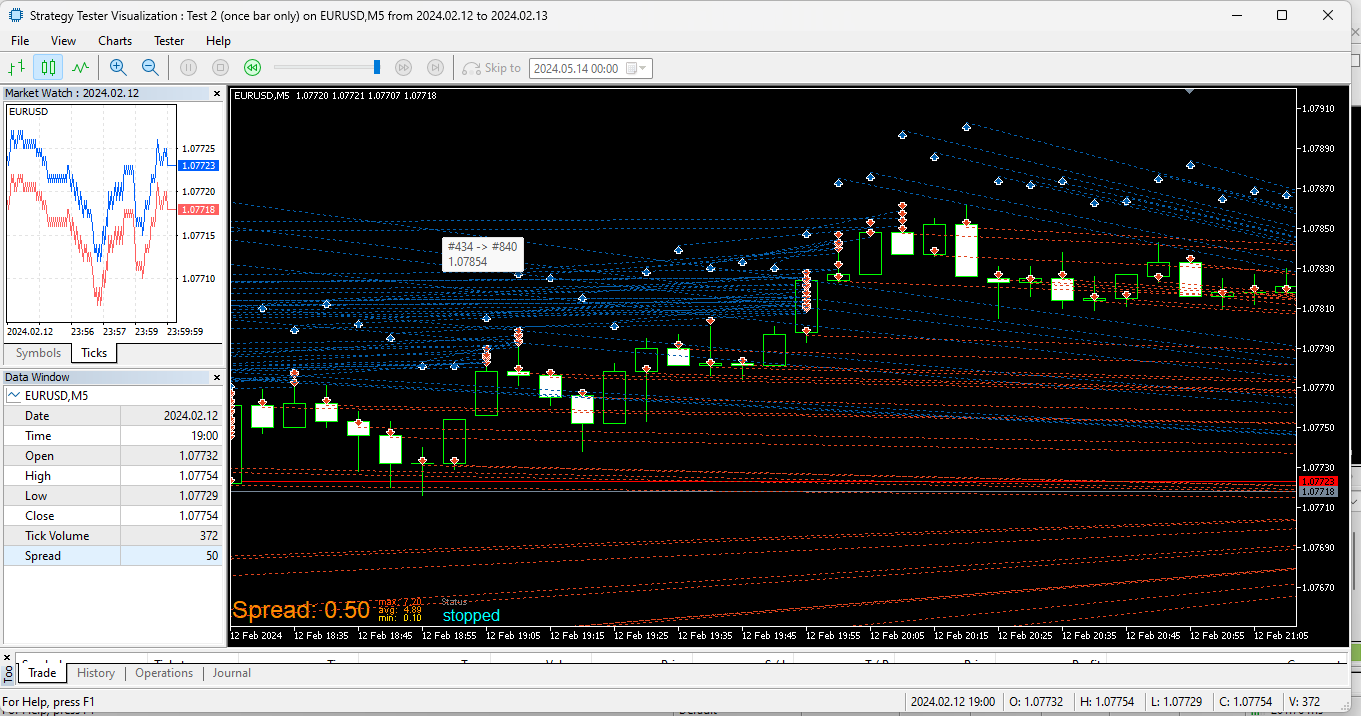
Hello. I'd like my EA to buy/sell once at the opening of every 5-minute bar/candlestick. The 'once per bar' block alone, on a 5 minute chart, results in multiple sell/buy positions per bar (which is incorrect). So I tried to add the 'once per minutes' block and set it to 5 - but still there are multiple sell/buy positions per bar. What blocks should I use? See link and pic below
https://fxdreema.com/shared/ur6NzEhYc
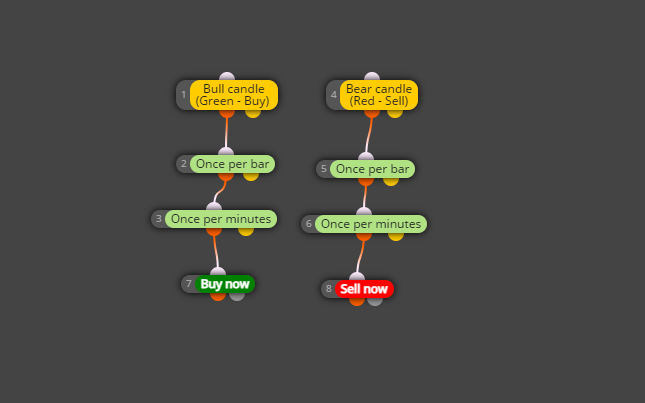
@ambrogio Thanks a lot - I also tried another way (pic below, in the "on trade" tab) and both work! Keep well
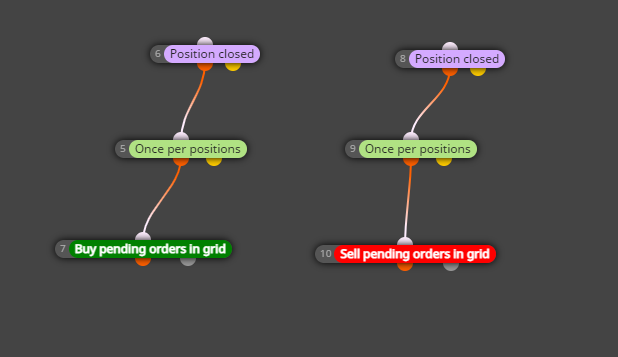
Hello @ambrogio - do you have any insights/thoughts on the above issue?
See edits to above reply - any further comments/observations? Also, I notice that it doesn't work on the "On trade" tab - how can I get it to work here, since this is not based on ticks?
With the 'no position' or 'no position/order' blocks on top, it doesn't place the new grids at all (unless the boolean settings are incorrect?). I have also tried restricting the 'no position/order' blocks to 'sells' in the case of buy grids, and 'buys' in the case of the sell grids. See link (https://fxdreema.com/shared/KEtKkOe4b) and snaps below
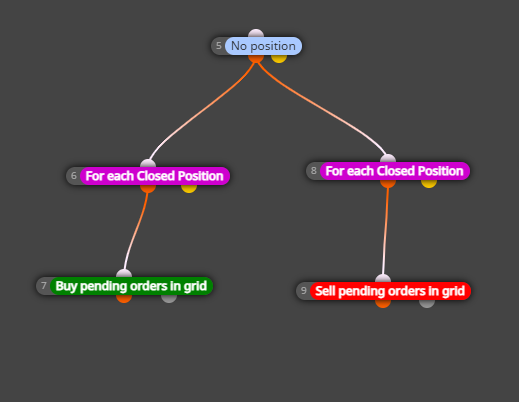
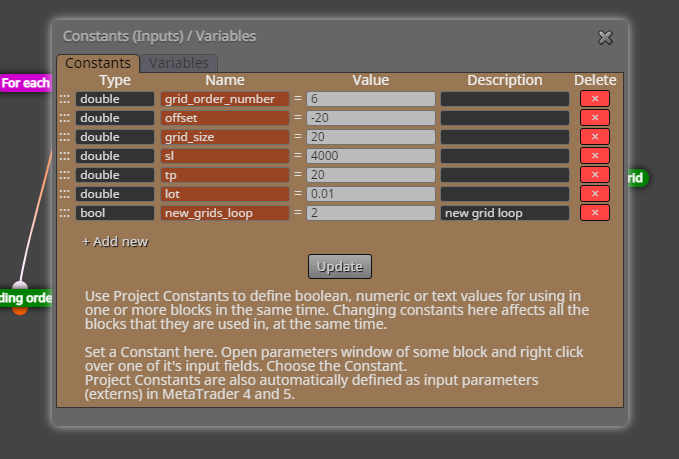

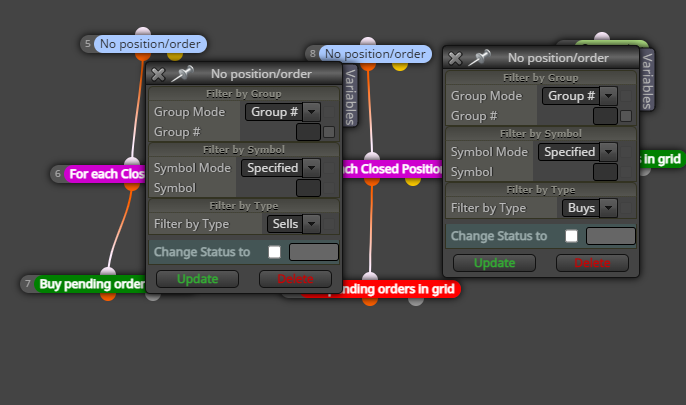
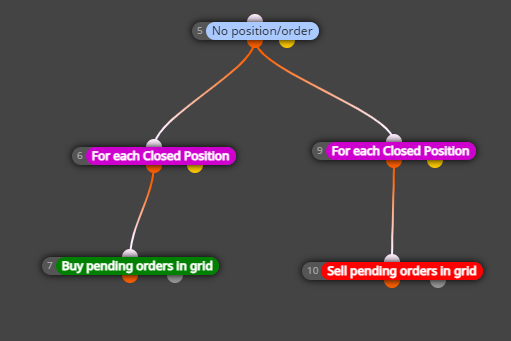
Yes, that's precisely what I mean. I tried it first without the 'once per positions' block, but this caused it to uncontrollably place unwanted grids with every tick. How do I go about using the boolean variable as you suggest (haven't used it before)?
Would this work?
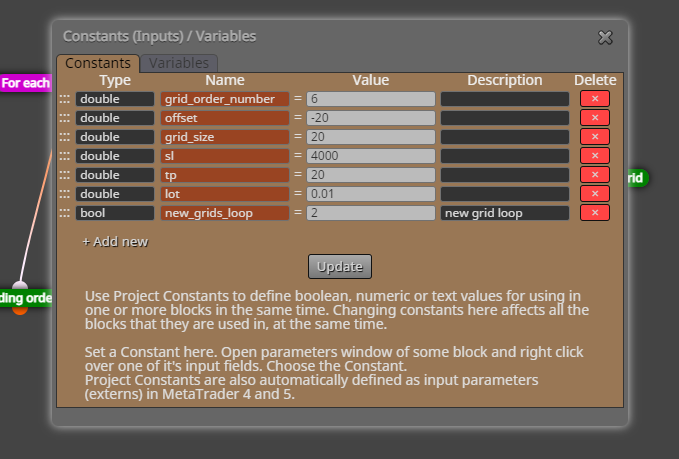
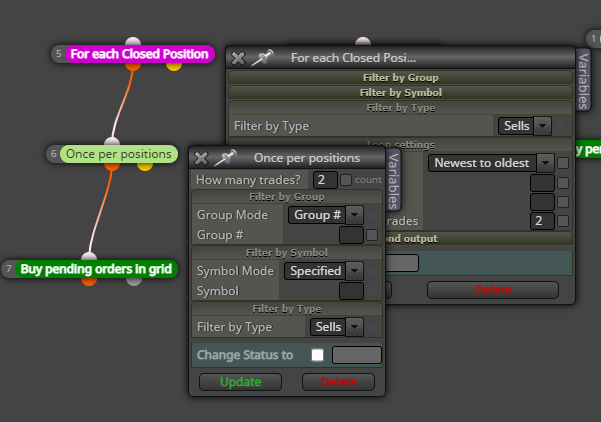
Hi all. The abovesaid block - which I understand is meant to work as a loop - only performs the required action once and then stops altogether i.e. I want it to place "sell pending orders in grid" every two buy positions closed; and "buy pending orders in grid" every two sell positions closed. What changes should I make? See below a snap and the link. Thanks
https://fxdreema.com/shared/ttNvREDyd
OK, I see the numerical error - I'll just use 20 instead of 200. Many thanks for your assistance 
Side note: It's a bit strange though, because I have tested other EAs (with exactly the same project options/settings) where a TP or SL of 50 pips, 100 pips etc is directly converted into 50/100 points when trading Gold and using the same MT5 account and broker. Is the "pips" definition for the bull/bear blocks different from, e.g., the buy/sell now blocks? If so, how can I get the definitions aligned since the project options are exactly the same for both blocks (which, in this case, form part of the same EA)?
Thanks - yes I can see that it works with smaller minimums; but with the 1 hour timeframe (plus longer timeframes), particularly for XAUUSD (gold), 200 pips is not a lot - in fact, the average size of the candlesticks for the said timeframes is above 500 pips. Do you know how I can get it to work with the 200 pips minimum (for the appropriate assets)? Here are some pics showing the large candlesticks for gold (all are well over 500 pips):
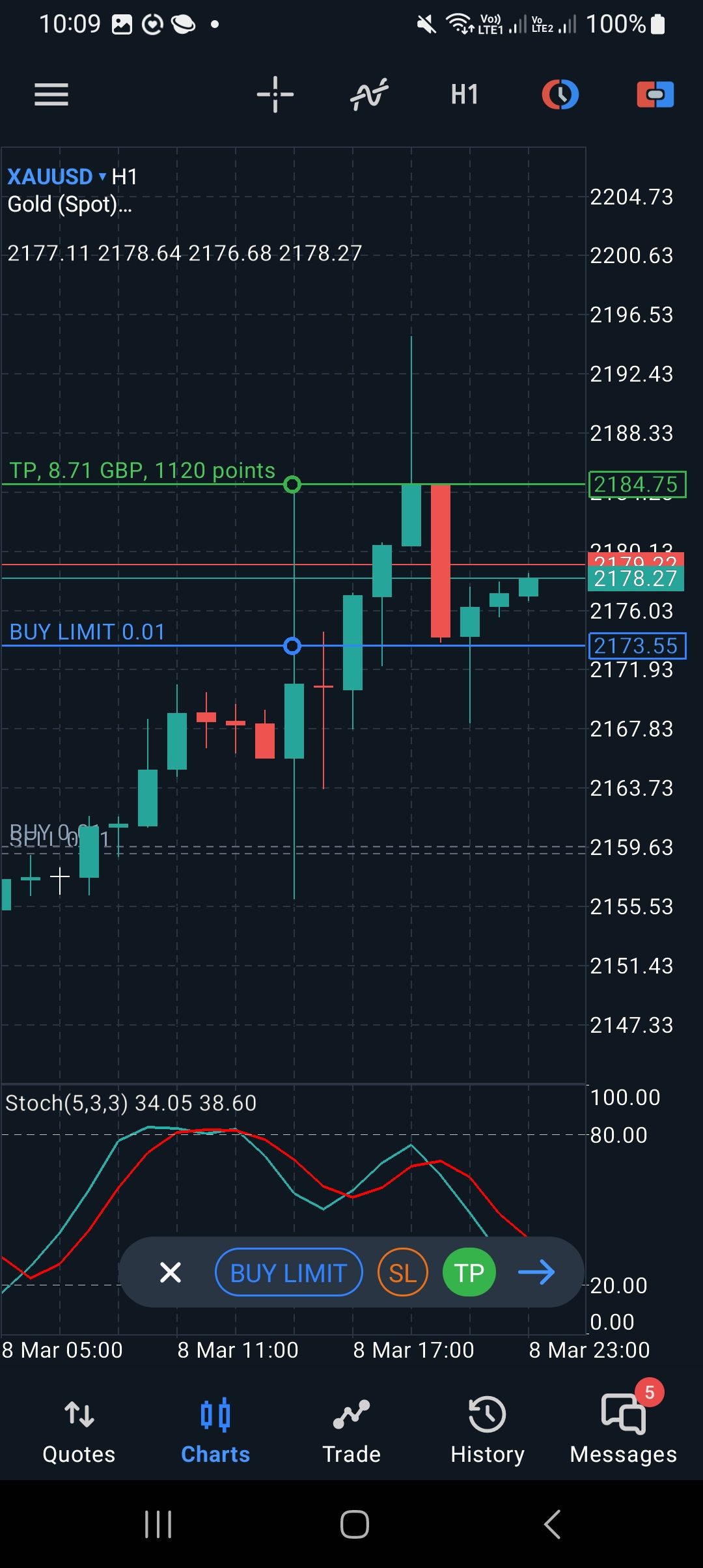
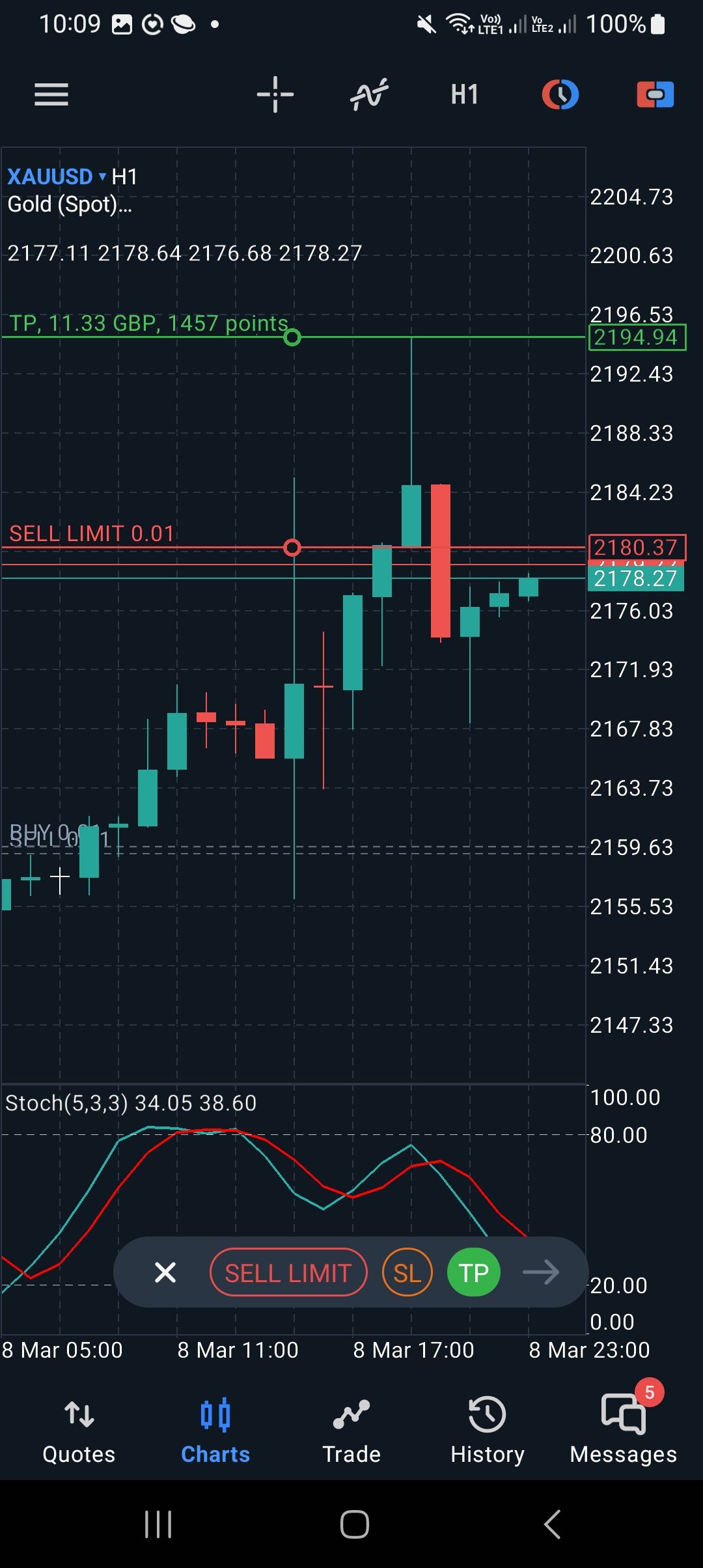
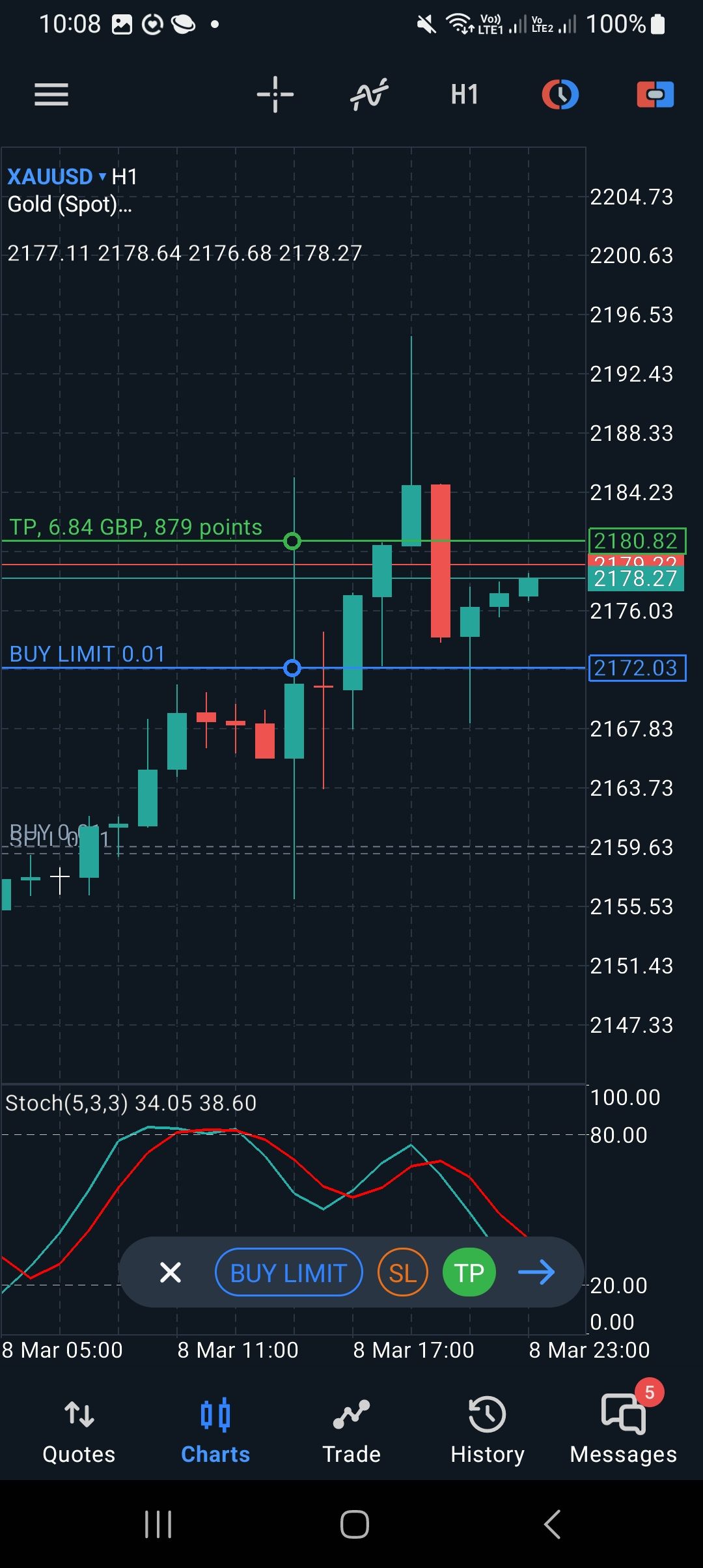
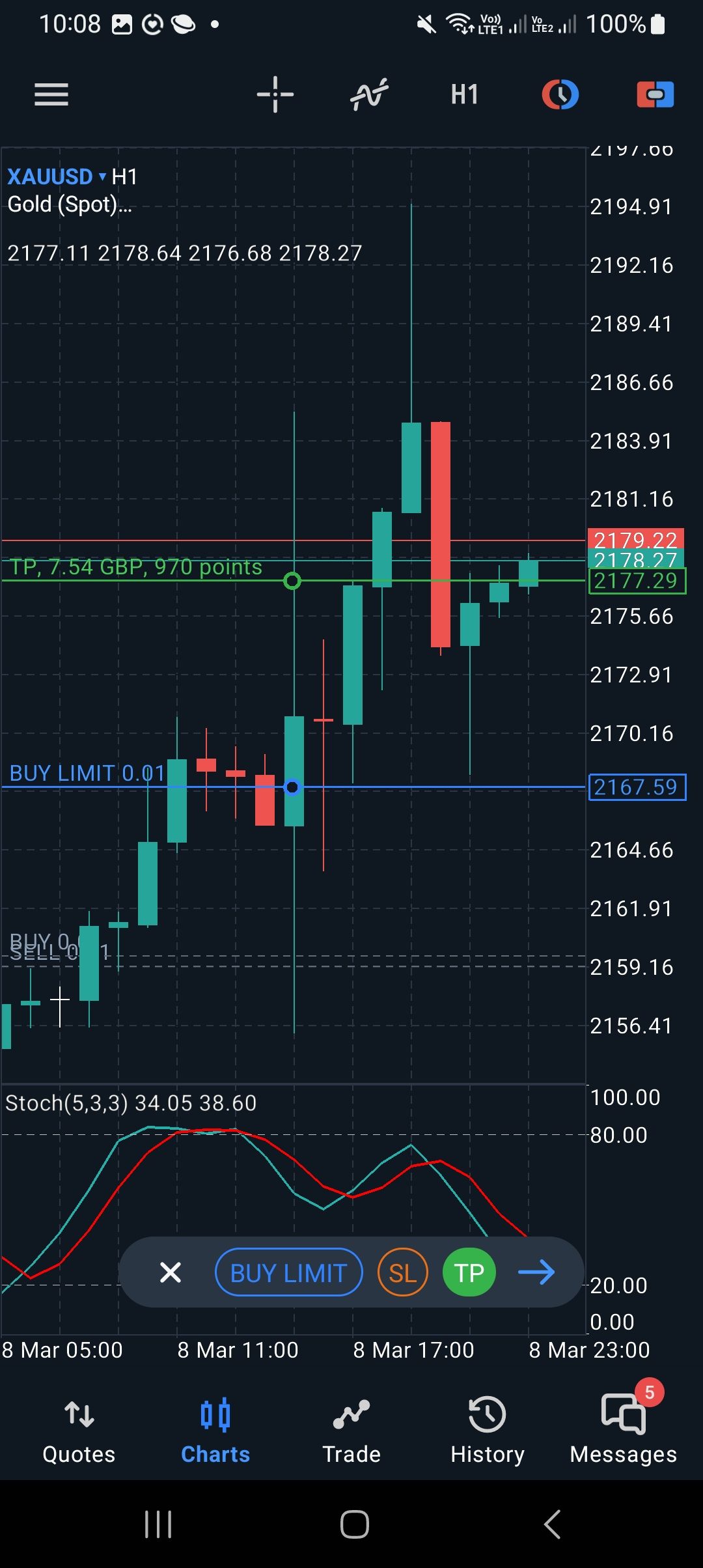
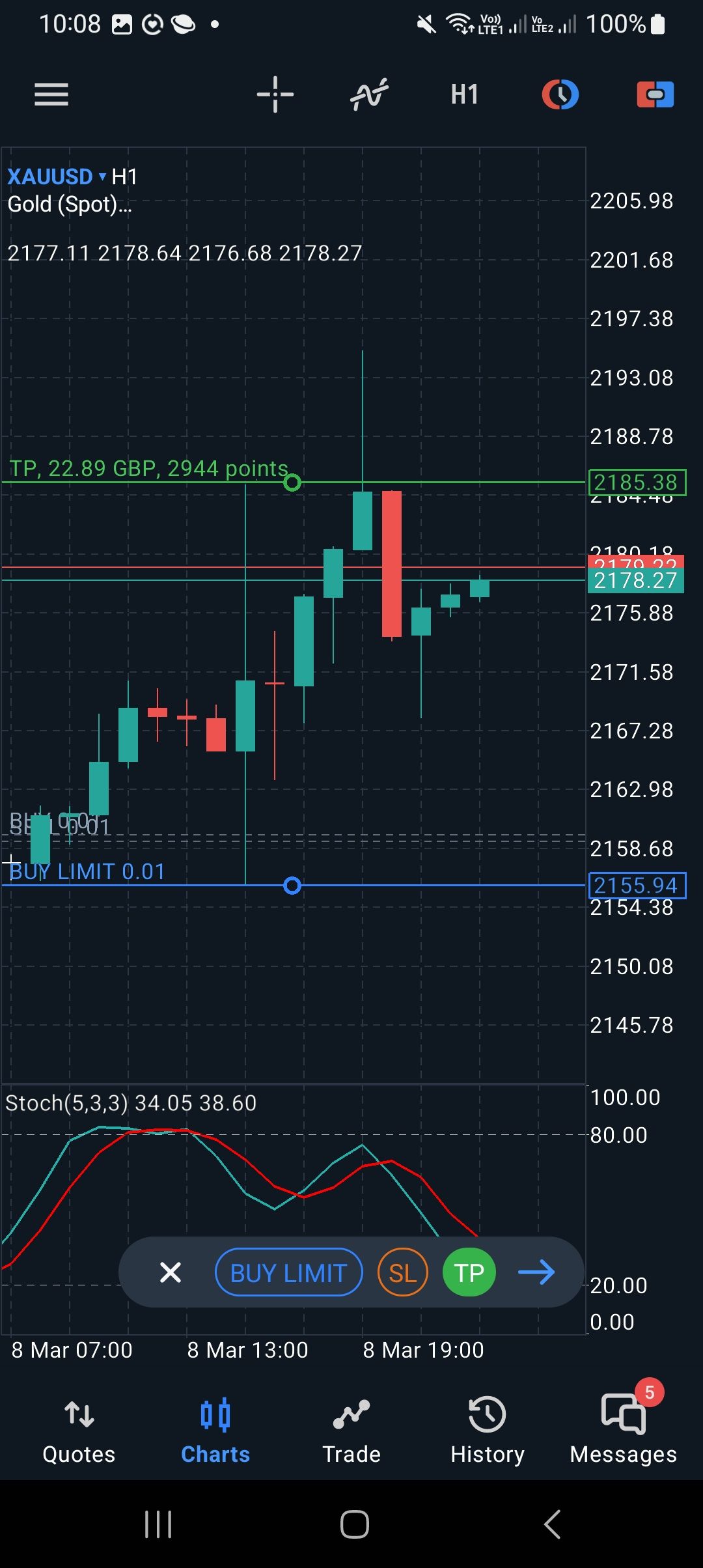
Ok - https://fxdreema.com/builder . Regarding the bull/bear block settings, I've tried it with both the "once per bar" and "continuous" options, but no success
Journal says "nothing to analyze" - it's the same message it gives if MT5 still has to download the relevant asset's history. But in this case, the history is already downloaded/available, which is why the Strategy Tester works for other EAs (using exactly the same dates as for the above EA)
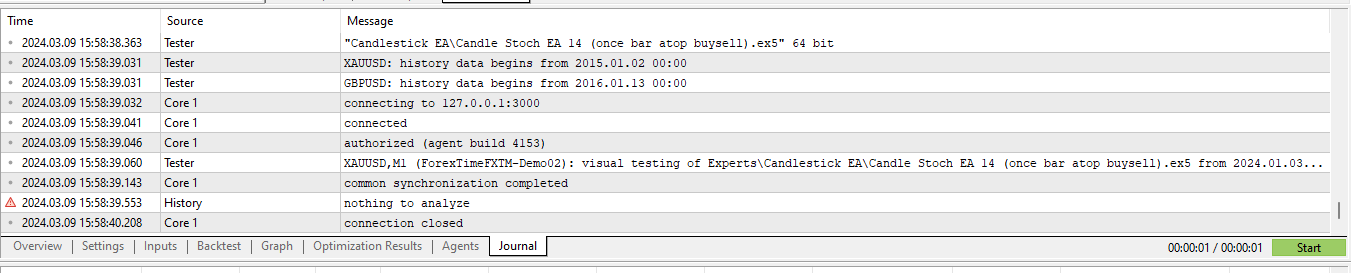
Regarding the Strategy Tester, the same day for the same assets (Gold, EUR/USD etc.) works for other EAs - so I don't think it's an issue of missing data/history
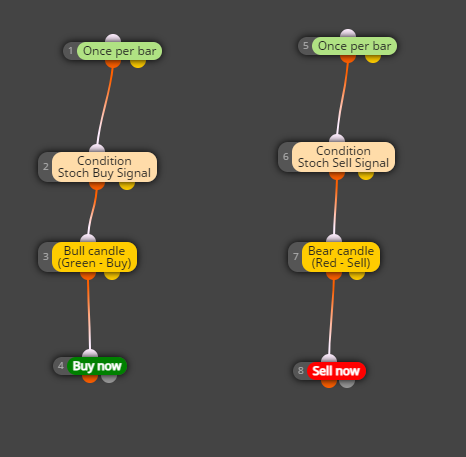
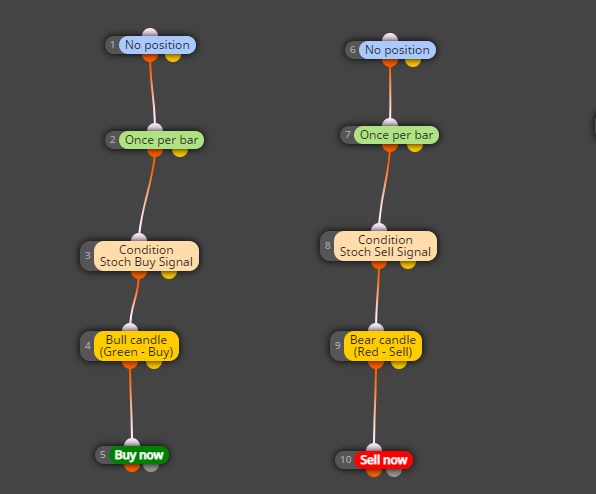
Just tried it that way but still not working - first with the "no position" block above each branch and then without the "no position" block at all?
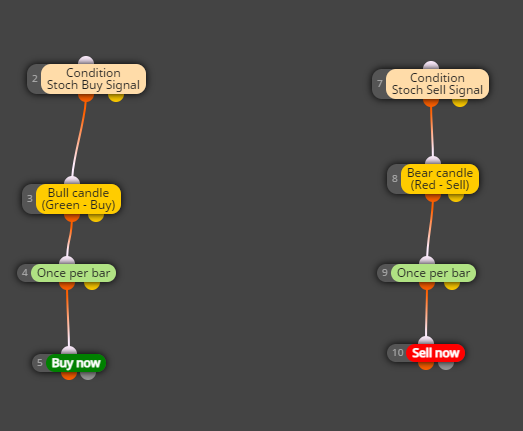
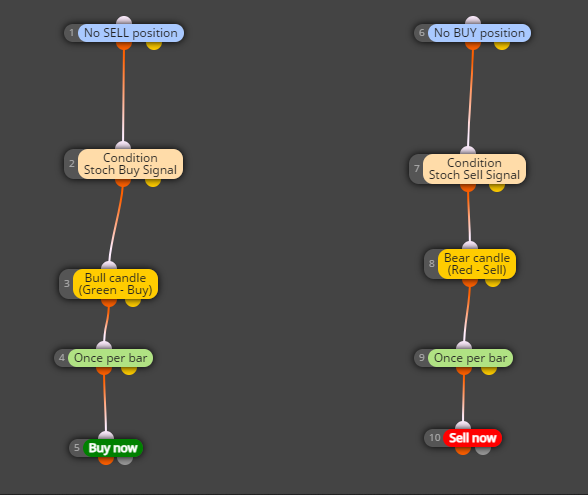
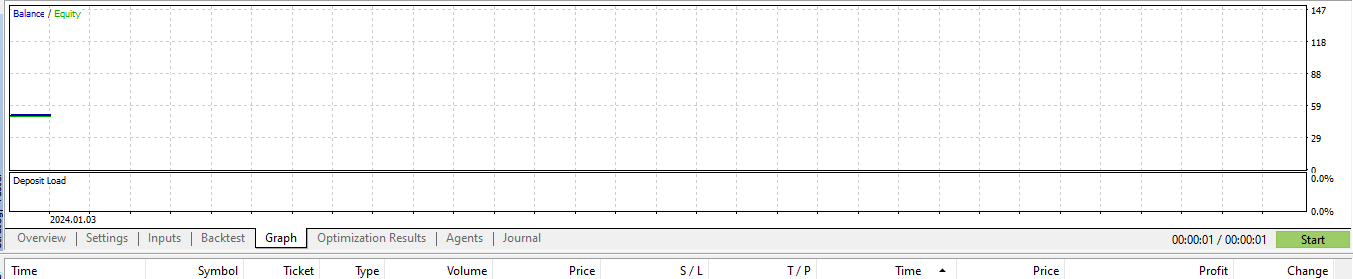
Hi all - what's the correct way to connect the condition block (stochastic buy and sell signals) and the bull/bear block signals (i.e. both blocks must be true before a buy or sell)? See two unsuccessful attempts below. Thanks
*"...total of 400...", that is