@l-andorrà Yes I tried another one which I downloaded online (attached - NRTR (online download).ex5 ), but with no success. The indicator is an executed version so I had to manually add the output buffers on FxDreema. See project link with new indicator: https://fxdreema.com/shared/aHnPpX23c
L
Posts made by Lerumo
-
RE: NRTR custom indicator from MT5posted in Questions & Answers
-
RE: NRTR custom indicator from MT5posted in Questions & Answers
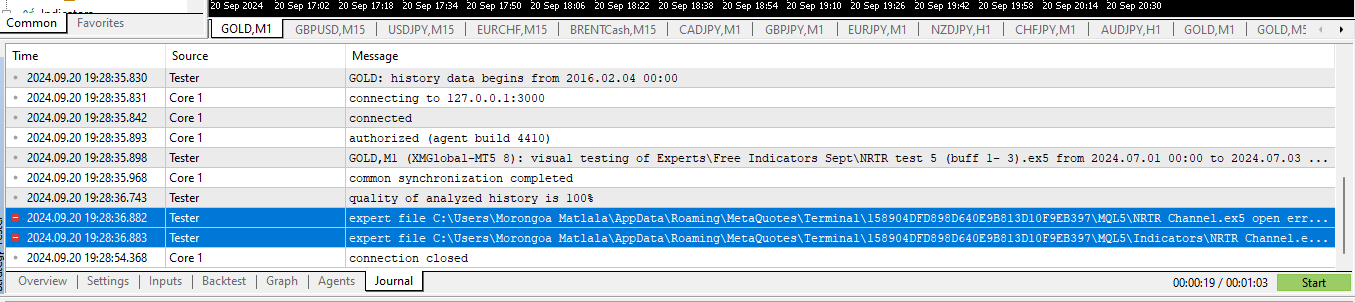
@ambrogio There's an error in the journal, but not sure what it means or how to fix it. The full file describing the error says "Cloud servers switched off". I doubt that the code of the indicator itself has errors because I got the indicator directly from MT5 in the "Free Indicators" folder, and it works fine on MT5 when opened manually.
See journal screenshot below:
-
RE: NRTR custom indicator from MT5posted in Questions & Answers
@l-andorrà I just tried that, but still doesn't work (see links below):
Link 1 (with buffers 0 and 2): https://fxdreema.com/shared/iKKqftZH
Link 2 (with buffers 1 and 3): https://fxdreema.com/shared/B4djxh3rd
-
NRTR custom indicator from MT5posted in Questions & Answers
Hi, I found the NRTR indicator from the "Free Indicators" folder in MT5 (it's basically support and resistance). I uploaded it onto FxDreema and tried to create an EA based on the indicator, but the EA isn't working. How should I connect the output buffers? (See details below)
Screenshot of NRTR indicator:

First project link (here, I used buffers 1 and 3): https://fxdreema.com/shared/Tlr8XCfV
Second project link: (here, I used buffers 0 and 2, but the EA is still not working): https://fxdreema.com/shared/cRGFnPsub
-
RE: Support, resistance and pivot linesposted in Questions & Answers
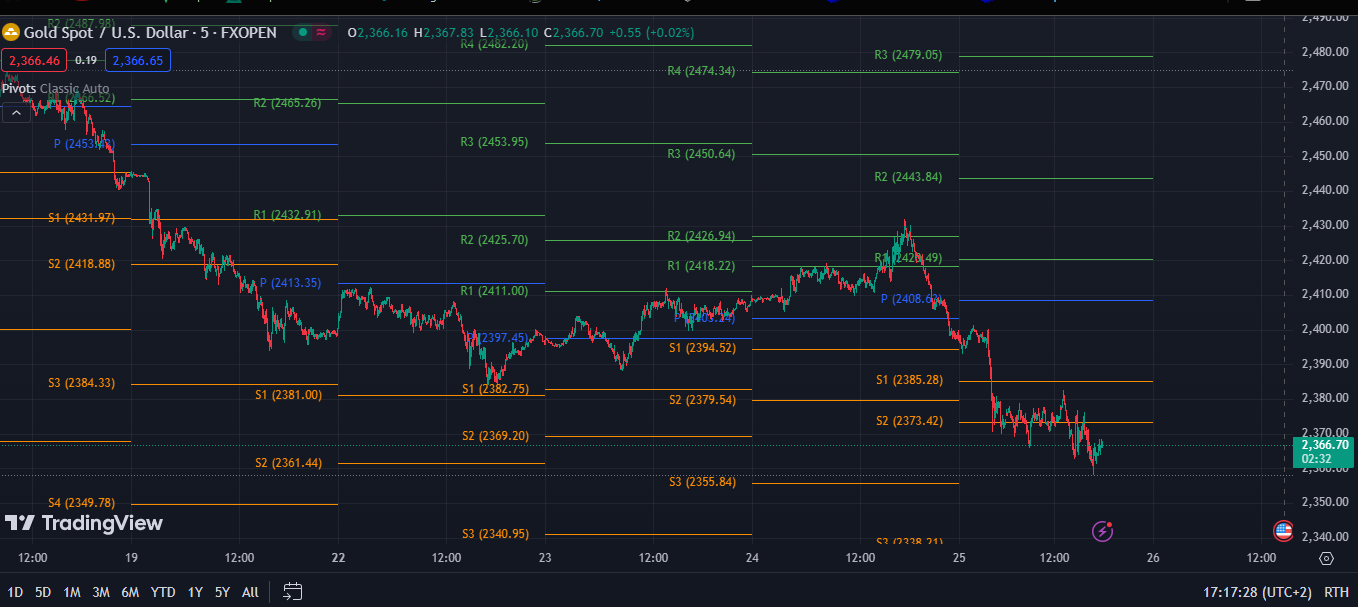
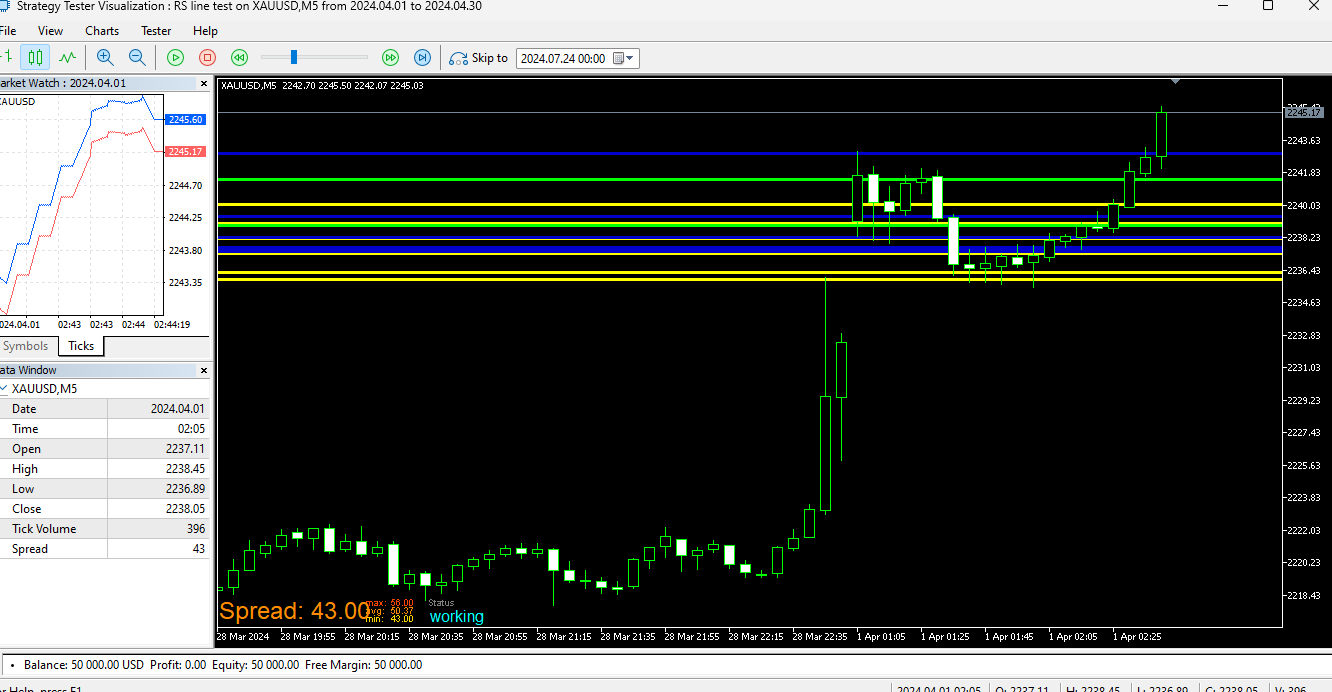
The final EA won't need to actually draw the lines - the above is merely for demonstration. I only want to know what settings I should use for the lines to be in same position/space/distance from the current price as the ones from the TradingView i.e. the current settings make the lines much closer to the price; also, the lines change positions too frequently
-
Support, resistance and pivot linesposted in Questions & Answers
Hi. I want to make an EA opening and closing trades based on the S/R and pivot lines. Please advise how to get the lines to be drawn at spaces/angles similar to those in TradingView (see screenshots below). The TradingView settings are the same as the ones in the link below and MT5 screenshot - so I'm not sure why the lines appear so distinctly different.
Link - https://fxdreema.com/shared/S23LhcUyc
TradingView:
MT5:
-
RE: Setting RSI and MA custom indicatorsposted in Questions & Answers
Hi @roar, please see the above thread - how much do you charge for making this custom indicator (but using Envelopes instead of MA, like in the above screenshot)?
-
RE: Setting RSI and MA custom indicatorsposted in Questions & Answers
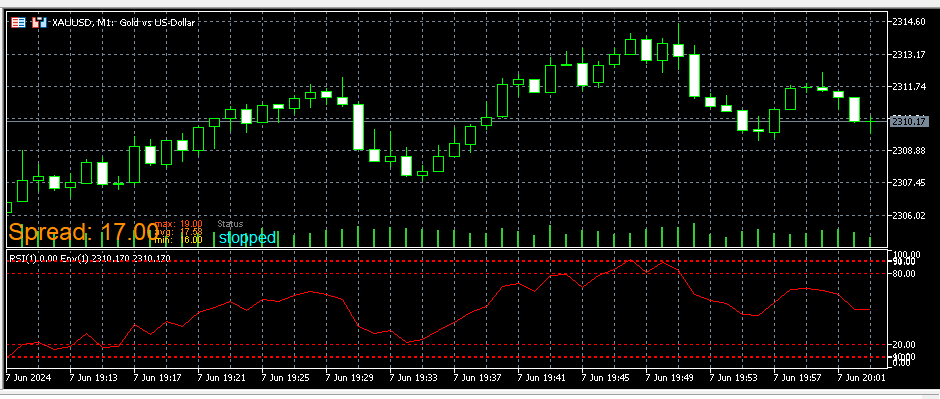
@biztet I can't find the buffers for the RSI levels on both indicators. The levels for the mt5 indicator are 90, 80, 20, and 10. When the manually inserted, the indicator looks like this (but using MA as opposed to Envelopes):
-
RE: Setting RSI and MA custom indicatorsposted in Questions & Answers
Thanks everyone. I believe the issue was that the custom indicators don't show the relevant RSI levels (80, 20) by default. These levels are therefore not included as 'buffers' in the indicators; hence the EA can't read these levels and take action on the basis thereof. I'll look for a custom indicator that automatically displays the RSI levels and has them as buffers - or find out how to build one using EA Builder. Will try again and let you know if I have any issues. Thanks again
-
RE: Setting RSI and MA custom indicatorsposted in Questions & Answers
@ambrogio Okay I've just used a different indicator for MT4 now; I downloaded this indicator and it has worked for others. Please see if it works on your end - https://fxdreema.com/shared/4IKIxUckd . Here's the MT4 indicator - alx_rsi_bands_ma.mq4
-
RE: Setting RSI and MA custom indicatorsposted in Questions & Answers
@ambrogio Can you assist with the above? Here's the link - https://fxdreema.com/shared/kdFw5rxsc . I also attach the custom indicator I mentioned in my original post RSI-MA Indicator.mq5
-
RE: Setting RSI and MA custom indicatorsposted in Questions & Answers
I'm the author of the original question...
-
RE: Setting RSI and MA custom indicatorsposted in Questions & Answers
Sorry I was offline for the past few days. I tried using the comment block but still no values reflected on the chart and also no trades at all. Here's the link - https://fxdreema.com/shared/kdFw5rxsc
-
RE: Setting RSI and MA custom indicatorsposted in Questions & Answers
The EA is not returning/reflecting any values at all - both on the Tester and demo account. By 'yes', I'm only confirming that the indicator's buffers can be seen on Fxdreema under "My indicators" - see snapshot below
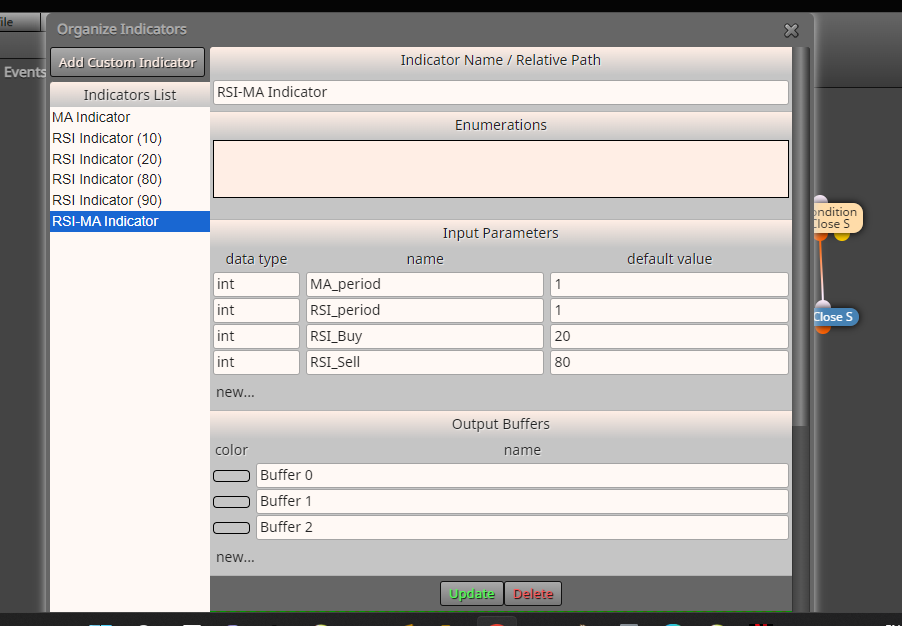
Regarding the comment block, I've never used this before. Does this go directly under the condition block?
-
RE: Setting RSI and MA custom indicatorsposted in Questions & Answers
Yes, but how should they be connected? Here's the project, please have a look - https://fxdreema.com/shared/zEd4dRNgc
-
Setting RSI and MA custom indicatorsposted in Questions & Answers
Hi. I've uploaded MA and RSI custom indicators that I created on EA Builder. I want the EA to buy when the MA (period 1) crosses above the 20 RSI level (also period 1), and then sell when the MA (period 1) crosses below the 80 RSI level (also period 1). Are my settings correct here https://fxdreema.com/shared/DavRl8C6d ? (The EA is not opening any trades and is also not showing the MA or RSI levels on the Strategy Tester)