@jstap ok then, really bad. Anyways, thank you for your feedback, really appreciate.
P
Posts made by ProteinX
-
RE: How to read the buffers of this custom indicator (mq5)?posted in Questions & Answers
-
RE: How to read the buffers of this custom indicator (mq5)?posted in Questions & Answers
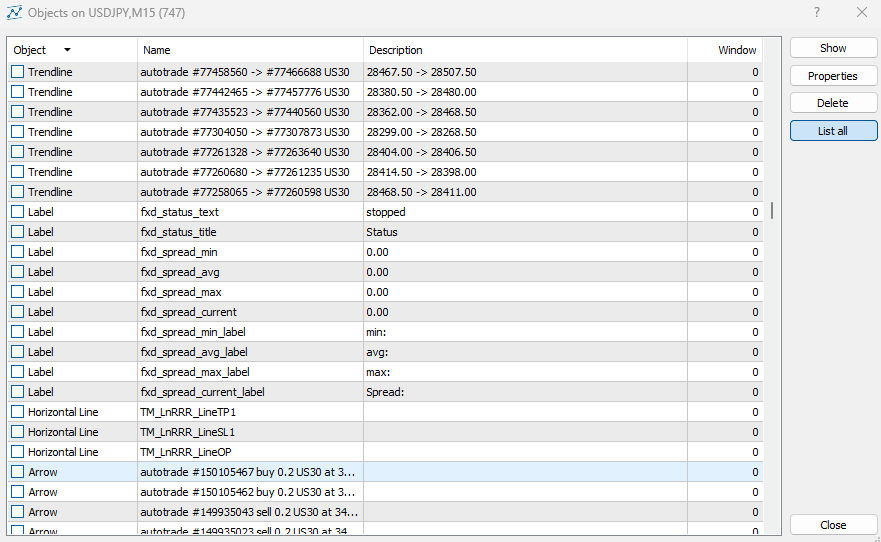
@jstap sorry, now it looks like below, but still no objects of the indicator found:
-
RE: How to read the buffers of this custom indicator (mq5)?posted in Questions & Answers
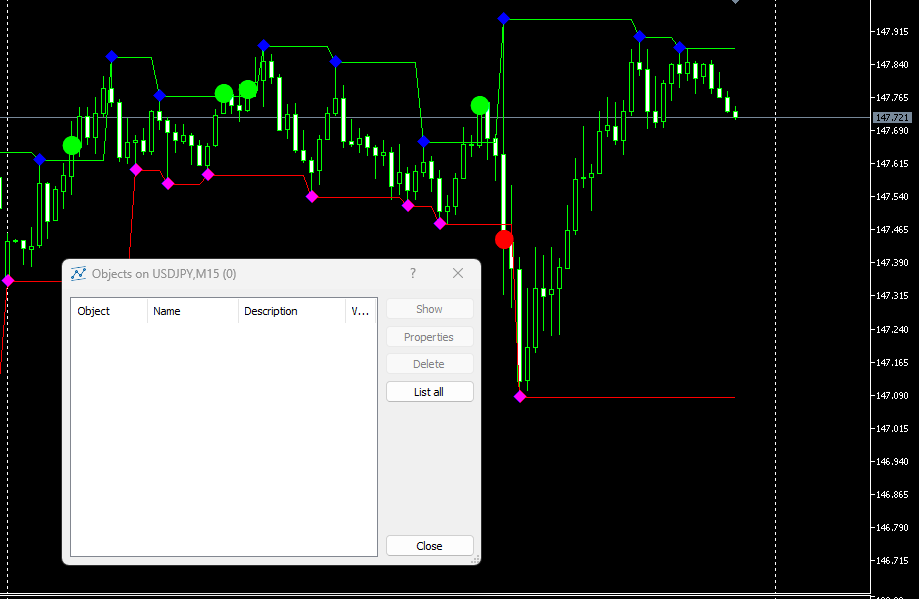
@jstap the object list is empty:
-
RE: How to read the buffers of this custom indicator (mq5)?posted in Questions & Answers
@jstap How can i read these indicator objects? You mean with the "object created" block in the "on Chart" tab?
-
RE: How to read the buffers of this custom indicator (mq5)?posted in Questions & Answers
@jstap I tested the indicator itself in the strategy tester. The signals suddenly stop working after some time, see below. Probably this is the reason why the EA also cannot read the signals?
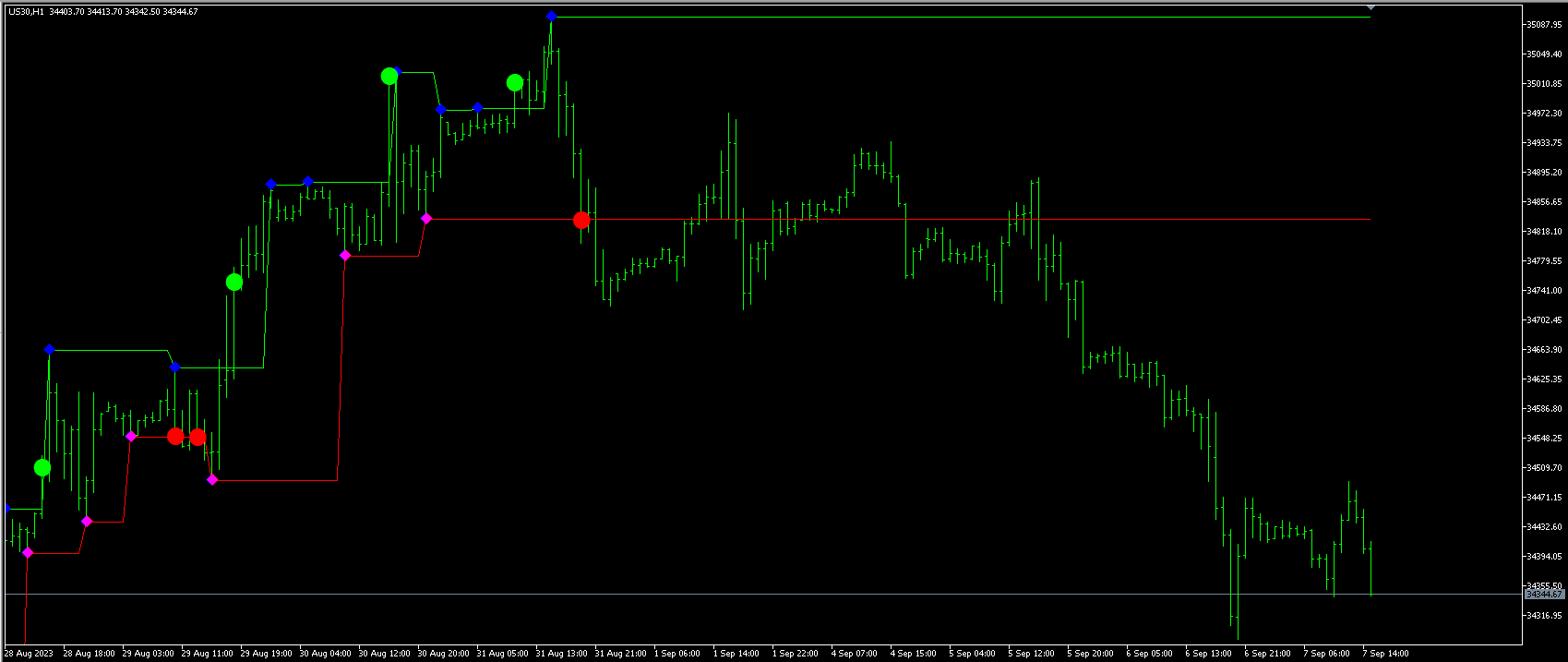
But why are they working in live? I am confused!
-
RE: How to read the buffers of this custom indicator (mq5)?posted in Questions & Answers
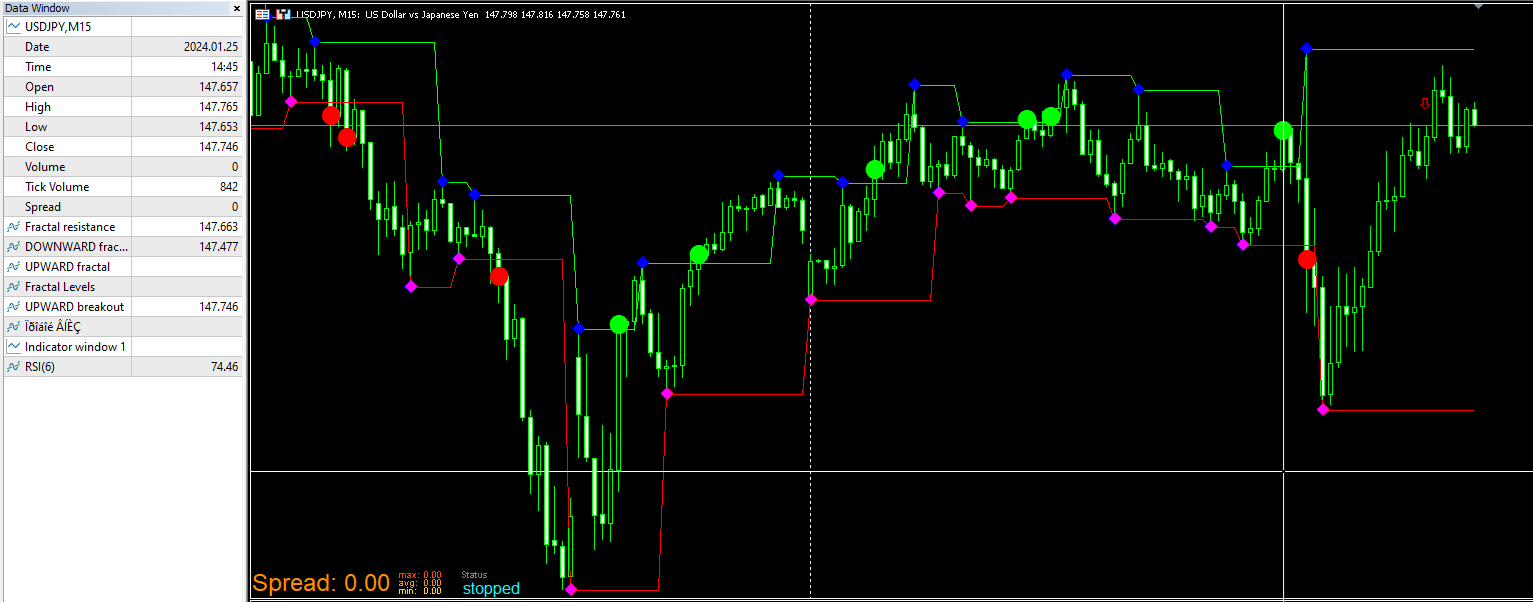
@jstap no acutally i get all the buffer signals, but in that case the mouse cursor (white vertical line) was exactly at the position of these 3 values. (green dot, green line, red line). When i move the mouse then i will get all the other signals as well.
So i cannot even get the green and red lines signals which are contiuous signals.
Could it be that fractal signals are hard to read out from the buffers? -
RE: How to read the buffers of this custom indicator (mq5)?posted in Questions & Answers
@jstap I don´t think, there is an indicator problem (check the mq5 code).
And: yes, all the buffer values can be seen in the data window.Is there anyone who can explain, how to get the arrow signals of an indicator in general? What is the correct way? Unfortunately in the tutorials i have seen examples how to get the signals from indicators with continues signals (like MACD, ADX etc) but not how to get arrow signals which are interrupted.
In my case it would be sufficient to know when a dot appears. Of course, it would be perfect to read out the value as well.
Here is the source code of the indicator:
fractallevels.mq5https://www.mql5.com/de/code/viewcode/732/149215/fractallevels.mq5
-
RE: How to read the buffers of this custom indicator (mq5)?posted in Questions & Answers
@jstap Thanks for that proposal using only "modify variables" and "comments" block. But this also didn´t worked. Still no values of the buffers.
-
RE: How to read the buffers of this custom indicator (mq5)?posted in Questions & Answers
@jstap Of course, here it is:
https://fxdreema.com/shared/YiB8jvEadProbably you have a better idea what is wrong here? Probably the arrows are objects, not buffers or the buffers are arrays? No clue.
-
RE: How to read the buffers of this custom indicator (mq5)?posted in Questions & Answers
I did (see above screenshot), but didn´t worked. That´s why i am asking.
-
How to read the buffers of this custom indicator (mq5)?posted in Questions & Answers
Hi there!
Cany anyone tell me how to read the latest buffer values of this indicator please? An example with a comment block would be sufficient.
I am talking about this fractallevels.mq5 indicator: https://www.mql5.com/de/code/732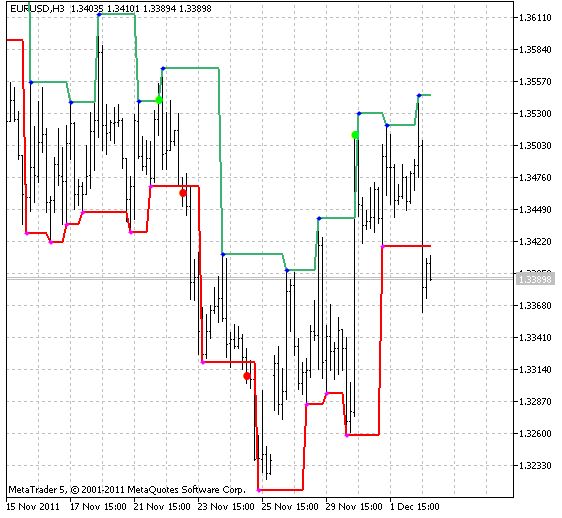
I have imported it correctly into fxdreema:

I tried this:
All six and non-empty buffer values should be read once per bar at previous candle 1. Checking with condition: if buffer1 at candle (1) >0 then display value.
But i don´t get any values from the buffers. I am doing something wrong. What is it? Thank you for your support.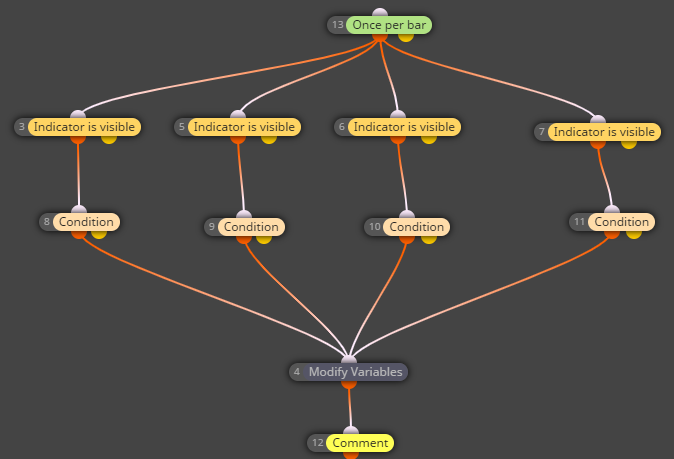
-
RE: How to delete comments from the chart when EA is removed?posted in Questions & Answers
@roar Thank you! A clear answer, exactly what i needed to know.
-
How to delete comments from the chart when EA is removed?posted in Questions & Answers
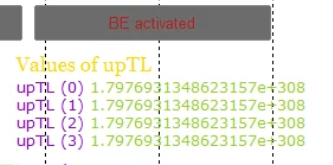
Hi. On the Deinit tab (MT5) i could remove all the buttons from the chart when the EA is removed using the block "delete object". But I don´t know how to delete the comments displayed on the chart? Is there kinda "delete comment" or like that?
-
RE: how to delete buy pending order if price crosses below the stop loss level?posted in Questions & Answers
Problem solved! I have moved the blocks from the "on Trade" tab to "on Tick" tab. Now the pending orders can be deleted if the condition is met.
-
how to delete buy pending order if price crosses below the stop loss level?posted in Questions & Answers
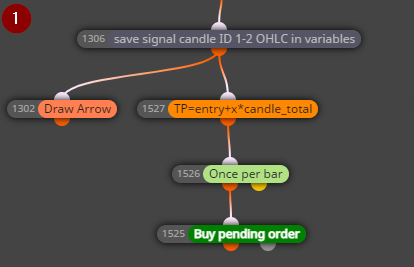
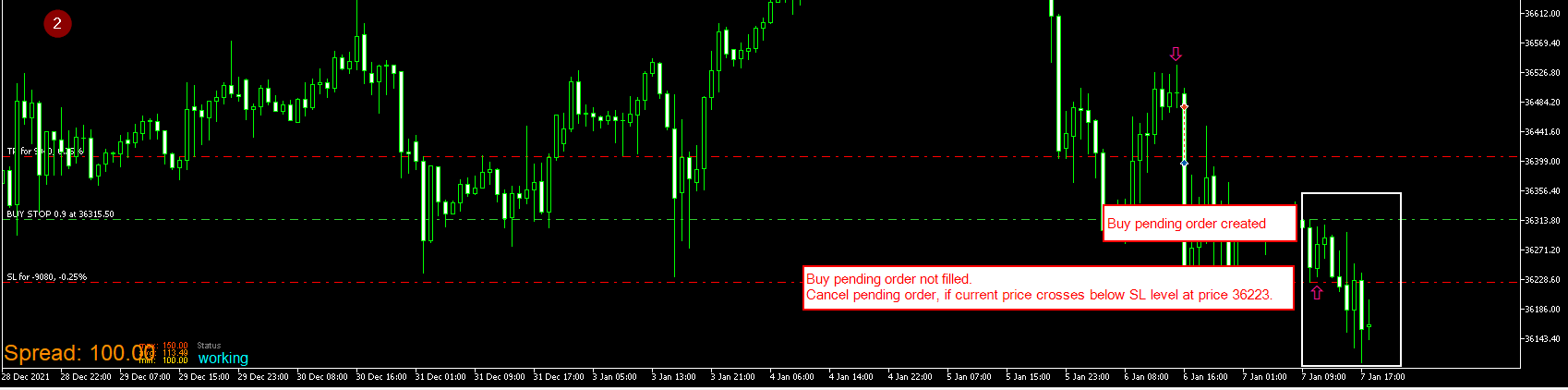
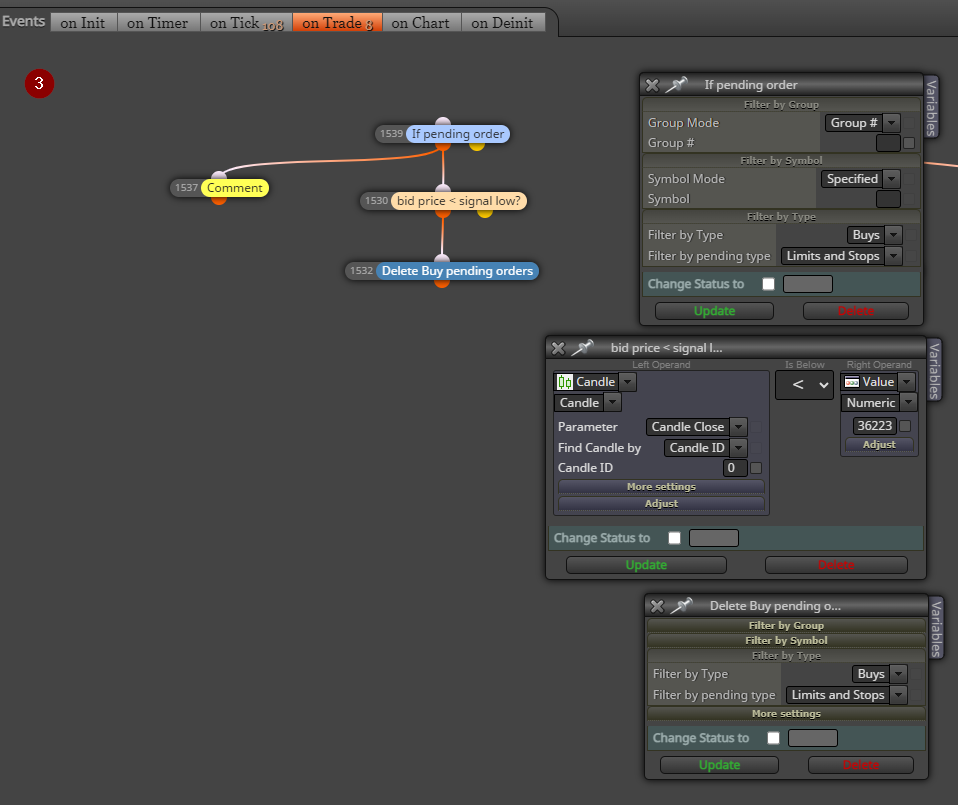
I have a BUY pending order with take profit and stop loss. I want the EA to delete the BUY pending order, if the order is not filled but the price crosses below the stop loss at price 36223. But unfortunately the EA doesn´t delete the pending order when I run the backtest. Can you please help to find out where the problem is (see screenshots 1-3)? Thank you.
-
RE: Custom indicator buffer as input parameter not workingposted in Questions & Answers
Ok, the links above didn´t solved my problem. Fact is, my EA is running well with my custom indicator. The only problem is, that I cannot choose the output buffers as input parameter. Right now my EA is running with only two and fix output buffers fill1_1 and fill6_2 with this condition:
if price crosses above fill1_1 then BUY
if price crosses below fill6_2 then SELLBUT, I would like to choose sometimes other buffers, like fill2_1 for BUY and fill 7_2 for SELL etc. in the input window of my EA. How can I do that?
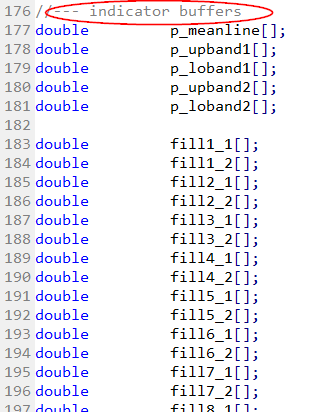
As an overview here is a list of my ouput buffers in my custom indicator code:

-
RE: Custom indicator buffer as input parameter not workingposted in Questions & Answers
@l-andorrà
Thanks a lot, I didn´t see that tutorial. So I will read this first. Great! -
Custom indicator buffer as input parameter not workingposted in Questions & Answers
Dear members,
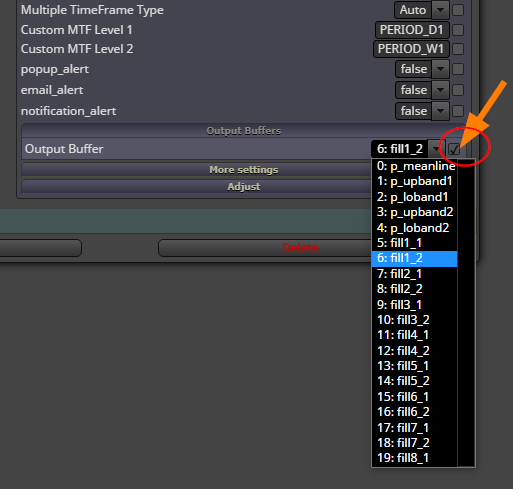
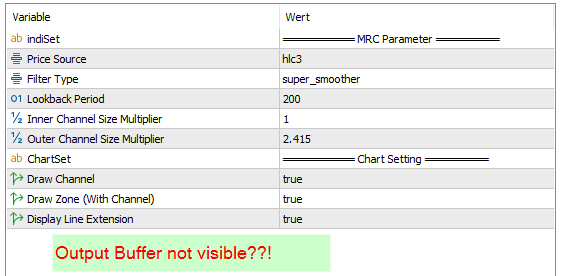
I would like to use the Output Buffer from my Custom Indicator (mql5) as User Input. I have checkmarked this as shown in the 1. picture. But the Output Buffers are not shown in my EA in Metatrader 5. Does anybody know how else I can choose one of the output buffers in my EA? Any idea? Many thanks!
-
MT5 Strategy Tester Input Tab dos not updateposted in Bug Reports
Hi friends. All EAs created with fxdreema do not load its input parameter in the strategy tester tab of MT5 anymore after I have tested several EAs before.
Only at the first backtesting I could see parameter fields in strategy tester.
But if testing a non-fxdreema EA then it shows all of its parameter there in the input tab.
And when I load again an fxdreema-EA in the strategy tester then the input tab has still the old parameter fields of the previous EA.
Is this a bug of mt5 or fxdreema? The problem exists on different PCs.
Would be happy if you have a solution.
Thanks a lot!