@ekanters you should include a test project that proves the issue.
This test project has no problem with modify stops, so your error is probably somewhere else.
https://fxdreema.com/shared/4mzi31ycb
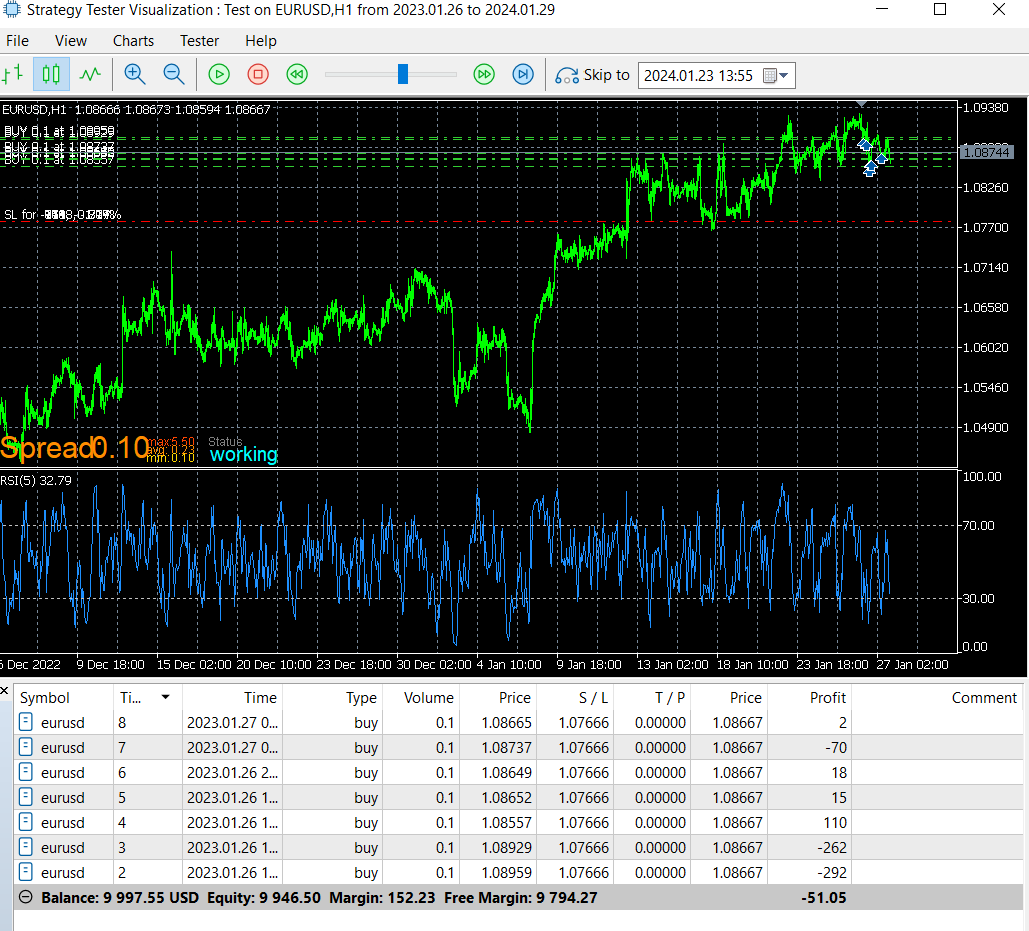

@ekanters you should include a test project that proves the issue.
This test project has no problem with modify stops, so your error is probably somewhere else.
https://fxdreema.com/shared/4mzi31ycb
I can't help much without seeing your code, but mql5 does have a similar Highest function.
Important to note this function does not return the price value, it returns the candle ID, so you need to finally call iHigh() after getting the ID.
https://www.mql5.com/en/docs/series/ihighest
And since we are on Fxdreema, there's a dropdown menu option as well:

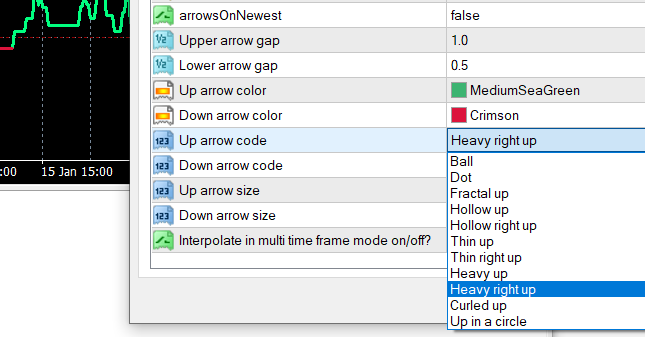
@tmk1000 I get a different set of errors, but the main issue seems to be the enumerations.
For example "Up arrow code" - it looks like "int" datatype in metatrader, but actually it is an enumeration because its value appears as a text string.
To correct this, you need to setup up the enumerations, like this:
enum up_arrowcodes{
ball, //Ball
dot, //Dot
...
heavy_right_up //Heavy right up
}
For every enumerated setting in your indicator, and then change the datatype from "int" to "up_arrowcodes" and respectively for other settings.
Another way is to skip the enumerations (because really they are just integers in a text disguise) and put the corresponding integer number to your setting, like number 8 for "Heavy right up" (count the enumeration list starting from 0).
@ekanters ok. I dont use that block myself, I find using simple true/false variables are more error-proof.
Maybe that block inadvertently acts as a loop breaker, and since there is no reason to execute it on every loop iteration anyway, you should put the "Turn OFF blocks" after your loop (the yellow output).
This is a valid bug for sure, but should be easy to avoid.
Well you have a "Turn OFF blocks" inside your loop. What blocks does it turn off? Hopefully not the loop blocks themselves?
@tmk1000 I appreciate you waited until it placed 10000 copies to make your point 
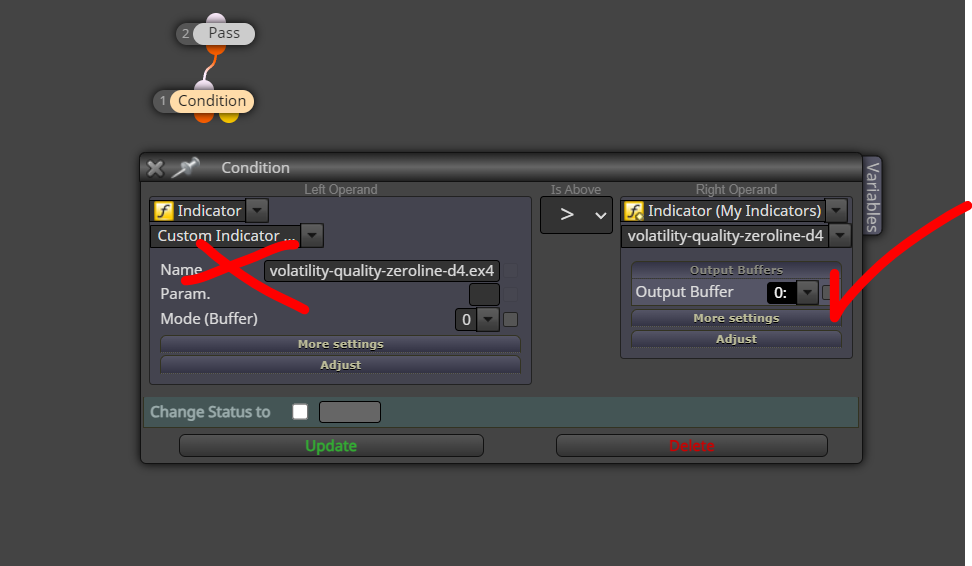
How did you apply the indicator in your project? This problem usually appears if you use the "Custom indicator" selection instead of "My Indicators".
@l-andorrà no point lol, accidentally left that there
When using the Candle price selection in a different pair than the current chart, the result is rounded to nearest integer. I hope this gets fixed before too many users lose their mind troubleshooting their multi-currency projects (like I did lol).
Tested on mql4.
https://fxdreema.com/shared/wNcSJRJkd


@ProteinX if the comments are actual comments (done with Comment() function) you need to replace them by placing this to custom mql block:
Comment("");
For all objects, you can do this in custom mql block:
ObjectsDeleteAll(0);
RSI was probably below 70 at that point, so everything works 100%.
Remember that afterwards you only see the closing value of RSI, not any intra-candle values.
https://fxdreema.com/shared/8P5oLlthe
Here is a simple example of that kind of pyramiding system
Useful stuff. Can be also done with the Math functions: https://fxdreema.com/shared/8uD2zZgpe
@martymoon120 maybe its browser dependent, on Chrome it seems to remember the last download location. There's also a chrome extension available but I dont use that.
@martymoon120 well you can download the ex5 directly to your Experts folder, skip the copypaste and metaeditor
@romainchtr you got the right idea with that loop. I think you just need some additional conditions to get better quality divergences out of the loop. Maybe a rule to terminate the loop in some cases.
Can you show a picture of some divergence the EA is not recognizing, its easier to help with an example case.
Trailing stop or just very small fixed stops will cause that issue.
I'm thinking of how what is the proper way to solve this... The dataset is UTC so NFP happens 12:30 in summer and 13:30 in winter. When loading the data to mt5, naturally that 1-hour difference stays in there. Maybe the best approach would be to convert the source to unix time type


Mql5 does have an exact function for these cases, TimeDaylightSavings(), but naturally that works only live and not in backtest, that would be too easy, right... https://www.mql5.com/en/docs/dateandtime/timedaylightsavings
Reminds me of this lol. I agree with Tom here - hard coded time switches are a pain
https://youtu.be/-5wpm-gesOY?si=RKike151oWm5mGAK