@fabien-s
I don't get the point of using that "turn on block" it would pass the same way if it wasn't added, overall if you didn't turn off the "trailing stop" block before. Hmm
S
Posts made by seb 0
-
RE: Trailing stopposted in Questions & Answers
-
RE: Testing not replicating a simple EAposted in Questions & Answers
@sli1-0
You didn't read well the description of candle ID's parameters, - candle ID 1 means : the previous candle- candle ID 2 : means the second previous one, so the one before the ID 1 You should reverse the numbers.
About "once per bar" block i have no idea how this think really works, i have some problems everytime i use it too.
- candle ID 2 : means the second previous one, so the one before the ID 1 You should reverse the numbers.
-
RE: Has anyone already made this easy scalping strategy ?posted in Questions & Answers
You are lucky i just made one few days ago, bad news, doesn't profit as intended. But you can get my project there below, maybe improve it because of pretty poor quality, and test it.
https://fxdreema.com/shared/6CbKbsTI
Got some multi-positions opening issues, can't avoid it. And cant use time filter blocks, or it doesn't open trade duno why. Tell my if you want me to make the sell part. -
RE: Closing trade ruleposted in Questions & Answers
Yes it's live, so it should shut at the same lvl than previous opening candle but only if its high is more important than the previous. If the last bullish candle is 10 pips, an the next bearish candles are 5 pips, one by one, the price can go below without limit.
https://fxdreema.com/shared/iRBt37Xmd
You should try it yourself, it's very simple -
RE: Need help to build an EAposted in Questions & Answers
@jomo10
The problem is not him misunderstanding you, but you using wrong vocabulary.
When you say : 3. Sells after 30 pips profit, i think you rather mean : 3. Close position after 30 pips profit. Because the term "sell" hasn't the same meaning on forex market than when you sell a piece of bread IRL.
Moreover when he tells you that it's maybe not a good strategy, he knows what he's talking a bout, and so you should maybe consider it.. -
RE: Flags switching valueposted in Questions & Answers
@roar
@l-andorrà
You right i managed to do with variables in 30 minutes, what i was trying to do with flag since few days..
Thanks for the advice -
Flags switching valueposted in Questions & Answers
Evening, i regret that i have to open a new topic for such a simple thing, but as i didn't found any response to that in any categories of the forum, i hope it will be useful to the others.
I'm building an EA using Fibonacci method, and used "set flag" and "check flag" blocks, to separate respective conditions, in time.
Once conditions pointing to "set flag" are validated the new boolean value is "true" and it passes to the "check flag" fixed on "true" as well. But this "true" value stays like that, until, you change it by yourself i guess. It continues running blocks below the "check flag" until you do it, but how ?
Aswell, before the "set flag" passes first time, is its value "undefined", or "false" ?
Thanks -
RE: Generate a random chartposted in General Discussions
@roar
Even though, my knowledge in the domain is very poor, i saw your topic and i couldn't avoid making the link with a formula i've seen recently about reproducing sort of chaos, it is :
X=4.x(1-x) with x between 0 and 1, both excluded, and replacing x by the results in the next operation, and
so on, as a mathematical series.
Not sure you can reproduce a 100% random chart, when even this exemple has his rule, it would give something crazy. I think youll be able to use this pretty simple equation in excel without any problem. -
RE: Flagsposted in Questions & Answers
second example is right, you need change these flags when validity of condition ends ...
and here is third example (with one flag name)
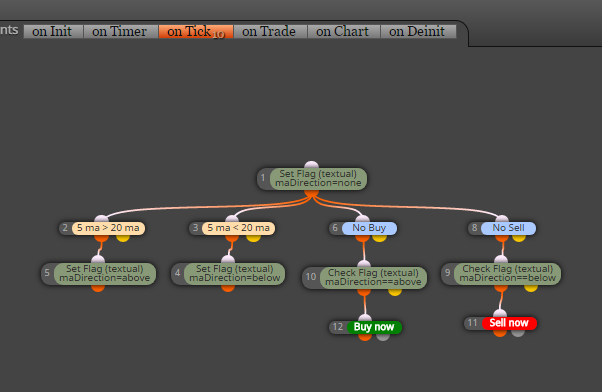
So how to switch a flag "set flag" that passed, from true, to false ? Sorry if it's old, didn't found any response
-
RE: Variables issueposted in Questions & Answers
Indeed, i changed my Candles ID from 0 to 2, and added a new condition with a candle ID 1, now im at the same point than earlier : very narrow SL and TP as the journal says,
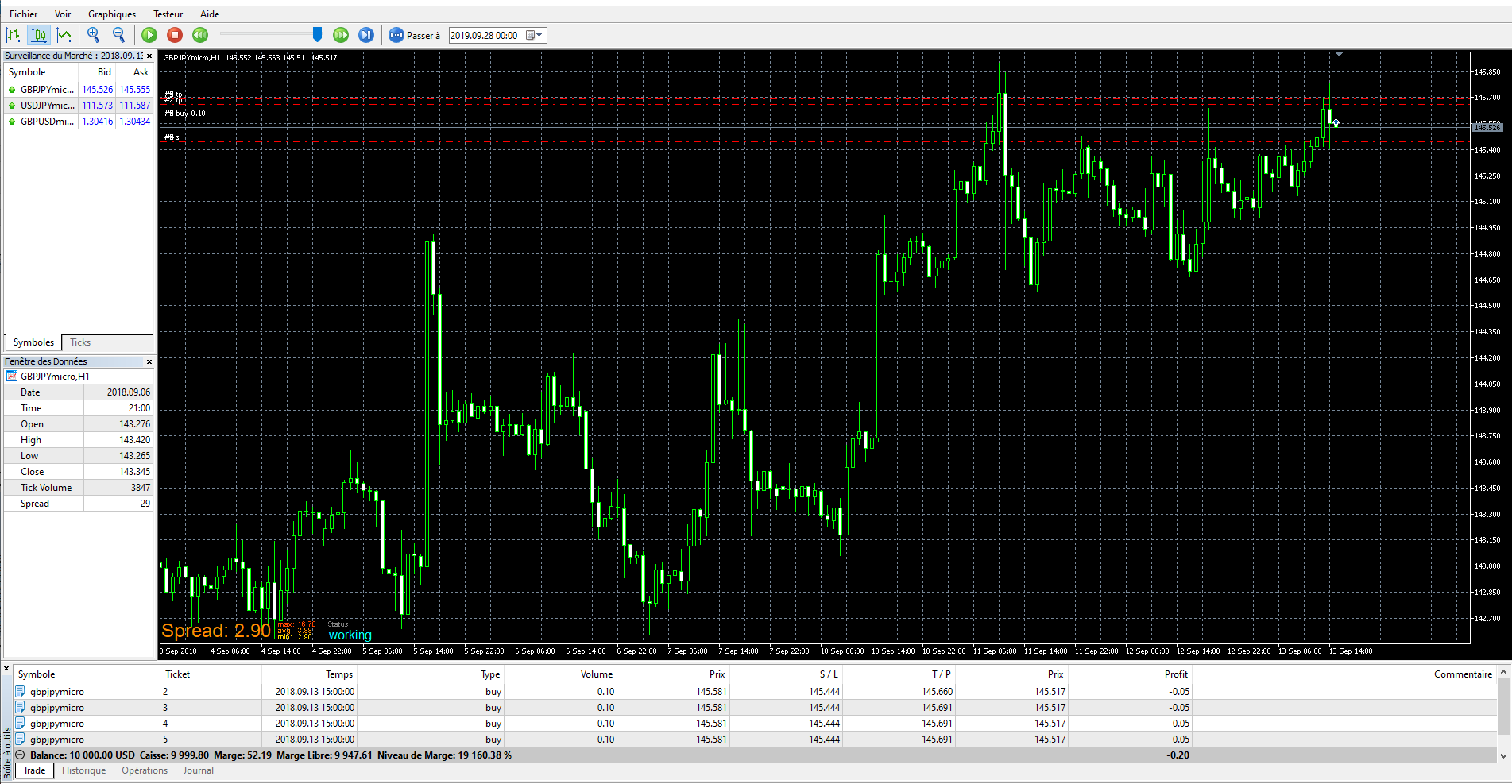
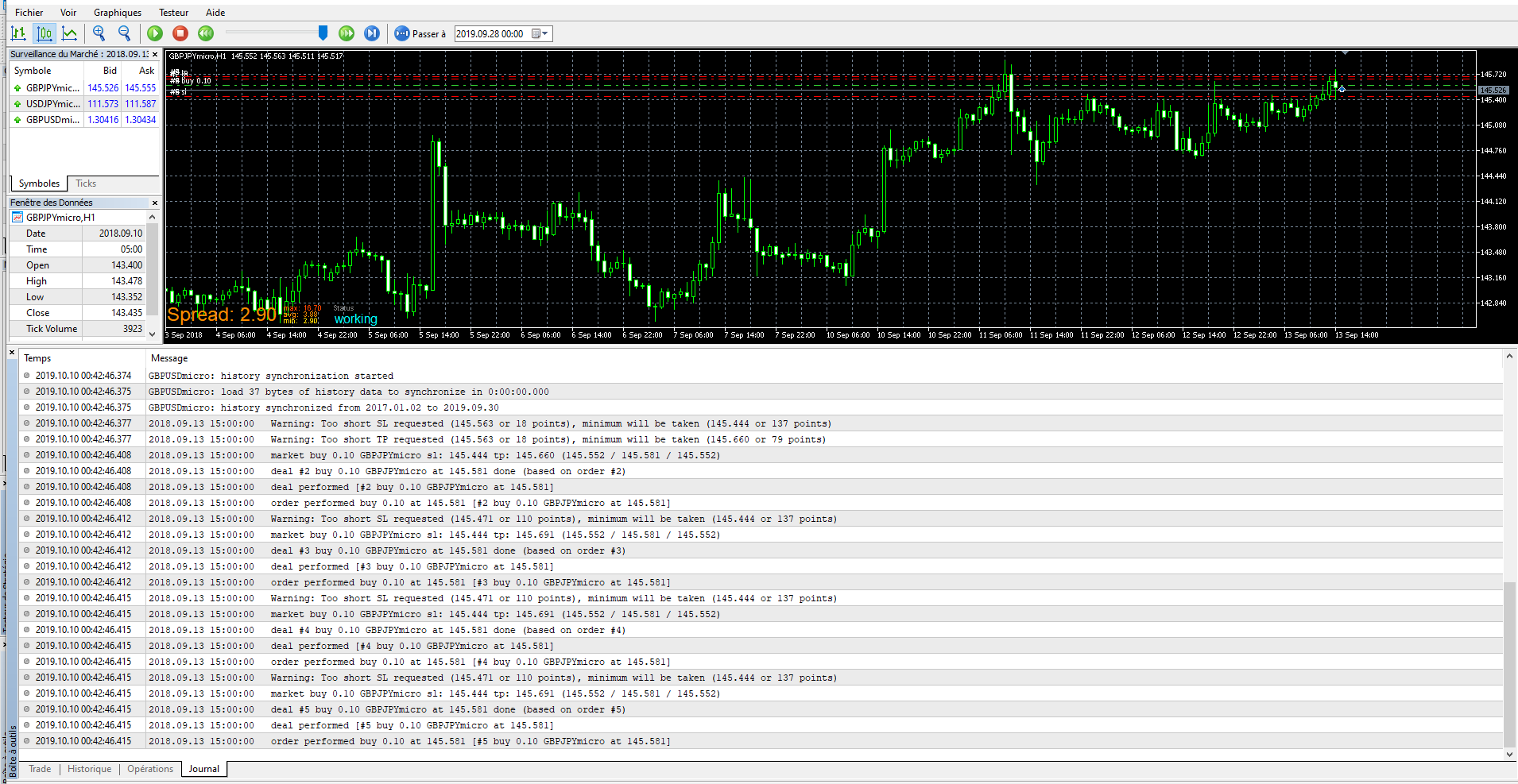
https://fxdreema.com/shared/u07I7FQgc -
RE: Variables issueposted in Questions & Answers
Don't know what you want by debug statements, if you need the source code.. But i've followed your advices to re-edit my project in a simpler way, with "n" bars filter, blocks name in right order, and resetting the value of the variable before the formula, still doesn't open trades. You can see it there :https://fxdreema.com/shared/9GFvcA8xc
-
Variables issueposted in Questions & Answers
Evening, i'm posting a new topic cause im having somme issues with the variables fonctionnement.
Basically im trying to give as a value to my first variable, the level of the current closing candle, and, to my second, the level of the opening 3rd previous one, to fix TP and SL, in fonction of them, half over and half below the current candle. However its continues to set very narrow TP and SL. Here is my project so you can see
link text -
RE: How to set consecutive conditionsposted in Questions & Answers
I deleted my project, but i found that i could determine what candle is taken in count as a condition with the Candle ID parameter : Current candle = Candle ID 0, the previous one = Candle ID 1 etc
-
RE: How to set consecutive conditionsposted in Questions & Answers
I see, so it would be something like : a) If 2 candles crossed the level Z upward, with an exception of one (one is enough) b) If the candle is bearish then.. i could sell now for exemple
Im still gonna have a look to flag blocs, and ON/OFF blocs, it could be helpful if i need to add more conditions. -
How to set consecutive conditionsposted in Questions & Answers
Hello, i am currently on a fxdreema project and as i understood conditions in a same line must be verified simultaneously to be satisfied, i was looking for a way to make consecutive conditions. That would allow me to do something like : if candle X top crosses the level Z, and the next candle (X+1) is a bearish then ..