Problem solved by myself.
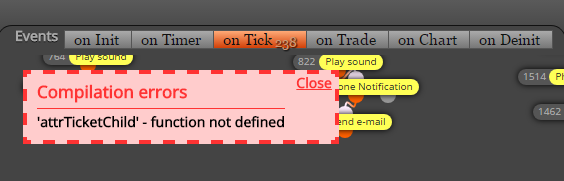
It was enough to just compile again the mql5 code that worked the cloud optimization.

Problem solved by myself.
It was enough to just compile again the mql5 code that worked the cloud optimization.
Hello fxDreema.
I'm having the following error in the optimization: "2017.05.09 01: 13: 11.413 Tester obsolete version of" MQL5 \ Experts \ Advisors \ X Standard v8.1 P.ex5 "can be optimized on local or remote agents only, no Cloud "
I need to do optimizations through the MQL5 Cloud Network.
0_1494307238934_20170509.log
@fxDreema said in Stop Loss according to the Max, Min of the day.:
@tcanuto, please, take some time to learn how to make things easier! What you are showing me is an example that I need to see... that's ok. But do you think that this example should contain both, Buy and Sell blocks + 2 blocks of TS...
Oops .. Truth! I'd forgotten about this.
Here I simplified it a bit. I just want to see the calculated value actually, that's why I added this "Comment" block. But are you sure you want it to be that value? From what I see, in "Formula" block you are calculating the half of the size of the Daily candle.
I need the total value of the daily candle for the TS value. Only that.
And again, the current candle has 0 size when created and starts to grow from there. I don't think you want to work with that candle.
Okay. Corrected too.
For me the above project seems to be right, but it does not work the way I need it. Where should I be going wrong?
Almost worked. Still with flaws.
Look here: shared/JuO9OfHWb
Hi fxDreema
I would like to know how I do for the trailing stop of buy follow the maximum of the day, and vice versa to sell.
I would like to calculate the distance between the maximum and the minimum of the day. This result will be the value of the pips away from the trailing stop.
I think someone has already asked for this functionality, but it does not cost to write again.
Would you like to know how I close a position in profit after 1 or 2 profit candles? Future candles, not past candles.
@fxDreema Now I understood after a long time! 
It would be even better for MT5 to volume count as well.
This way I did. Instead of writing PERIOD_H1, you can put 0 (current timeframe) also if you want.
@tcanuto said in How Put ComboBox for constants ?:
for timeframe input type is ENUM_TIMEFRAMES
@fxDreema Hello fxDreema.
You must have forgotten, but I had already asked for that. During this time, I had to manually modify the code, but now I discovered that it works here on fxDreema.
@miro1360 said in How Put ComboBox for constants ?:
which values exactly?
if you want choose from non-standard mql4 values, you can do this only manually in mql code ...
but if your values are standard (like timeframes, prices, modes) - it can be done easily ....
for timeframe input type is ENUM_TIMEFRAMES
Yes. I tried again a few days ago and this way it works. I'm even optimizing on MT5.
I still do not know MQL4.
Wonder! I'll be waiting for this new feature. It will be very useful to me and I will be updating all my AEs.
Hello fxDreema. All right? As you can imagine, I am currently preparing to operate in the future market.
I need to know with what I do to close all positions 5 minutes before the daily market closes. I researched and discovered the exact function for this, which is SymbolInfoSessionTrade - https://www.mql5.com/pt/docs/marketinformation/symbolinfosessiontrade.
I also know that in Marketing Properties, in Symbol Trade Time (for Futures) says about the initial day until the contract expires, but I need to close every day 5 minutes before the daily close.