@bgvulk What is exactly the error you're facing?
T
Posts made by trader.philipps
-
RE: close trade on CCI levelposted in General Discussions
@charlie66 Please share the correct link like that!
-
RE: How to set Open Buy or Sell After 500 points of every opening Candleposted in Questions & Answers
@fxamoneymaker Is that the previous candle you describe in your image?
-
RE: EA with BBandsposted in Questions & Answers
@giovanni As I wanted to test that indi for a long time already, I just clicked it together. You may use it as a base. And you should also implement some other take profit than just trailing. Here is my project .
And here the corresponding mq4 file: 0_1575253291089_BBandsStop.mq4 -
RE: Is there a way to configure the EA to wait for 3 consecutive losses and then enter orders?posted in Questions & Answers
@cpxiom Great approach. Was not sure how to store the candle ID on the open trade part as it moves with every candle. Will have a look later and will try to add it to the project.
-
RE: Highest high of last x daysposted in Questions & Answers
@jzfusion Like that I'd do so. Put a variable for End Candle ID if you want to set the end dynamically.

-
RE: moving stop.posted in Questions & Answers
@l-andorrà That doesn't seem to make much sense as the SL would have been hit in that case (lower low of candle). Right?
-
RE: EA with BBandsposted in Questions & Answers
@l-andorrà The custom indicator is in the first post MQ4 file. Just rename it after download and put it in the indicator folder
-
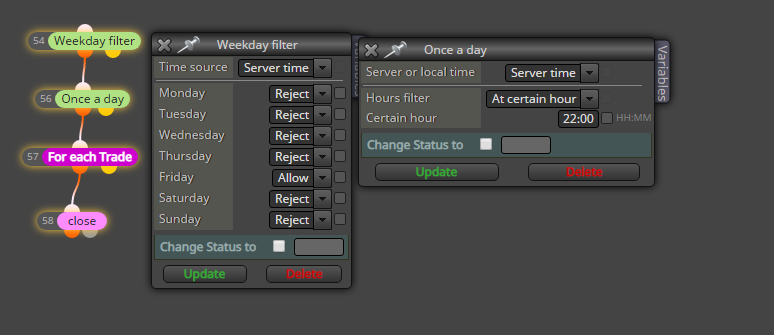
RE: Close trade on Friday. How to??posted in General Discussions
@l-andorrà I alway put a pass block in order to adjust block ID numbers if necessary
-
RE: Once per bar errorposted in Bug Reports
@bgvulk Okay. So it should open a Buy and a Sell trade on each new bar. That's what it probably does. And what is the expected result?
-
RE: Is there a way to configure the EA to wait for 3 consecutive losses and then enter orders?posted in Questions & Answers
@rafaels919 Wow, I had a glitch in the virtual trade part that drove me nuts. However, it's fixed now. Project virtual_trades_count
0_1575223717794_virtual_trades_count.mq4
And that's how it looks during virtual trade:
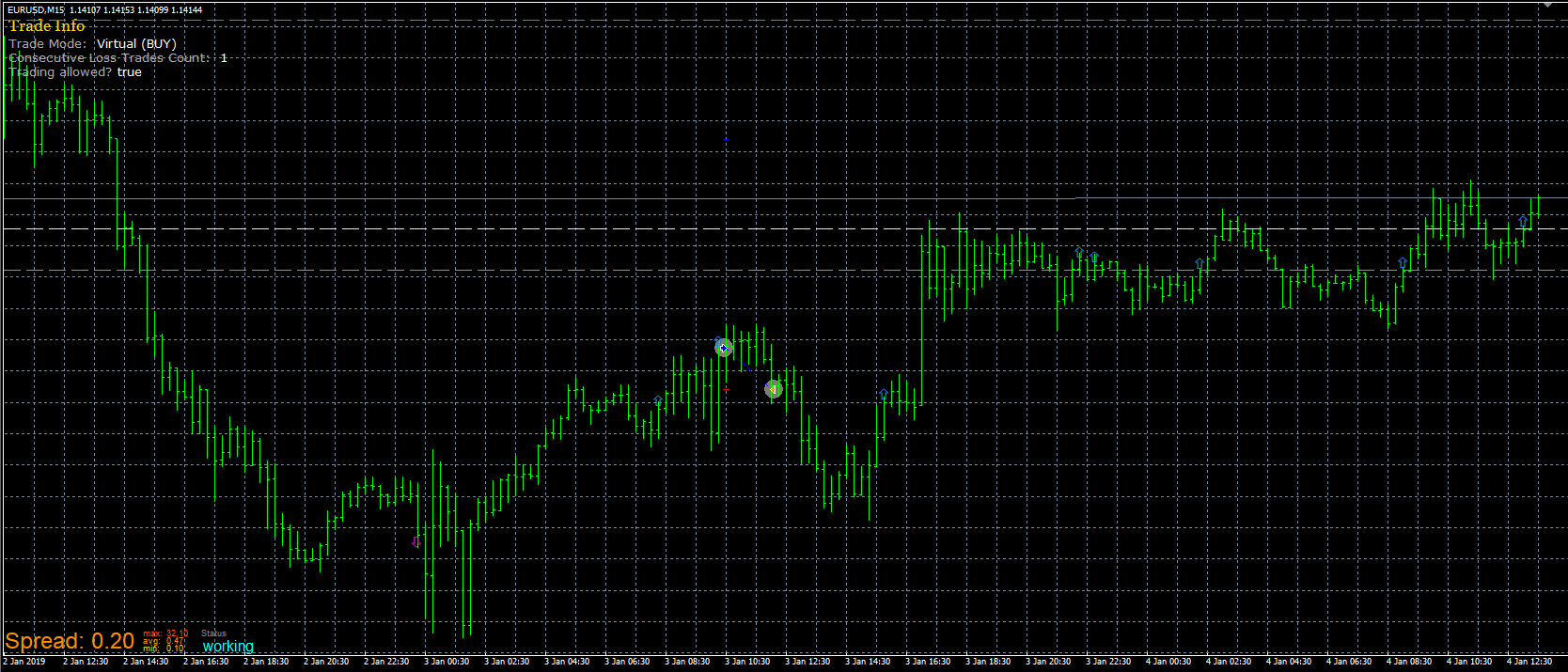
What I didn't manage is to draw the virtual trades in the chart. The problem is that I stored the time the trade was opened in a variable. But I couldn't manage so far to set that date as the start for the trendline I want to draw. Maybe someone with more experience in chart object may have a look at that.
-
RE: Close trade on Friday. How to??posted in General Discussions
@vpraveen said in Close trade on Friday. How to??:
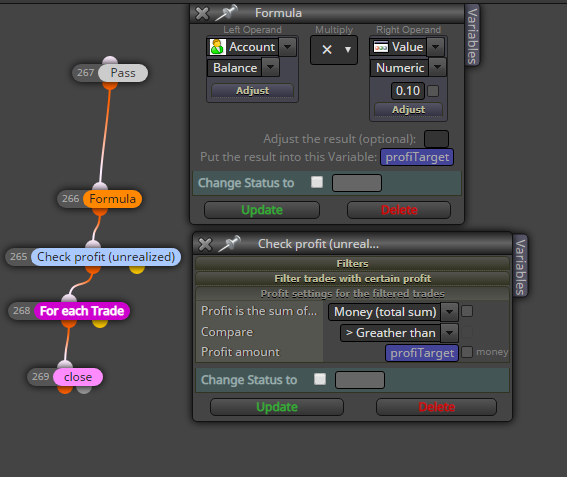
can u please also help me in below code. i want to close trades once equity reaches 10% of existing equity.
Try this on the on Trade tab .. I haven't tested it, but could work as expected.
-
RE: Close trade on Friday. How to??posted in General Discussions
@vpraveen Are you sure about the links?
-
RE: How I can open the same number of long positions in the sale, and vice versa in the BUY with a ONE increaseposted in Questions & Answers
@khalids222 I run it in tester and it opened a lot of trades but never closed one. Maybe you want to re-set your counter in case a trade is closed?!
-
RE: chart refreshposted in Questions & Answers
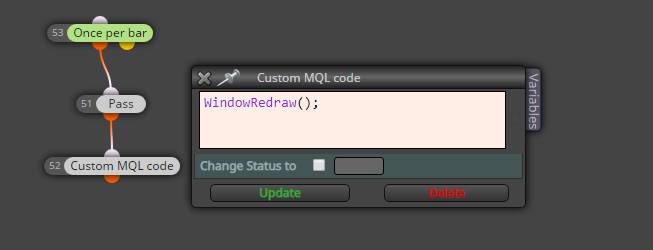
@zackry And the WindowRedraw doesn't help with that? If the indicator uses buffers, the calculation should still be alright. Are you refering chart objects in your EA?
-
RE: chart refreshposted in Questions & Answers
@zackry It will reset your EA comleately (remove from chart and re-load it if set in template).
-
RE: How I can open the same number of long positions in the sale, and vice versa in the BUY with a ONE increaseposted in Questions & Answers
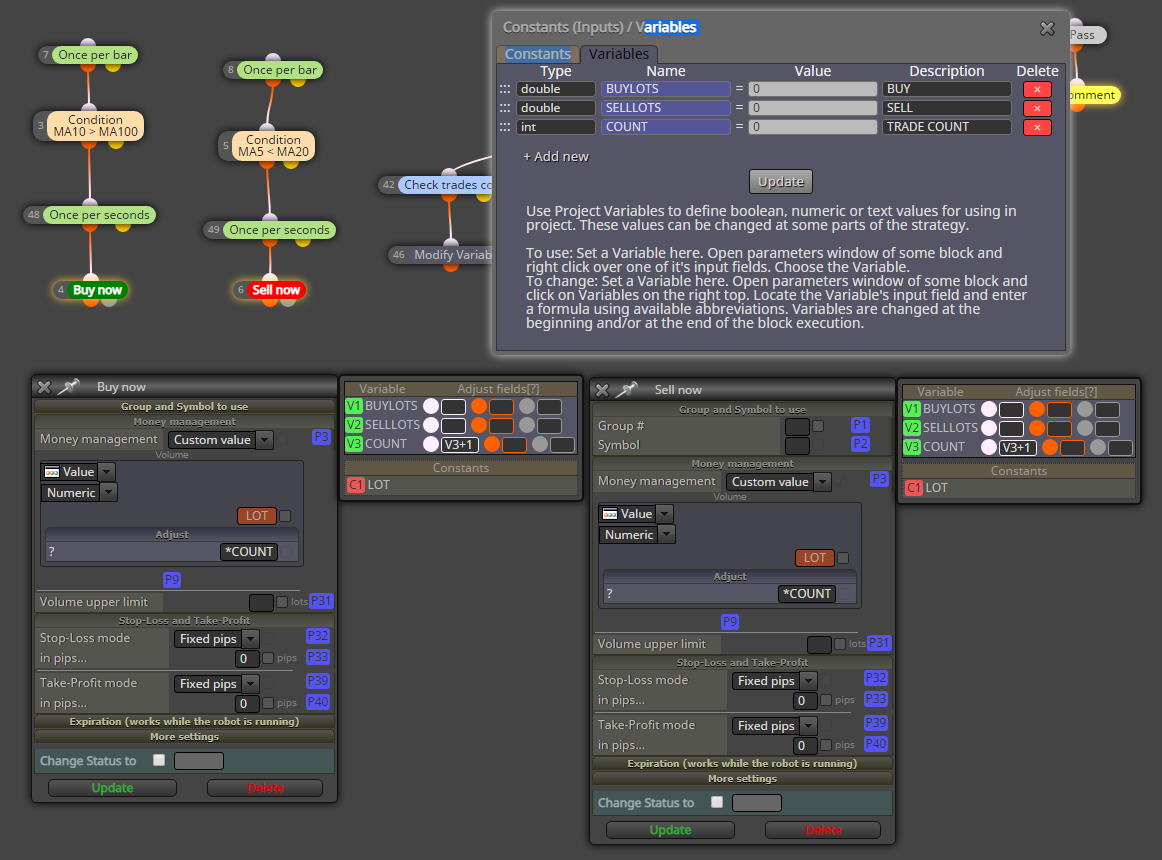
@khalids222 Here you go. I don't care for reset the counter on closure, yet. Lot Multiplicator
Basically I added the counter variable and than each time BUY or SELL block is entered (white dot) I add +1 to that variable.