How to change the default constant name in a drop-down? I want to change the input name "inp47_Indicator_MAmethod". Or can we assign a constant for a drop-down?
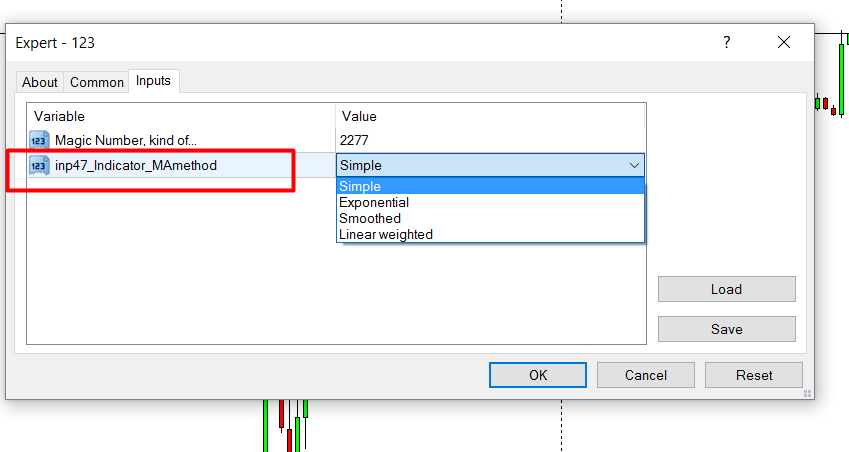
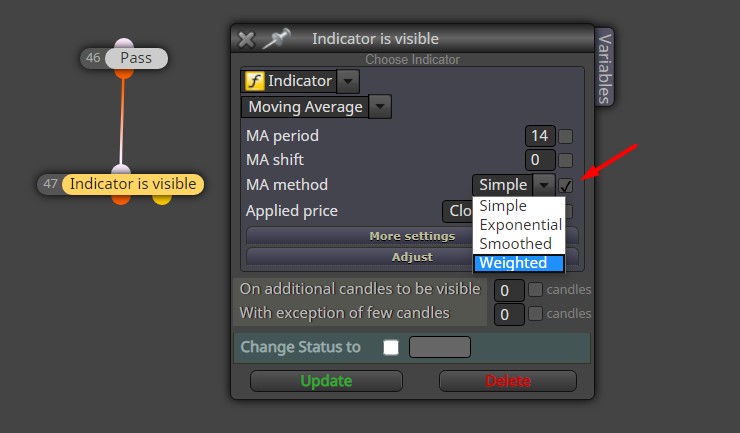

How to change the default constant name in a drop-down? I want to change the input name "inp47_Indicator_MAmethod". Or can we assign a constant for a drop-down?
Maybe things would be much less complicated if you can find an indicator that shows CCI divergence so that you can simply enter into trades based on its signals
you can share what you have done?
@miro1360 said in How to add indicator parameter list in a condition block:
is mode buffer right in the second example?
Buffer number works without any issue. Issue is with the parameters. When I use a constant (string) to load the indicator parameters, then they are not passed to the EA for some reason. My objective is to allow the user to use whatever the arrow based indicator to make trades. So user can simply set the indicator name, its input parameters, buffer number and candle ID and then trade automatically based on the arrows generated by the indicator. Everything is ok other than the input parameters.
So the below design does not work:

But it works fine if I directly input the parameters within the code block as follows:
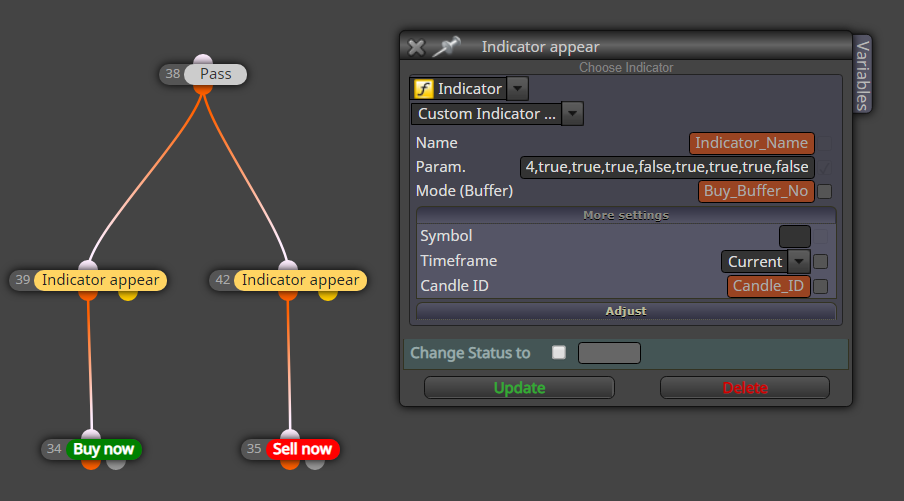
But in this case, the user is not able to have a customizable input field for entering his custom indicator parameters.
Here is the project: https://fxdreema.com/shared/bJWd9wLnd
This is the indicator in this example: https://gofile.io/d/UWEofF
Is there anything I can do to achieve my objective? I dont mind even if it involves custom code/block. Thank you in advance.
Store EMA and stoch values to two variables with "Modify Variables" blocks
Then make the comparison on a "condition" block
I have also experienced increased downtime since of late. It was down for several days in a recent case.
@huseyint Maybe you can check order's age and then see if the order is profitable or not
I found it, I dont need to have the indicator uploaded in fxdreema this way. This is the setting worked;
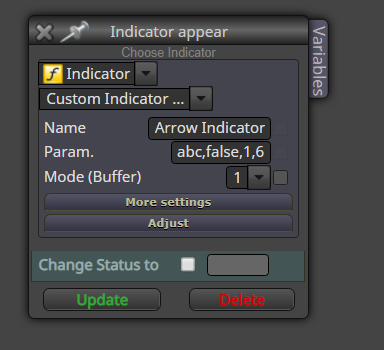
But when I have constant to this input it doesnt work:
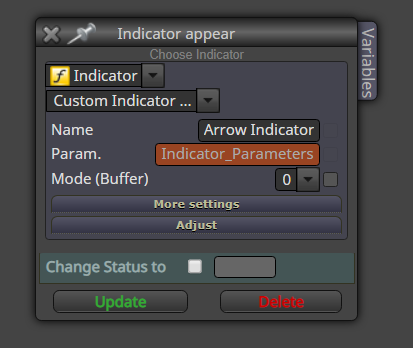
In the above way it didnt work, data type I used was string. And input was exactly the same.
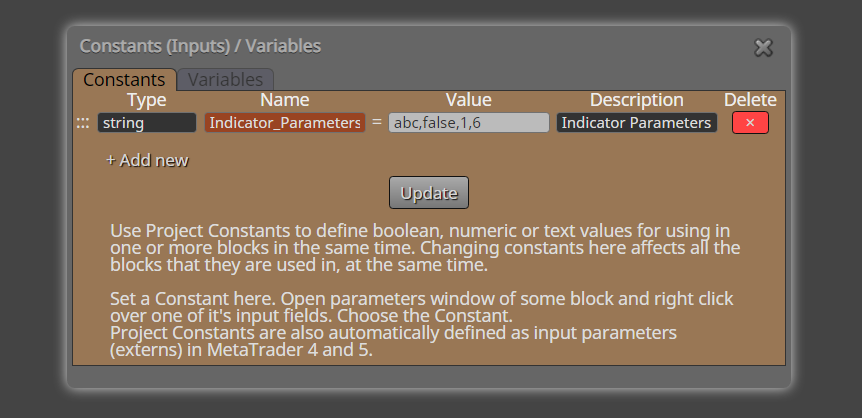
Any idea why it doesnt work with a constant? Is the data type "string" correct?
It's not a scam, you can add your account if you want to show your trade history to others
This is my custom indicator settings
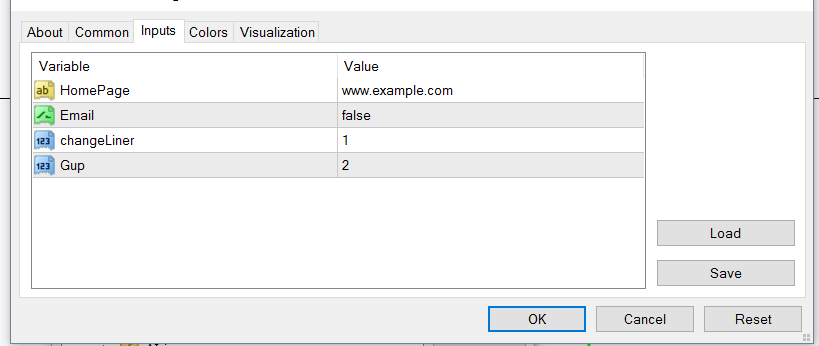
Can someone tell me how to add this indicator's parameter list to the following input field

The tool tip says that I need to add parameters in the same order separated by commas but I am unable to get it to work. Can someone teach me how to do it for the above indicator?
Thank you in advance.
@temuriy just changed the buffer color to none
@vish ok i found it myself. It was just a buffer
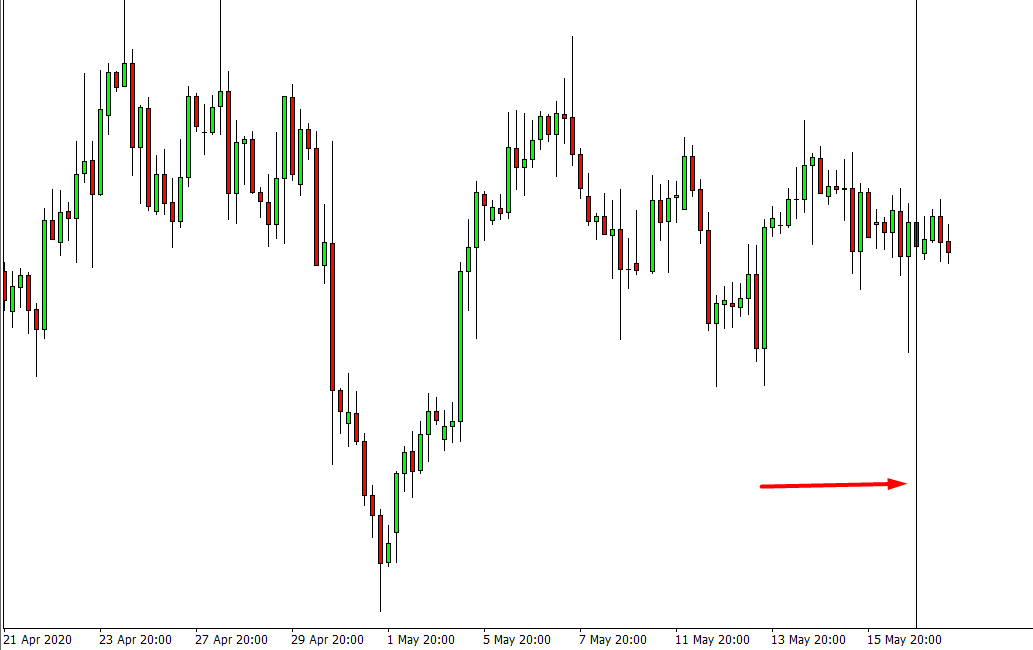
One of my indicators creates vertical lines on chart but they are not visible under objects nor selectable as objects. How can I select them or use their properties for the EA?
Can I have more than one magic number in an EA? if so how?
@vish ok i figured out. It is working
I have tried server time shifting back with several EAs but it is not working. This issue was fixed some time back but now again it is not working.

