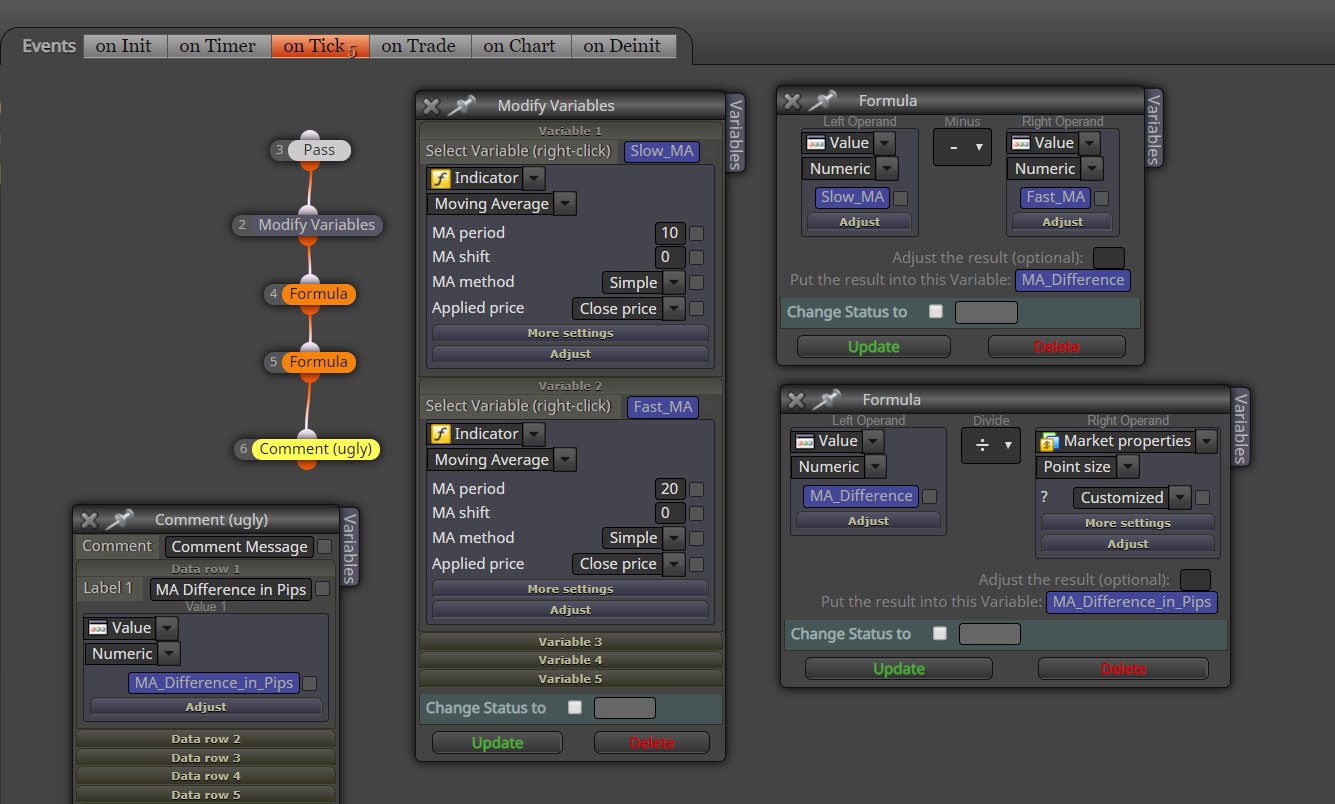
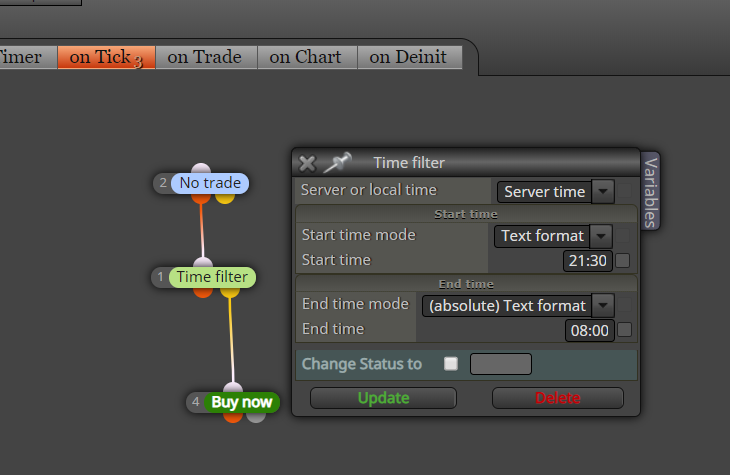
Another question,should it be the same for other metals and oil pairs?

Another question,should it be the same for other metals and oil pairs?
Does EAs made with fxdreema work with pairs like XAUUSD? Mine doesn't seem to work in pairs other than currencies.
I tried several times but 'Skip ticks' block doesn't seem to be working for me.
@fxdreema ok thanks. Will change the variable name, ATR and see
Yes this has happened to me many times in the past
When I add a variable in the formula block (in "Put the result into this variable" field) and save, it will randomly change to another variable when I reopen the block and check. I have tried with different browsers but no luck.
For instance, I had different variables assigned in below two formula blocks but when I open again, both have the same variable (S_TP).
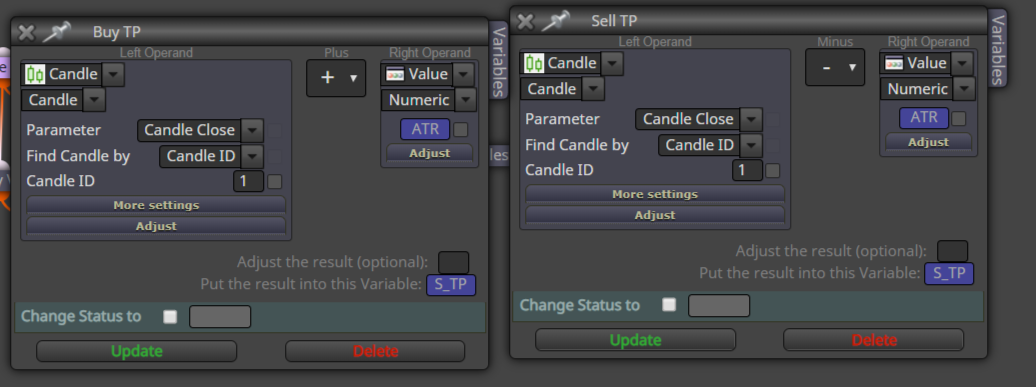
It appears this same issue discussed here but no answer: https://fxdreema.com/forum/topic/5596/variables-constantly-changing/11
@edak said in Variables constantly changing:
it will randomly change to another random variable. It will do this for most variables and each time i change it back i open the block it's changed to something random again. Every time i download an EA i get a critical error because my variables are never set where they should be. Could somebody please help.
Thank you,
I am having the same problem
You can specify the timeframe in most blocks including condition block

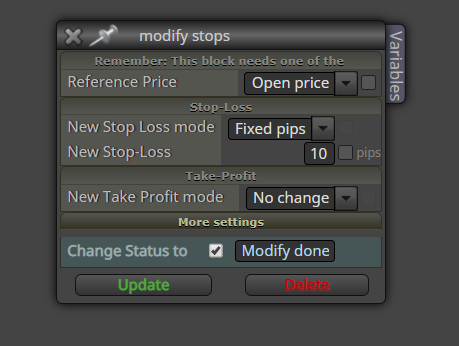
Modify stops block with fixed pips does not give the correct pip distance and it is 10x more.
E.g. if I set it to 10 pips as given below, it will be 100 pips when executed.
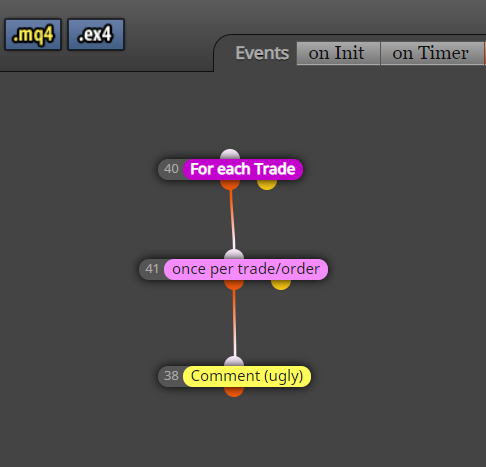
Why I dont get the open price here in a comment?
https://fxdreema.com/shared/KsohtVIBb
Thanks. Will test it out
Here is how to achieve this as @spuzy showed me (fully credit to @spuzy).
First download telegram.zip file given at the bottom of this page: https://www.mql5.com/en/articles/2355
Then place the .mqh files within the zipped folder into Include folder of your MT4 data folder.
Then you need to make a custom block of code as follows:

This is the code of the big white area:
if(current_chart)
{
_symbol = Symbol();
_period = Period();
}
if(is_channel) { SendScreenShotChannel(channel_name,_symbol, _period,text,x_axis,y_axis,current_chart,token); }
else { SendScreenShot(_chat_id,_symbol, _period,text,x_axis,y_axis,current_chart,token); }
And include following line in the global variable area:
#include <Telegram.mqh>
Here are the two custom functions codes:
1.SendScreenshot:
int SendScreenShot(const long _chat_id,
const string _symbol,
const ENUM_TIMEFRAMES _period,
string text,
int x_axis,
int y_axis,
bool current_chart,
string token)
{
CCustomBot bot;
bot.Token(token);
int result=0;
long chart_id;
if(!current_chart)
chart_id=ChartOpen(_symbol,_period);
else
chart_id=ChartID();
if(chart_id==0)
return(ERR_CHART_NOT_FOUND);
if(!current_chart)
ChartSetInteger(ChartID(),CHART_BRING_TO_TOP,true);
//--- updates chart
int wait=60;
while(--wait>0)
{
if(SeriesInfoInteger(_symbol,_period,SERIES_SYNCHRONIZED))
break;
Sleep(500);
}
string filename;
if(!current_chart)
{
ChartRedraw(chart_id);
Sleep(500);
ChartSetInteger(chart_id,CHART_SHOW_GRID,false);
ChartSetInteger(chart_id,CHART_SHOW_PERIOD_SEP,false);
filename=StringFormat("%s%d.gif",_symbol,_period);
}
else
{
filename=StringFormat("%s%d.gif",Symbol(),Period());
}
if(FileIsExist(filename))
FileDelete(filename);
if(!current_chart)
ChartRedraw(chart_id);
Sleep(100);
if(ChartScreenShot(chart_id,filename,x_axis,y_axis,ALIGN_RIGHT))
{
Sleep(100);
  bot.SendChatAction(_chat_id,ACTION_UPLOAD_PHOTO);

  //--- waitng 30 sec for save screenshot
  wait=60;
  while(!FileIsExist(filename) && --wait>0)
     Sleep(500);

  //---
  if(FileIsExist(filename))
    {
     string screen_id;
     result=bot.SendPhoto(screen_id,_chat_id,filename,text);
    }

 }

if(!current_chart)
ChartClose(chart_id);
return(result);
}
int SendScreenShotChannel(const string _chat_id,
const string _symbol,
const ENUM_TIMEFRAMES _period,
string text,
int x_axis,
int y_axis,
bool current_chart,
string token)
{
CCustomBot bot;
bot.Token(token);
int result=0;
long chart_id;
if(!current_chart)
chart_id=ChartOpen(_symbol,_period);
else
chart_id=ChartID();
if(chart_id==0)
return(ERR_CHART_NOT_FOUND);
if(!current_chart)
ChartSetInteger(ChartID(),CHART_BRING_TO_TOP,true);
//--- updates chart
int wait=60;
while(--wait>0)
{
if(SeriesInfoInteger(_symbol,_period,SERIES_SYNCHRONIZED))
break;
Sleep(500);
}
string filename;
if(!current_chart)
{
ChartRedraw(chart_id);
Sleep(500);
ChartSetInteger(chart_id,CHART_SHOW_GRID,false);
ChartSetInteger(chart_id,CHART_SHOW_PERIOD_SEP,false);
filename=StringFormat("%s%d.gif",_symbol,_period);
}
else
{
filename=StringFormat("%s%d.gif",Symbol(),Period());
}
ChartSetInteger(chart_id,CHART_SHOW_GRID,true);
ChartSetInteger(chart_id,CHART_SHOW_PERIOD_SEP,false);
if(FileIsExist(filename))
FileDelete(filename);
if(!current_chart)
ChartRedraw(chart_id);
Sleep(100);
if(ChartScreenShot(chart_id,filename,x_axis,y_axis,ALIGN_RIGHT))
{
Sleep(100);
  bot.SendChatAction(_chat_id,ACTION_UPLOAD_PHOTO);

  //--- waitng 30 sec for save screenshot
  wait=60;
  while(!FileIsExist(filename) && --wait>0)
     Sleep(500);

  //---
  if(FileIsExist(filename))
    {
     string screen_id;
     result=bot.SendPhoto(screen_id,_chat_id,filename,text);
    }

 }

if(!current_chart)
ChartClose(chart_id);
return(result);
}
And given below are each of the parameters:


Then make the settings as follows:

Now you have got the custom block in fxdreema, which you can use in your EAs.

Here are the options which are self explanatory. You can post screenshots with custom text to Telegram channels and groups automatically.

I am getting these errors (MT4): http://prntscr.com/nn7g66
http://prntscr.com/nn7gf8
Can you please help?
I want to have only one trade with a particular pair and related pairs in my trading account. For instance, when I have a EURUSD trade running, then the EA should not open a trade on a pair that has either EUR or USD as base or quote currency. That means EA will not open a trade on GPBUSD as USD is there and EA will not open a trade with EURAUD either as EUR is there. But EA may open a trade with CADJPY as the pair has no USD or EUR. How can I achieve this in fxdreema?
I wonder if we can send a screenshot to Telegram with the library provided here using fxdreema: https://www.mql5.com/en/articles/2355
Some discussion on this library: https://www.mql5.com/en/forum/89826/page4
I guess we can create a custom block that links to Telegram.mqh (As I learned when we include a file then we can download mql file only)
I simply made the ex4 file on fxdreema and saved in expert folder and it worked as expected