How to open a BUY LIMIT or SELL LIMIT order with 3 horizontal lines.
-
Well that, I want to create a couple of buttons with 3 horizontal lines (renamed with SL, TP and Price) previously drawn in the chat that when pressing the SELL or BUY button there will be a pending operation taking the data of those 3 lines, I have already solved creating the buttons and lines, but I can't find a way that the pending order will be given to me with the data of the lines. Can somebody help me.
-
@xyon126 share the portion you have already created? I suspect using the same data will be the solution
-
Hi @tipsywisdom! As you will see when pressing the yellow button the two lines are created, the red is the SL and the yellow the price, (up to here OK) I move them where I want the order to be opened and when pressing the green or red button it remains pressed and neither will open the operation, nor will it erase the lines with which I deduce that it is blocked but I don't know where. I have read the errors and in one button it does not say anything and in the other it gives error (3) of parameters and in an undefined loop.
You can help me, here is the Link
-
@xyon126 dang, that one just by reading your explanation is above my level, but I will take a look shortly. I will also post this is my discord for one of the other gents to take a look!
-
Hi @xyon126 , I suggest moving everything from on Tick to on Chart and use Mouse clicked on object to activate your trades. Hope this helps.
https://fxdreema.com/shared/9GlSyJbid
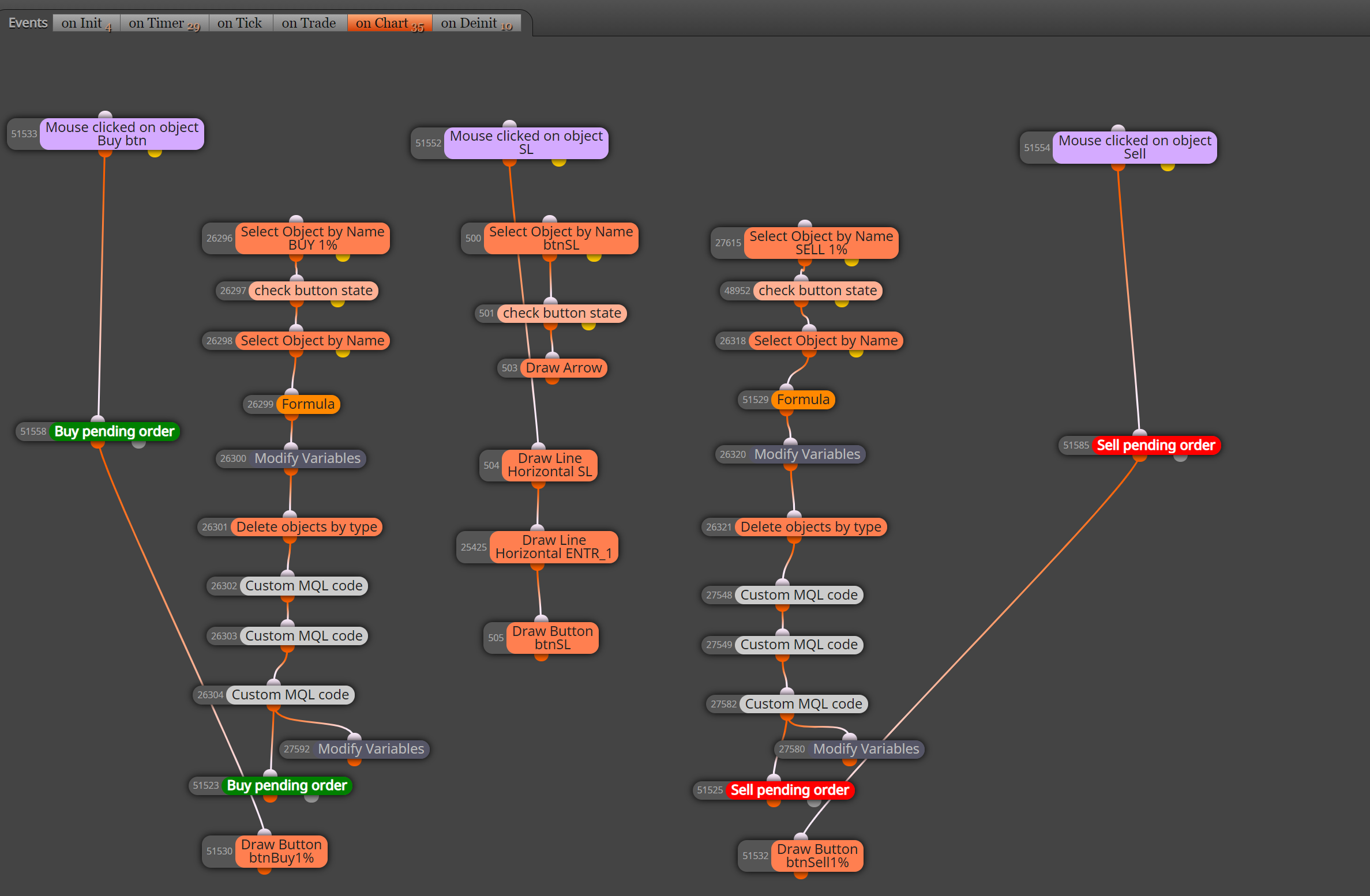
-
ah nice, good thinking
-
Hi @johntyr! I look at your proposal and I get lost, because I see that instead of having 2 blocks of pending operations there are 5 without counting the canceled ones, I also see that the added ones have a TP and a fixed SL when my idea is that they are obtained with the Lines drawn, would you be so kind to pass me the clean code. Thanks a lot.
-
Hi @XYON126, Sorry, I just dropped them on to show that the buttons work. Clean version attached.
https://fxdreema.com/shared/379qevLue . I have not confirmed your other blocks work.
-
Hi @johntyr! Thank you very much for the help, I have tested your code and it does the same for me, the only variation that I find is that it has 3 more blocks and the location but still does not open any operation.
-
@xyon126 Do you also get the error in the picture?
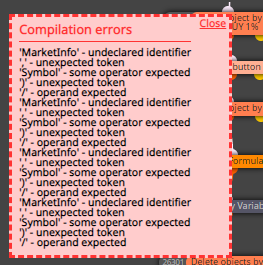
-
@xyon126 Sorry, I forgot to remove old button blocks.
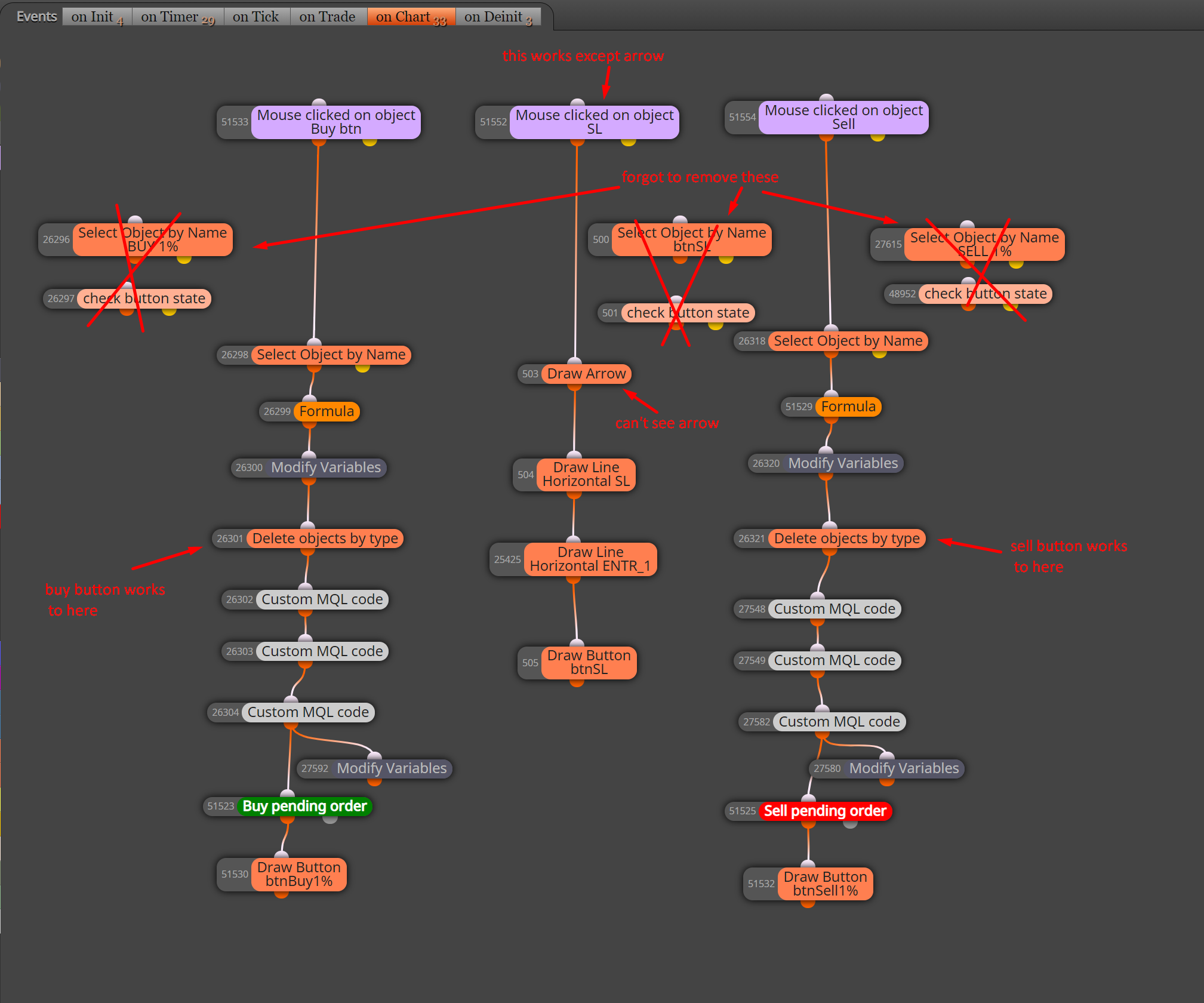
Corrected version: https://fxdreema.com/shared/VDBCevpadSorry, I can't help with the rest as I know nothing about MQL code.
-
@ladydolares undeclared identifier is meaning without instructions. It doesn't have the required constants and variables if youre trying to test his project you have to save the mq5 file.
-
@tipsywisdom No, no, it is not Mql5 it is Mql4, they are not 100% compatible, there are blocks in Mql4 that do not exist in Mql5 and the same thing happens from Mql5 to Mql4.


