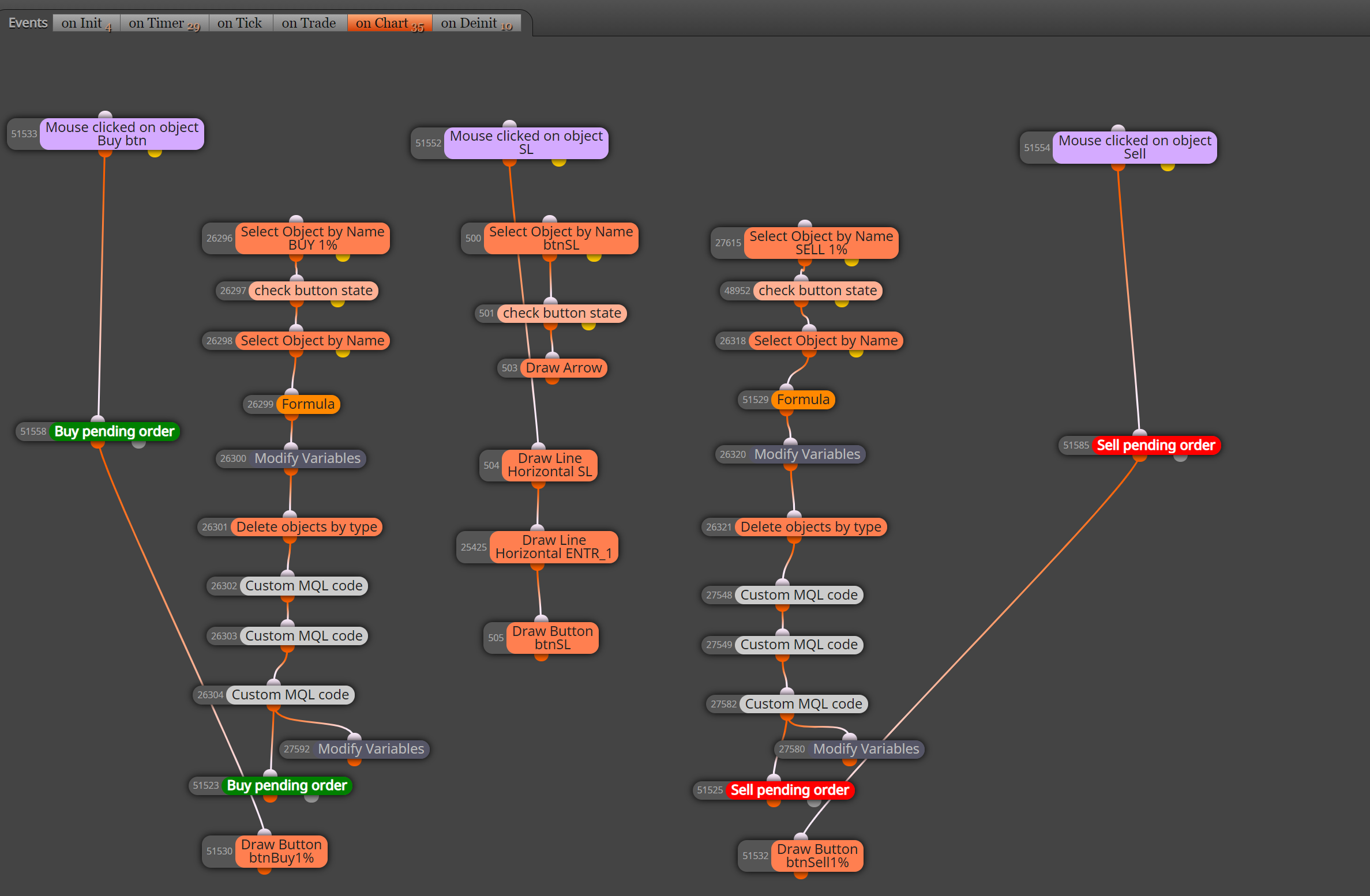
Hi @xyon126 , I suggest moving everything from on Tick to on Chart and use Mouse clicked on object to activate your trades. Hope this helps.
https://fxdreema.com/shared/9GlSyJbid
Hi @xyon126 , I suggest moving everything from on Tick to on Chart and use Mouse clicked on object to activate your trades. Hope this helps.
https://fxdreema.com/shared/9GlSyJbid
@roar I setup as you suggested. It works great. Thank you very much for your help.
Hi Fxdreema,
Is it possible to use the Chandelier exit indicator as a trailing stop and if so how?
@jstap Thank you for your ideas. I will see how I can use the pink blocks. I was also thinking bucket of trades open positions may work in conjunction with the breakeven block. My idea is to use the breakeven as a manual intervention when the trades move beyond breakeven point to prevent a loss via a spike reversal. This is for use on a 1 minute chart. Thanks again.
@jstap The point at which the multiple trades become profitable.
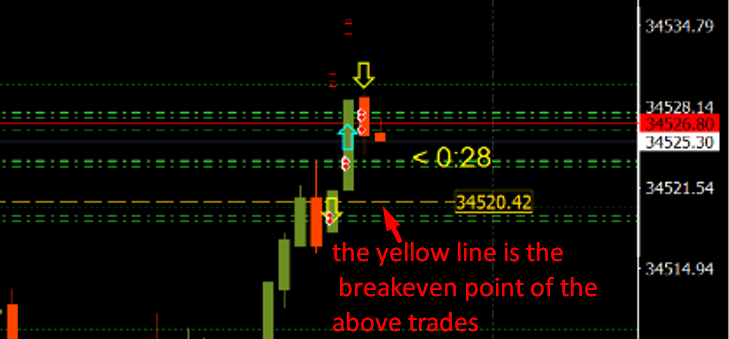
Hi, I want to find the single breakeven point of more than 1 trade.
For example if I have 4 trades open I wish to find the single point at which all 4 will deliver a profit (the average of the 4).
The breakeven (each trade) block gives the breakeven point of each individual trade, not the cumulative breakeven.
Thanks for you help.
@xyon126 Sorry, I forgot to remove old button blocks.
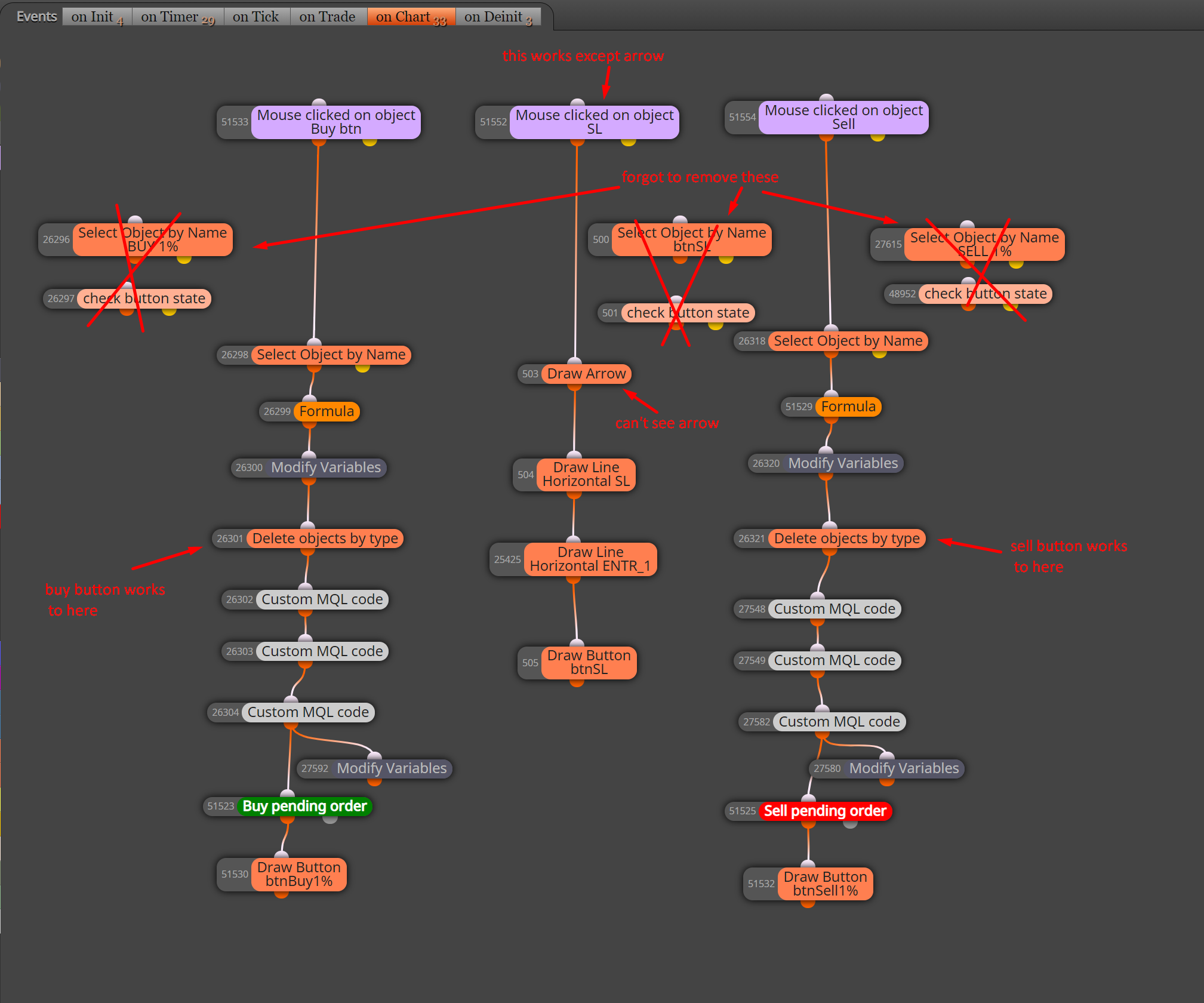
Corrected version: https://fxdreema.com/shared/VDBCevpad
Sorry, I can't help with the rest as I know nothing about MQL code.
Thank you @XYON126 , I appreciate you helping. I don't fully understand it yet but I will study what you said and try to comprehend.
Hi @XYON126, Sorry, I just dropped them on to show that the buttons work. Clean version attached.
https://fxdreema.com/shared/379qevLue . I have not confirmed your other blocks work.
Hi @xyon126 , I suggest moving everything from on Tick to on Chart and use Mouse clicked on object to activate your trades. Hope this helps.
https://fxdreema.com/shared/9GlSyJbid
@johann-0 yes you can make it a constant so you can change it in the inputs of your EA, or a variable so you can have your EA choose the profit level via ATR, % of risk, or trailing stop etc. Your choice.