Stop Trading after Stop Loss
-
Hi @l-andorrà,
I would like to request your assistance regarding this condition that I could not get... I hope you can help me with it.
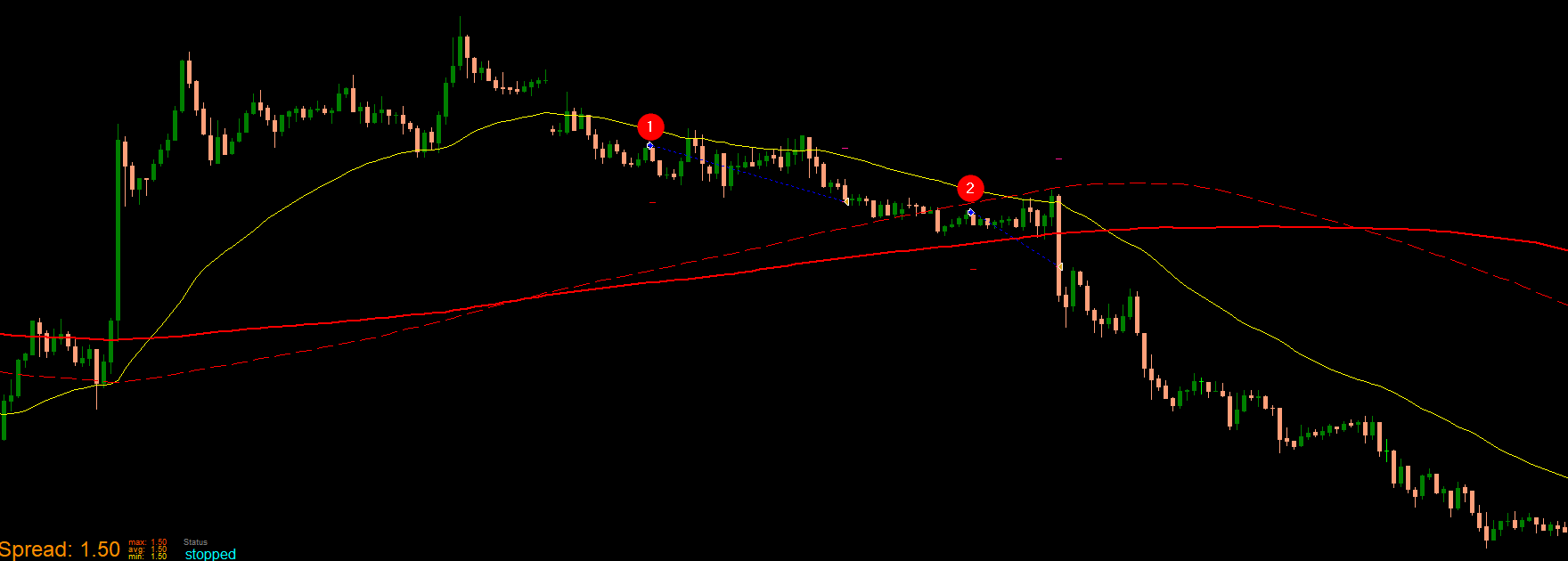
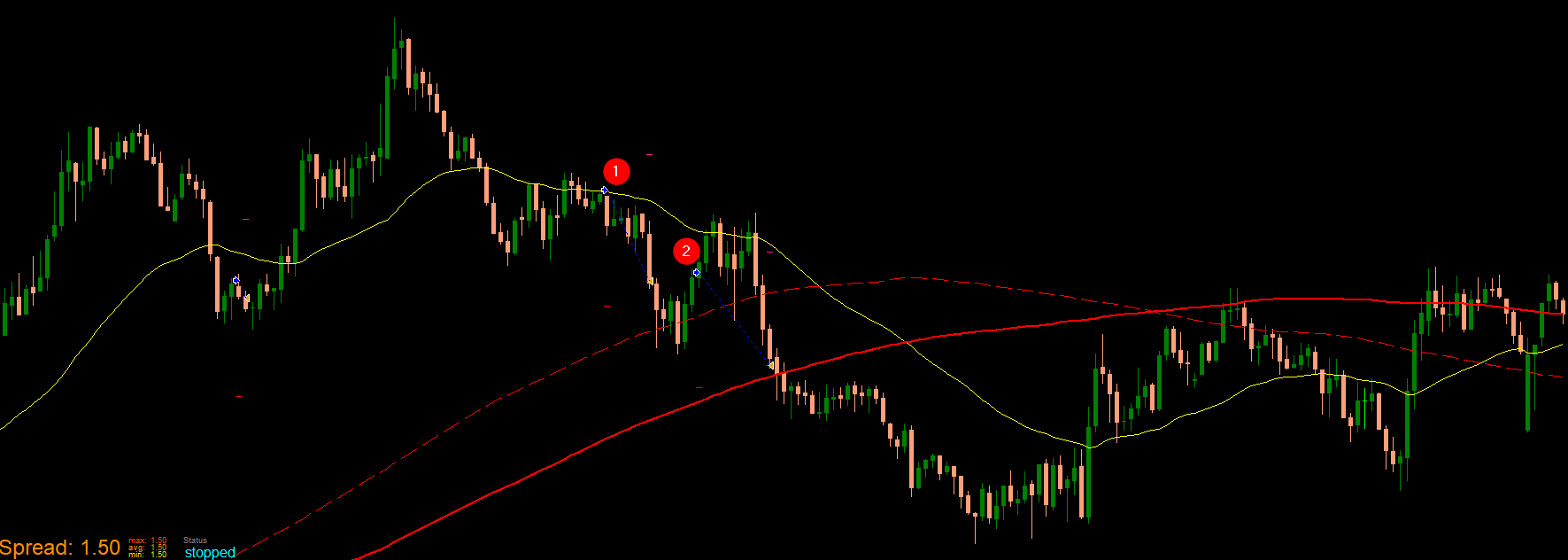
Basically, I'm looking for a way to minimize losses in my project. Particularly when my Buy order triggers Stoploss when nearing the Simple Moving Average 150 (Broken red line). Please refer to image 1.Image 1:
I tried a few things I found in the forum, but I can't seem to make it work.
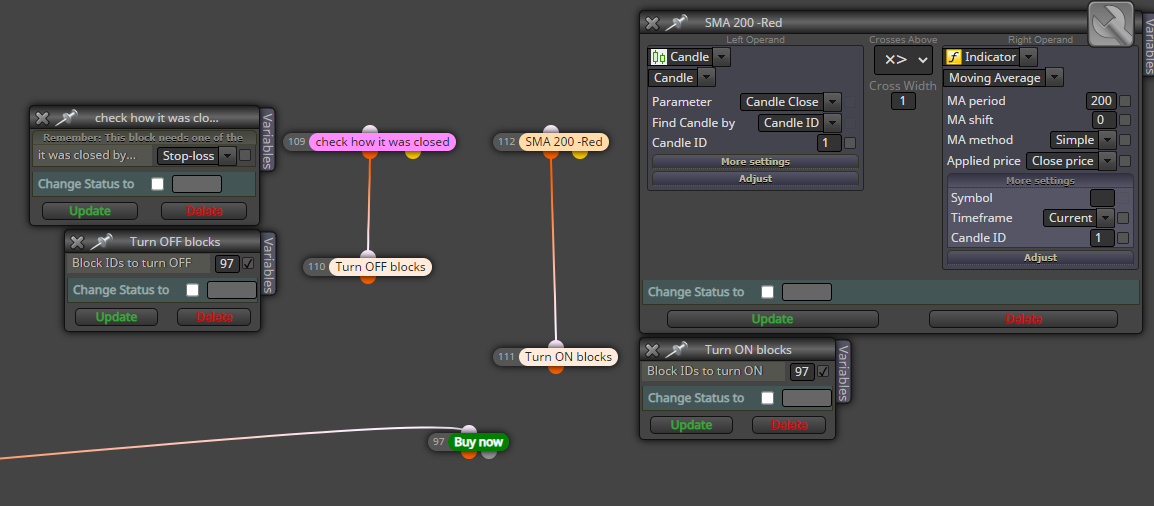
Failed solution #1:- I used the "Check how it was closed" block to look for Stop loss and wanted the Buy (block 97) to be turned off to stop creating Buy orders.
- Then when the candle crosses below or above Simple Moving Average 200, it would re-enable Buy (block 97).
I am not sure if I am missing something to trigger it though. Please see image 2 for reference.
Failed solution #2:
- I tried to use the "Trade closed" block but had an error when I executed it on MT4. Please see Image 3 for the condition and Image 4 for the error.
Image 3:
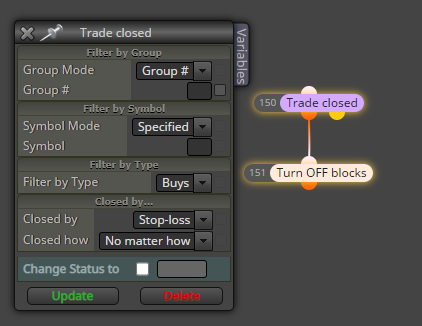
Image 4:
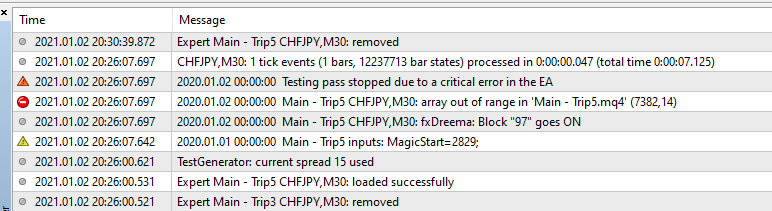
If you have other ideas to lessen these Stoploss or some kind of a failsafe, that would be very much appreciated.
Thanks,
FidelD -
share your project so we can check it
-
@fideld003 I don't fully understand what you exactly need. Before trying to suggest any change, I would appreciate what strategy are you trying to minimie loses.
Why not considering a simpler condition: do not open a buy if the candle is below that yellow MA? Apparently that would make it easier. Don't you agree?
-
@fideld003 said in Stop Trading after Stop Loss:
would like to request your assistance regarding this condition that I could not get... I hope you can help me with it.
@l-andorrà, I agree, I did some experiments before but one way or another it will trigger the stoploss. Thus, I was thinking of using these Turn Off/On blocks. Maybe can you give me examples of how you would use it?
What I am trying to accomplish right now is when a Stoploss is triggered, No Buy order would be triggered until the candle bars cross above/below 200 Simple Moving Average. Thanks.
-
@l-andorrà, I think I know now how to use the, "Turn On/Off block". I Will be experimenting with these blocks for a while. Thank you for replying as always.
-
@fideld003 Congrats. Please don't hesitate to be back if you need it.
-
@fideld003 Pls assist I also have a similar issue, how did you resolve it..?
-
@musawenkosi please open a new thread with your project, someone can help you