News during Backtest
-
@jstap said in News during Backtest:
Isn't DLS time set by your broker (server time)? Meaning as this is used on backtest, DSL happens anyway...
Yes, it is.
And for some reason, the GMT offset function only works for one 'season.'
Subsequently in my case during the gap there's a two-hour discrepancy from the correct news time, which reduces to one hour after two weeks.
So for now I have to manually adjust the offset each time to get correct time of news apperance. -
Reminds me of this lol. I agree with Tom here - hard coded time switches are a pain
https://youtu.be/-5wpm-gesOY?si=RKike151oWm5mGAK -
I'm thinking of how what is the proper way to solve this... The dataset is UTC so NFP happens 12:30 in summer and 13:30 in winter. When loading the data to mt5, naturally that 1-hour difference stays in there. Maybe the best approach would be to convert the source to unix time type


Mql5 does have an exact function for these cases, TimeDaylightSavings(), but naturally that works only live and not in backtest, that would be too easy, right... https://www.mql5.com/en/docs/dateandtime/timedaylightsavings
-
@Archer hello,
Have you been using this method of News Filter? IT doesn't work for me... the Skip Ticks isn't working... the blocks that ought to be delayed passed and the time ahead isn't working..
I don't know why...followed your pattern
-
I would help you out man, but despite some serious brainstorming over the past days, I haven't hit upon any great ideas worth sharing with you all.
I'm hoping someone else in the forum might jump into this conversation and help us crack the DLS time problem.In the meantime, could you pls consider adding those options I mentioned earlier to the indicator?
You know, the ones about filtering news using keywords and labeling news names for vertical lines.Are you referring to backtesting or the live market?
If it's backtesting, will those vertical lines show up on the chart during the test?
If they do, could you show me a snippet of your project that handles news avoidance?
Something might be off because everything seems to be working fine on my end... -
Wouldn't the most simple solution be to not trade from an hour before the earliest possible time and an hour after the latest possible time? So 11:30 to 14:30 on red folder days? I doubt that missing those extra hours on red folder days destroys an EA during backtesting.
-
@ Archer it's in a Live trading environment. and the issue is more about the Hours before and Hours After and it's more in the time zones issues.
So, Can you share with me the News Indicator you use?
I'm using this indicator: https://www.mql5.com/en/code/15931 and it works with local time (PC time) and the EA works with GMT which could also work with Local time but the issue then comes in with VPS location and the trading terminal time difference
-
@tec-nacks
I've already shared with you the indicators I personally use in one of my previous posts.
Try them out first.
An important element is setting the color of the vertical lines in the indicator to red, not something like 'C'217,83,79'.
Otherwise, EA won't recognize the lines... -
hello, I could not the EA is not reading the time correctly:
Pls help look into it
https://fxdreema.com/shared/R8aQjb13c
I'm using the FFC indicator alone as IceFX Indie lines cannot be changed to Red
-
@tec-nacks figured it out seemed working now
-
@Archer HELLO this aint working for me bro. When I made some adjustment see here: https://fxdreema.com/shared/3qyTlO9Mc
It deactivates and also at the point of reactivating the blocks, it also deactivates again
I used your default it didnt work for me at all... I dont know why... Also I observed the way its reads the line the time count is wrong, a news that is still 3hours ahead, will get triggered the moment I load it on chart
Help on this guys
-
@Archer I'd love to take a look at this, if possible but the transfer is no longer valid. Do you mind sharing the file again?
-
sure, there you go:
well... It's not functioning because you didn't follow my instructions.
You've already made a mistake in the second block.
It should be >=.I strongly suggest understanding the idea of this solution step by step first.
Manually add a red vertical line to the chart to simulate upcoming news.
Start moving it and observe how its value changes relative to the time values.
Then, add another red line and see how the EA reacts to two news events that are close together. Check if the times overlap or if they're okay.
Based on this, adjust the values in the EA.Also, decide whether the solution I mentioned earlier, skip ticks or on/off, works better for you.
Perhaps combining them might be a better solution.
Maybe separating them into tabs for on timer / on tick could be the right approach.
It all depends on your needs and the structure of your EA.Regardless of your choice, always stick to the KISS principle that I follow myself and in the end, everything should work properly.
Certainly, a bad idea is adding many additional conditions before understanding how the basic one works, which seems to be what you've done in the given project...
-
@Archer oh well, thanks for the heads up, I recreated it my own way and it all good now
-
Hi @roar,
Have you considered whether there might be any upcoming updates to this indicator in the near future ?
I'm particularly interested in even minor additions, such as event names on each vertical line.
I'll highly value any progress made on this project. -
Hi guys ,
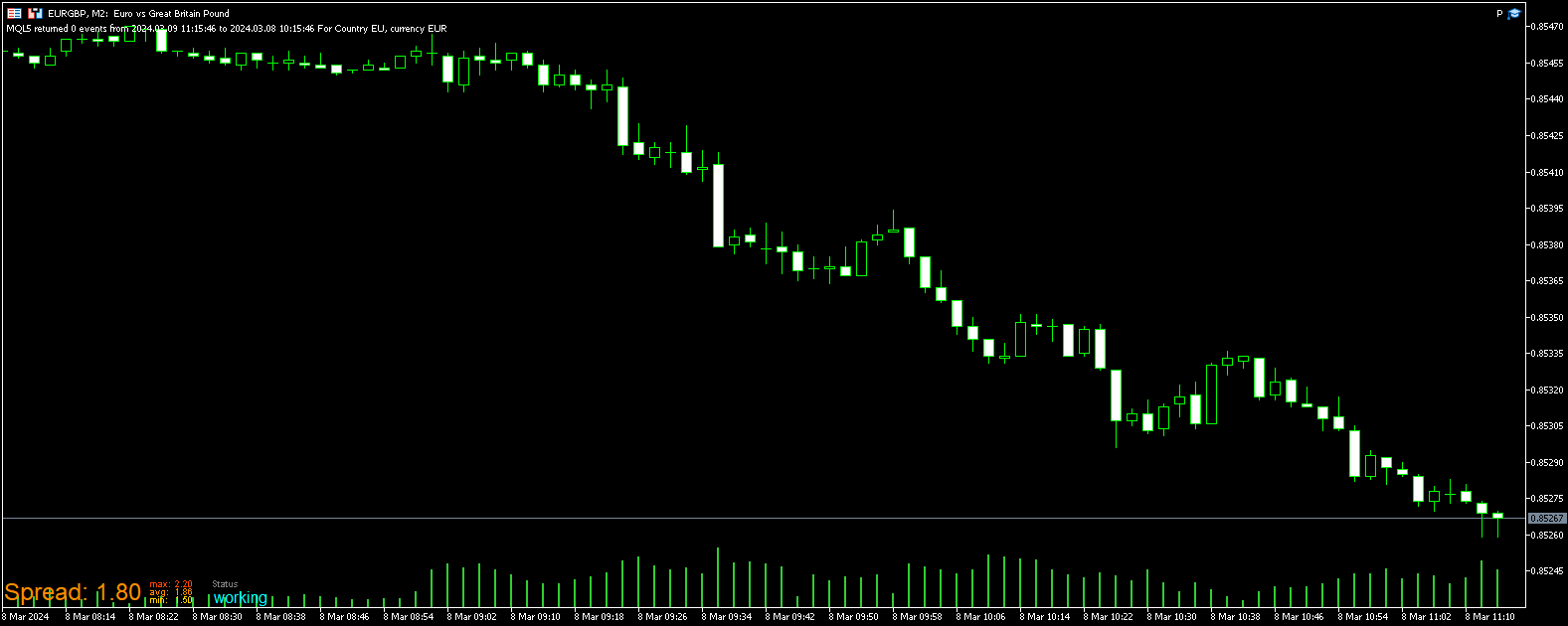
I tried to put 2 event but verbose show only one event.
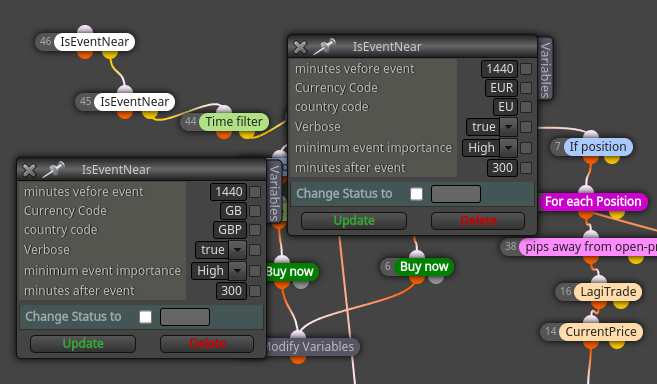
This is how out put in chart looks like
-
sorry this is wrong post
-
@Archer any chance you still have the file? Links to we transfer are all down again. Thanks!
-
@Archer I need that file too, could you please share it again? Thanks in advance.


