Press Button Draw button
-
Hi everyone. I draw a button called "press". I wish to draw another button each time I click that button. The first click draws a button titled "1" immediately below the "press" button.
When I click the "press" button again I wish to draw an other button "2" immediately below button "1", and so on , 3,4,5 indefinitely.I cannot work out how to add to the Y value with each button press to draw a button below the previous button. Can anyone help
-
@johntyr Do you really need infinite buttons on the chart? What is the point for that?
-
@l-andorrà Hi, thank you for responding. No not really infinite, a bit of exaggeration.
The press button is a trade entry button and the following buttons are individual trades. If I click on the any of the individual trade buttons it closes that single trade.
I scale into trades and may make numerous small entries as the trade progresses. I am able to close individual trades as needed without closing everything.
I scalp and need the speed of hitting a button as opposed to other slower closing methods. I would appreciate your ideas.
-
I was able to sort it myself, quite simply by modifying variables of the draw button Y-distance.
https://fxdreema.com/shared/RZiDj6CWb
Thank you.
-
@johntyr You're welcome.
-
@johntyr and @l-andorrà
SorryI believe I expressed myself badly.
What I meant is if the buttons, let's say I have 3 buttons under each other and I want to put them in the lower left corner of the EURUSD chart.
If I do this and configure x and y axis on a 30 inch screen with a resolution of 1920x1080 and open this EA on another screen with the same resolution I will see the buttons normally.
But if I open this EA on a 21 inch screen with a resolution of 1024x768 the buttons disappear, and I have to reconfigure the x and y axes.
Same for an 800x600 screen
What I wanted is to create some way for the EA to detect the screen size and be able to adapt the buttons to appear correctly in any type of screen resolution.Sou do Brasil e utilizo o sistema Fxdreema a alguns anos, sempre que tenho tempo disponível eu tento ajudar alguém por aqui, mas se quiser uma ajuda mais próxima me contacte:
Site: https://www.ontradingx.com.br
Youtube: https://www.youtube.com/@ontradingx
Boa sorte a todos nós!English - I'm from Brazil and I've been using the Fxdreema system for a few years, whenever I have time available I try to help someone here, but if you want more help, contact me:
Website: https://www.ontradingx.com.br
Youtube: https://www.youtube.com/@ontradingx
Good luck to all of us! -
@ontradingx Well, I'm not sure that is possible with fxDreema. At least I never consider it. AFAIK you can specify the distances in pixels from any side of the chart, but I don't think any other modification like that is possible:
-
@l-andorrà Do you know how to with the same button make more than 2 actions? I mean, one click = do something, other click = different action... and so on until reset
E.G. on labels recangles would be Trailing 1: ON/OFF and more...
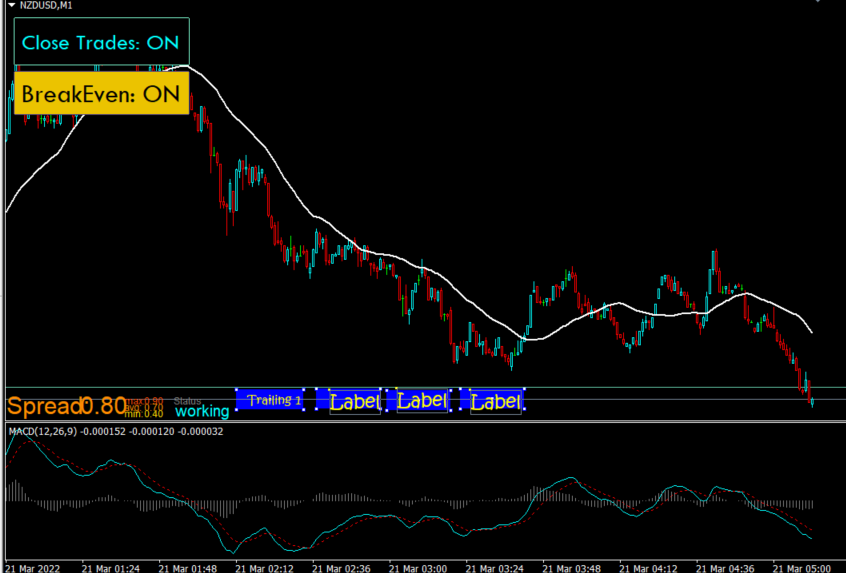
https://fxdreema.com/shared/k1R5DG7fb
Would be nice that each one that an object be pressed, make a count, E.G. I press the button and appears to me 1, if I click again 2, and so on... Do you know how to do it?
-
@uriel-0 You'll find all you need in link, use the bool condition option, so when true it draws what you like, if false it deletes what you like.
https://fxdreema.com/forum/topic/14594/create-buttons-that-work-in-mt4-mt5-live-demo-back-test


