Heikin Ashi as a Line Color change, custom indicator condition
-
Hi,
I have this Heikin Ashi line that changes color based on trend. The buffers 3 and 4 put out an output in the Data Window as "haBodyOpenDN" and "haBodyOpenUP" and one will show a value each candle resulting in a green or red indicator line.I tried previous forum advice on this topic with the empty_value idea and set a condition for example: Buffer 3 > 0. Since the colors are numbers as I read in previous forum posts.
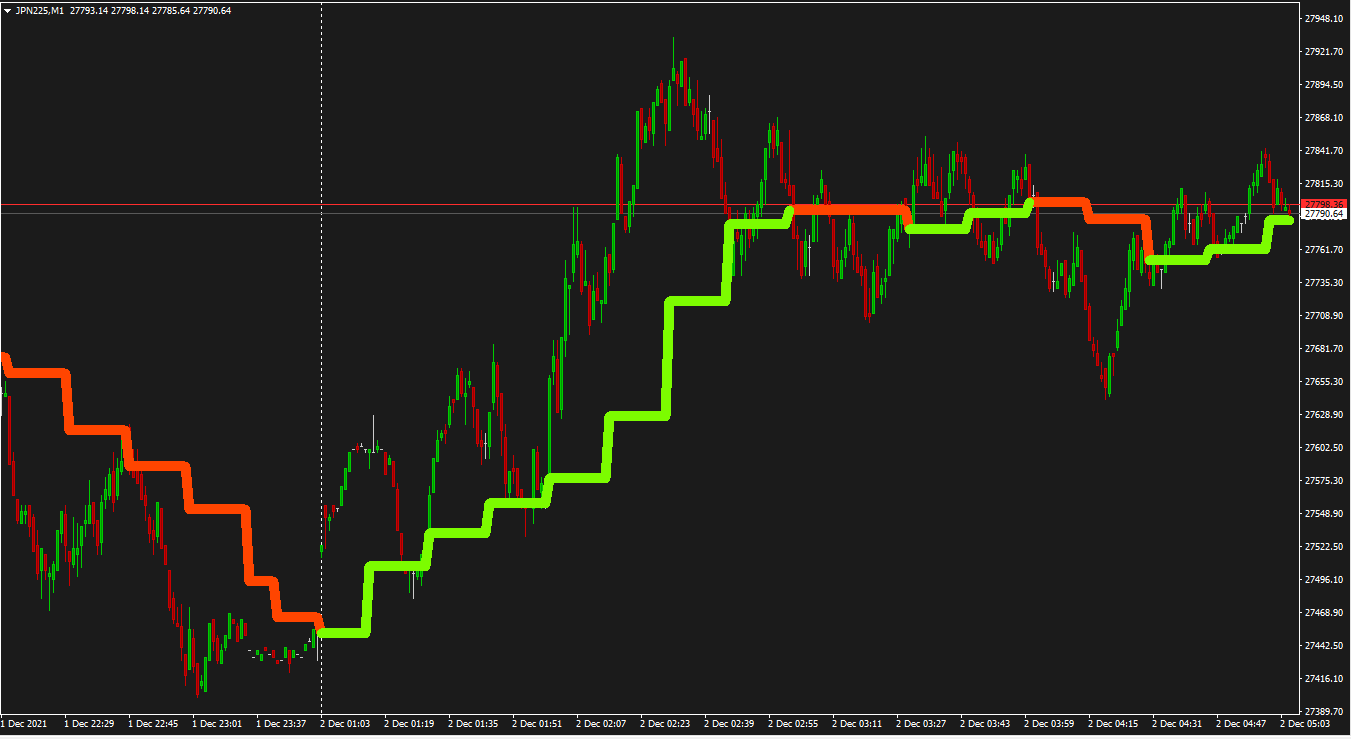
Simple goal: Line is red (or haBodyOpenDN = a value) = DRAW ORANGE ARROW
Simple goal: Line is green (or haBodyOpenUP = a value) = DRAW LIME ARROWshared project: https://fxdreema.com/shared/RJK3mRk8
screenshot of a chart:
Here are the custom indicator files:
1_1638414516347_HeikenAshiCandlesI.ex4
0_1638414516346_HeikenAshiCandles(MTFD)I Altered colors 1.mq4
It seems that the mq4 file pulls data from the ex4 file, but I could be wrong. I feel like this is a simple condition to search for but I just don't know what I'm looking for in the condition, thank you for your help!! -
@miki hoping you can help me with this one! I still use the other custom indicator you helped me with awhile back
 thanks in advance for taking a look!
Or @l-andorrà
 love the YouTube tutorials!
 -
@sauce Thanks for your support!
 I recommend to substitute both condition blocks by 'indicator is visible' blocks instead. That way no comparisons are necessary. However, did you check the indicator doesn't repaint? because if it does, the EA will destroy you balance!
 -
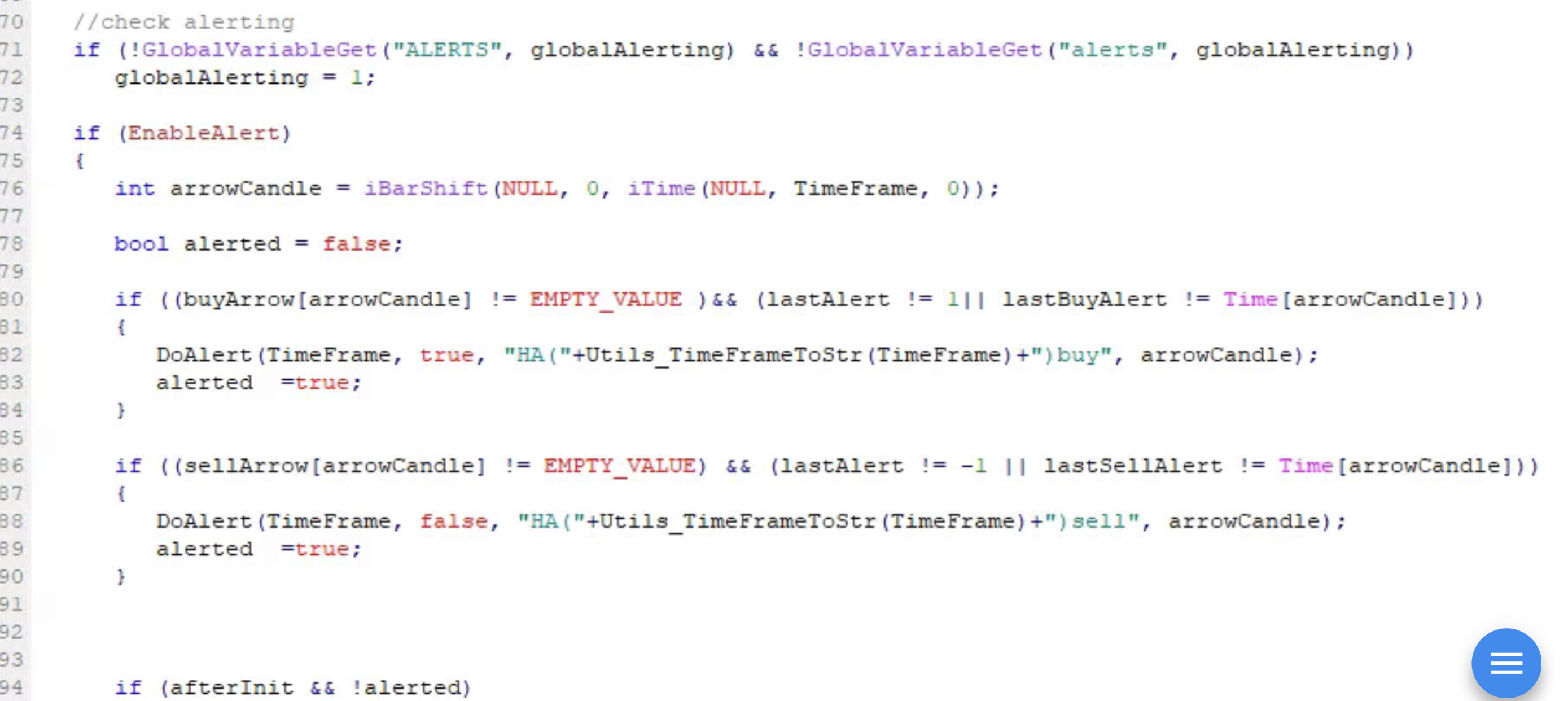
@l-andorrà so I tried that before (and again just now) but does not work... here is a picture of the alert code so it must be something from that since I can havebit send an alert if a buy(green) or sell(red). can you see where it is finding the condition to send the alert?
-
@miro1360 you might be able to see the issue here I'm missing?
@l-andorrà here's an updated shared project link with the visible condition instead but still not working: https://fxdreema.com/shared/P8l32aHZd
Again, the simple goal here is for condition to pass if line is green or the other to pass if it is red. (whatever number or alert code that is)
-
@sauce I see you selected candle ID1 for the indicator to be checked but candle ID0 for the arrow. Other than that the logic is correct. I guess the issue should be in the indicator, but I'm afraid you will need a prigrammer to check it out, man.

-
@l-andorrà thanks for trying!
@biki could you help me with this? seems like an easy fix in the source code, but cant find it
-
@sauce I wish I could, but I have no idea how code can be fixed. I'm not a programmer, sadly.
(English) I will try to help everyone in these fxDreema forums. But if you want to learn how to use the platform in depth or more quickly, I can help you with my introductory fxDreema course in English at https://www.theandorraninvestor.eu.
(Català) Miraré d’ajudar tothom en aquests fòrums d’fxDreema. Tanmateix, si vols aprendre a fer servir la plataforma amb més profunditat o més de pressa, t’hi puc ajudar amb el meu curs d’introducció a fxDeema en català a https://www.theandorraninvestor.eu/ca.
(Español) Intentaré ayudar a todo el mundo en estos foros de fxDreema. Sin embargo, si quieres aprender a usar la plataforma en profundidad o más deprisa, te puedo ayudar con mi curso de introducción a fxDreema en español en https://www.theandorraninvestor.eu/es.
-
@l-andorrà So here's something... I've tried testing single blocks with a simple draw arrow if it passes. I realized then that the custom indicator that I've uploaded correctly (as in other posts) is not recognized by the EA. It's almost like the buffers aren't assigned a value to get?
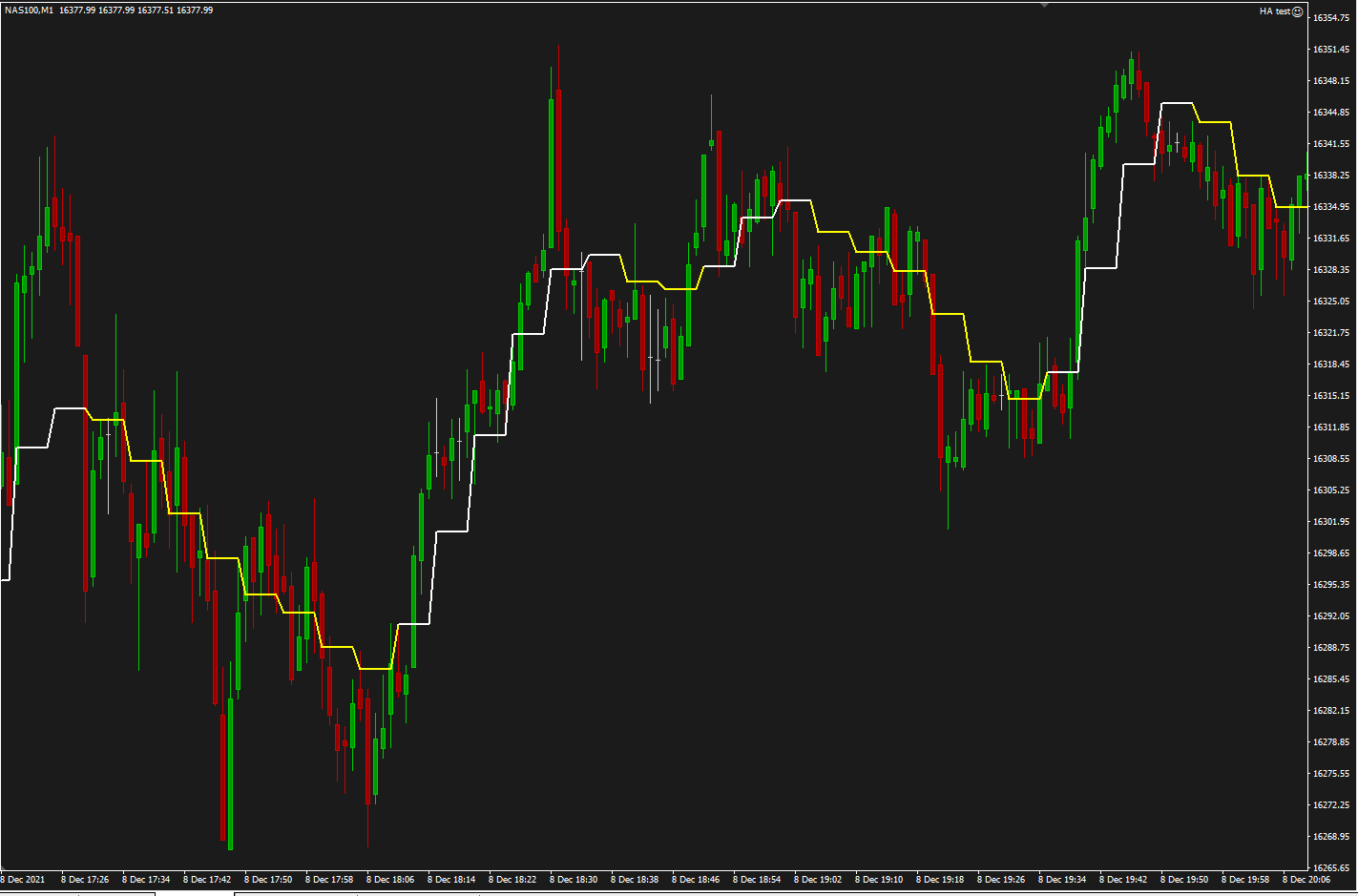
For example, (see below) if slope direction line is yellow (or >0) = draw arrow. It won't work correctly because it doesn't recognize the line at all it seems (no arrows are drawn).
-
@FXDREEMA any idea why this custom indicator's buffers are not recognized? @l-andorrà confirmed the logic is correct, but not sure why EA is not seeing the custom indicator.
Here is an updated project with a different custom indicator called SlopeDirection(MTFD)I
Not sure what is wrong with the output of values? My blocks should be correct logic.Mq4 file: 1_1639024092762_SlopeDirection(MTFD)I.mq4
Ex4 file: 0_1639024092762_SlopeDirection(MTFD)I.ex4
Shared project: https://fxdreema.com/shared/Oeqm4kRhdIf I run the EA, it should be drawing arrows but it's not reading the line values for some reason?
-
you could simply define a global variable with the name indicator_value = EMPTY_VALUE;
at bool alterted you make another line with indicator_value = EMPTY_VALUE;
in the do alert buy you make a set globalvariable indicator_value = 10
in the do alert sell you make a set globalvariable indicator_value = -10simply idea you can try
-
@bk7 thanks! i believe thats what i need but i've never done this before.
can you show me this as an example that i can use for future reference when making other custom indicators?
it would really help then to avoid future posts then by having this reference example to look at how you did it then, if you dont mind! thank you!!



Online Users

