fxDreema

    • Register
    • Login
    • Search
    • Back to the main page
    • Categories
    • Recent
    • Tags
    • Popular
    • Search
    1. Home
    2. Sauce
    • Profile
    • Following 0
    • Followers 1
    • Topics 5
    • Posts 107
    • Best 0
    • Controversial 0
    • Groups 0

    Sauce

    @Sauce

    0
    Reputation
    748
    Profile views
    107
    Posts
    1
    Followers
    0
    Following
    Joined Last Online

    Sauce Unfollow Follow

    Latest posts made by Sauce

    • RE: Using a Constant within a Terminal Variable name

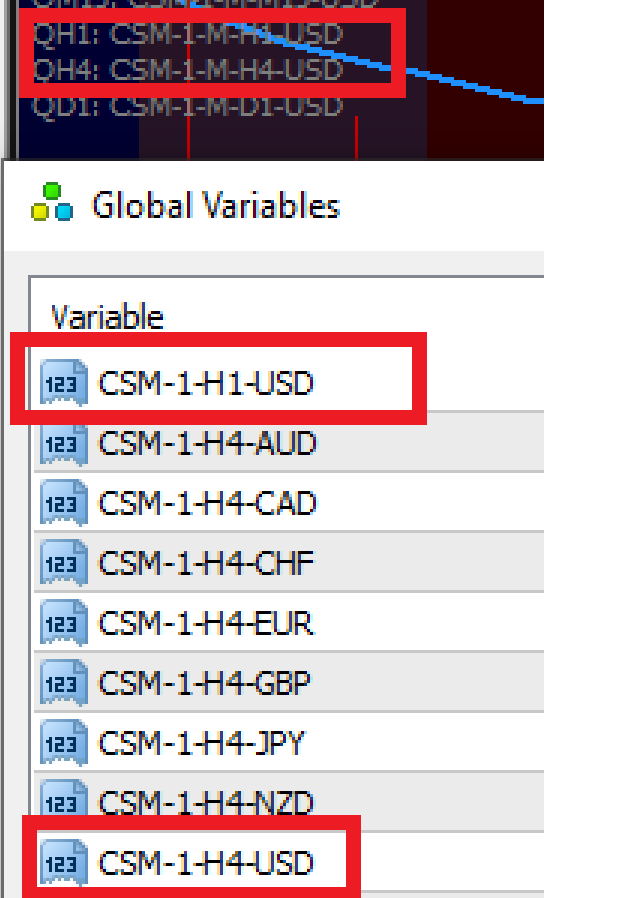
      @jstap I think I found the error... might help if the variable code matched the global variable 😄 (fixed it)
      Now shouldn't this produce a value/number and not the text code? I'm thinking it still won't work because we are comparing "CSM-1-H1-USD" > 50 ?? Shouldn't there be a value to compare to >50?
      0_1647053074128_bfa58720-23da-4a6c-ab52-3e8c7f44d6c4-image.png

      posted in Questions & Answers
      Sauce
      Sauce
    • RE: Using a Constant within a Terminal Variable name

      @jstap still can't get it to work for some reason. Variables with text code input as you said, but won't draw text.

      shared: https://fxdreema.com/shared/qClzIUx7

      posted in Questions & Answers
      Sauce
      Sauce
    • RE: Using a Constant within a Terminal Variable name

      @jstap I've used this indicator previously, so I already know it works correctly with >50 with manually saving 28 different EAs according to each pair. Takes forever to update every block with a pair's base and quote currencies!

      I'm trying to simply make CSM-1-H1-AUD change the AUD part to whatever the current chart's Base currency is and for CSM-1-H1-CAD change the CAD part to whatever the current chart's Quote currency is. I am trying to avoid saving 28 unique versions of the EA to specify each pair.

      "once this is working you will know what to do to use the global (terminal) variables... you then could add custom code to get the descriptions you need into a variable" -- I do not know what to do.

      can you please show me one example of the coding and block setup for both a Base and a Quote currency and I will duplicate the rest of the timeframes?

      posted in Questions & Answers
      Sauce
      Sauce
    • RE: Using a Constant within a Terminal Variable name

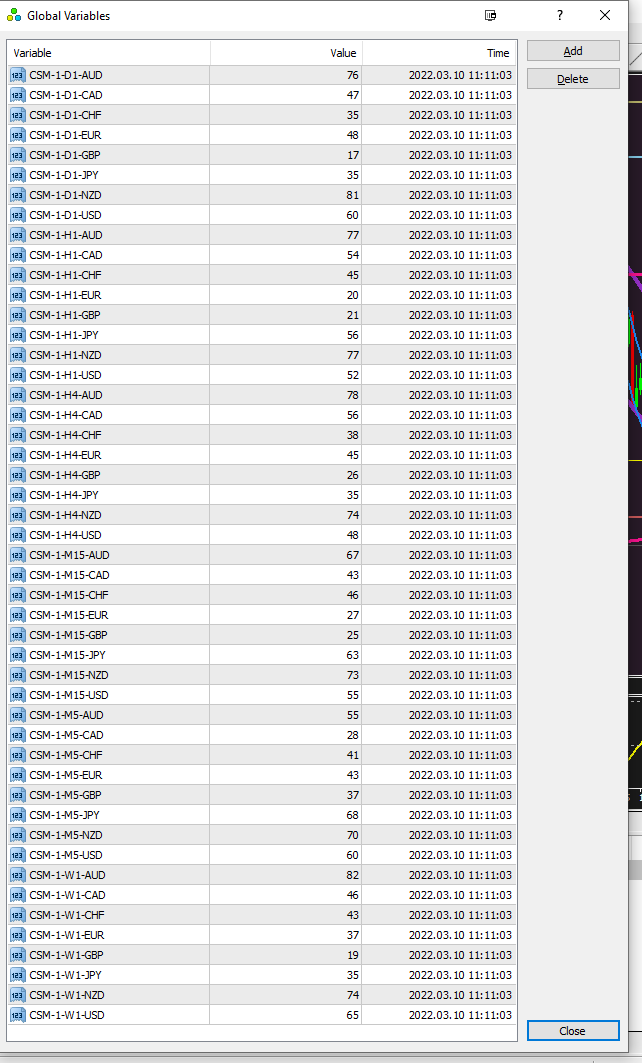
      @jstap this is what I see for Global Variables when press F3
      Do I need to put these all into Terminal Variables?
      0_1646928728733_c67b4e29-a047-4a04-9fab-3a53d2e7d744-image.png

      posted in Questions & Answers
      Sauce
      Sauce
    • RE: Using a Constant within a Terminal Variable name

      @jstap I'm sorry, I'm not sure what you mean by set global variables? Can you show me an example via the shared project above? I figured I'd at least start the shared project and see if you could revise it. (I'm not trying to have you do the work for me, but I'm certainly lost at this point and need clear examples/directions).

      here is a link to the CSM custom indicator for future reference anyone that comes along looking for it: https://www.forexfactory.com/thread/852082-csm-indicator-hanover

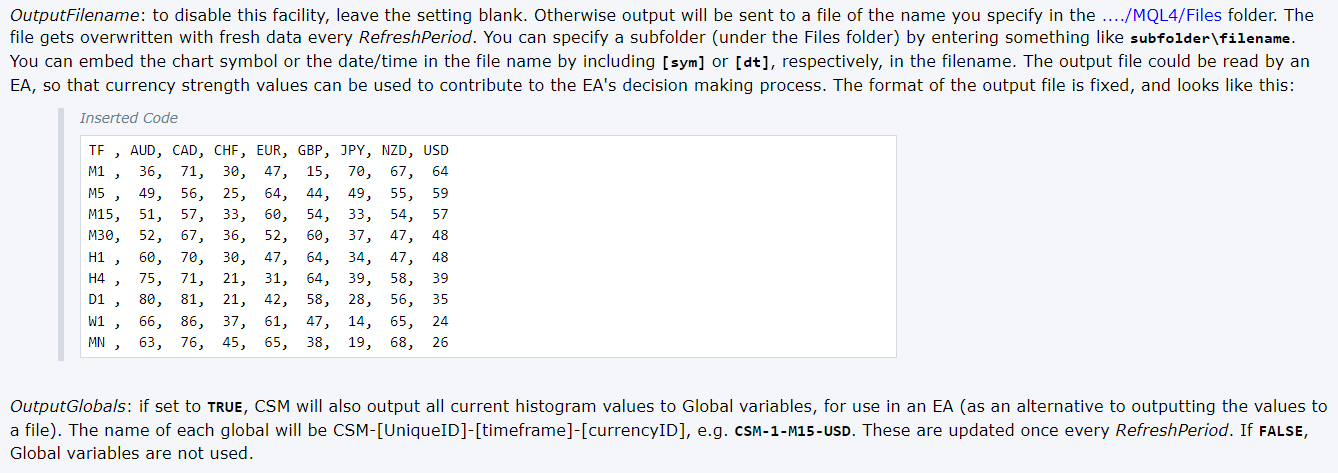
      Not sure if this would help at all, but this is part of the indicator's inputs...
      0_1646920431495_0ca56707-3da5-4cf9-9982-57dd4ee436ba-image.png

      posted in Questions & Answers
      Sauce
      Sauce
    • RE: Using a Constant within a Terminal Variable name

      @jstap will this work? feel free to edit any mistakes.

      shared project: https://fxdreema.com/shared/II6e2wU5c

      UPDATE: it doesn't appear to be working, I'm lost again 😞

      posted in Questions & Answers
      Sauce
      Sauce
    • RE: Is it possible to have a dropdown list for inputs?

      Nevermind, I believe I figured it out using custom enumerations.

      posted in Questions & Answers
      Sauce
      Sauce
    • RE: Is it possible to have a dropdown list for inputs?

      I want to be able to have this auto-update based on chart symbol since I would like to use this EA on 28 different FX majors/crosses.

      posted in Questions & Answers
      Sauce
      Sauce
    • RE: Using a Constant within a Terminal Variable name

      @jstap I got confused with trying to add the timeframe which made it too complicated for me to be honest.
      Will you please fix this if needed? I don't understand how the VARIABLE_COMP_CHANGE variables are working? What is the purpose of he TEST_VALUE as constant?

      I've tried my best here with my limited understanding of modifying variables. Please feel free to rearrange/optimize this since I really don't know what I'm doing lol.

      SHARED PROJECT: https://fxdreema.com/shared/HUU0g5Cjc

      You may have provided it already with other stuff added in, but can you show me just simply how to make it that the EA auto-inputs the Base and auto-inputs the Quote currencies into their respective "CSM-1-M1-(BASE)" and "CSM-1-M1-(QUOTE)? I will manually update the timeframe in the code input instead of making variables for each one separately.

      posted in Questions & Answers
      Sauce
      Sauce
    • RE: Using a Constant within a Terminal Variable name

      @jstap OK Let’s do this instead… I will just create blocks for each time frame instead of doing multiple variables.

      Can you show me how to have code input “CSM-1-M1-???” update the code input so that it updates the ??? with the base and the quote? (Forget about the timeframe)

      posted in Questions & Answers
      Sauce
      Sauce