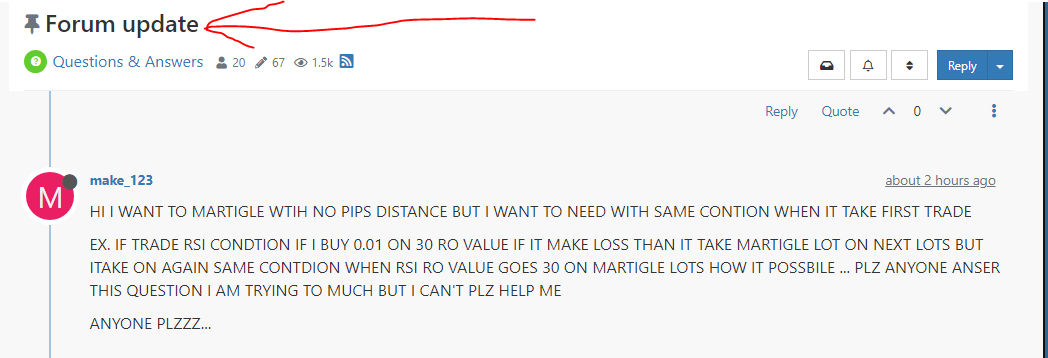
@make_123 please, stop typing here and there at random, this topic "forum update" was started by another person.
Go to "Question & Answer" and create your own "New Topic".

@make_123 please, stop typing here and there at random, this topic "forum update" was started by another person.
Go to "Question & Answer" and create your own "New Topic".
@drewinbrissie Hello, use value as pips

and these are two forum's links to how to setup the pip size rules field
https://fxdreema.com/forum/topic/10681/take-profit-and-stop-loss-for-xauusd/2
https://fxdreema.com/forum/topic/10660/lot-size-calculation-issue-for-single-digit-after-decimal/3
@jong_ambonese Hello! You need to set the pip size in the project option based on the quotation by your broker

This is an example of setup https://fxdreema.com/forum/topic/10660/lot-size-calculation-issue-for-single-digit-after-decimal/6
@Chen-7 Start putting candle ID1 where needs. However, it is very rare that the arrow occurs at the same time as the stochastic crosses its values. That's why less trades

@tec-nacks said in Saving variables for reference use?:
@ambrogio it is 3 wicks of 3 different candles.
should be like this, i didn't test


@sktsec good! i'll work around on it starting from your suggestion. thank you!
@trader-philipps I didn't look at your project, but last weekend I noticed that some blocks in" on timer " tab don't work in baktest but in demo/real yes, does this help you?
Do closed and/or open markets influence? Brokers server on/off?
@James-d in the "grid pending order" the offset value (from the current price) is added to the grid space value. So put the offset to 0 .
Remember to specify candle ID1 inside rsi condition block
@lanrayy Hello, here you go: this is for buys, make the reverse for sells

Pay attention, if you load the template by EA, the EA will be removed instantly.
@fortune-na split the "no position" block, one for no buy and one for no sell. Also put candle ID1 inside the RSI condition blocks
@Piet-Pompies damn, i'm sorry, maybe there is the mq5 version also on mql5 site
@OmidRezazadeh You are using martingale, put running trades only

@Byens said in Strugling with automatic validation mql5:
this is input, i tried to set 10 , not working too. Error 28 order opened
I think I didn't explain myself well in my post above. The mql5 com site software that checks the product before publishing, forces this input and all other inputs. You have to put a hidden limit number in your code to prevent this.
please, first, check the journal of strategy tester.
This is my current settings
i think the difference is because the block calculate for stop loss the high (or low) value of candle ID 1 while the adjust field add (or subtract) the exact value of ATR in the same moment as the order is opened (so ATR value on candle ID0)
@Uriel-0 said in New Position error: market is closed (10018):
@l-andorrà sure, it does look wrong? Works well in all TF, just on daily not. Thanks
"once per bar" daily happens at 00:00 , at this time your broker doesn't accept any order/instruction. Likely it start to works at 00:04 (just a guess). There are some topic on this question on forum.....and a solution (time filter and weekend filter just above buy/sell )

