@miro1360
The Trade Statistics option is not available for MT5. Is there any alternative to use in MT5?
@fxDreema
How to use the Bucket blocks to determine the current open trade count for MT5?

@miro1360
The Trade Statistics option is not available for MT5. Is there any alternative to use in MT5?
@fxDreema
How to use the Bucket blocks to determine the current open trade count for MT5?
Hello,
Guys a small assistance I will appreciate.
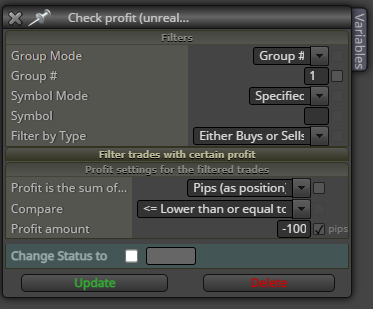
I need a check if a trade has reached a LOSS of 100 or more pips.
The trades are not resulting on how I want it to be based on the condition on the image below. There should be a correct way.
Thanks!
I did it earlier but It will wait until the next bar to start and I don't want to miss the possible trades happening inside an hour timeframe.
Hello All,
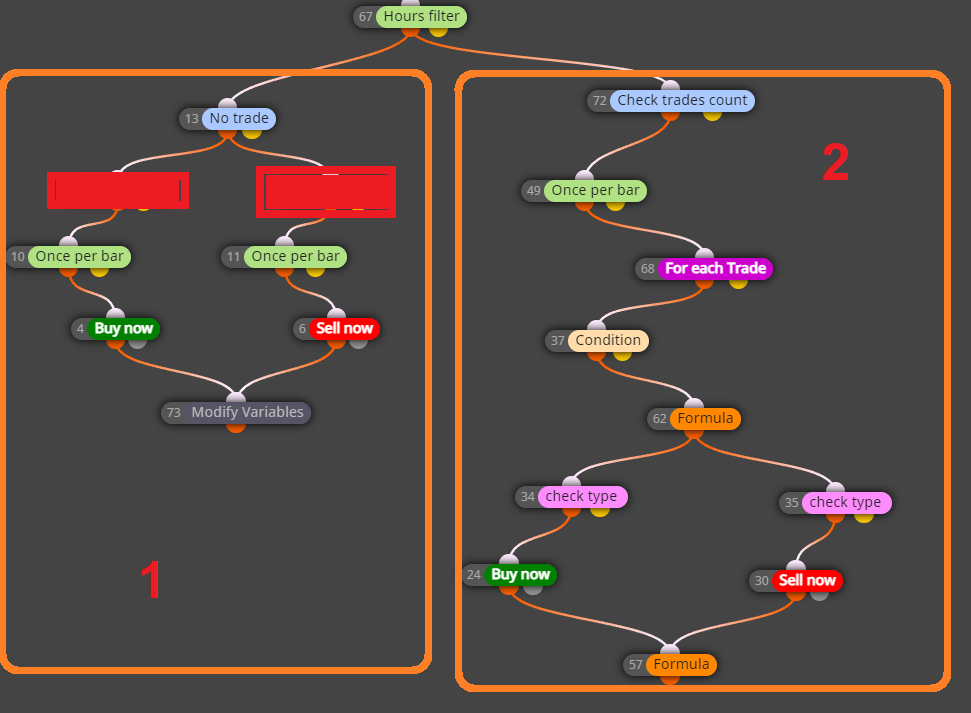
Guys I need some help on my customized Martingale strategy. Somehow I'm getting duplicate trades on the initial stage as seen on the image. I have included the Once per bar condition but that didn't help.!
So as you can see, the initial trade happens in Section 1 in the image and once that trades initiates, Section 2 will check if the loss has reached a certain amount. If a certain loss is reached, then another trade will start but it creates duplicate trades as seen. The duplicate trade happens only on the first trade when Section 2 is initiated.

Hoping to hear from you guys and would appreciate it!
Thanks advance!
Hello all,
Good day!
I am working on an EA that trades and doubles the lot size like a Martingale strategy. I am just stuck on how can I determine if the last trade has reached for example a 10 pips loss so I can close all trades.
Thanks Advance!
@l-andorrà Thanks I will try this! 
@l-andorrà Thanks for the reply! I managed to resolve the issue involving some variables and comparing a certain value from the previous candle.
I placed the "Once per bar" in the top because my issue is:
-When a previous trade just got closed, in the same candle a new trade gets opened. I need to activate again the condition only on the next future candle. The placing of "Once per bar" creates didn't fix my issue.
Any advise would be greatly appreciated.
Thanks!
Hello guys,
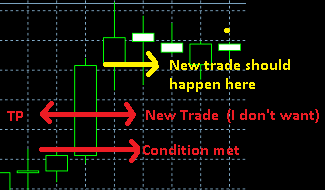
If anyone can advise me please. In my EA once a trade closes, immediately a new trade gets opened for the condition is still met which usually happen on long bars. If the current candle hits TP/SL it closes but I don't want a new trade in the same candle.
I want to have the new trade open in the next candle only if the condition is still met.
Thanks advance!
Hello guys,
Is the placement correct?
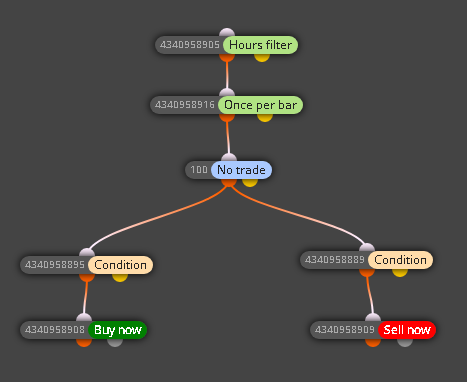
I tried to run the EA in realtime but no trade was initiated even though the condition was met.
Thanks advance!
Having the same experience for a few days now. @admin? any info on this?
Hi @yalgaar
Do this...
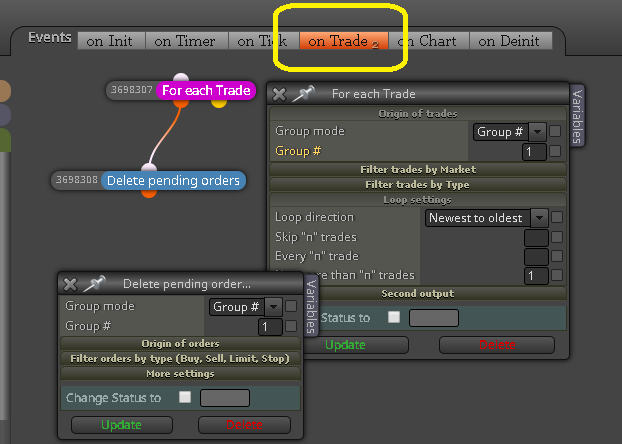
Hello,
Thanks for the reply.
Yes I tried but didn't work still. 
Hello,
Any idea which data type is compatible with a negative decimal?
I want to set the Stop Loss as a variable money based on the account balance.
Thanks advance!
Image below for the desired application.
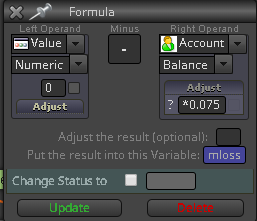
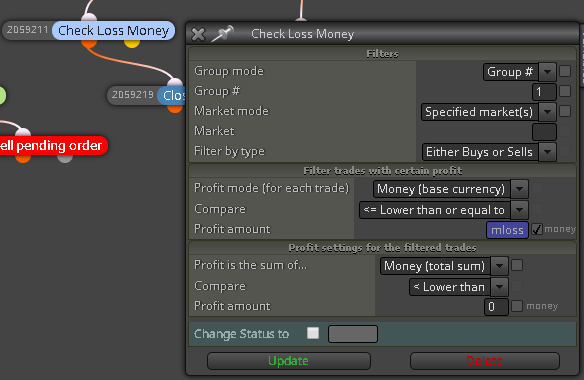
Thanks for your reply @fxDreema. The reason I asked is because upon using Trend Lines, there is no line being generated by the EA on the 1st day of the week.
Hello guys,
I just have a clarification about the "Day offset" field using a Trend Line. For example we are on a Monday, will the offset value "1" be pointing to Friday the previous week and "3" for the Wednesday the previous week as well? Just to verify that it's not considering the Non-Trading days of Saturday and Sunday.
Thanks!
I noticed that the rays are fine upon loading the the EA but gets messed up after. Is there a way to reinitiate the EA from any of the objects?
Thanks guys!
Hello,
Good day!
I need your help please on this. Why the Ray right is not working as shown in the snapshots and Shared Link. Is my configuration wrong?
https://fxdreema.com/shared/zHWL2Lswb
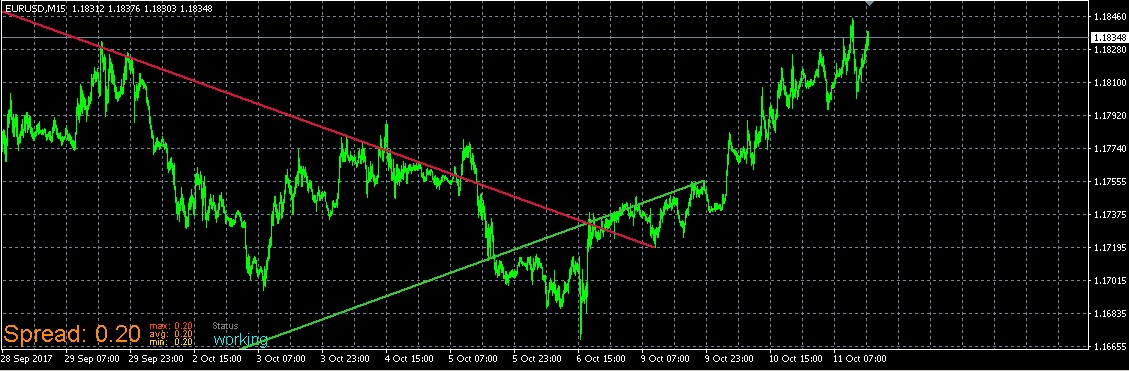
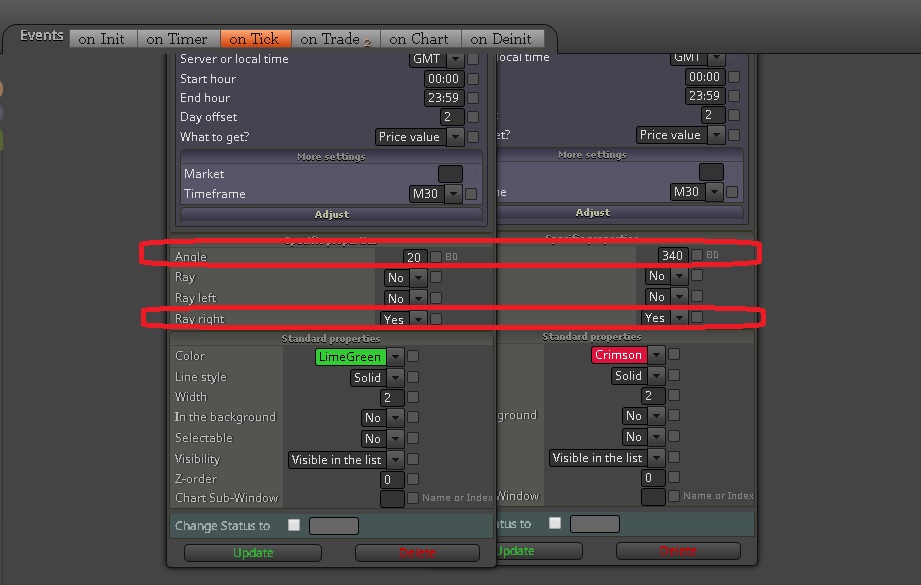
Thanks Advance guys!