To be honest, I don't have very much experience with csv files, I only know that they are "comma separated" and if you open the file with text editor, you will see that the format is very simple. I also don't know what this SPSS expects, I only heard of this program some years ago 
Best posts made by fxDreema
-
RE: Help me open the csv files in SPSS :)posted in Questions & Answers
-
RE: manual trade closed by expertposted in Questions & Answers
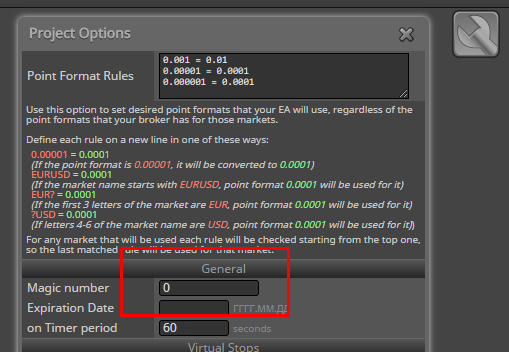
The idea is that manual trades have magic number of 0. You can for example make an EA that only works with such trades if you only do this:

-
RE: Understanding the "Indicator appear" blockposted in Questions & Answers
In this block you load a custom indicator and you choose one buffer. I don't care what the indicator is and what is the number of the buffer, this block does the same. It expects the values of the buffer to be EMPTY_VALUE or 0 most of the time, and only from time to time to be something different, lets's say the price value.
The idea is that every buffer has as many values as many candles there are on the chart. If each value is a positive number that can be seen on the chart, then you see something like MA line. But some indicators don't want to draw continuous line, so they use that EMPTY_VALUE value, which is a MQL constant that represents the biggest possible integer value.
"Indicator appear" checks the indicator every time it runs and remembers its last checked values. If the last checked value was EMPTY_VALUE and the current value is say 1.2345, it passes.
I also set it to work with value 0, because some indicators use 0 instead of EMPTY_VALUE.
-
RE: USING THE TESTERWITHDRAWAL() FUNCTION FOR MODELING THE WITHDRAWALS OF PROFITposted in Questions & Answers
You know, I have no idea. This "Withdraw" block only exists in MQL5, because only in MQL5 there is a function for that. But it is a simple function, so this block is very very simple. I checked it now, it shows some withdrawal action, but I don't know how it works when optimizing. You may find something more interesting in their website - https://www.mql5.com/en/search#!keyword=testerwithdrawal
-
RE: Big challenge... for me at least: Count candles crossed by a horizontal lineposted in Questions & Answers
Miro, you are a pro
I would say that this is a job for some custom indicator or a custom block. -
RE: Objects in multi-timeframe projectsposted in Questions & Answers
To be honest, I still don't understand what this chart id option is, or how should I work with it
-
RE: Phantom variable entriesposted in Questions & Answers
This mouse-wheel feature simply works over all input fields in general. I personally use it a lot, because I'm lazy to type on the keyboard. And I'm used to move the mouse away from such fields when I scroll

Most people don't have so many variables, but I see that there is a bit of horror going on when their number is so big. I remind myself to do something about this, but I also remind myself of other things

-
RE: Is this ok?posted in Questions & Answers
@drayzen said in Is this ok?:
I get a lot of errors in the Journal which I have no idea what they're meaning, and for some reason it's got a Variable in MT4 inp10_VolumePercent that I have no idea where it's come from...?
I only have an idea what these errors mean. They are not because of the EA, but because of the ticks data. You probably know that MT4 has data for each timeframe - M1, M5, M15 and so on... When you are testing on H1 let's say, data from lower timeframes is used. But sometimes we have periods of missing data and I think the problem is because of this. It could be something else, I don't know how exactly the backtest works, but the problem is for sure because of the quality of the ticks data.
-
RE: Why are my EA's not working in the strategy tester?posted in Questions & Answers
Look for error messages. Be sure that you run the newly generated EA files. Test simple projects, such as "No trade -> Buy now".
-
RE: A same (modify) TP (from first trade) for mutiple Trade opened in on symbolposted in Questions & Answers
So basically when you create a new trade, you want to set its TP to the same level as in the previous trade.
I tried this: https://fxdreema.com/shared/GrDsZCwLd
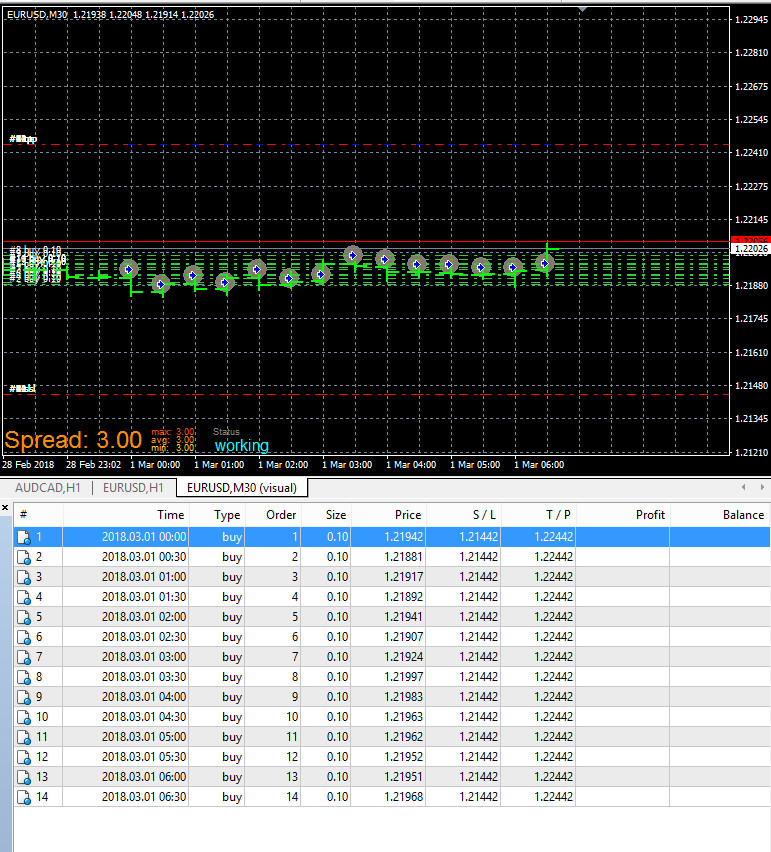
And this is what it does:

In the left "Buy now" the initial trade is created, the first one. The right "Buy now" runs only when there is at least 1 trade, so with "For each Trade" (with "Not more..." set to 1) we select the last trade and then in "Buy now" I use its SL and TP.
This can be made in other ways, it depends. I think this was is easy to understand.
-
RE: Warning from condition blockposted in Questions & Answers
If it works, you should not care. These 0 things are there to prevent compile errors when no condition is written, then the condition becomes 0||0, which is false

-
RE: On Trade issueposted in Questions & Answers
Certain people really have hard times simplifying something and you seems to be one of them :))) Why even use Sell blocks when the problem should appear only on the Buy side. This example could be cut in half

Here is my simple test example: https://fxdreema.com/shared/YercJCq3e
I don't see why you are using any Variables, because at any given time we can get OpenPrice, TP, SL and other parameters of any trade. So I'm getting them in "SL to OpenPrice" (aka "modify stops"). I also don't understand why you set TP in this block if TP remains the same, so I set it to "No change".
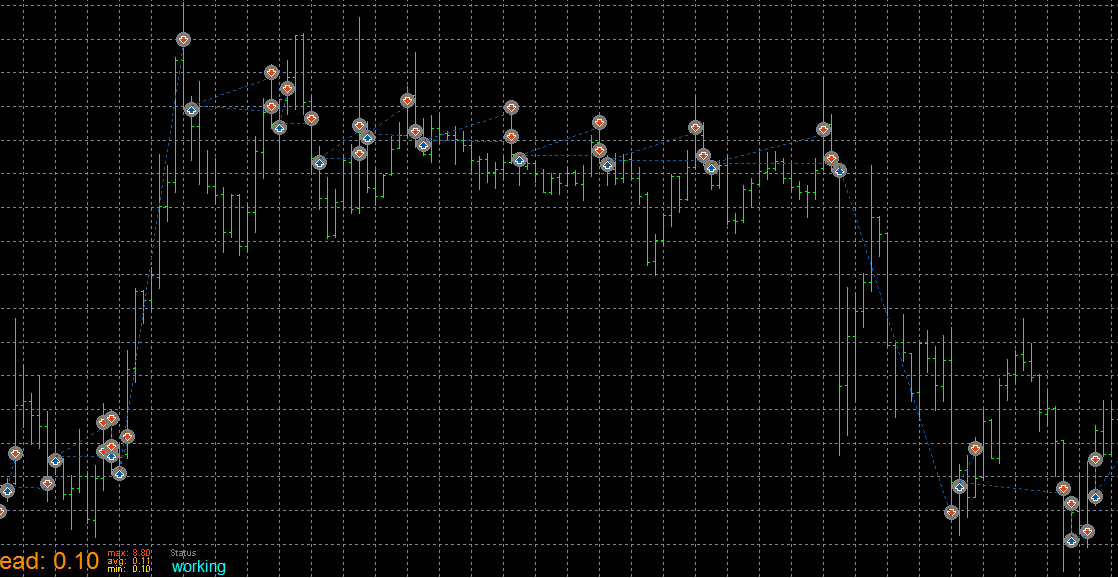
Ok, so my backtest looks like this:

... and this is what I would expect from this project. The only thing is that I don't see any arrow from that "Draw arrow" block, so I suspect that "modify stops" doesn't pass correctly and I will check the code for that. I will also put that EA on a demo to see what happens.
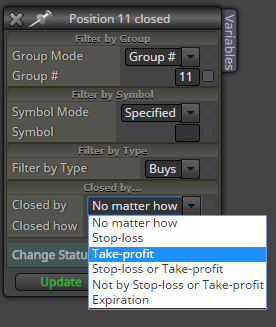
In the first post here you wrote that you see some "Invalid SL request..." messages. I'm not sure, but maybe you can get some of those when SL is triggered. Both trades have the same SL, so it is hit at the same time, but who knows... maybe the EA is somehow tricked into thinking that one trade still exists. So I think that you should set this just in case:

-
RE: TDI CLOSE POSITION IF ...posted in Questions & Answers
In blocks 23 and 29 try x> and x< instead of > and <
-
RE: Get the Variable out of the blockposted in Questions & Answers
You can't get a local variable out of the block. Take a look at these Bucket blocks https://fxdreema.com/examples#Bucket-of...
-
RE: Once per bar and No position together?posted in Questions & Answers
Once per bar limits by time, while No trade (No position) limits by the number of trades you have. One block passes 1 time for each bar, while the other passes when there is not a single trade at the moment. They do different things

-
RE: between two valuesposted in Questions & Answers
There is one fancy block "Indicator moves within limits", and this block also check whether the price is between two levels for each candle (for example for 5 candles in the past)
-
RE: Check if price crosses lines (supports/resistences)posted in Questions & Answers
So there are 2 main ways to select objects - by name (because each object has unique name) or by searching/filtering (loading each object and checking if it is what we want). The first way you can do in "Condition" directly. The second way is with using this "For each Object" block. I guess that you can't use the first way, so you should use "For each Object". I don't know why it is not working for you, but if you can give me more details and even a small project for an example... I need to know what you are doing exactly and what the goal is, so then I can test it here and see what is the problem.
-
RE: No trades nearbyposted in Questions & Answers
I added 2 new Time parameters, but I'm not sure that I am happy with the result. I decided to use Value -> Time (from "Condition") for the two times, because these options are more versatile. Both times are set to the current time. Of course, Time1 should be the oldest time (so if the trade is older than this time, it is excluded), but I don't want to add more parameters like for example "Do you want to use Time1?", so if Time1 equals to the current time, it is not used. Time2 is the time after which the trades are excluded, so when it equals to the current time, it is like it is not used as well... the trades cannot be newer than the current time.
What I don't like is my confusion when using these times. I hope it is logical that with Time1 and Time2 we are making a range of time in which we have our trades. But the block itself is negative, its name starts with "No...". So, first with the time range we are selecting the trades that we want, and then the block itself excludes those trades in that negative "No trades..." sense. So now I am thinking if there is a need for "Trades nearby" block, where everything would be on the same side.
Anyway. Try this thing and tell me if something can be optimized.
-
RE: No trades nearbyposted in Questions & Answers
In Value -> Time you have the option to "shift" the time forward or backwards
-
RE: the first 4H candle of the weekposted in Questions & Answers
Interesting question. I don't know any way to get that "low of the first 4h candle" value in fxDreema, so I made this example with some calculations in it:
https://fxdreema.com/shared/qKEtPnO4e
I have a "double" (floating number) Variable called CandleCloseOnMonday4H, which I modify in block 3. As you can see, there are few calculations over there, and the result should be Low of that first 4h candle on the previous Monday. It doesn't work properly for the first 4 hours of Monday and that's why I put this Weekday filter block. Then I create 1 new pending order on every day of the week. Each pending order expires in 1 minute, so the chart can be clear. This is only to test how accurate the value is, here I don't care about the pending orders.
To shift the open price of the orders, use some value in the "Price offset" option in "Buy pending order".
I hope you can get an idea what I do in the formula. 86400 is the number of seconds in 1 day and I add .0 to this value when I want to use it as a "double" value, it's where I use this "/" operator. I think it can work without .0, but just in case...
FourOclockOnMonday - this is the time that is at 04:00 on the past Monday. After that I'm trying to calculate how many candles can fit in that time period between now (TimeCurrent()) and FourOclockOnMonday. Everything will be fine if on the chart you have all candles present. But if there is a missing candle for some reason, the result will be kinda fake. There is no chack for whether some candle is missing or not, it's pure math.
3600 is the number of seconds in 1 hour.
TimeDayOfWeek() returns value from 0 to 6, where 0 is Sunday, 1 is Monday and so on...
MathFloor() returns integer numeric value closest from below
MathCeil() returns integer numeric value closest from above
iLow() returns Low of particular candle