Hi, I saw the video and tested the fxdreema code. I have been trying to add more columns but only could add one more. I copy and pasted the existing column codes and changed the x distance but it wont appear on the chart. Interestingly when copy pasting one of the existing column codes to the initializing tab it will appear on chart. But it wont work on the timer tab. Just wondering what I may be doing wrong. Im using the mt4 dashboard code. Here is a shared link. shared/wuXWUozGb
Thanks
H
Posts made by hjmr
-
RE: Video Tutorial - Signals Dashboard EA [advanced] - looping Objects, arraysposted in Tutorials by Users
-
RE: Video Tutorial - Signals Dashboard EA [advanced] - looping Objects, arraysposted in Tutorials by Users
@miro1360 Hi here is the shared link of the copy of your dashboard I was testing to add more columns. shared/1XsDKmFte
thanks
-
RE: Video Tutorial - Signals Dashboard EA [advanced] - looping Objects, arraysposted in Tutorials by Users
@miro1360 Hi, Thanks for your dashboard tutorial. I saw the video and tested the fxdreema code. I have been trying to add more columns but only could add one more. I copy pasted you column codes and changed the x distance but it wont appear on the chart. Interestingly when copy pasting one of you column codes to the initializing tab it will appear on chart. But it wont work on the timer tab. Just wondering what I may be doing wrong. Im using the mt4 dashboard code. thanks.
-
RE: Looking for previous signals, in specific order of appearanceposted in Questions & Answers
@l-andorrà
Thank you very much, I appreciate your interest. I have been reading these past few days the most I can of what I have found with the searches I have done in the forum. My google tabs are mostly full of fxdreema forum questions and tutorials, :). For sure I may not be using the best search words and as a result missing some more important reading. I have read some instructions and tutorials, but may be missing more , I’lI check again.I have made the EA a few times using different concepts. Would it be ok with you if I show you the concepts I have tried based on what I have read in the forum and see how far off I am? Maybe I’m just missing some details to make it work, but since I’m learning, I don’t know where my mistakes are.
thanks again.
-
RE: Looking for previous signals, in specific order of appearanceposted in Questions & Answers
Thank you very much, I appreciate your interest. I have been reading these past few days the most I can of what I have found with the searches I have done in the forum. My google tabs are mostly full of fxdreema forum questions and tutorials, :). For sure I may not be using the best search words and as a result missing some more important reading. I have read some instructions and tutorials, but may be missing more , I’lI check again.
I have made the EA a few times using different concepts. Would it be ok with you if I show you the concepts I have tried based on what I have read in the forum and see how far off I am? Maybe I’m just missing some details to make it work, but since I’m learning, I don’t know where my mistakes are.
thanks again.
-
Looking for previous signals, in specific order of appearanceposted in Questions & Answers
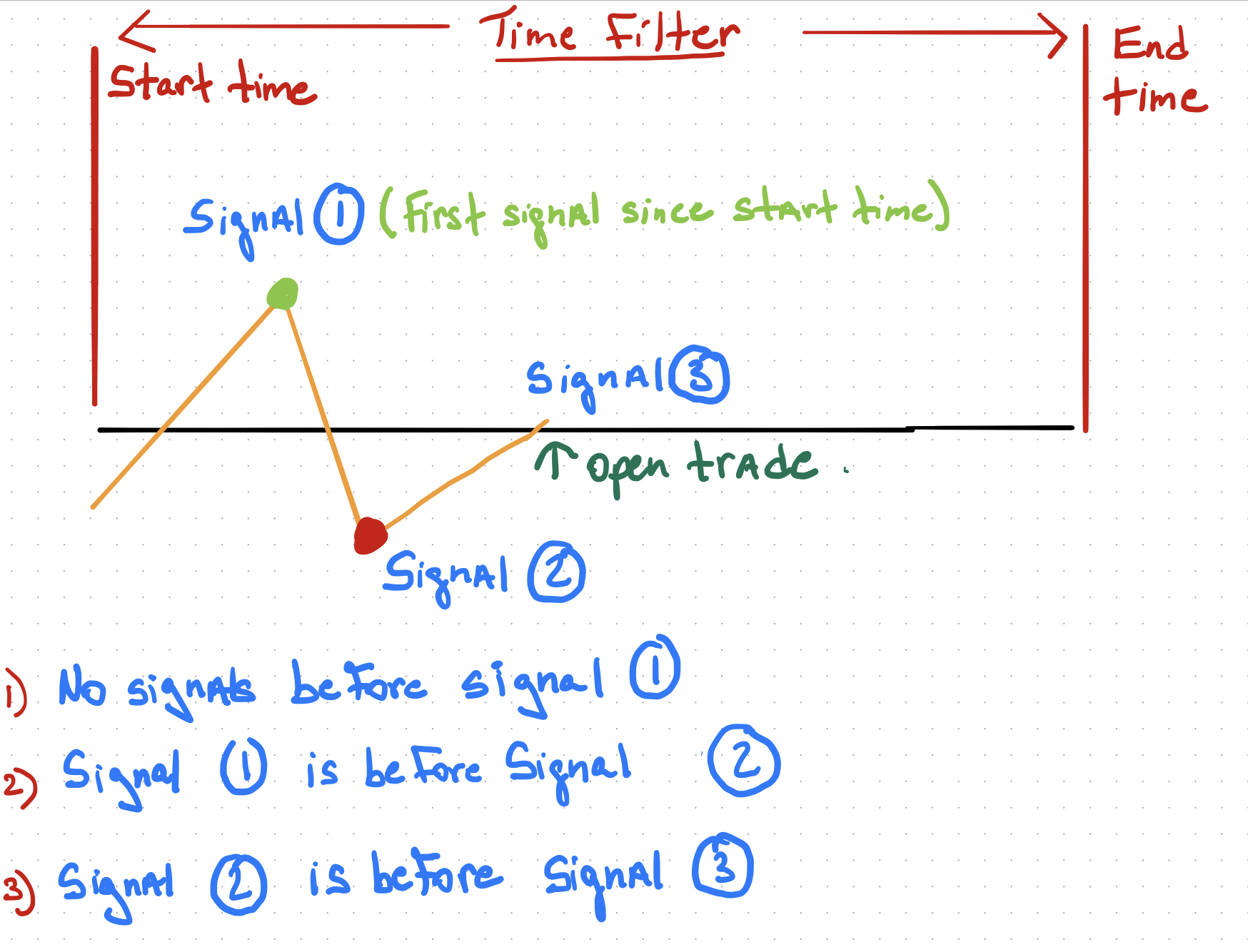
Hi, Your guidances would greatly be appreciated. I’m still learning; Im trying to see how to know when a signal appears before a another signal. I’m trying with loop, variable value modification but still lacking the the ability of factoring maybe the time. I will keep working on it, but just wondering maybe there is much simpler way to do so. I’ve included a drawing that explains better what im trying to do. Thanks
-
RE: Comments on Chart text overlappingposted in Questions & Answers
Thanks for your response. Using instead the ugly comments and the thread you mentioned I managed to improve the comments on chart. Will check with a smaller for overlapping. Here is what I did in the mean time. Thanks Again
 ads/files/1588874078095-0c9e0d29-e767-4170-b7b3-87521ed268b1.jpeg)
 -
RE: Comments on Chart text overlappingposted in Questions & Answers
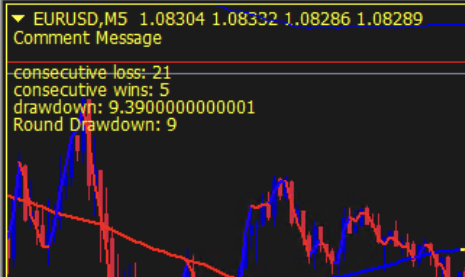
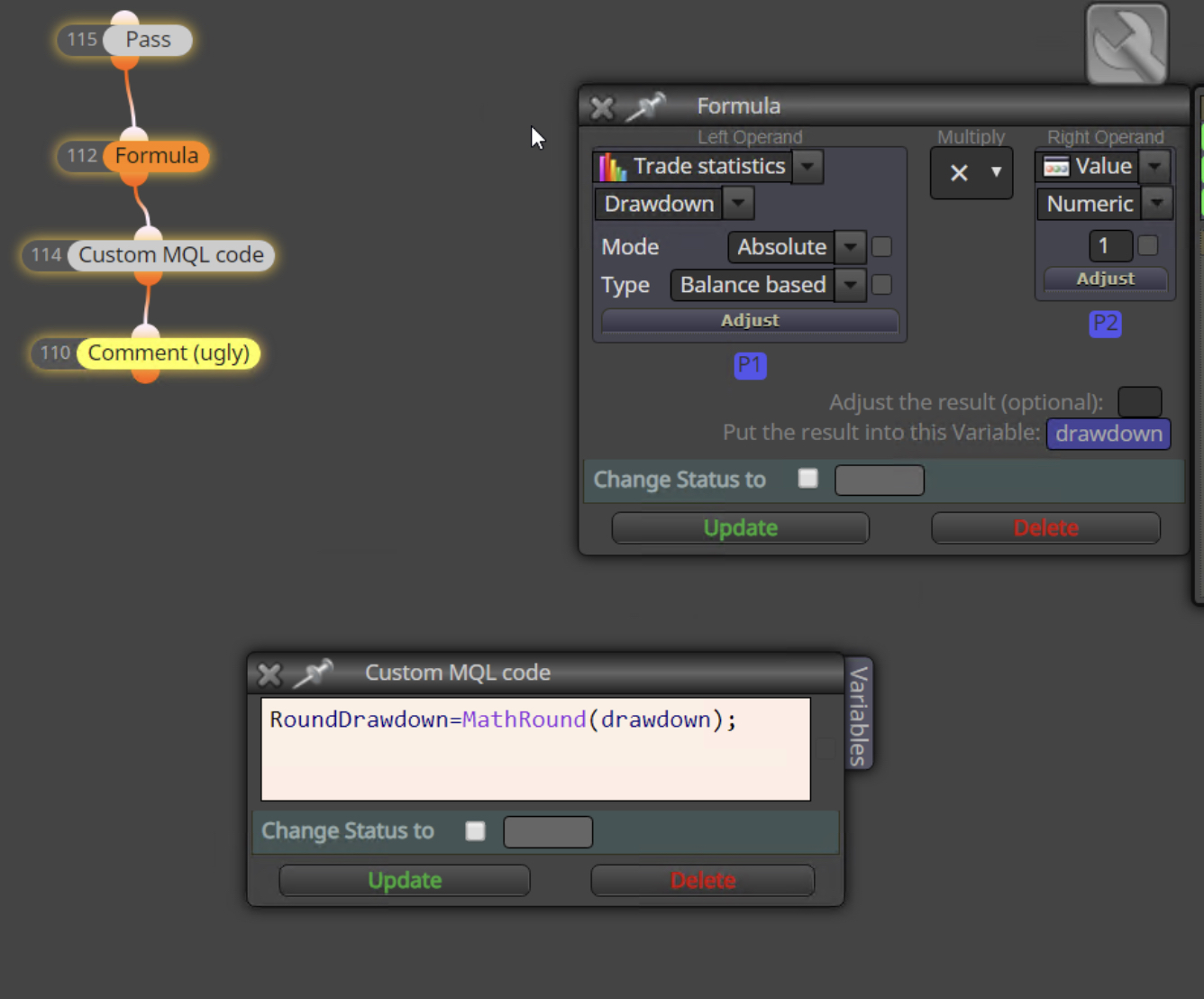
Thanks for your response. Using instead the ugly comments and the thread you mentioned I managed to improve the comments on chart. Wouldn’t no why there is overlapping issues with the comments block and not the ugly comments block. Thanks for your help. Here is what I did for benefit of others also.
-
Comments on Chart text overlappingposted in Questions & Answers
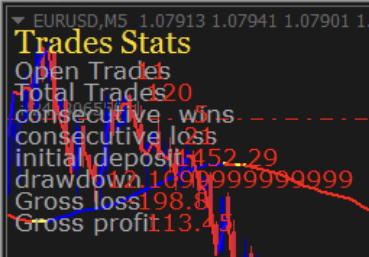
Hi, I was learning to use the comments block and managed to print on chart 8 rows with labels and values. My issue is that the values overlap the labels. In other words the values text is printed over the labels text. Any way to avoid this? Also, is there a way to adjust decimals for values? Ex. Would prefer the drawdown to be two decimal spaces. Just in case, before I ask a question I try to read the forum and learn. I checked but could‘nt find an answer. Thanks for your help.
-
RE: Does fxDreema EA Builder work with Ipad.posted in Questions & Answers
@xfire Hi, my initial question was if I could use fxdreema in an ipad ios browser. But since its not possible, than I tried through my vps that only used it for metatrader. thanks for your help.
-
RE: Lookback or hold indicator value for confirmationposted in Questions & Answers
@roar
Thank you. Im used to eabuilder and transitioning to fxdreema. Have to keep learning. This was of great help. -
RE: Lookback or hold indicator value for confirmationposted in Questions & Answers
Thank you for your fast response and sharing the program. I was looking at it. So the 2,3 and 7,8 blocks are performing the lookback? I‘ll keep studying your code.
Thanks,
-
Lookback or hold indicator value for confirmationposted in Questions & Answers
Hi,
I’m trying to program the following:
When RSI cross 50, look back certain amount of bars (ex. 50 bars) to confirm if RSI was in an overbought/oversold region. If so, then proceed with buy or sell.
Thanks,
-
RE: Does fxDreema EA Builder work with Ipad.posted in Questions & Answers
Thank you, I have a VPS and downloaded Chrome browser and fxdreema is working.
-
RE: Does fxDreema EA Builder work with Ipad.posted in Questions & Answers
Thank you, I have a VPS and downloaded Chrome browser and fxdreema is working.
-
Does fxDreema EA Builder work with Ipad.posted in Questions & Answers
Does fxDreema EA Builder work with a browser in an Ipad? I’m trying to use the free sample builder but can’t drag commands to work area . thanks