fxDreema

    • Register
    • Login
    • Search
    • Back to the main page
    • Categories
    • Recent
    • Tags
    • Popular
    • Search
    1. Home
    2. jerkha
    3. Best
    • Profile
    • Following 0
    • Followers 2
    • Topics 7
    • Posts 43
    • Best 3
    • Controversial 0
    • Groups 0

    Best posts made by jerkha

    • RE: [SOLVED] Get stats in a .CSV / Write to file block

      I just can't believe how easy it was actually...

      Here is the shared project : https://fxdreema.com/shared/vauFi9zNd
      0_1631056701496_6326132d-5800-4fcc-aeb4-f02ffe6362b0-image.png

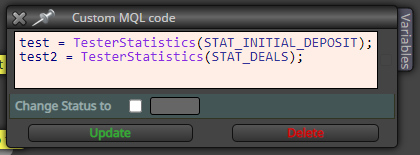
      You just have to call the "TesterStatistics(STAT_whatever needed)" and store in a variable then put it in your write to file.

      This is a big game changer for me and I hope it would help others !

      I put the topic on solved.

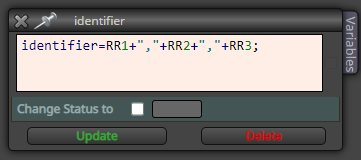
      BONUS : If like me you think that 10 columns in write file isn't enough, use a custom block to put all your constants & variables in a string separated with a comma (like this)
      0_1631057372252_94d882fa-0050-4b53-8544-35dbae8561b7-image.png
      Then in Excel use the "convert" option :

      Highlight the column that contains your list.
      Go to Data > Text to Columns.
      Choose Delimited. Click Next.
      Choose Comma. Click Next.
      Choose General or Text, whichever you prefer.
      Leave Destination as is, or choose another column. Click Finish.

      Source : https://www.adinstruments.com/support/knowledge-base/how-can-comma-separated-list-be-converted-cells-column-lt

      posted in Questions & Answers
      jerkha
      jerkha
    • RE: just looking to collaborate.

      @japatte4 I guess keeping a trade journal where you write why you entered/exited the trade and trying to translate that in an EA will be the easiest way to get a profitable one. Good luck and don't forget to backtest

      posted in General Discussions
      jerkha
      jerkha
    • RE: [SOLVED] Get stats in a .CSV / Write to file block

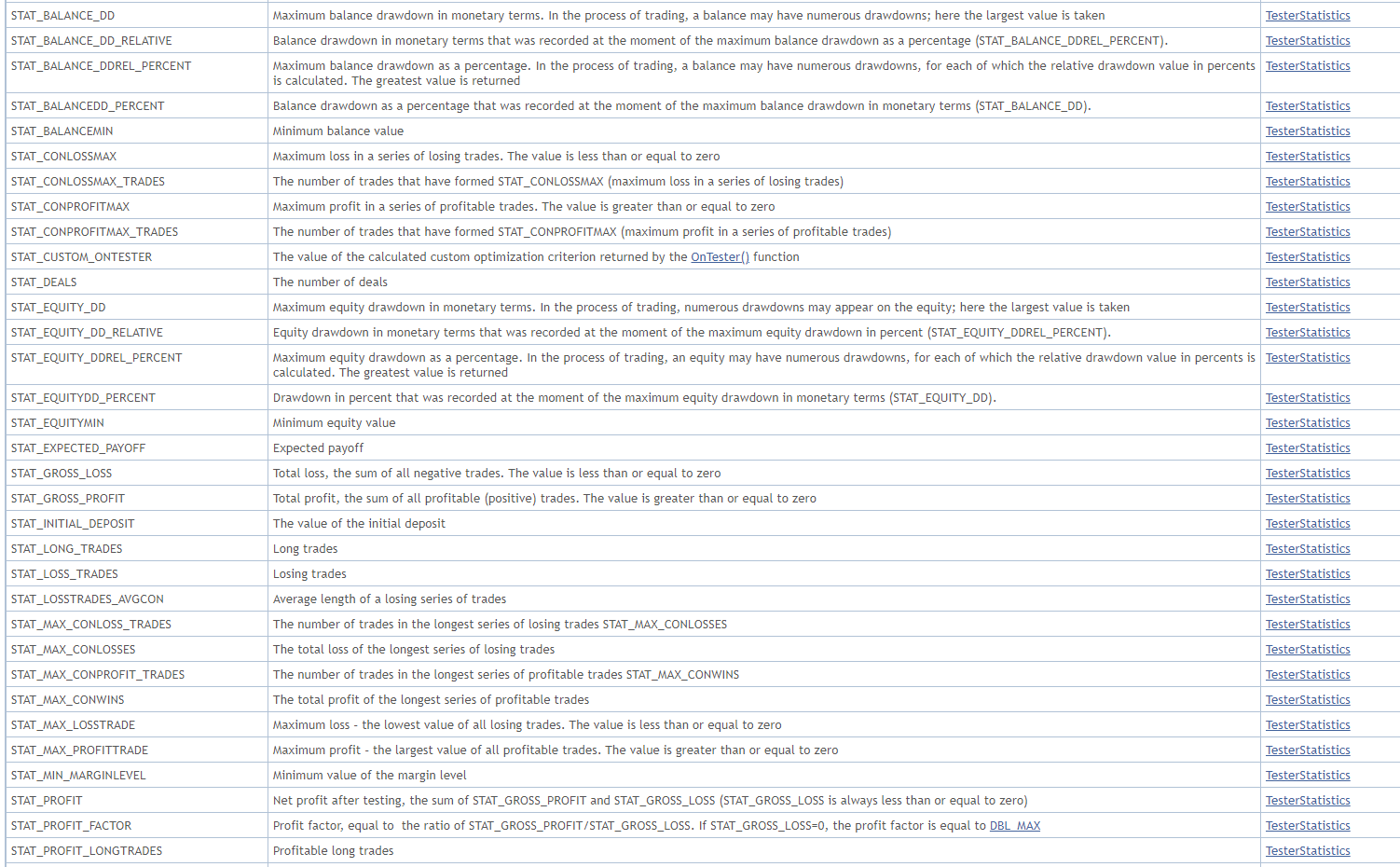
      I found a way that I have to dig into : https://www.mql5.com/en/docs/constant_indices

      0_1630973151919_1dab584a-ebb5-45d4-af7c-c036d52d5e19-image.png

      I now have to create a custom block to be able to call these constants. Don't know how to (yet) so if anybody has mql5 capacities to help it would be awesome.

      posted in Questions & Answers
      jerkha
      jerkha
    • 1 / 1