@gordonhmilton You should find all you need here:
https://fxdreema.com/forum/topic/12843/atr-to-pips-new-formula

@gordonhmilton You should find all you need here:
https://fxdreema.com/forum/topic/12843/atr-to-pips-new-formula
Virtual is like closing a trade, fixed is set on the broker's server, normally works fine but occasionally will close at the wrong time.
@gordonhmilton once you have pips in a variable you can multiply and use the variable in the buy sell block.
@muneeb00 To close set another tree with if trade at top, conditions in middle, close trades block at bottom.
cross happens reset variable to 0, once per bar count +1 on variable, check count above placing a trade
@muneeb00 I just noticed this is in Miro's thread, start a new one and put the shared link in there, I will see what is wrong.
You want to get your value in a separate tree, then close and check this value in other trees.

@sikhofx This will only work for the currently loaded order, if you place more than 1 it will only reference the last.
Have seen the question of how to find the slope angle, in here is how to do for a line on current timeframe, the same principle will work on all timeframes and for moving averages.
Without the source code or you having it on your browser to pass the shared link, nothing can be done.
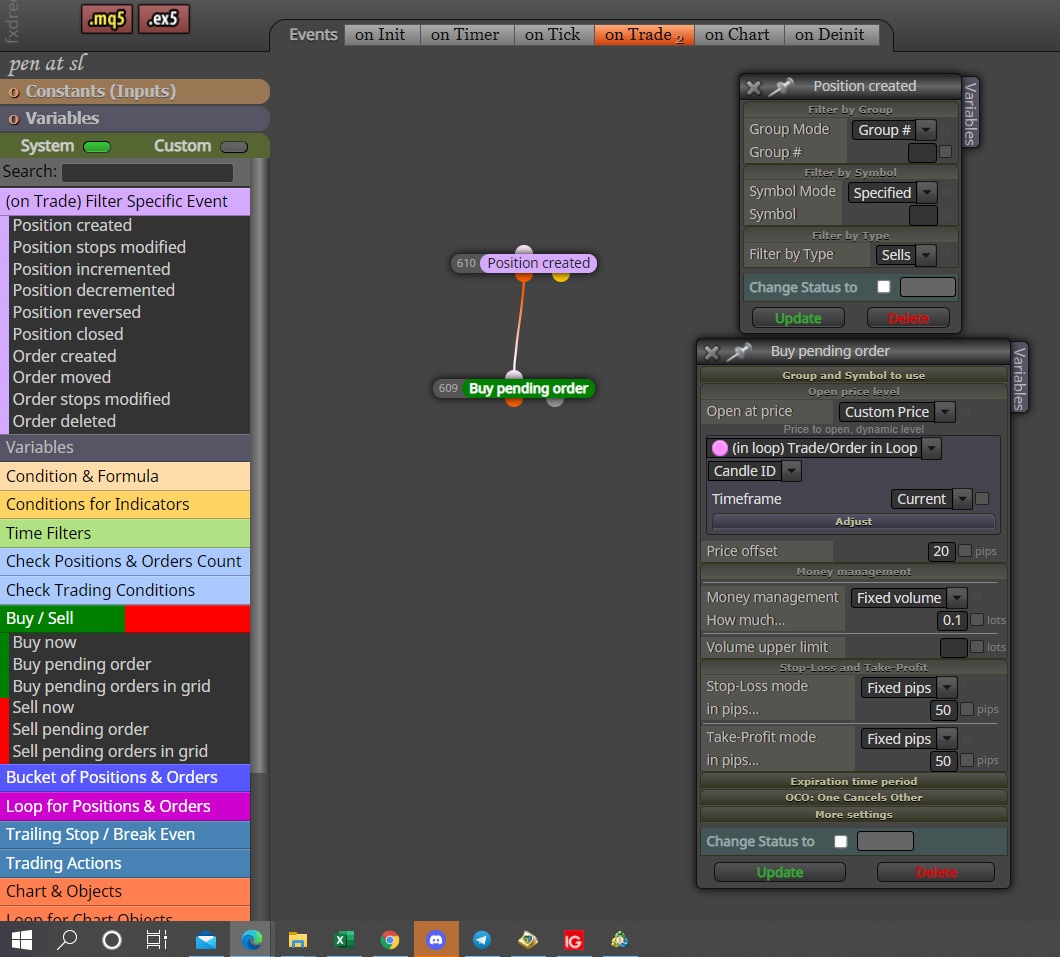
@tashab Hi, in this picture you will see how to place a pending BUY whenever a sell trade is created, you can also have it do this whenever an order is created. Purple blocks need to be used on the on trade tab.
In this LINK is how to send text information between MT4 terminals on the same pc, I assume MT5 is the same.
This would be handy, when someone asks a question you could find a previously saved post.
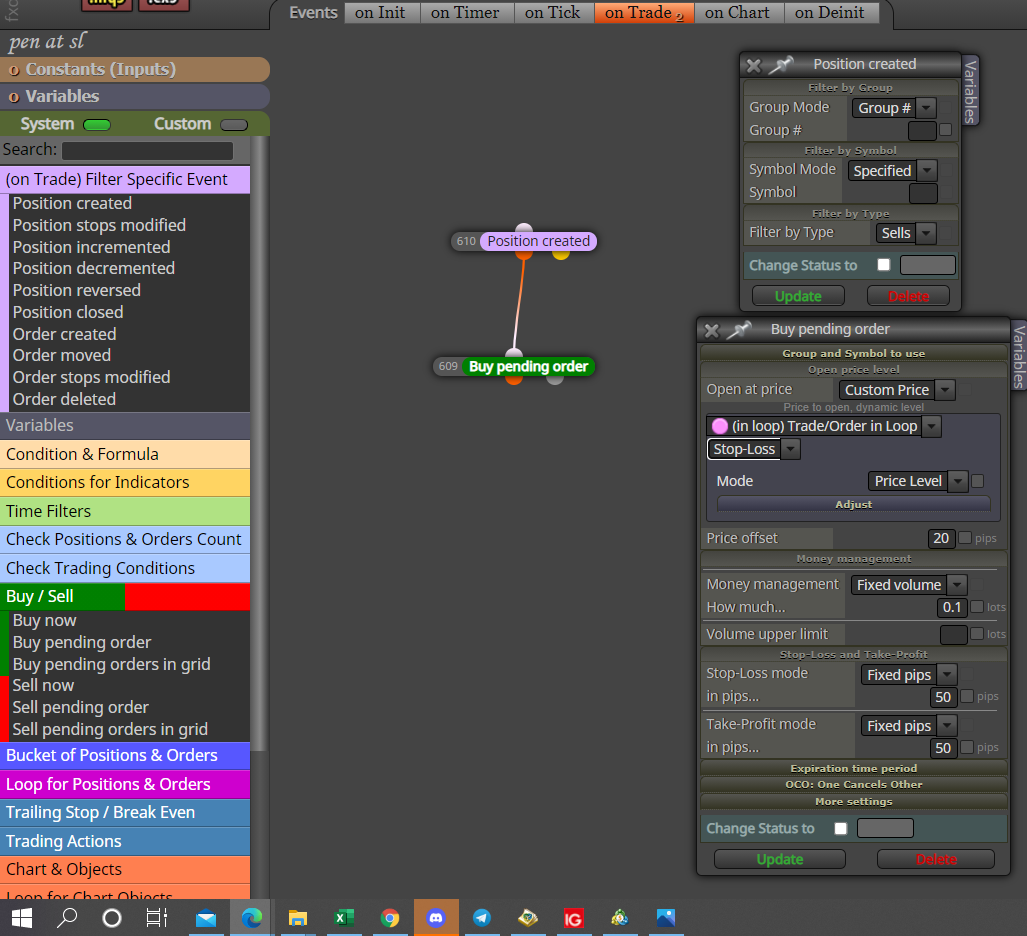
@tashab The last picture was showing the wrong setting.
@alphaomega You can also do this with moving averages, just put the MA in the formula block.
Normalize your block ID's, may make it faster but that higher number will almost certainly cause adverse affects, your modify colours and properties should be on the on init tab, this means they will only work when EA is started (initiated).
@ebukaitalian Unfortunately this indicator has no buffers for the arrows, in the pictures you can see how to add and the numbers placed in to the 3 buffers, they represent the end position of the 3 lines. FXDreema uses the numbers in buffers to work out what the indicator is doing.

@alphaomega I now use can ID 0 or 1 in left operand, what ever is in the constant in right operand, makes no difference just positive slope number trend is up instead of down. I quite often use 0 >< slope, means you get no flat angle.
