Don't think so, was it created on FX?

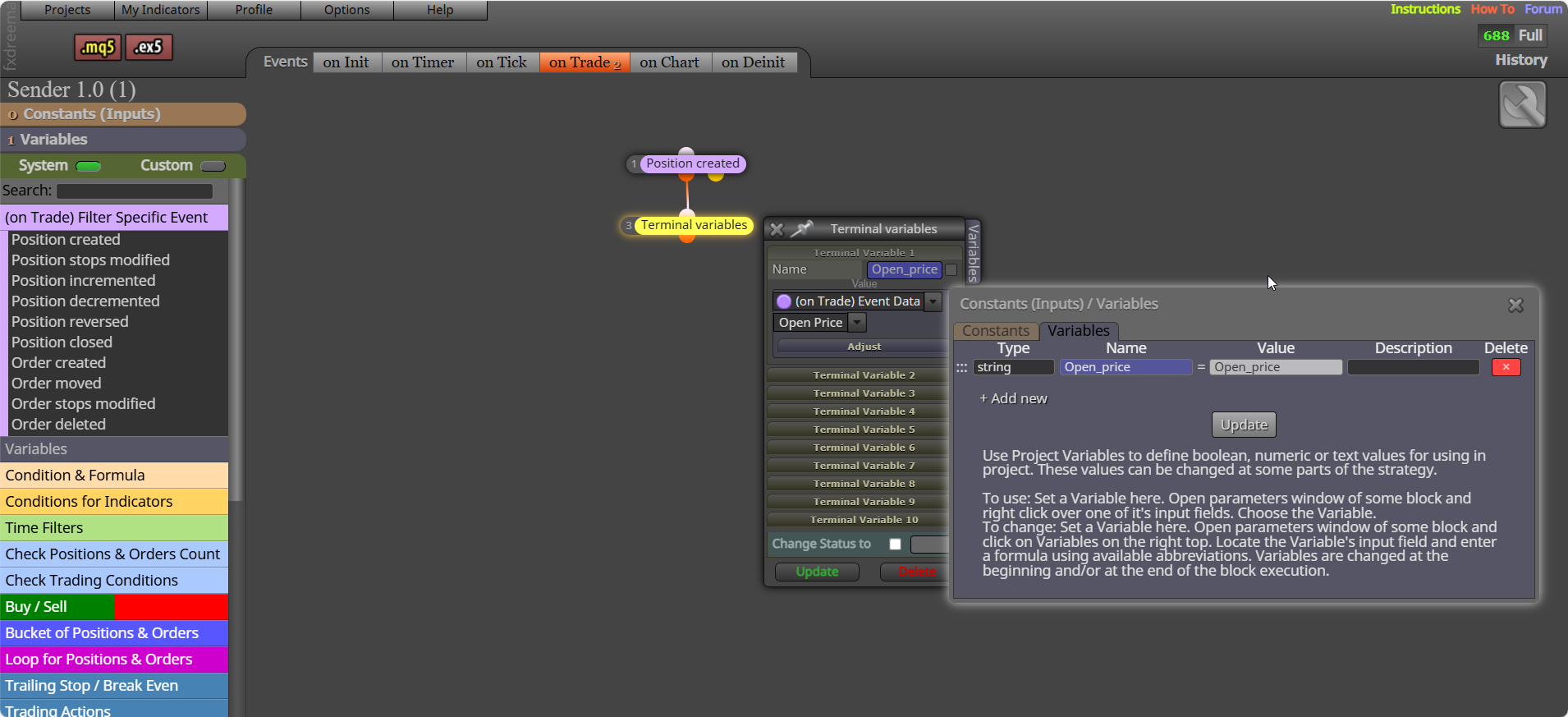
I think it's because the variable need to have a value of the name, if you press F3 you should see a list of the global variables
on init happens at the EA start and not again, on timer works every time your setting say it can (default is set to 60 seconds) so every 60, on tick is where you will put the majority of your blocks runs every block every time there is a tick (every price change), on trade works with trades that are running, on chart works with what ever you can visually see on your screen (on mt4 this does nothing on backtest), on denit works once if you remove EA from system
The spread doesn't really affect bot can and does affect the trade, generally if our stoop is set far enough away from the open, it shouldn't cause you early stops and unnecessary loss of funds.
This should work but the open price variable should be a string (a name you want to call the global variable), same name for sender and receiver. Value you are sending/receiving is stored in the global variable, not a local one, though you could send/receive local variable data, but it will be sent to the global
Yes but no because you didn't set the variable to 0 before starting the loop:

modify a variable to 0 - for each trade/position - check profit (>0) - formula block (add in loop trade profit)
save a template with all indicators etc and add, there is a block "apply template" that will add (only works on live chart)
Just ask AI:
Quick Answer:
The Average Directional Index (ADX) and the Average Directional Movement Index (ADX Wilder) are essentially the same indicator conceptually, both created by J. Welles Wilder Jr. in 1978. The difference lies in calculation methods used by trading platforms: Wilder’s original formula uses his own smoothing technique (Wilder’s Moving Average), while some modern platforms implement ADX using standard moving averages (like EMA or SMA).
 Core Concept
as i said and showed in my picture under the if trade will stop all blocks below running... how is that supposed to do anything if no trade is placed...when testing how things work the less used blocks the better...if this is just part of a larger project say what this is doing and why
this is not simple, you need a set reason to class a new high low, the ZigZag for example does this, but as with most indicators it is lagging, in various signals there is new top/bottom inn trend, test these and see if they are any good to you.
To share a link open in your web browser, and copy/past your address bar.
No lines can draw under a if trade, these blocks are for working with an already placed trade:

there is on the on trade tab, or position closed... by TP is inside the block
on trade tab, trade closed by TP - close all
You can check profit of all running trades, then close all with a check profit (unrealised) block.

Add a shared link to see how you have things set, probably stop redrawing, and draw once per bar
Setting in the buy/sell block will work, you have all the tools to complete what you need, now run on backtest, change what you think needs changing, and test again.
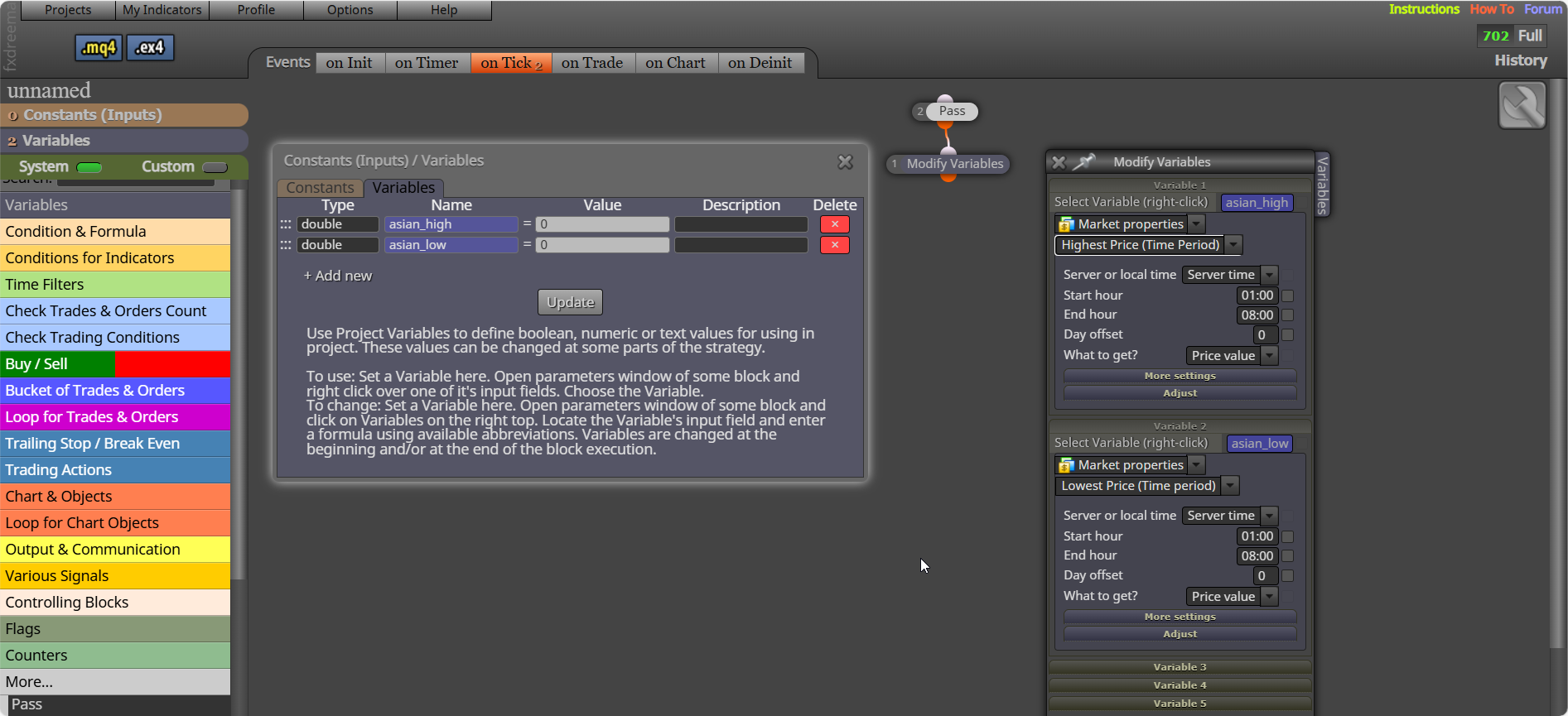
the variables will hold the price value to put the order on, use the time filter to ensure order isn't placed until after Asian close, and delete if not activated so you can start a fresh the next day,
Create 2 variables, I have not set the correct times: