@kizerage212 Never used string to value, but using this
variable=(StringSubstr (variable/constant, 6, 9));
6, 9 being the start and end in string, double for your variable will give you the digits.

@kizerage212 Never used string to value, but using this
variable=(StringSubstr (variable/constant, 6, 9));
6, 9 being the start and end in string, double for your variable will give you the digits.
@slimmz This is me attempting to use but unfortunately there is not the info needed.
0_1632215341875_23119e49-a1c8-4ae8-9c3c-5b91c888aea4-TREND L (6).ex4
This is how to insert indicator values.

This is the link showing how to use this indicator, buffers don't have the colours, only price levels, there is also custom code showing how to use the data window buffers.
https://fxdreema.com/shared/N4X1dqYTb
@sprad I would use the loop, candle hi/lo above/below 200SMA, then check the minimum number of candles match, you can also use 3 condition blocks in a row to check candle1, 2 & 3 fit requirements.
This is just to show you what the icustom() does link
0_1632179522306_89aba058-e50c-49df-87c1-c91198f86d52-trend-lord-nrp-indicator.ex4
@alex81 Your right about int not string, it compiled for me, make it int and count down the input list to get the correct number.
@alex81 Sometimes the buffers in the data window are the same as the ones in FXDreema indicator blocks but often not, depends on the coding. Code like this:
BUY=(iCustom(NULL,0,"The Fall MT4",50,1,1));
BUY being a variable in FX, NULL means 0(I think), "The Fall MT4" is the name of the indicator, 50,1,1 is a reference to the inputs and the data window, needs to be in the correct order. it has been a wile but to work out exactly how to use your indicator you'll have to search and test, the code goes into a custom mql4 block.
If you struggle to work it out just ask and I'll help but a bit busy until tomorrow.
@sprad I have not used ind[icator moves within limits for a while but should work, you can also use 2 conditions indicator > value, connected to indicator < value, If you just want the cross a standard condition block will do it.
You could also use a LOOP to count the candles from the cross.
Those buffers are probably not the ones used in FX, to use these custom code with icustom() is likely needed.
@maniamuthan This isn't the shared project. Go to projects (top left), get the shared link (in web page), copy and past here.
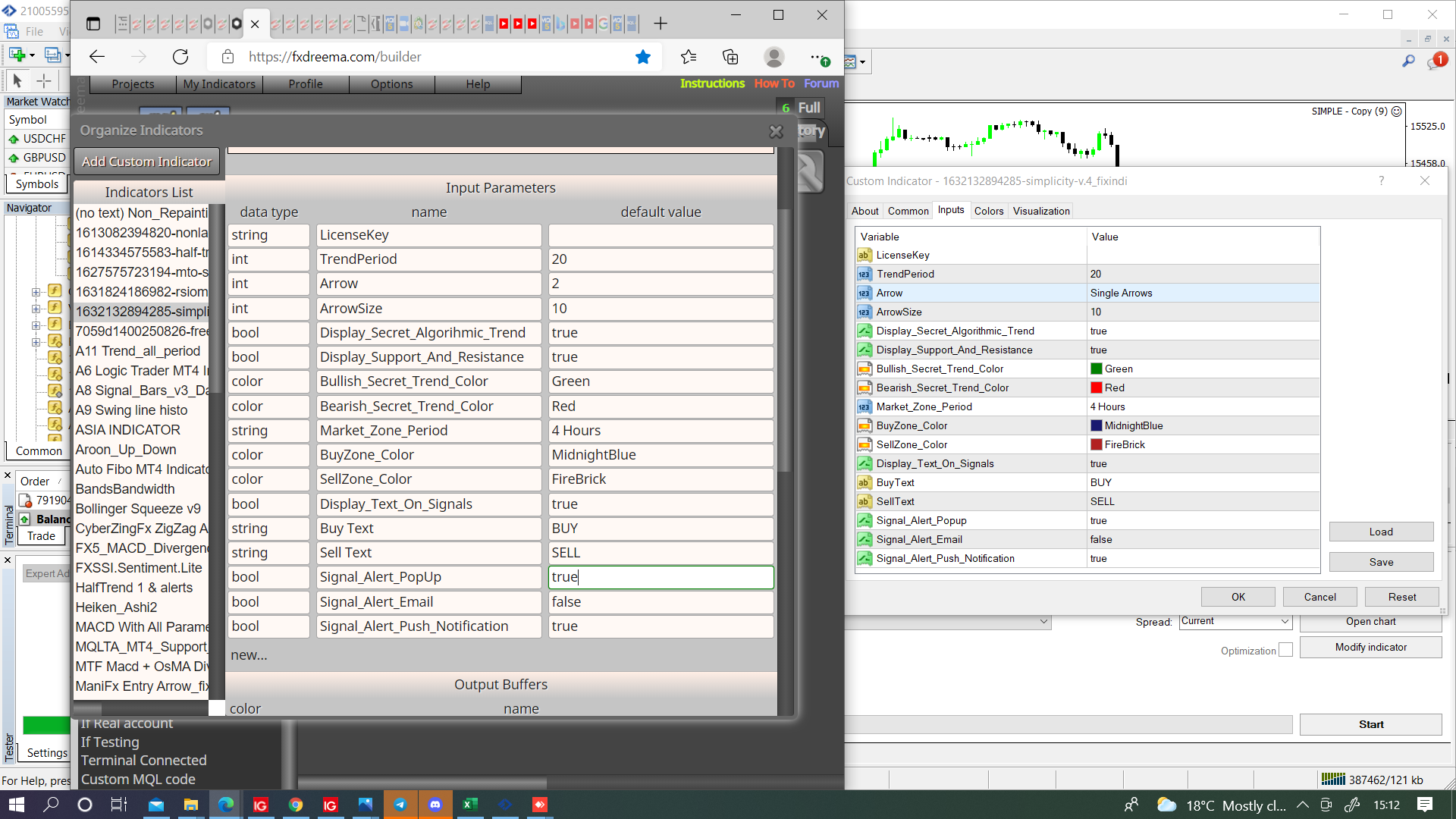
@slimmz Where there is a word replace with the number that corresponds with the place in input list. This indicator has 4 int, 5 bool, 1 string.

@l-andorrà I use modify variables unless I don't need to see the result in a comment.
I put this in my indicators, don't think it has buffers, couldn't find the price in object list even though it's on screen.
@l-andorrà @PipTheRipper Not sure what I was thinking with the above picture, to get the current date into a variable it needs added to modify variables like this:

@sikerentea Hi I wouldn't have bucket of trades above comment, I would just have pass, how you had it was almost correct, you'll see in here how to do. You do know to have info in variable you need a modify variables block?
@wafa This depends on what your indicator does, if you have the mq file and it stores relevent info in the buffers it's fairly simple, if not can likely be done. there is lots of info on the forum to add and use indicators, if you still struggle, ask specific questions and put the indicator file here so it can be assessed.
@muneeb00 You treat alligator indicator the same as you treat MA's just put the condition you want ea to do something in condition block.
@msizi You need to add the indicator then get working, you can now make the strategy around.
Have a look here on how to achieve.
@scany21Change values to this

Haven't tested or used a comma in between numbers but this compiles fine.
@ahb Is hard to work out what the problems are, use a shared link so each block can be checked, if this is in adjust box then probably needs a space or a number or a +/- to make it work.