fxDreema

    • Register
    • Login
    • Search
    • Back to the main page
    • Categories
    • Recent
    • Tags
    • Popular
    • Search
    1. Home
    2. jstap
    3. Posts
    • Profile
    • Following 2
    • Followers 222
    • Topics 37
    • Posts 9331
    • Best 1080
    • Controversial 23
    • Groups 0

    Posts made by jstap

    • RE: "write to file" is posting all data within 1 column

      @coinmaster These values are what is called comma separated, am not sure but if this is a CSV then I think this is all you can do. the ; is what is used to separate values (in this case), you can get excel to place each value into separate cells but it's not a simple task.

      |If this helps this is how I get data from a comma separated sheet into another.

      =IFERROR(('C:\Users\Bob\AppData\Roaming\MetaQuotes\Terminal\06980EAAF7FCC460D7BD131105CC3518\MQL4\Files\folder[csv document name]sheet name'!$A2)," ")

      Hope this helps

      posted in Questions & Answers
      jstap
      jstap
    • RE: Help convert this indicator to ea

      @ebukaitalian Unfortunately this indicator has no buffers for the arrows, in the pictures you can see how to add and the numbers placed in to the 3 buffers, they represent the end position of the 3 lines. FXDreema uses the numbers in buffers to work out what the indicator is doing.1_1627158950816_Screenshot (478).png 0_1627158950815_Screenshot (477).png

      posted in Questions & Answers
      jstap
      jstap
    • RE: Help convert this indicator to ea

      @ebukaitalian Your link doesn't contain an indicator so advising on what needs to happen is difficult.

      posted in Questions & Answers
      jstap
      jstap
    • RE: Question of Logic

      @l-andorrà said in Question of Logic:

      blocks

      Ill answer for Tipsy, there are effectively an on off switch, used in the same place as a light orange condition but instead of bool in left operand == bool in right operand, same bool constant, in the dark orange condition you have the bool e.g (TRAIL). so basically it's if bool (TRAIL) = true, then pass.

      posted in Questions & Answers
      jstap
      jstap
    • RE: How do I loop my EA?

      @ijoh Whatever settings in the buy/sell block are what will be used.

      posted in Questions & Answers
      jstap
      jstap
    • RE: How do I loop my EA?

      @tashab In the picture it is the orange tab.

      posted in Questions & Answers
      jstap
      jstap
    • RE: Trailing only profit (after offset) regardless of Stop Loss position

      @mohamed80 To have a specific group work with a specific symbol you need to have applied that symbol B4 placing trade/order. (at least I think)

      If you drag something like SL then on the next tick it will get reset to EA settings, to stop this change the EA settings from the face in top right, you can set a bool condition to switch it off if you prefer, you can also change the settings from screen but this concept is quite advanced, you would need to learn button concepts for a start.

      posted in General Discussions
      jstap
      jstap
    • RE: Robot in real account?Who can help me?

      Not sure if this helps but, previously EA's I have spent a long time on haven't worked on demo when they worked on back test, leaving left running for a couple of day has made them work, just re-arranging a set up can help.

      posted in Questions & Answers
      jstap
      jstap
    • RE: How to Use the Bulls Power indicator as an exit

      I have never used it but, a condition block, bulls power indicator on left operand =< value -10 in the right operand.

      posted in Questions & Answers
      jstap
      jstap
    • RE: How do I loop my EA?

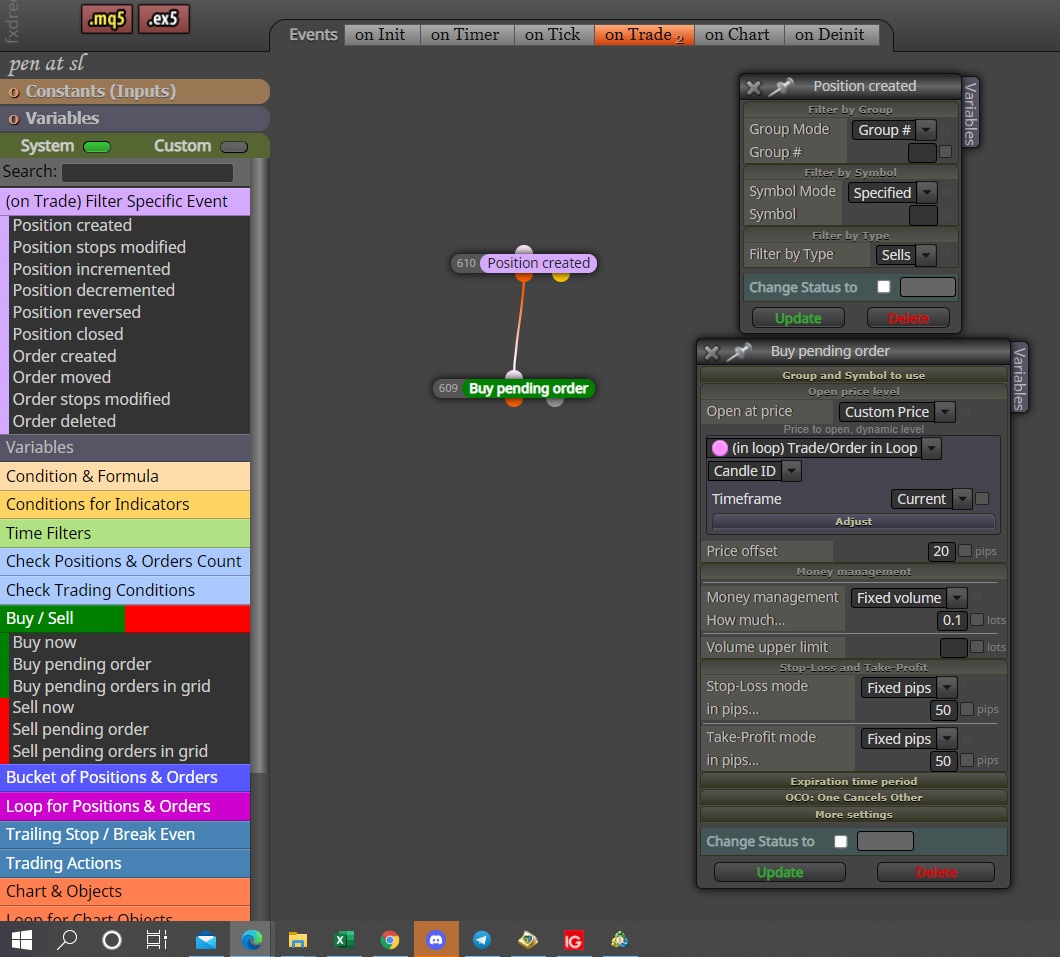
      @tashab The last picture was showing the wrong setting.

      0_1626702416421_Screenshot (463).png

      posted in Questions & Answers
      jstap
      jstap
    • RE: How do I loop my EA?

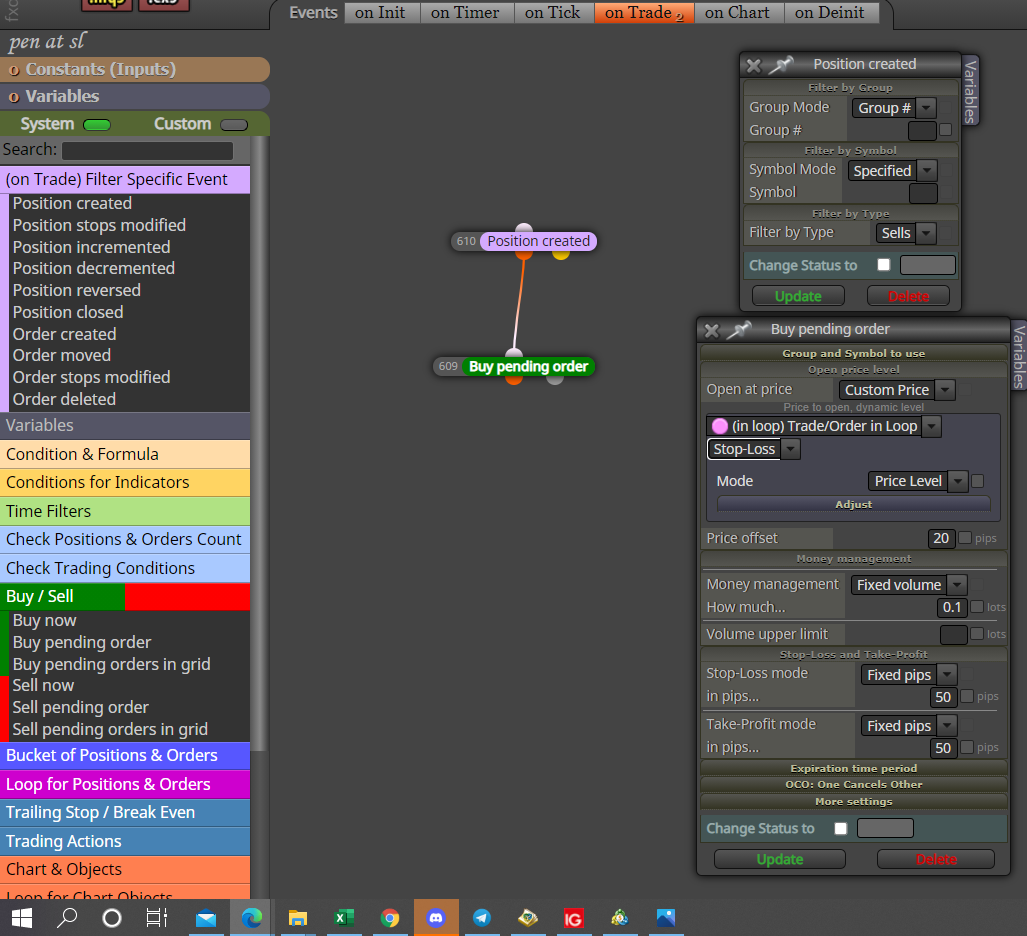
      @tashab Hi, in this picture you will see how to place a pending BUY whenever a sell trade is created, you can also have it do this whenever an order is created. Purple blocks need to be used on the on trade tab.

      0_1626701959734_Screenshot (461).png

      posted in Questions & Answers
      jstap
      jstap
    • RE: Trailing only profit (after offset) regardless of Stop Loss position

      @mohamed80 Every block has group numbers, the trail will work with only with whatever group is inserted, the magic number in settings determines what trades the EA interacts with, 0 is manually placed, I think the group number is placed on the end. I would set up different trailing stops to interact with your different groups, I would put magic to 0 unless not interfering with manual is what you require.

      In here you will find how to put ATR pips into a variable so you can use for whatever you want.

      https://fxdreema.com/forum/topic/12854/help-please-using-atr-as-stop-loss

      Hope this helps

      posted in General Discussions
      jstap
      jstap
    • RE: Trailing only profit (after offset) regardless of Stop Loss position

      @mohamed80 I think this is doing what you have requested but, you will need to ad another condition otherwise you will never hit TP so you may as well not have a TP. hope this helps.

      link text

      posted in General Discussions
      jstap
      jstap
    • RE: USING BOLLINGER BAND

      @jpsam Very good, hope we helped.

      posted in Questions & Answers
      jstap
      jstap
    • RE: USING BOLLINGER BAND

      @jpsam Doesn't your strategy include a candle interacting with the indicator? If it does then you need a condition, if not you need to save the indicator on your platform, save template. You can then use the apply template block.

      posted in Questions & Answers
      jstap
      jstap
    • RE: Help with indicator

      @wichi You might find that indicator is visible is what works. If you put the buffer into a comment block you will be able to see what is is doing, buffer will most likely comment as a number.

      posted in Questions & Answers
      jstap
      jstap
    • RE: custom indicator not opening trades

      @abanob I have found this more than once with indicators, if you put this indicators buffer values in to a comment block you will see what they contain, FX needs a value changing in a buffer to be able to act on it.

      posted in Questions & Answers
      jstap
      jstap
    • RE: custom indicator not opening trades

      @abanob Hi, this indicator has the same value in all bar 1 buffer, the one that doesn't moves with price, because of this your condition will never be true, as it will never be true.

      posted in Questions & Answers
      jstap
      jstap
    • RE: Simple EA for Percentage Change

      @mohamed80 If this helps, putting a calculation in a calculation:

      WINM= (PROFIT_PER_MIN_LOT*(LOT*100));

      posted in Questions & Answers
      jstap
      jstap
    • RE: How to make a the robot to put stop loss on Break Even after 2 Minutes

      @sikhofx This will only work for the currently loaded order, if you place more than 1 it will only reference the last.

      posted in Questions & Answers
      jstap
      jstap
    • 1
    • 2
    • 458
    • 459
    • 460
    • 461
    • 462
    • 466
    • 467
    • 460 / 467