The current just placed trade will be in a spared distance loss, what I put it how to get the value of all closed buy/sell trades:. Use a formula to get the value of each closed position:
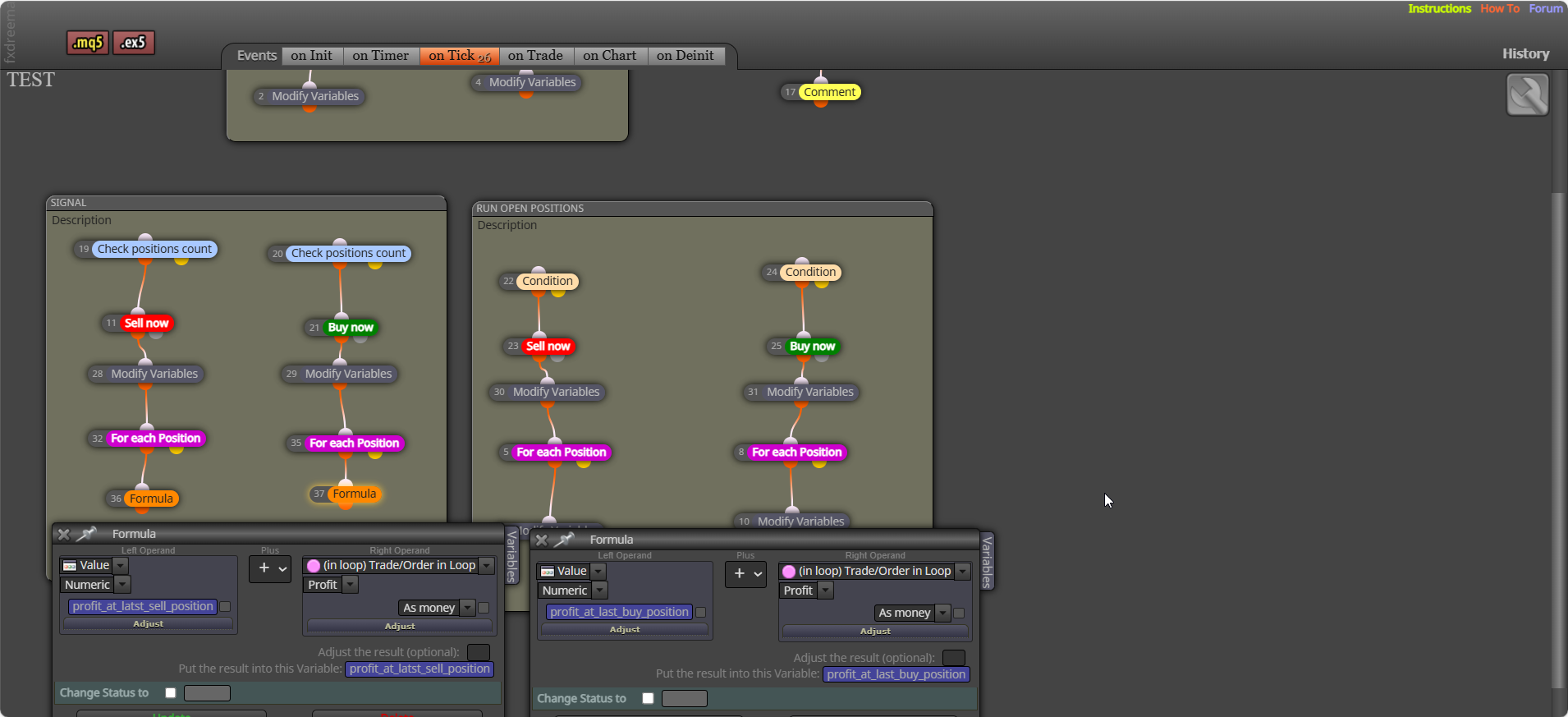

The current just placed trade will be in a spared distance loss, what I put it how to get the value of all closed buy/sell trades:. Use a formula to get the value of each closed position:
Yes, most either check what you have set, or check a condition that changes by it's self.
Close (pink) will only work correctly under a for each, the for each selects in a loop the trade/trades to close. Close positions will close all selected (this will us a loop, but is internal)
You have nothing setting that flag, default will be false, meaning this is the only option that will create a trade.
Click on create shared link - open in web browser - copy address bar and paste here
Under your buy or sell block - modify variable to 0 - for each closed trade (set up as you want) - formula + trade profit and save into the variable you just set to 0.
Above trade tree - check (period of time) < x.xx. In a separate tree, above close block - check (period of time) > x.xx.
Is hard to say without looking at your project link, I do not find these blocks slow things too much, although it can happen. Generally this is too much computing power being used on backtest, stopping blocks working every tick will normally fix this... like putting trees/blocks under a once per bar block set to 1 minute.
You can write in backtest, try this: https://fxdreema.com/shared/mSTWWc6Cb
file should be created here: <terminal_data_folder>/Tester/files/test_output.csv
The variable type is set in FX, sting = text, double = 0.0, int = 0, bool = true/false, date time is similar to int, you can search google for these definitions. The bool constant is checked in the condition, then it sets true of false to the string variable, " " tells the block you are setting text instead of a numeric number. true = 1 false = 0
You can, sometimes is easier to change externally: https://fxdreema.com/shared/ds1aZi4Hb
That box changes the value on block start/end, to check if a bool is true/false check it in a condition block above using it
I don't think you can add to the comment section. But adding stops is quite easy, conditions are a created bool constant, stop loss and take profit are created double constants, the price level loops are to stop already set SL&TP moving on restart.
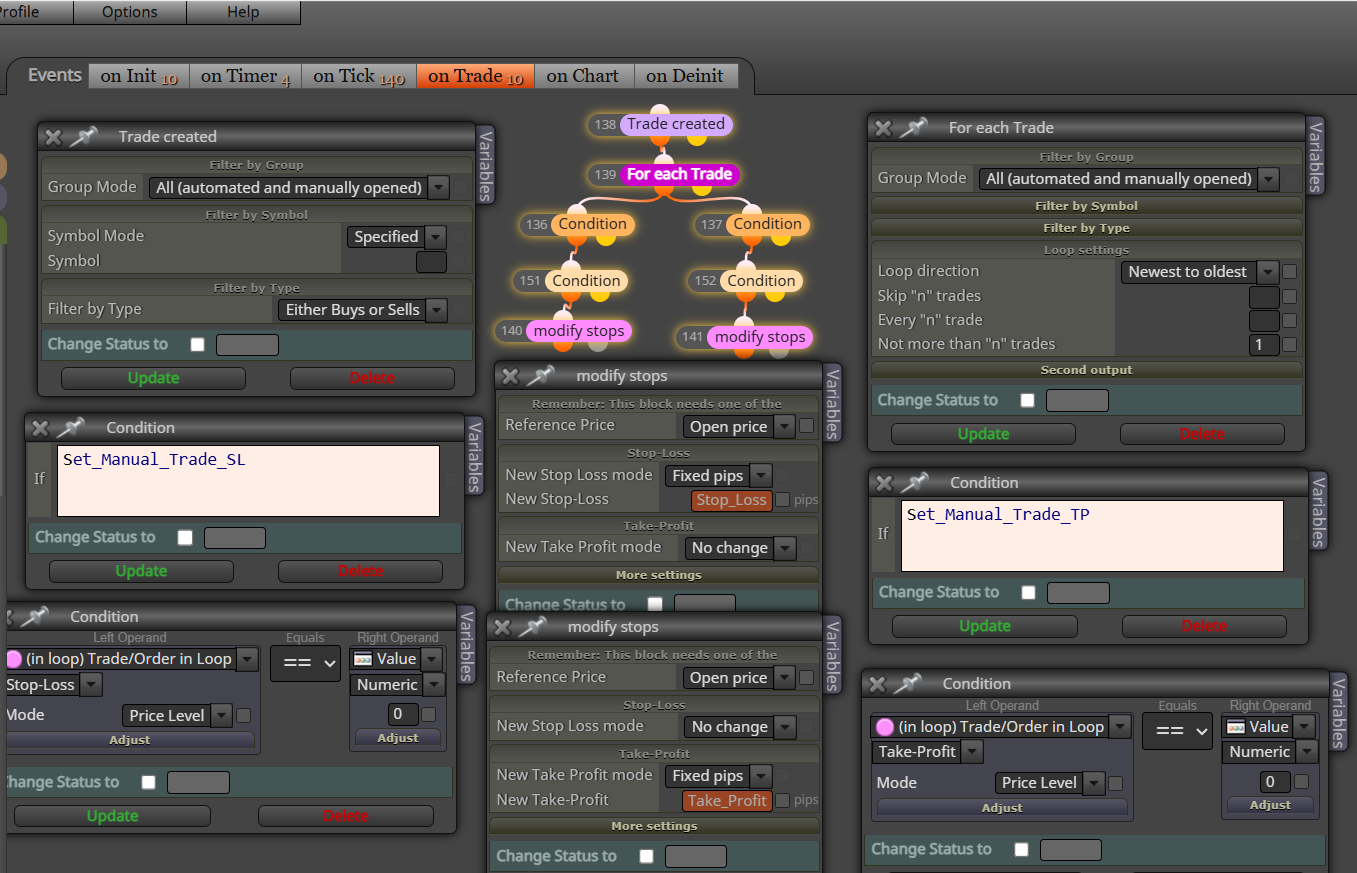
on trade tab, trade created - delete pending orders. the tabs on init, on timer, on trade, on chart, work at different times and have area specific blocks... so for this you want to work with a trade just being opened
Yes it works, look a couple of posts above to see people say it does.
once per bar works on the 1st tick of a candle, so delete under this will work on the open of a new candle.
Once you have the ID, you know which candle or within a range you need to check for engulfing.
Ok so you don't yet have the ID, this post will show you haw to get the ID: https://fxdreema.com/forum/topic/5060/how-to-use-zigzag-advanced
Once you have it ou can work on weather there's an engulfing candle.
Do you have candle ID for point 3? Then you have to decide what the exact candle situation to be engulfing...