Try this, be careful GMT is actually reading GMT time, I have set (period of time) +2 as this block doesn't use GMT, set to your server offset, the only way to stop trading is to put a block in that prevents it.


Try this, be careful GMT is actually reading GMT time, I have set (period of time) +2 as this block doesn't use GMT, set to your server offset, the only way to stop trading is to put a block in that prevents it.
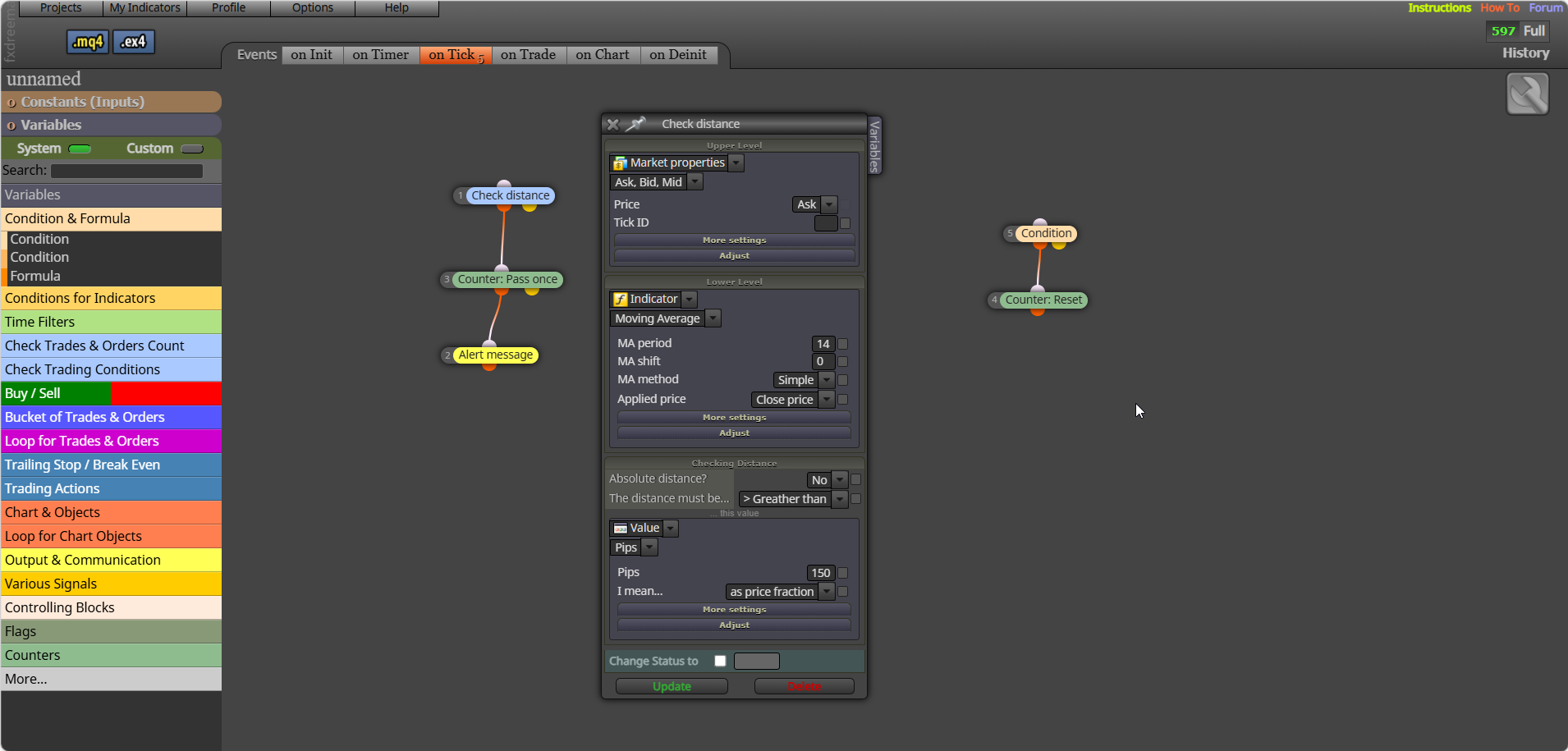
Set up some logic saying what just fired, you can print on screen/journal... many places, just something that will show you what just happened.
Not 100% sure what you mean? You have nothing to draw anything, not even comments.
There is a lot in that to dissect, put your variables into a comment to check if you are getting the values you expect. You should use text (code input) for code., come back if you need more help when you you've tried rhis:
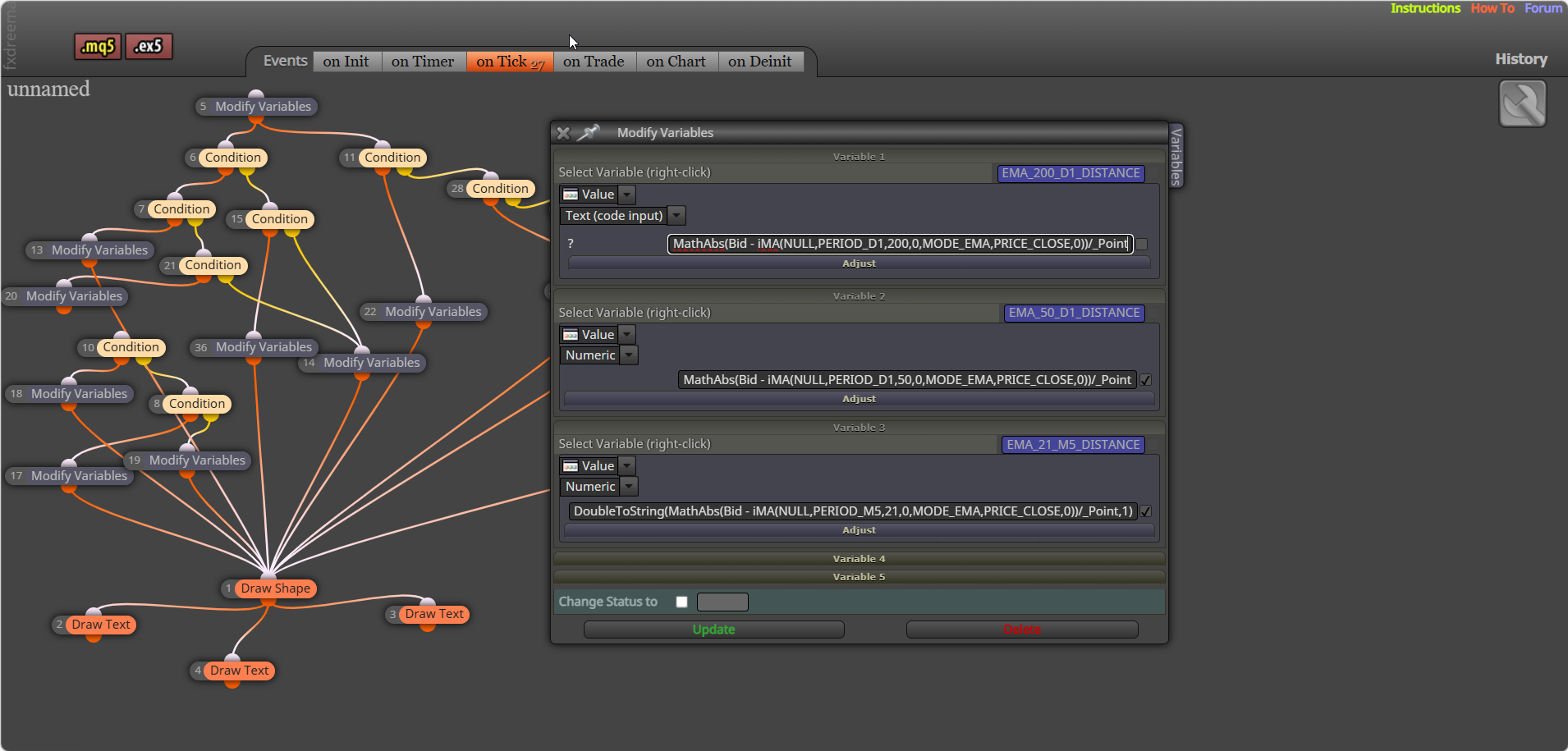
Create with pink blocks: https://fxdreema.com/shared/9GjYvLjS
No "place relevant trade" was just my way of saying the trade you want to be placed in that situation...
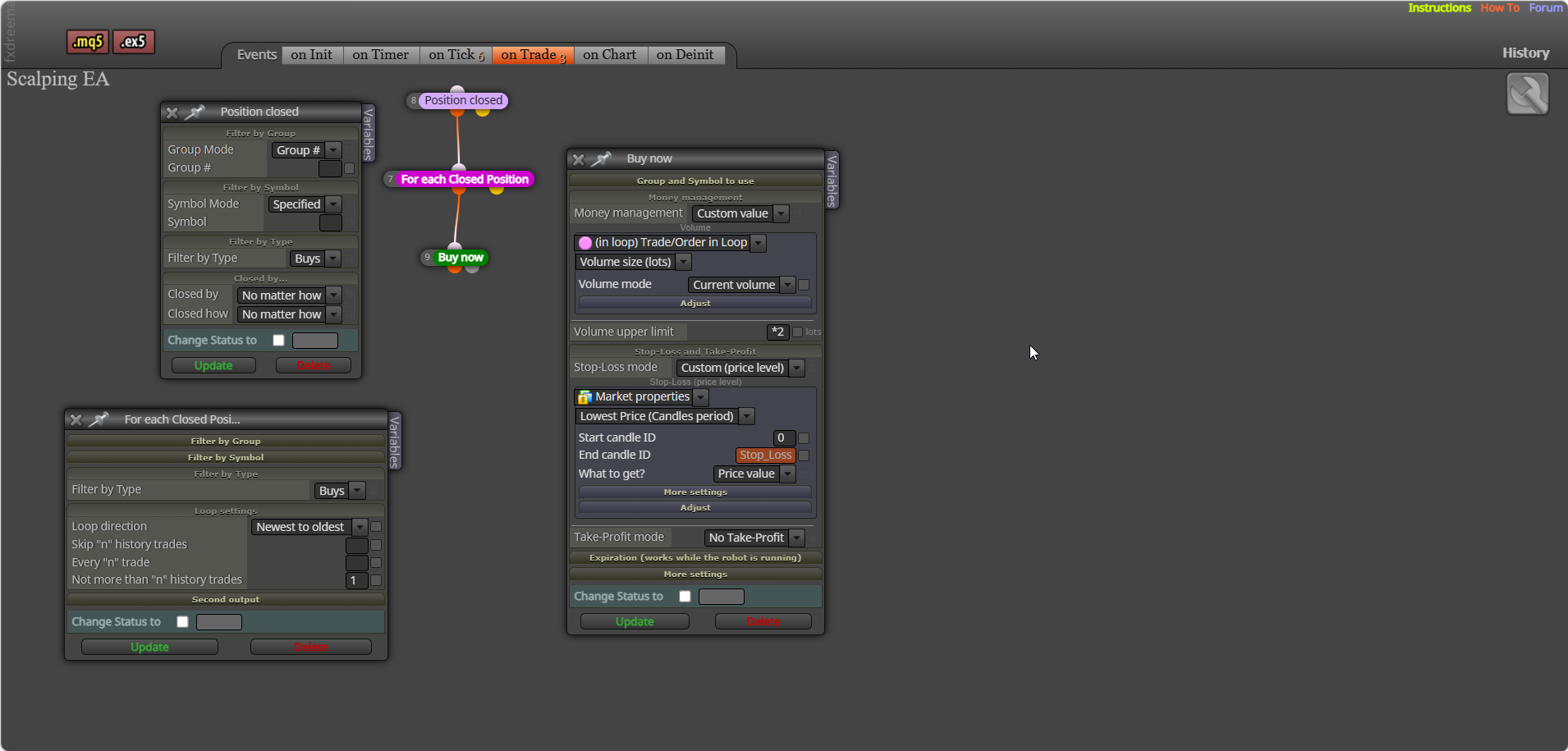
This is martingale, sounds good but is unlikely to be. In a separate tree for each trade - pips away from open price (-will work when trades in a negative) - place relevant trade (either set bigger lot, or loop lot adjusted to what you want, like *2).
Try this.
Global Includes section **********************************************
#include <Trade/Trade.mqh>
#include <Trade/PositionInfo.mqh>
ulong startTime;
CTrade sTrade;
CPositionInfo mPosition;
Custom Function Section ******************************************
void CloseAllPositions(ulong MagicStart)
{
for (int cnt = PositionsTotal() - 1; cnt >= 0 && !IsStopped(); cnt--)
{
if (PositionSelectByIndex(cnt))
{
ulong ticket = PositionGetInteger(POSITION_TICKET);
long magic = PositionGetInteger(POSITION_MAGIC);
     if (magic == (long)MagicStart)
     {
        sTrade.PositionClose(ticket, 100);
        uint code = sTrade.ResultRetcode();
        Print("Close result code: ", code, " | Ticket: ", ticket);
     }
  }
}
}
Settings section *******************************************
startTime = GetMicrosecondCount();
sTrade.SetAsyncMode(true);
CloseAllPositions(MagicStart); // Pass your EA’s magic number
PrintPerformance(startTime);
~next~
Hope this works 
try adding this to the function, not tested though:
void CloseAllPositions(ulong MagicStart)
{
for (int cnt = PositionsTotal() - 1; cnt >= 0 && !IsStopped(); cnt--)
{
if (PositionSelectByIndex(cnt))
{
ulong ticket = PositionGetInteger(POSITION_TICKET);
long magic = PositionGetInteger(POSITION_MAGIC);
     // Only close positions matching the EA's magic number
     if (magic == (long)MagicStart)
     {
        sTrade.PositionClose(ticket, 100);
        uint code = sTrade.ResultRetcode();
        Print("Close result code: ", IntegerToString(code), " | Ticket: ", ticket);
     }
  }
}
}
Yes and more, the best way to work things out even when you have what to do, is put the values in a comment, or draw objects to show what is visibly happening in backtest, you can then use this to check what you want/think is happening... You can try this, connect off yellow what to do when distance is true: 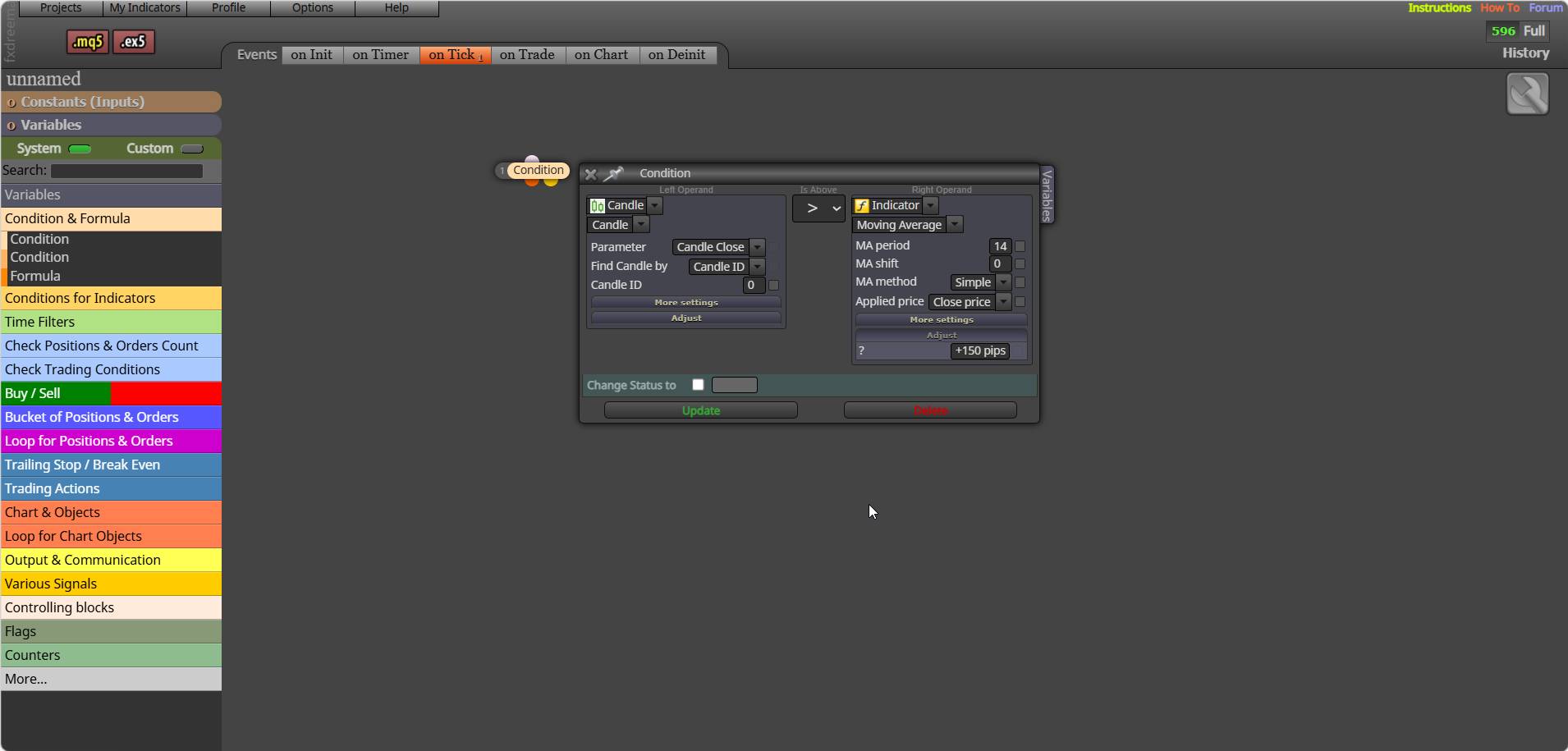
This is only buys and is done on the on trade tab to separate the first trade from multiply lot trade.
Like the picture, in the condition choose a to reset (to stop multiple notifications):
Attach your project link and I'll show you from there: project screen - projects - create web link - open in browser - copy address bar - paste here
trade signal - (pink) for each closed trade - buy/sell (lot selected in a loop adjusted to *2)
How long is a bit of string? Some yes... some no... but people don't fill out a table of success, along there journey. But anyone that can do it with code, can do it with FX.
Yes. Any EA you build—whether in FXDreema, MQL, or Python—is a quant system if it expresses rules, logic, and measurable behaviour. FXDreema is just a visual interface for building algorithmic logic. The reason you don’t see many "quants" talking about it is because most quant developers prefer coding directly, but the underlying concept is the same.
Of cause it was, even great coders will use AI, is much quicker than Writing it yourself. This will give you an idea of what goes where: https://fxdreema.com/forum/topic/21603/close-all-mt5-trades-quickly/14
Yes (possibly) you could generate a custom block, but this gets quite difficult, but if you understand how you may manage it, the easiest way is to ask AI a few questions, on trade may go into here, in here you will see how the sections work, for this I think you need to treat the setting section as on trade which is where you would use the block, ask ai what code should go in what section. Save and use the block in a project, any errors that come up will be from what is written in "create custom blocks, keep changing/saving/refreshing project.
