fxDreema

    • Register
    • Login
    • Search
    • Back to the main page
    • Categories
    • Recent
    • Tags
    • Popular
    • Search
    1. Home
    2. jstap
    3. Posts
    • Profile
    • Following 2
    • Followers 222
    • Topics 37
    • Posts 9331
    • Best 1080
    • Controversial 23
    • Groups 0

    Posts made by jstap

    • RE: One Trade Cycle Per Candle (No Re-Entry After TP/SL in Same Candle)

      On tick tab your logic allows the trades put this under a flag - on trade tab trade closed set the flag (so no more trades can be placed) - on tick once per bar (reset the flag (so trades can be placed).

      posted in Questions & Answers
      jstap
      jstap
    • RE: How to Allow Only One Order Per 4H Candle

      What don't you understand? after all your place a trade conditions, use a once per bar (candle) set to how you want, then place the trade you want placed...

      posted in Questions & Answers
      jstap
      jstap
    • RE: How to Allow Only One Order Per 4H Candle

      conditions - once per bar (set to TF, or current if it matches chart used) - place order

      posted in Questions & Answers
      jstap
      jstap
    • RE: Library Studio

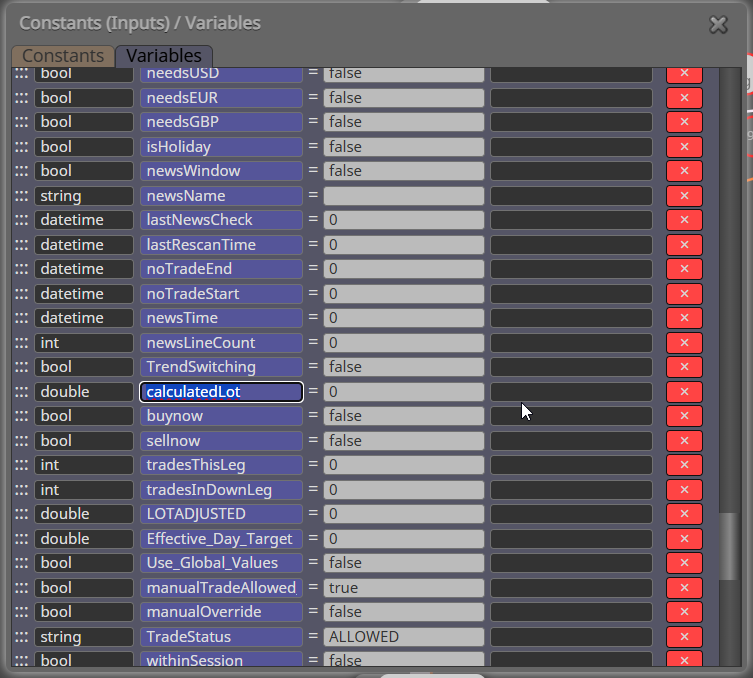
      the calculatedlot that is saved into the calculatedlot variable in the function is then used from the variable in the project EA

      posted in Questions & Answers
      jstap
      jstap
    • RE: Library Studio

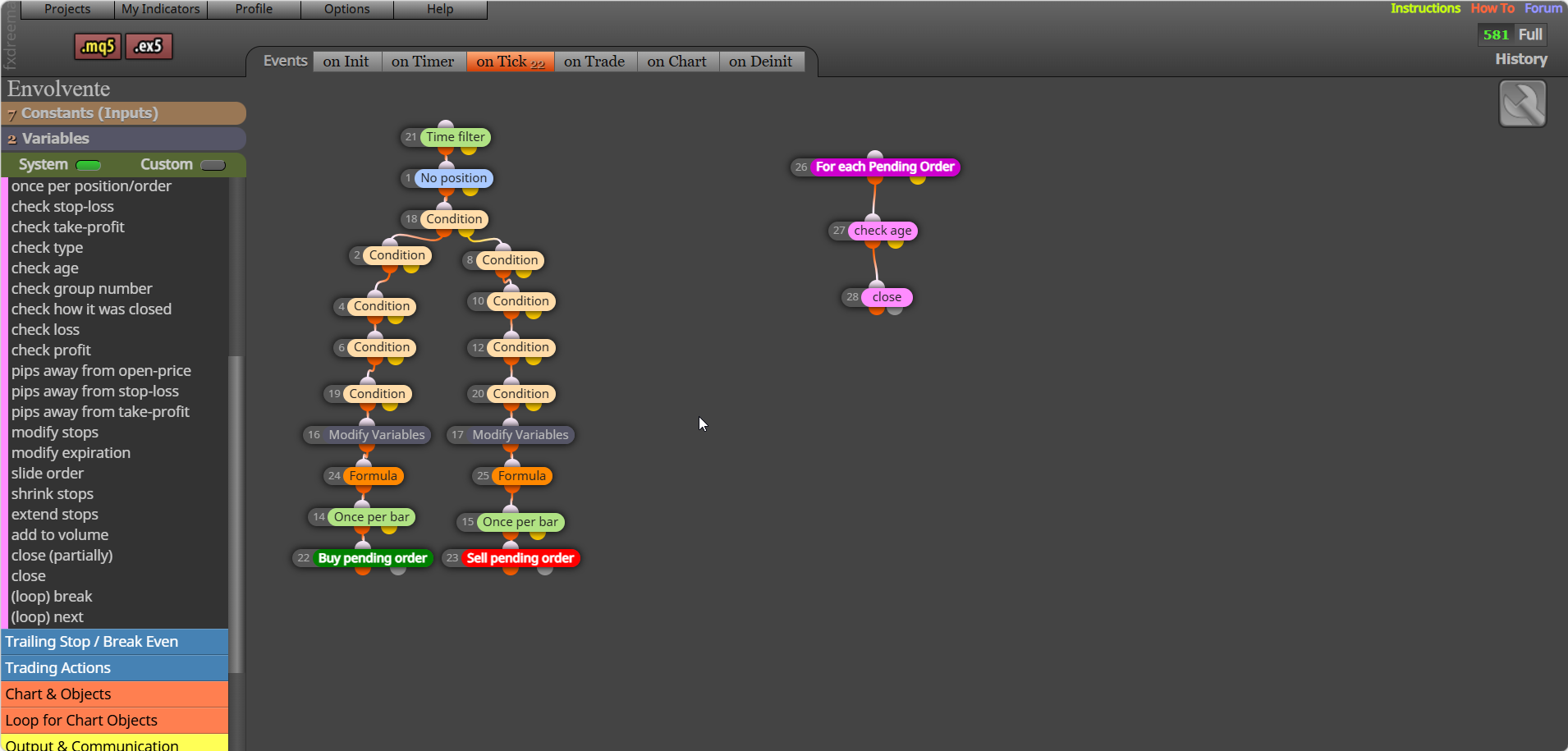
      Thought I sent tis before, create it in FX, then you can use:
      8dfe2362-9cdc-4614-955f-a92cb4c773c8-msedge_TSEKBeeeqQ.png

      posted in Questions & Answers
      jstap
      jstap
    • RE: Tutorial - Create Custom Blocks with "FXDreema Studio"

      don't duplicate questions: https://fxdreema.com/forum/topic/1893/Library-Studio/28?_=1775737635020

      posted in Tutorials by Users
      jstap
      jstap
    • RE: Library Studio

      All I can say is I do it all the time
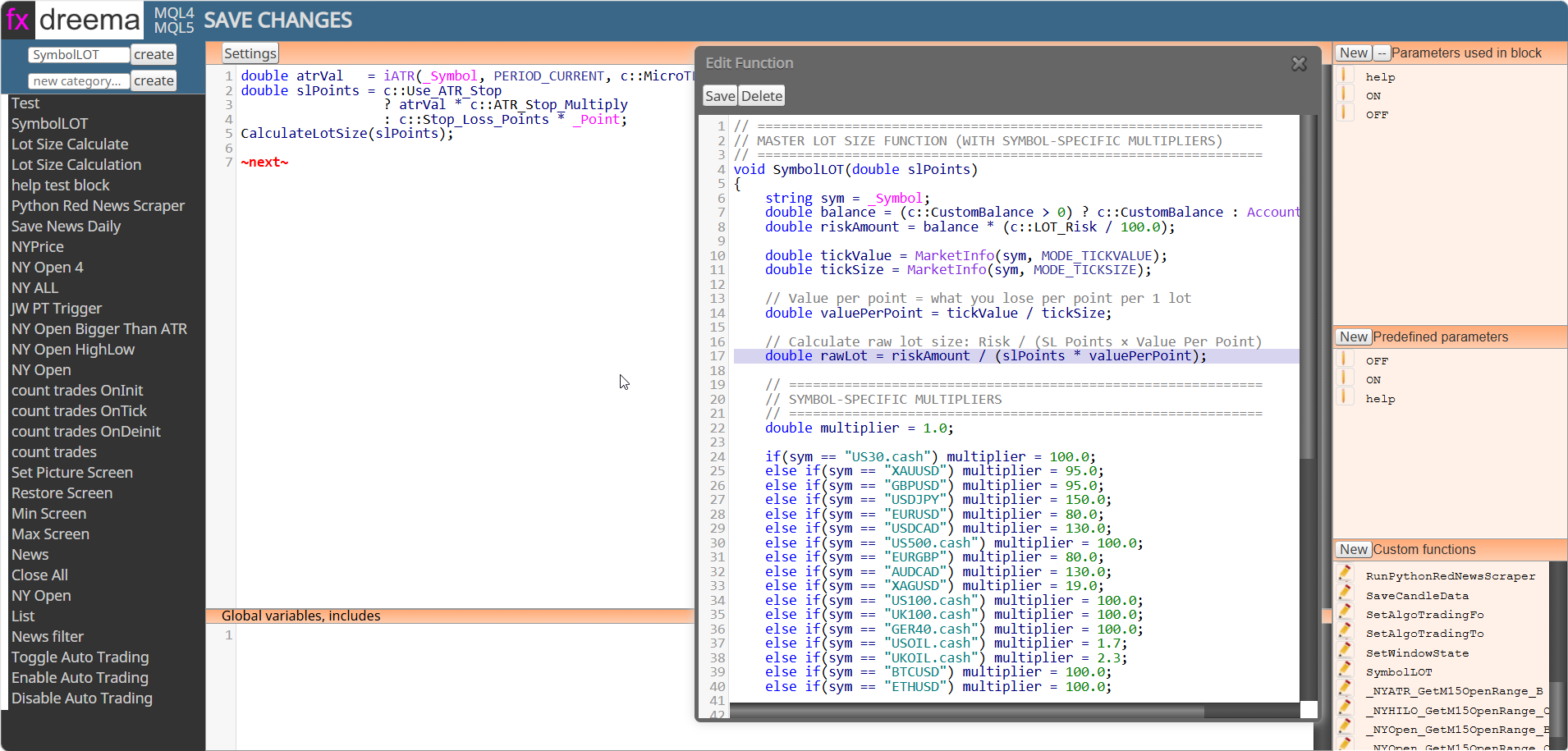
      msedge_e8YBkBlYX7.png

      calculatetlot is sent from function to variables:
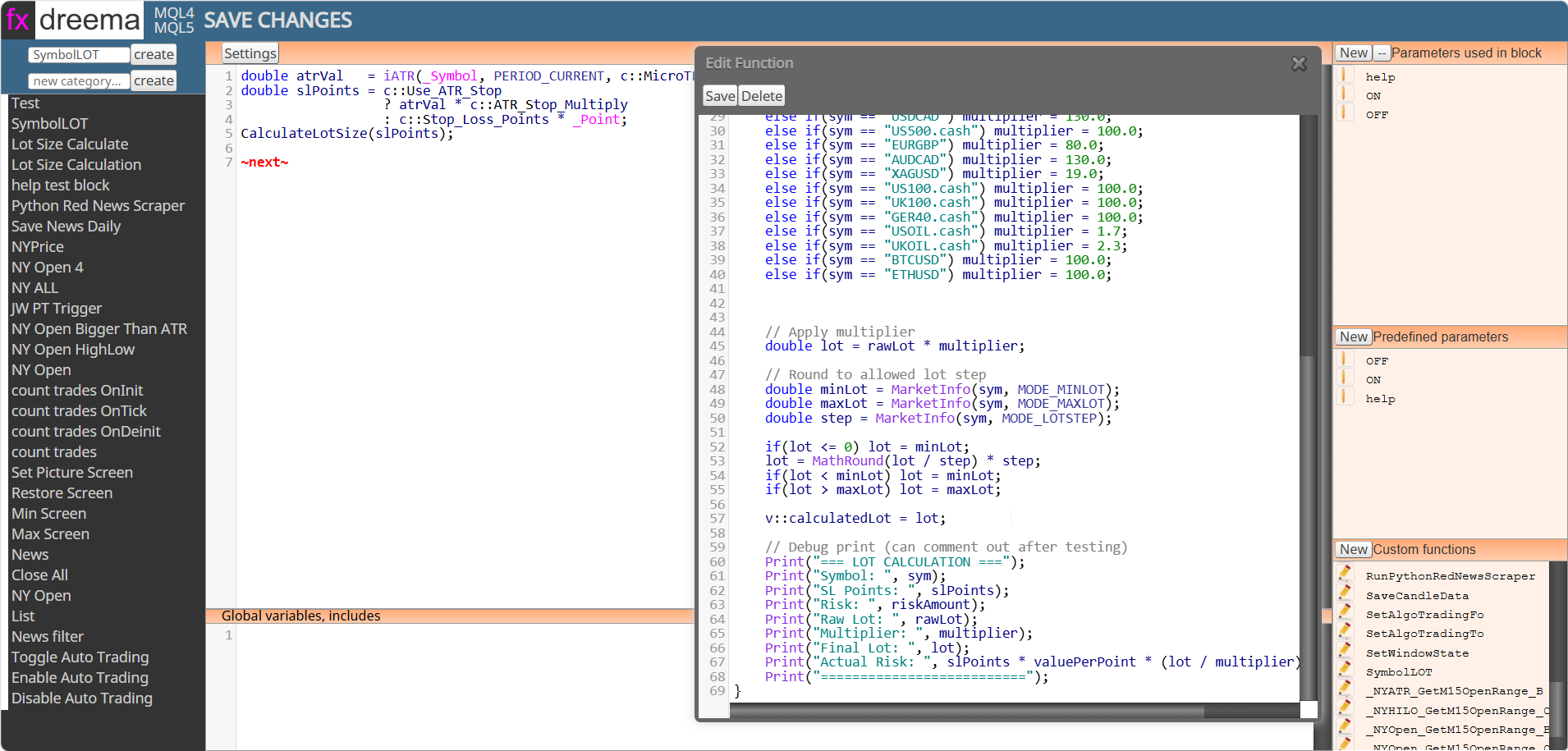
      a6d9eaa6-0591-44f8-9295-aad5ddc30a4b-msedge_ik5e2d6odk.png

      posted in Questions & Answers
      jstap
      jstap
    • RE: Tutorial - Create Custom Blocks with "FXDreema Studio"

      In the studio I have added to in settings and functions once created this is part of the EA code so you can access in project.

      posted in Tutorials by Users
      jstap
      jstap
    • RE: Library Studio

      if the value is saved into a variable created in FA but written to from the custom block code you can reference it from your variable.

      posted in Questions & Answers
      jstap
      jstap
    • RE: Tutorial - Create Custom Blocks with "FXDreema Studio"

      in the function save to a variable, create the variable in your EA project, read and use as normal.

      posted in Tutorials by Users
      jstap
      jstap
    • RE: Ident current timeframe (MT5)

      Created this a long time ago, but this should do it: https://fxdreema.com/shared/LpSPypV5

      posted in Questions & Answers
      jstap
      jstap
    • RE: How to keep a fixed reference balance per trade in FxDreema (multi-EA issue)

      This should do it, there is code on two tabs: https://fxdreema.com/shared/UPExIp7D

      posted in Questions & Answers
      jstap
      jstap
    • RE: Only one trade at a time on high volatility currency pair (No Trade not working)

      trees starting with 14 & 19 will never fire... because no trade - trades != 0 conflict with each other. I do not see how your 2 RSI conditions can pass at the same time, as 1 is high on the RSI chart and the other low, while asking for a cross not just < or >

      posted in Questions & Answers
      jstap
      jstap
    • RE: Check how it was closed

      I would use on trade to tell me this:

      msedge_hwhZAMqJ4F.png

      posted in Bug Reports
      jstap
      jstap
    • RE: Only one trade at a time on high volatility currency pair (No Trade not working)

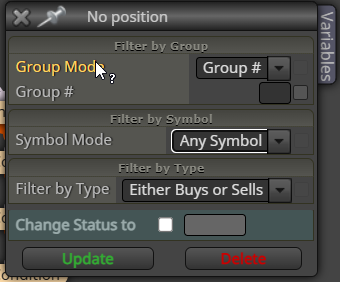
      Not read this but am sure it will, add a shared link rather than pictures, this way block internals can be seen: projects - get a shared link - generate - copy address bar - past here. if you change symbol to any symbol in all relevant blocks in EA then only 1 trade will be placed on account:
      msedge_BGMg5bdUhy.png

      posted in Questions & Answers
      jstap
      jstap
    • RE: Engulfing Candle system

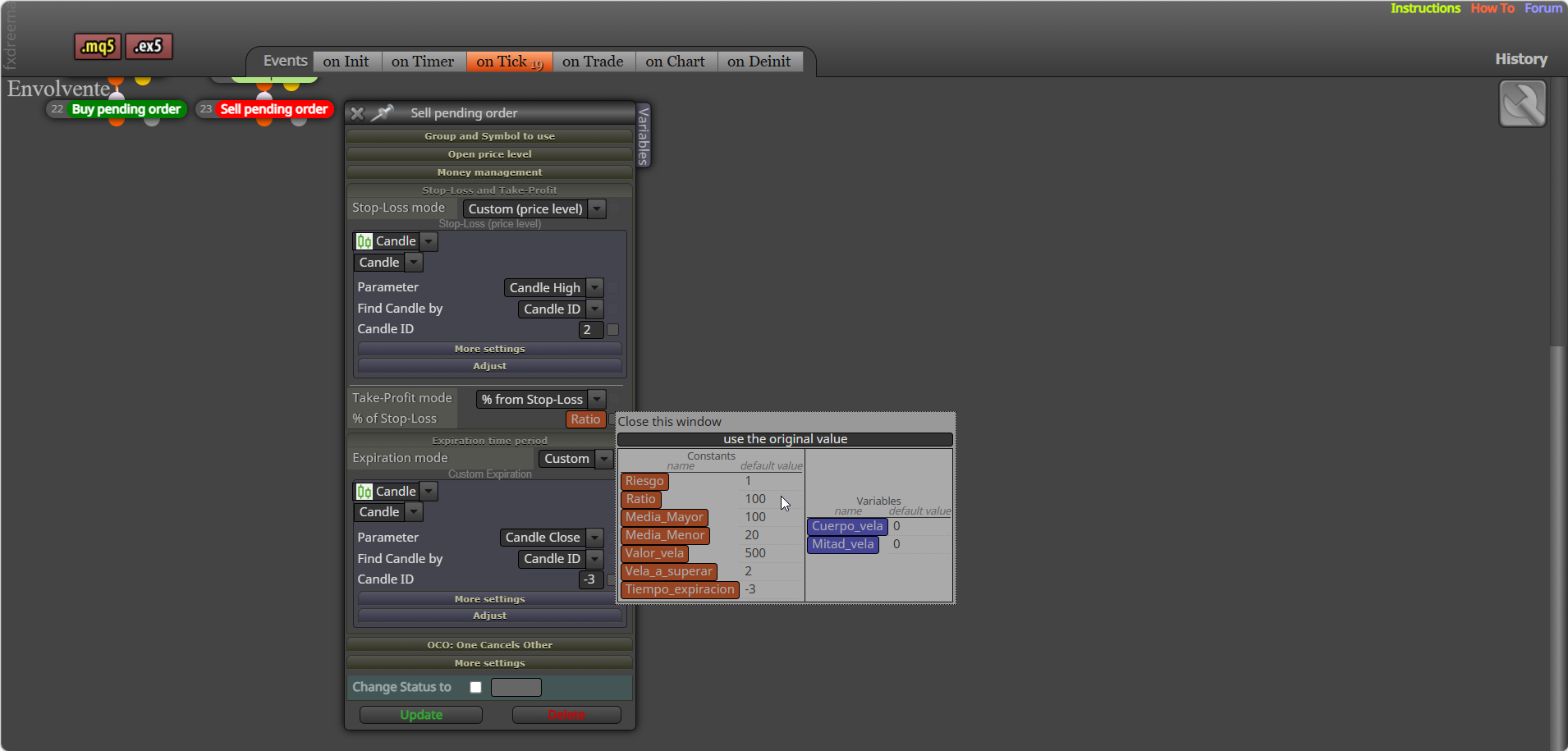
      You have ratio at 100, so bot is likely defaulting to a lower size... try something like1.
      msedge_ShWeA5V3s6.png

      To close/delete use pink blocks

      msedge_4yksXh2QqO.png

      posted in Questions & Answers
      jstap
      jstap
    • RE: set the result of a variable in all symbol

      No sure what you mean?

      posted in Questions & Answers
      jstap
      jstap
    • RE: Magic Number EA

      In the "group" settings you can select specific symbol to only work with the current chart symbol. I same symbol on other chart set a group number for the specific trade.

      posted in Questions & Answers
      jstap
      jstap
    • RE: Any instructions about the On Trade & On Chart tabs?

      Read the answer a couple of posts up

      posted in General Discussions
      jstap
      jstap
    • 1
    • 2
    • 3
    • 4
    • 5
    • 6
    • 7
    • 8
    • 466
    • 467
    • 6 / 467