loop through open trades, check lo, do what you want:
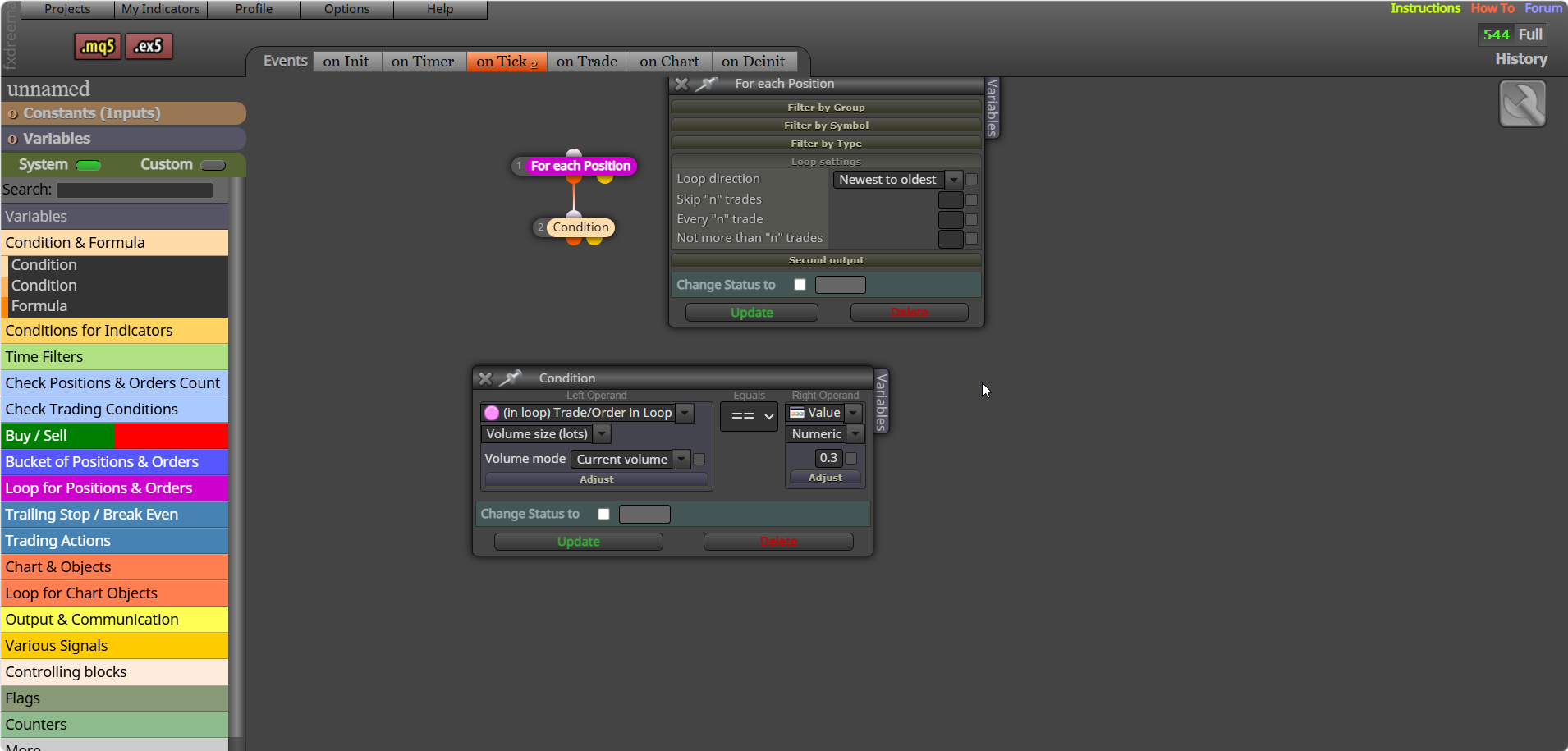

loop through open trades, check lo, do what you want:
Set variable to 0 - for each closed trade/position - add each looped trade to the variable. This will get the sum of all closed trades in the variable.
ctrl (+) (-) will change screen size, but not on meta trader
The process is the same for both, place a trade - pips away (-) for martingale - place order --- pips away (+) for continuation trade - place otder
You can add this into the block time stamp box: TimeToString(xxxxxxxxx,TIME_DATE | TIME_MINUTES);
Did not mention too bigger lot, That is your choice, just mentioned how to limit it when you trade.
@Chen-7 I guess you mean if you click the place trade button in the top left... if so you will need to create buttons that place a trade when clicked buy using FX blocks.
Backtest, although close on MT5 compared to MT4 it is still a simulated environment, is likely your custom indicator, you have to remove to test what happens...
FFS, @gooseman Umm, you show your lack of understanding... the news can have a big impact, it is fractal, and on the daily chart often a minimal impact, but look at the same chart on the 5min and it can have a big impact, why do you think funded accounts have rules to news trading...
@RICHAGRIPPA Start a new question for this and say what you want yore EA to do...
@sktsec @bacharchoura1 I disagree with that FX has a lot of very useful blocks, AI can be smart but sometimes too smart. Mixing custom code blocks, indicators, FX blocks can all work together well. This picture shows the amount of AI generated, checked and perfected blocks I am currently using.

This depends on what you mean by re-entry, if you mean wait for a new signal, you will need to set a flag for the signal.
Probably but I do not quite understand what you need?
Use condition block(s), put in your price level:

Paste your cone here and say where you have added it, I'll have a look
I showed you how to achieve this... don't repeat questions just say you don't understand or something:
how is your global variable set? If it's not it can't return true.
