@Algoritmik You need to do this in the 'on trade' tab:
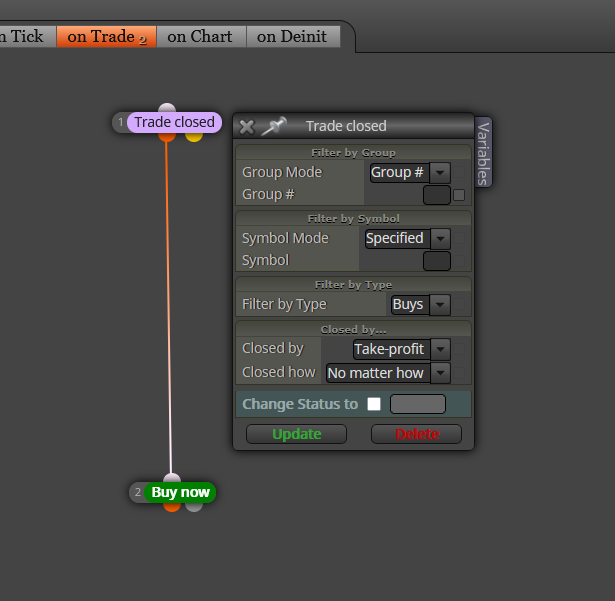
In this example a new buy will be open when the last buy hit its TP.

@Algoritmik You need to do this in the 'on trade' tab:
In this example a new buy will be open when the last buy hit its TP.
@xburbx You should use this block for calculating gaps instead:
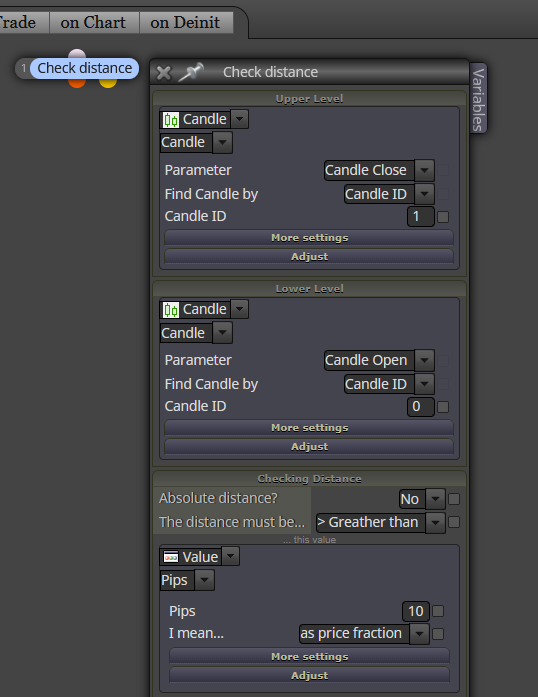
In this example, this gap is measured from yesterday's close price (bullish candle) and today's open price. You will have to invert the order or price levels for the opposite gap
Can you please share the link to the project instead of sharing the screenshot?
The logic is correct. Is this the whole project or just part of it? Because the issue must be somewhere else.
It is definietly true for backtest. I'm not completely sure for real trading because a real clock (broker's clock) is working there, but many changes have been made on fxDreema since, so I can't be 100% sure. I recommend you to ask the admin directly.
Sorry, I missed your request here. You will need variables to make it work. Are you familiar with variables in fxDreema?
But is the trade supposed to be open at 10:00 exactly if conditions are met or can it be open any time later that day if conditions are met?
What do you exactly mean by 'recent highest candle'?
This is the second thread you open for the exact same question. Please don't duplicate threads.
What do you exactly mean by that? Opening a new trade in the same direction every time the last close trade hit its TP maybe?
No backtesting is reliable. The best you can get is:
Forget trying to find any 'magical website' out there, honestly.
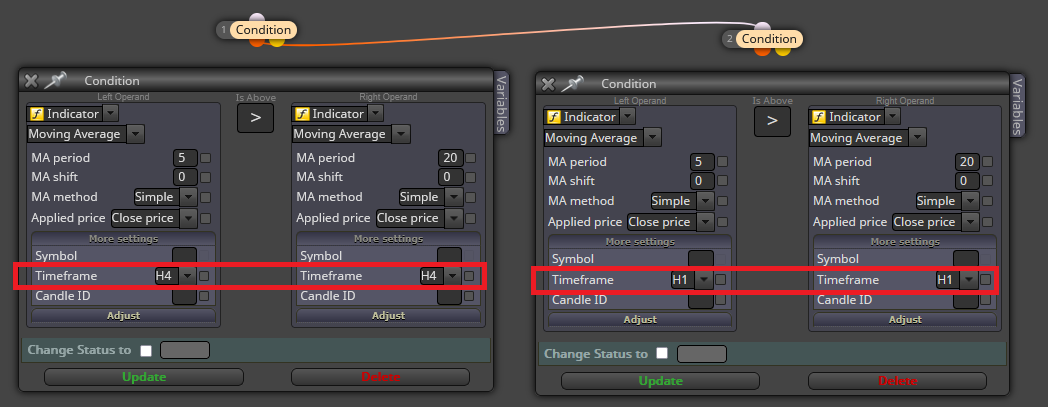
@MT4stefano You can connect those condition blocks with the relevant time frame within like this:
On picture 2 you can see the buffers are not correctly identified (no colour is visible there). That means fxDreema cannot find them. The only option is emulating them as explained the the second half (for ex5 files) of the following tutorial:
https://fxdreema.com/forum/topic/4208/tutorial-06-my-indicators-in-fxdreema
It doesn't work either, then I'm afraid you will have to find another indicator.
@choppedice Can you please share the link to the project to take a look at the settings?
@choppedice You need to use this block in the 'on chart' tab:
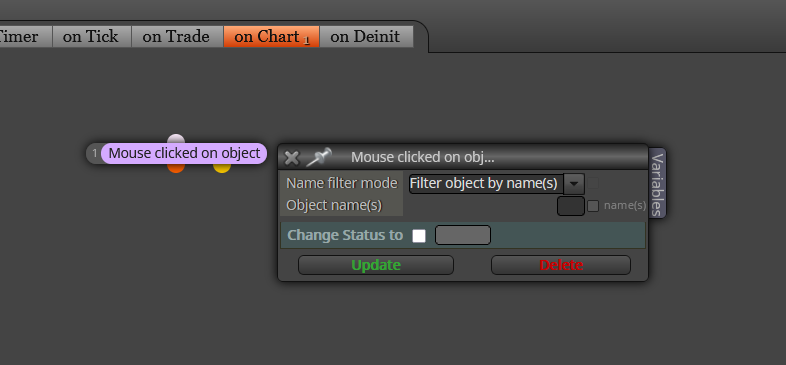
You need to type the object's name in the field to make the block know which object you are clicking on.
@AmaDablam Teachically, they are pips. But I agree with sktsec, that feature is vistually useless. You can change it to test it in your borker, though.
@Nkulu This is because all 'for each trade' blocks on mql4 should be substituted by 'for each position' blocks on mql5 before doing the compilation. Same with all other blocks with the words 'trade' on mql4 and 'position' on mql5.
