@rouzbehali This is the way to do it:
https://fxdreema.com/documentation/builder/constants-and-variables

@sktsec Interesting. Thank you.
Very briefly, you can use any variable (not constants) on those positions. If you use a variable on the white dot, it will be modified BEFORE executing the block. If you use it on the orange one it will be modified IF the block condition is true AND AFTER the execution of the block. Finally if you use the yellow one, the variable will be modified IF the block condition is false AND AFTER the execution of the block. I hope this helps.
@ItzShahzad-X Well, if you create a first version I will be glad to help instead of building it from scratch. 
@salek De acuerdo. Entones puedes usar esta estructura:
@Fisher In order to check if the values of the variables are correct, I recommend to use a 'comment' block on a separate block tree. You can select both variables there and you'll see if the values are correct.
That depends on what you need. Are you planning to use the tab in any specific way?
@Fisher Do you really need those lines? I mean, if the bot is 100% automatic it will never need them because you can store the values into variables instead.
@ItzShahzad-X You need variables to get that info and then use the 'comment' block to make them visible or as roar suggested.
@roar Welcome back, Mr. roar!
@Saesint Can you please share the link to your project?
Do you mean from one bot to another? The only way is downloading it first, then change its name and upload the new bot with all constants in it.
@amiinkiaei You need to create at least 1 constant/variable to see that tab's functionality:
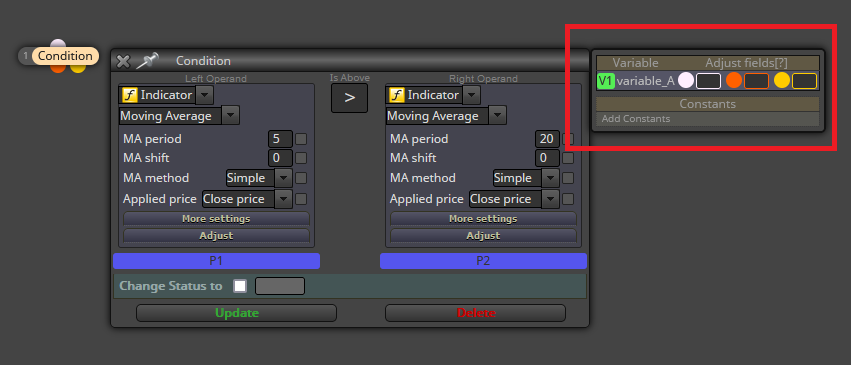
@sktsec Yes, I get the idea. I was just asking the way to get that.
De acuerdo. Por lo tanto, si lo entiendo correctamente, sólo se abrirá una única operación cada día y, pasadas 11 horas desde su apertura, habrá que comprobar si está en ganancias o pérdidas. Eso lo puede llevar a ser comprobada en la sesión del día siguiente, con lo que podría interferir con la apertura de la de ese nuevo día. ¿Lo has tenido en cuenta?
@HELLOTB9JA You can get the value into a variable like this:
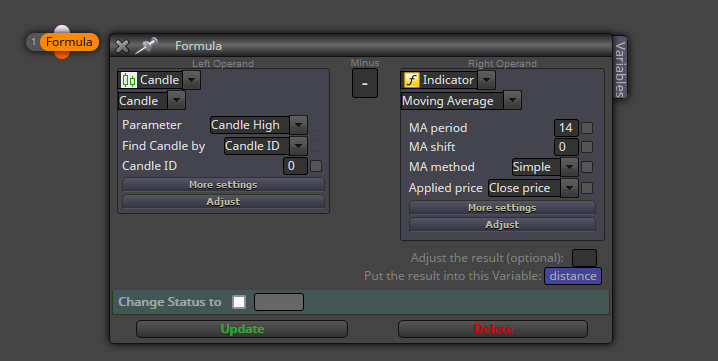
La lógica de la estructura es correcta, con lo que debería funcionar. Si no lo hace, se me ocurren tres motivos:
Espero que pueda ser de ayuda.
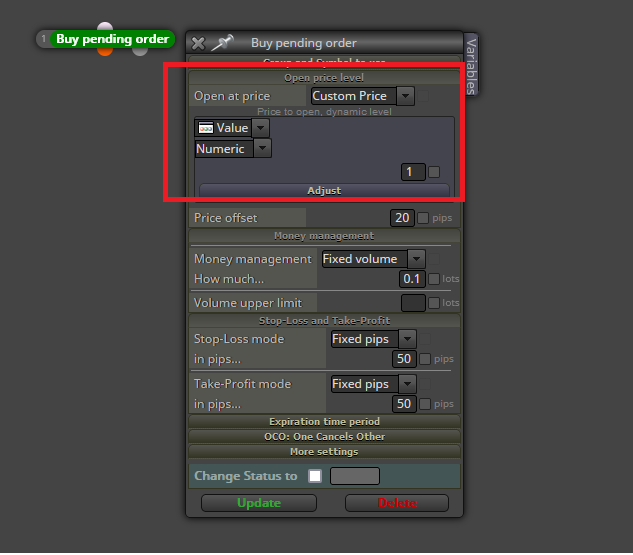
@arlslan You can do it via this option here:
True. This has never happened to me in the last 8+ years. I'm living in western Europe.