fxDreema

    • Register
    • Login
    • Search
    • Back to the main page
    • Categories
    • Recent
    • Tags
    • Popular
    • Search
    1. Home
    2. Manuel M
    3. Posts
    M
    • Profile
    • Following 0
    • Followers 0
    • Topics 4
    • Posts 23
    • Best 0
    • Controversial 0
    • Groups 0

    Posts made by Manuel M

    • RE: The block is not activated

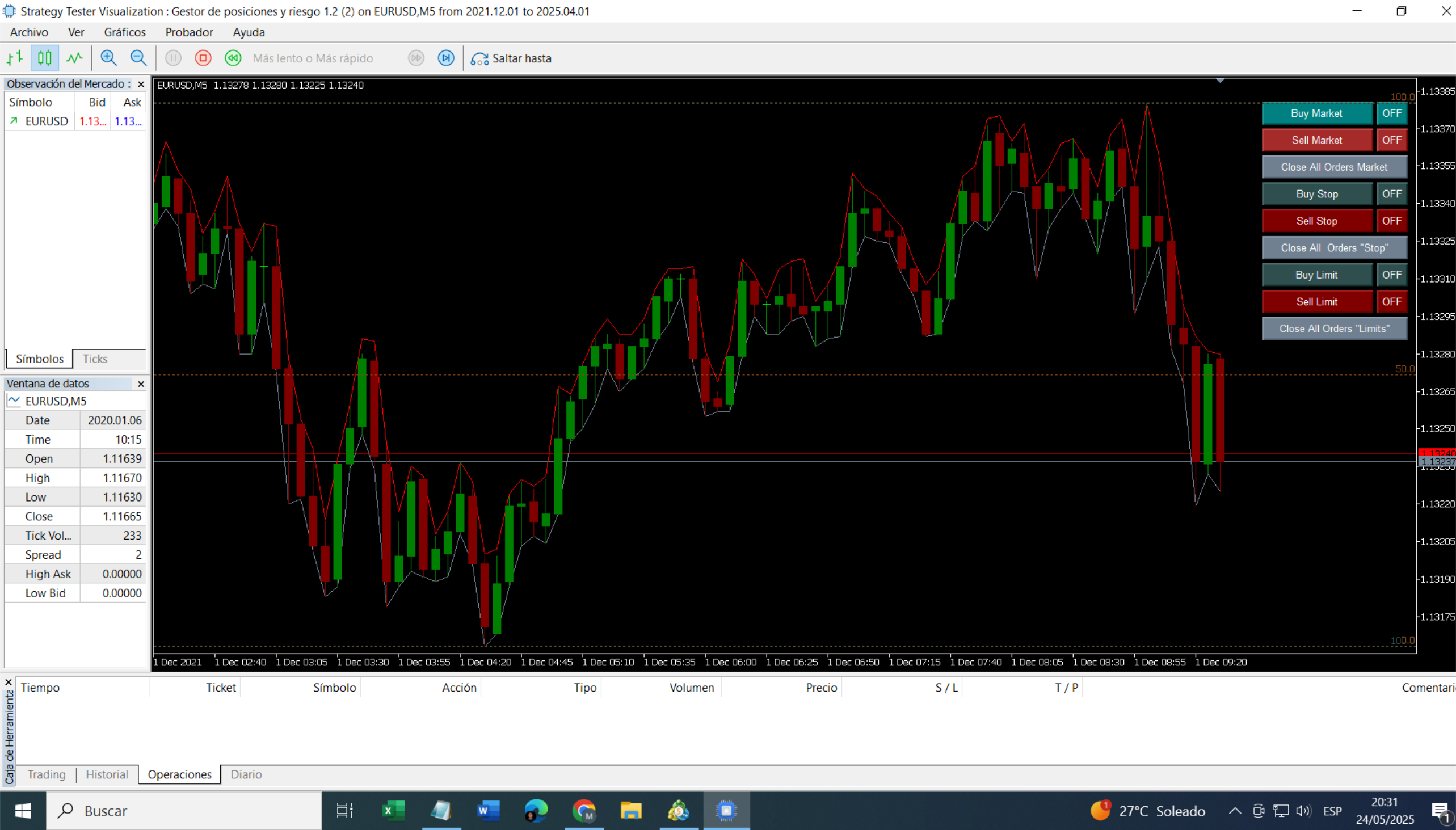
      Gracias l'andorrà. De momento lo dejo ya con lo que tiene en el gráfico, no voy a añadir más botones. Me apaño con lo que hay. Lo que me gustaría es que se delplazase un poco el Fibonacci y no estuviese tan pegado al margen, parecido a cómo está en la siguiente imagen que he cogido de la documentación de fxdreema. Pero no consisgo que se desplace., como se aprecia en la imagen que envié ayer Igual es una tontería, pero cuando se es nuevo cuesta ver las cosas.
      Saludos

      image.png

      posted in Questions & Answers
      M
      Manuel M
    • RE: The block is not activated

      Hola:

      Es un EA semi-automático. Yo soy el que tomo la iniciativa antes de poner órdenes, me ayuda a que no tenga que estar configurando el SL, TP, parciales... En lo demás todo es manual. Entonces q¿ué dificil es hacer un click en el botón del gráfico para que me active el bloque cuando yo quiero? No hay manera desisto.
      Podeis ignorar el hilo, ya que al final no voy a poner el botón. Pues todo lo que es trabajar con el gráfico es un problema. Ahora estoy intentando insertar en el EA un Finobacci y "tela...", se superponen los niveles principales, pues no los borra correctamente cuando hay nuevos máximos y mínimos. Bueno, que ya estoy cansado de todo este tema... No me ayuda el progama para lo que yo quiero, que es facilitarme la vida cuando estoy en el gráfico 😞

      mi img.png

      posted in Questions & Answers
      M
      Manuel M
    • RE: The block is not activated

      Buenos días La Andorra

      Hablas castellano, no me había percatado, soy nuevo en fxdreema y no entiendo mucho de la plataforma, tampoco es que ande mucho por el foro, pues es todo en inglés y me cuenta pues utilizo un traductor. Básicamente me suscribí para realizar un EA que me ayude a manejar la gestión de posiciones y riesgo,
      No entiendo lo que dices con las variables, podrías poner un ejemplo por favor?.
      La idea es que si una posición se viene en contra y entiendo que va a ser perdedora, pues tenga la opción de activar el bloque 5 para no perder todo, Predeterminado en "false" y al activarlo en "true" haga lo que quiero (bloque 6). Todo esto que funcione con una orden ya puesta en el mercado lógicamente.
      Saludos

      posted in Questions & Answers
      M
      Manuel M
    • RE: The block is not activated

      Do you mean setting a variable to 0 (false) for example?

      posted in Questions & Answers
      M
      Manuel M
    • The block is not activated

      Hello:
      I can't activate this block.
      Can you help me?
      https://fxdreema.com/shared/wwT9upv8
      Best regards

      posted in Questions & Answers
      M
      Manuel M
    • RE: Draw line

      Thank you

      posted in Questions & Answers
      M
      Manuel M
    • RE: Draw line

      Thanks, it worked.
      The line should appear on the graph again. Specifically, the next day and during the project schedule.
      Are any additional blocks necessary?
      Best regards

      posted in Questions & Answers
      M
      Manuel M
    • RE: Draw line

      I've tried these changes. But they don't work.
      https://fxdreema.com/shared/szMzSPKhb

      posted in Questions & Answers
      M
      Manuel M
    • RE: Draw line

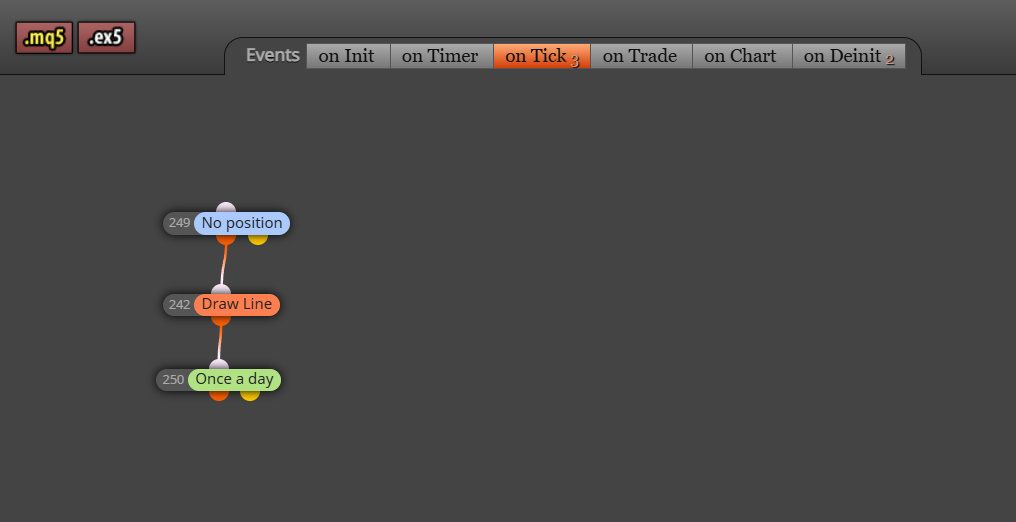
      I forgot to select the input parameter
      img5.jpg

      posted in Questions & Answers
      M
      Manuel M
    • RE: Draw line

      Hello:

      In this example, I think the logic is easier to understand.
      I'd like the line to appear "or not" on the graph, but I have to do it with false-true, and it's annoying every day.
      https://fxdreema.com/shared/VjPDdMT7e

      posted in Questions & Answers
      M
      Manuel M
    • RE: Draw line

      Hello:

      The project is an example.
      The EA would also stop working at 13:00 (with a different time filter), which I forgot to include in the example.
      I was able to solve the problem (with a boolean constant). Although it's not how I want it.
      Thanks.

      posted in Questions & Answers
      M
      Manuel M
    • RE: Draw line

      Hello:
      It's not working. The lines remain on the chart.
      It seems to be disregarding the "hourly filter."
      Could it be a MetaTrader cache issue?
      Regards

      posted in Questions & Answers
      M
      Manuel M
    • RE: Draw line

      Thank you,

      posted in Questions & Answers
      M
      Manuel M
    • RE: Draw line

      Thank you for your response.
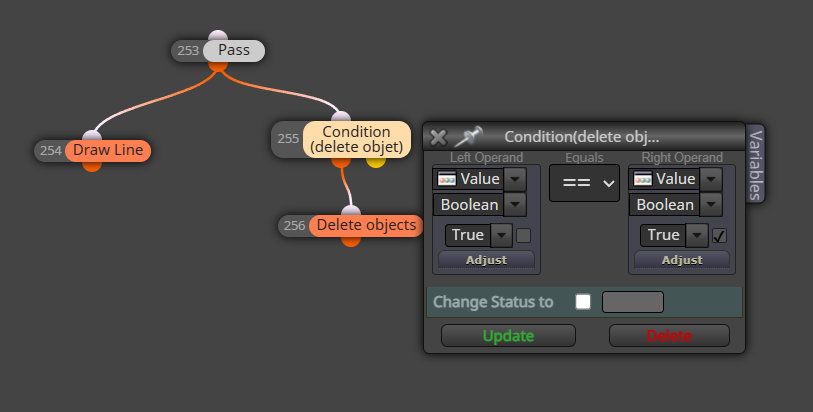
      Should the project be like this?

      img1.jpg
      img2.jpg

      posted in Questions & Answers
      M
      Manuel M
    • RE: Draw line

      Hello:
      The line was not removed from the chart.
      Any suggestions?
      https://fxdreema.com/shared/oVo8k2Bve
      Regards

      posted in Questions & Answers
      M
      Manuel M
    • RE: Draw line

      OK thanks

      posted in Questions & Answers
      M
      Manuel M
    • Draw line

      Hello:
      Is there any condition to delete "draw line" at a certain time?
      For example: I want the line to disappear from the chart at 13:00 PM.
      Regards

      posted in Questions & Answers
      M
      Manuel M
    • RE: Help with ON/OFF button

      Hello:

      It's working correctly now.
      Thank you very much.

      posted in Questions & Answers
      M
      Manuel M
    • RE: Help with ON/OFF button

      Hello:

      Thanks for your help. It's better now.
      The "start" button appears in the graph.
      If I change it to Stop, it stays there for a second or two and then returns to "start."
      Is there something I did wrong?
      https://fxdreema.com/shared/rNGv0OC3d

      Regards

      posted in Questions & Answers
      M
      Manuel M
    • RE: Help with ON/OFF button

      Hello:

      This is the project link. It's hard to tell when the EA is on or off. If the letters (START/STOP) changed color, it would be better.
      https://fxdreema.com/shared/XpOvFGhdc
      Thanks.

      posted in Questions & Answers
      M
      Manuel M
    • 1
    • 2
    • 1 / 2