@trader-philipps I dont know what you mean
S
Posts made by Setsuna
-
Is this correctposted in Questions & Answers
If have create a new project. Just to be sure:
https://fxdreema.com/shared/YEMawpRYcHere is how its works. When its X> 50 the first condition is triggered. then its need to be <X 50. If these two condition is triggered it will sell. condition 1 and condition 2 need to triggered on that order.
its this right or do i need to do something else
-
Once per dayposted in Questions & Answers
Hello dreemaas
Why is the block once per day fade away or in the background. It doesnt glow like the rest. Does it means it defect?
-
RE: Triggerposted in Questions & Answers
@l-andorrà In other words there is no way to trade 1 order at the time with pending order
-
RE: Multiple trades are created one after another?posted in Questions & Answers
@l-andorrà I use no pending and no trade block in 1 project. when its trade or putting pending order there still trade a second one. thats very distrubing. i just wanna trade 1 time with pending order. dont know why its impossible
-
RE: Multiple trades are created one after another?posted in Questions & Answers
@pipperoni is there a block that trade once per trade and that works? I exp. multiple trade when i wanted one trade at the time. im kinda struggle the time with this problem
-
RE: Triggerposted in Questions & Answers
@ambrogio my strategy is base on pending order its give me more grip. but is for each trade the some as once per trade?
-
RE: Triggerposted in Questions & Answers
@ambrogio i have tried it but the result is still negative.
this is the result:
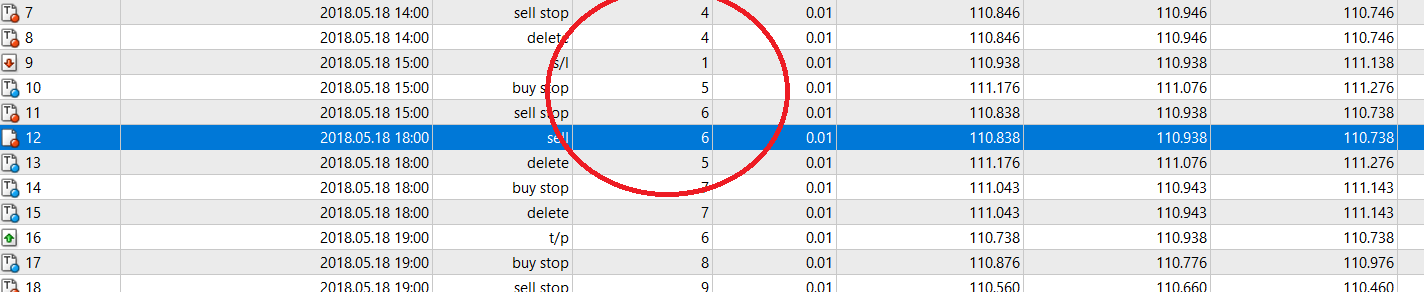
when the first trade isnt over there is a new pending order/trade. the once per bar block keep searching a new pending order.
Question isnt there a another block that can trade once at the time ? there is one but it calls once per trade but that block is defect right?
is for each trade block the same as once per trade?
-
RE: Triggerposted in Questions & Answers
@ambrogio its works thank you. But the other problem is: I place a no trade no pending in the project but when its pending . but for some reason its place a second pending order when the first is stil pending
-
RE: Triggerposted in Questions & Answers
@setsuna to add some info. I like to delete the other pending order only when its trade activate. for example. when its trade the buy activate pending order sell will be delete.
-
RE: Triggerposted in Questions & Answers
@ambrogio where do i need to place a delete pending orders if i dont delete the pending order it will trade when its will be unfavorable or there will be more then 1 trade and i will want to be prevent it.
-
RE: Triggerposted in Questions & Answers
@l-andorrà when there is no trade or no pending order is place. it will place two pending order one for sell and one for buy base of candle 1. When its trade. for example when its trade buy the selling pending order will delete. the trade will stop until it reach take profit or stop lost. after that it will place a new pending order when candle 1 is finish. its will place a pending order.
-
Triggerposted in Questions & Answers
i made a new project with pending order.
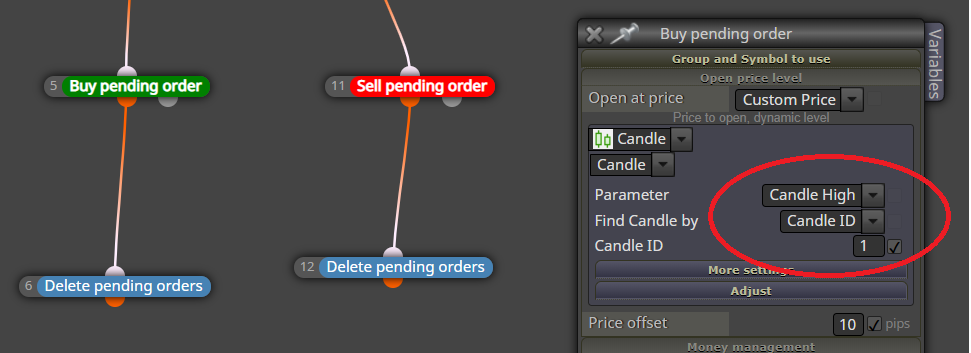
and this is the result.
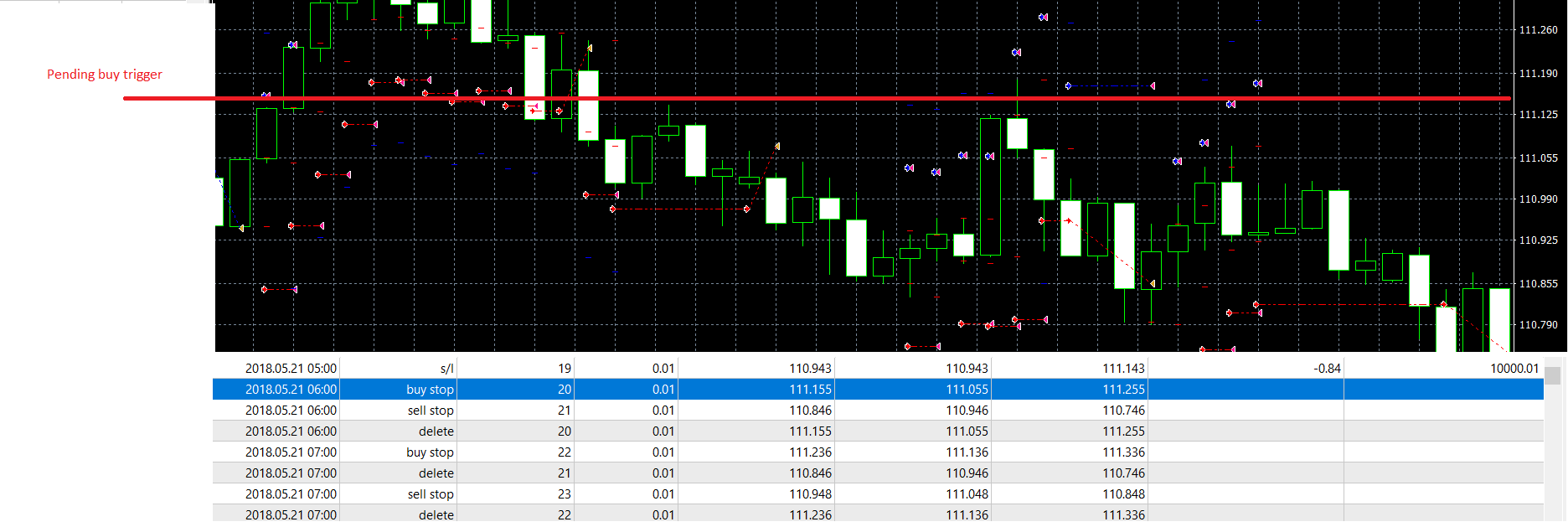
its should be trigger at 111.155. but instead of tiggering. its delete the buy pending order
could some one help me -
Once per trade (again) (still not solve)posted in Questions & Answers
Hello fxdreemas
I still have the problem with 1 per trade. it still keeps making a new pending position per bar. And last time when i post this kind of topic people said to me not to use once per trade. I dont what to do.pls help me
-
RE: Backtest problemposted in Questions & Answers
@l-andorrà is that even possible that the broker skipping a data period? and could you also tell me that other project normally function? For example the example project have a normal period data. what did i do wrong
-
RE: Backtest problemposted in Questions & Answers
@l-andorrà thats weird some of my project have this data
-
Backtest problemposted in Questions & Answers
Hello fxdreema
I have a backtest time from 1 september till 30 november. But when I tested I goes till 7 september instead of 30 november. Could some explain to me what I did wrong ?

The project looks this:https://fxdreema.com/shared/3DL4i7Fub