You got to make sure exporting the execution file and not the mq5 source file.

You got to make sure exporting the execution file and not the mq5 source file.
Either you restrict the signals by the time filter or by more restricting condition blocks.
@maxsydney okay mate. I need more information. It definitely has to do with the signals send to the DELETE block. Put the time filter at the very top in this case.
On which time chart are you operating? That does have an influence on the time filter you should use.
Hey mate,
try to add a time filter so the signal of deleting just arrives once per 4hour for example.
Cheers
@seb-0
I got this kind of loop, that storages price levels. Quite a big thingy to create.
I recognized I need max. 10 variables on the long site and 10 on the short site.
BUT I do not know how to make the EA start like 10 years into the past and check the price until 31.12.2020 to get all the price levels, which might be still valid, you know?
@seb-0
I'm not sure if I got right. Could you elaborate a bit more?
Maybe I was unclear with my description of the problem. Don't know it, yet.
Hello guys,
My EA stores those price levels in variables as soon as it detects them. Is it somehow possible to pre-run the EA (e.g. on the ON INIT tab) to get all the price levels stored in variables before the EA actually runs? I need those detetcted price levels, which of course got detected while backtesting 15 years of data, BUT they are missing if I would just start the EA in live markets.
I want the EA to start in the past just as I would have started it in the backtester and continue to let the EA run in the present.
Sometimes a price level will be traded months later after its creation due to price moving far away.
That is quite a hot topic and probably very well in demand for most demand & supply traders.
Appreciate your ideas!
@fxDreema/ @l-andorrà: Might be a limitation within FxDreema and rather something for a coder to implement that feature?
Cheers and thanks for the opportunity to use that marvelous software!
Hey peeps,
I got an actually full working EA and wanted to replace instant execution with pending orders.
The situation:
As you can see in the screenshot the pending order (Ticket 4; red circle) got cancelled.
Another valid pending order was created (Ticket 5; purple circle) and got triggered (Ticket 4; also purple circle).
As soon as the trade reaches 50% of its stop loss size, its stop loss gets trailed with the 1h50EMA.
That is perfectly working, BUT ...
The issue:
... as soon as the EA needs to delete a pending order or a pending order expires, the EA is not trailing the SL at all.
I assume it has something to do with the ticket number, because when the position gets triggered (Ticket 4; purple circle)
it got the Ticket 4 - the same number of the canceled pending order.
I think the EA only checks the SL of the same ticket, which is - as in this situation - already closed and nothing to trail is left.
I can I make the EA check the targeted position? In this case I cannot implement any Block, which deletes or expires the pending order.
I appreciate any guess, tip, help and support!
Thanks guys for your help!
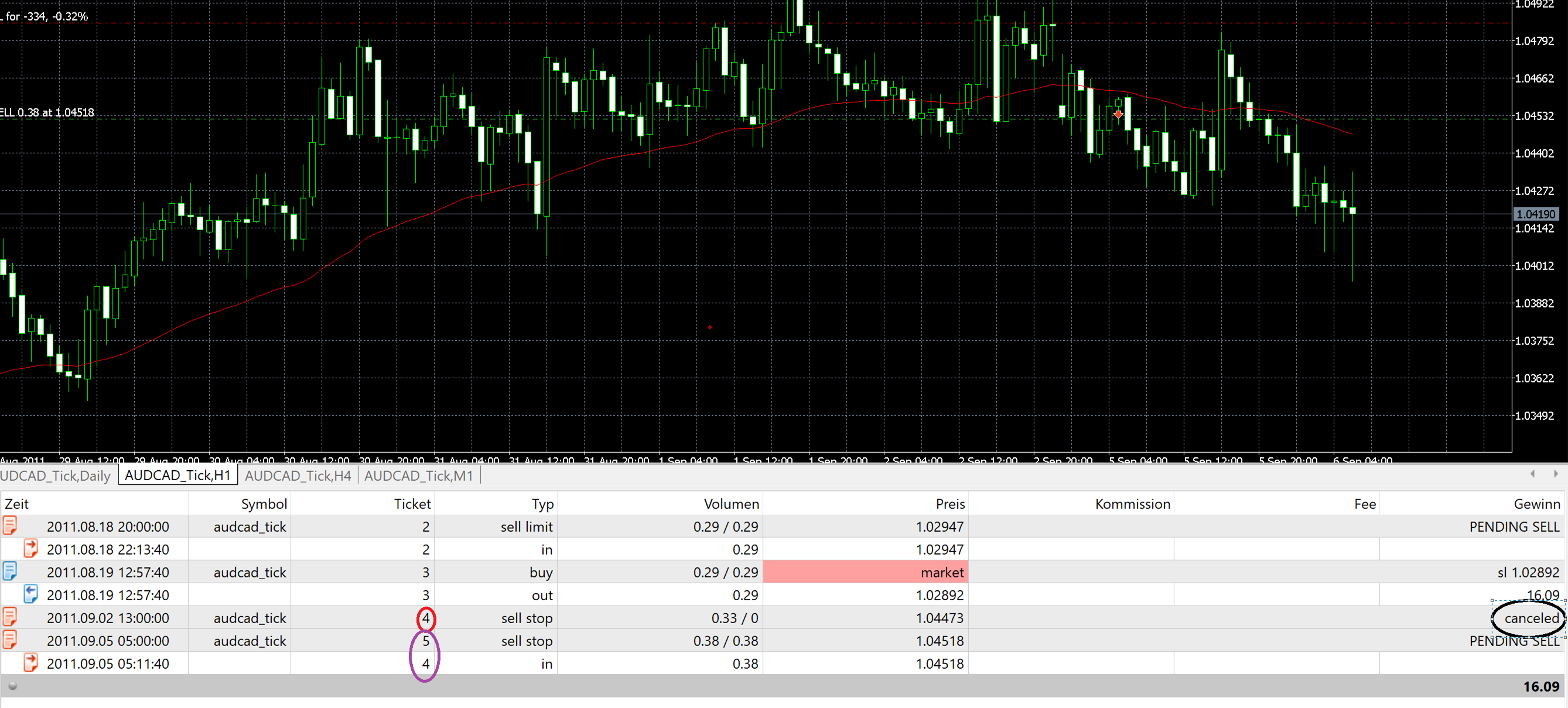
PUSH:
I made it work by just rebuilding everything and tweaking minor parts. Trades are now taken, but sometimes not as in this specific case although price hit the targeted price level (check screenshot).
Any idea why is that? I'm letting the EA run on 1 Minute OHLC. Maybe because of that the trigger is not pulled?
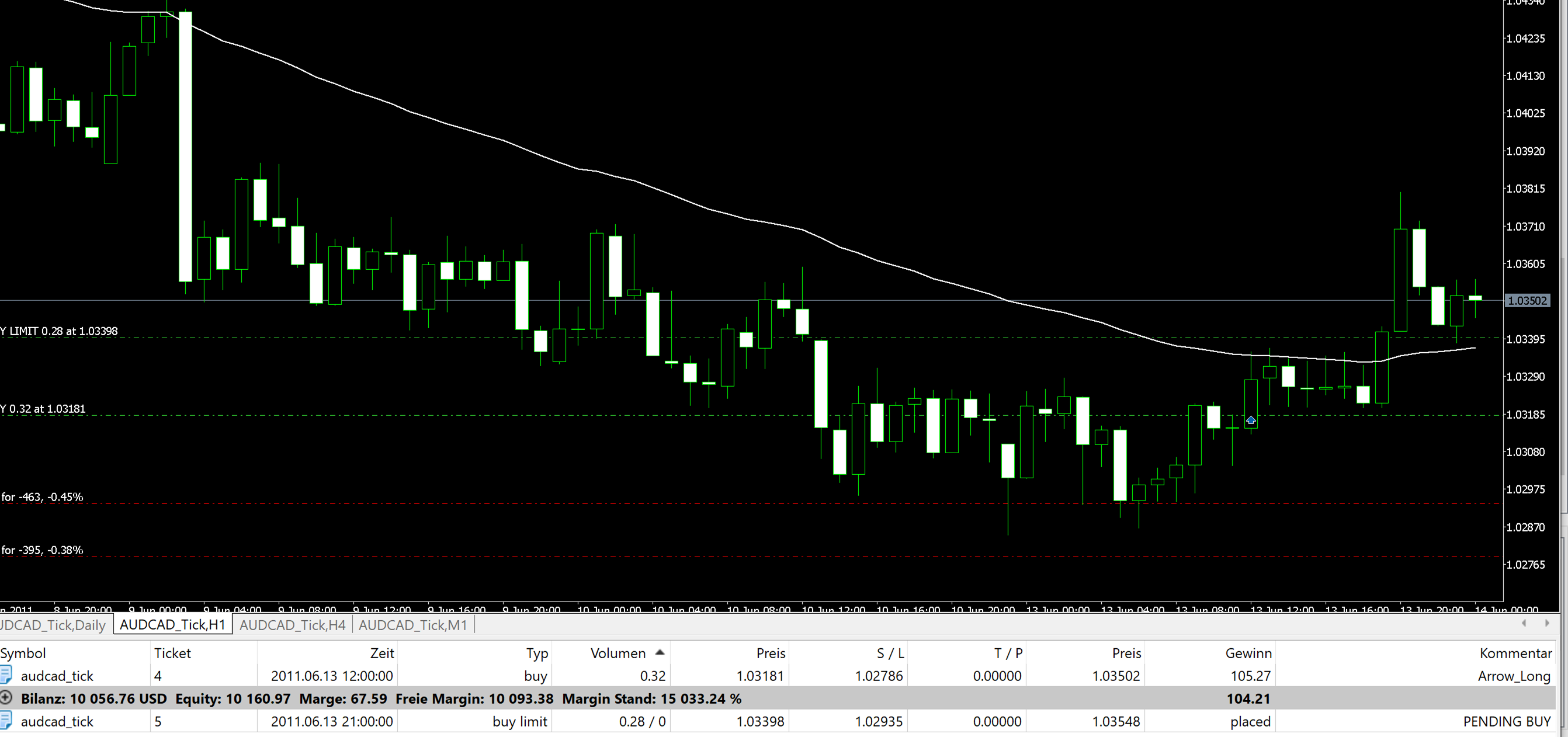
nothing is working and the pending order never opens a trade...
Yea but what might it be? I checked every part, which somehow affects pending orders or opening orders.
@l-andorrà need that for another part of the EA
@l-andorrà Not sure. Lucky me used the history to reverse what ever have happened.
PROJECT LINK:
https://fxdreema.com/builder/shared/geYn9IxKb
I know the lot size is too big due to missing SL. I adjusted that. Current lot size is at 0.3 and looks reasonable. Still no trade is triggered.
Hey people,
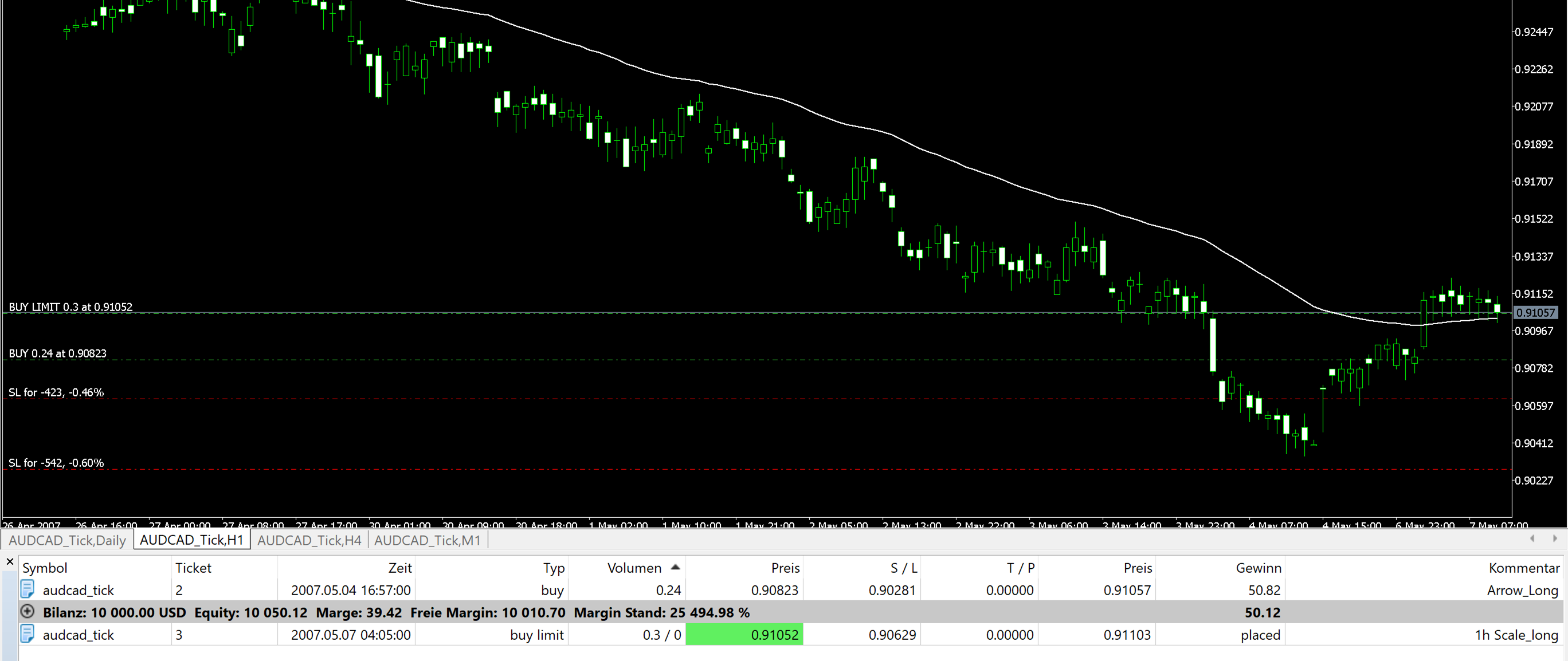
I'm trying to get a Pending Order Block to properly work. The EA is putting in the Pending Order, but the EA does not enter the Position, although price is hit.
The targeted price is hit (check down below: Entry price is hit -> green background), but no position is entered.
You see the blocks I`m using in the upper are of the screenshot.
Why is the EA not entering the position?
I seek for the help of the community! Thanks in advance!
PROJECT LINK:
https://fxdreema.com/builder/shared/geYn9IxKb
DETAILS:
The pending order is triggered as soon as a 1h candle closes above the EMA and a following candle reverses 5Pips above the EMA.
Hey people,
do you have any idea what happended here?
All the variables/ constants are deleted and the blocks are looking weird.
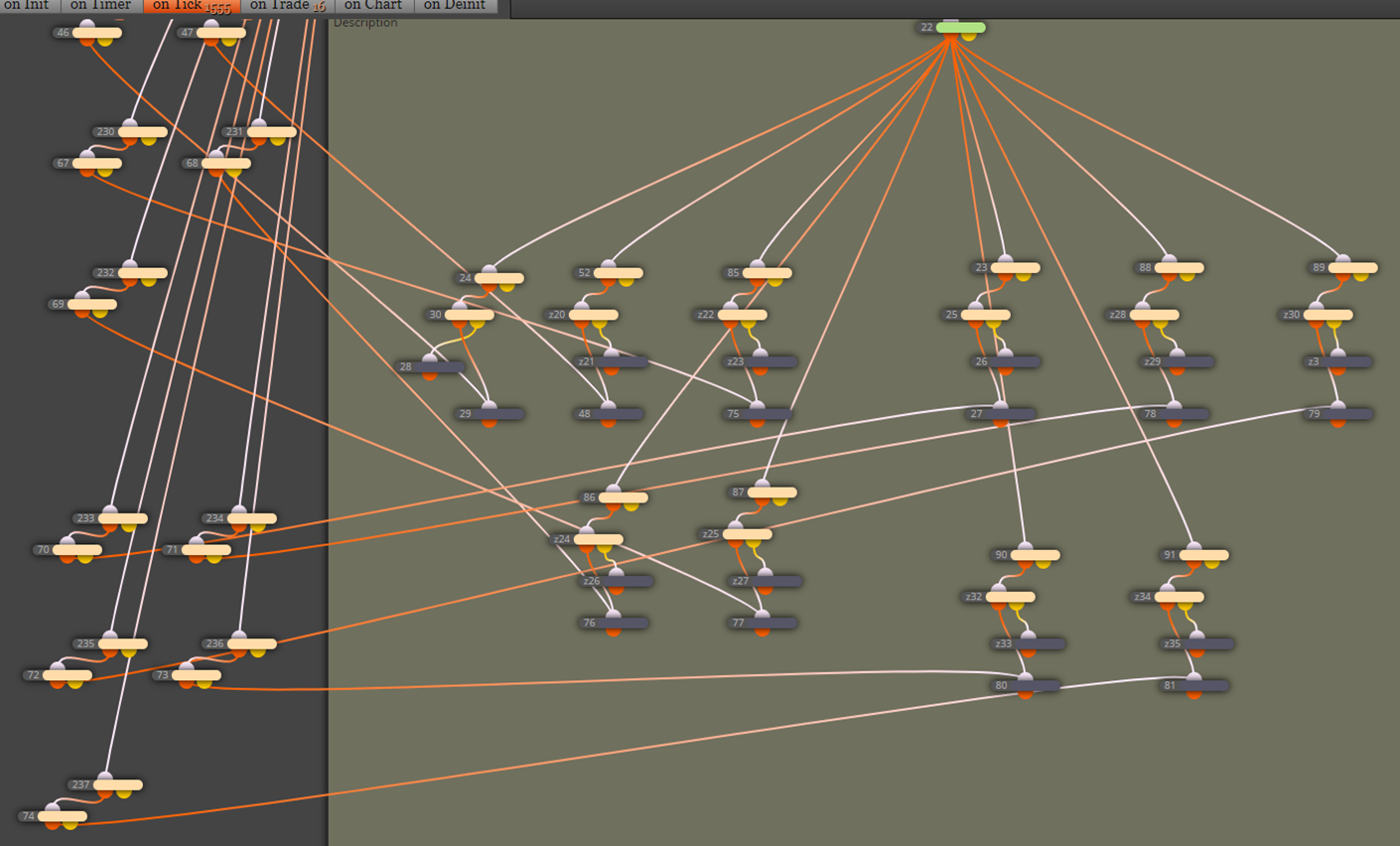
Solved it. A blank space was in the name of a block what created that error.
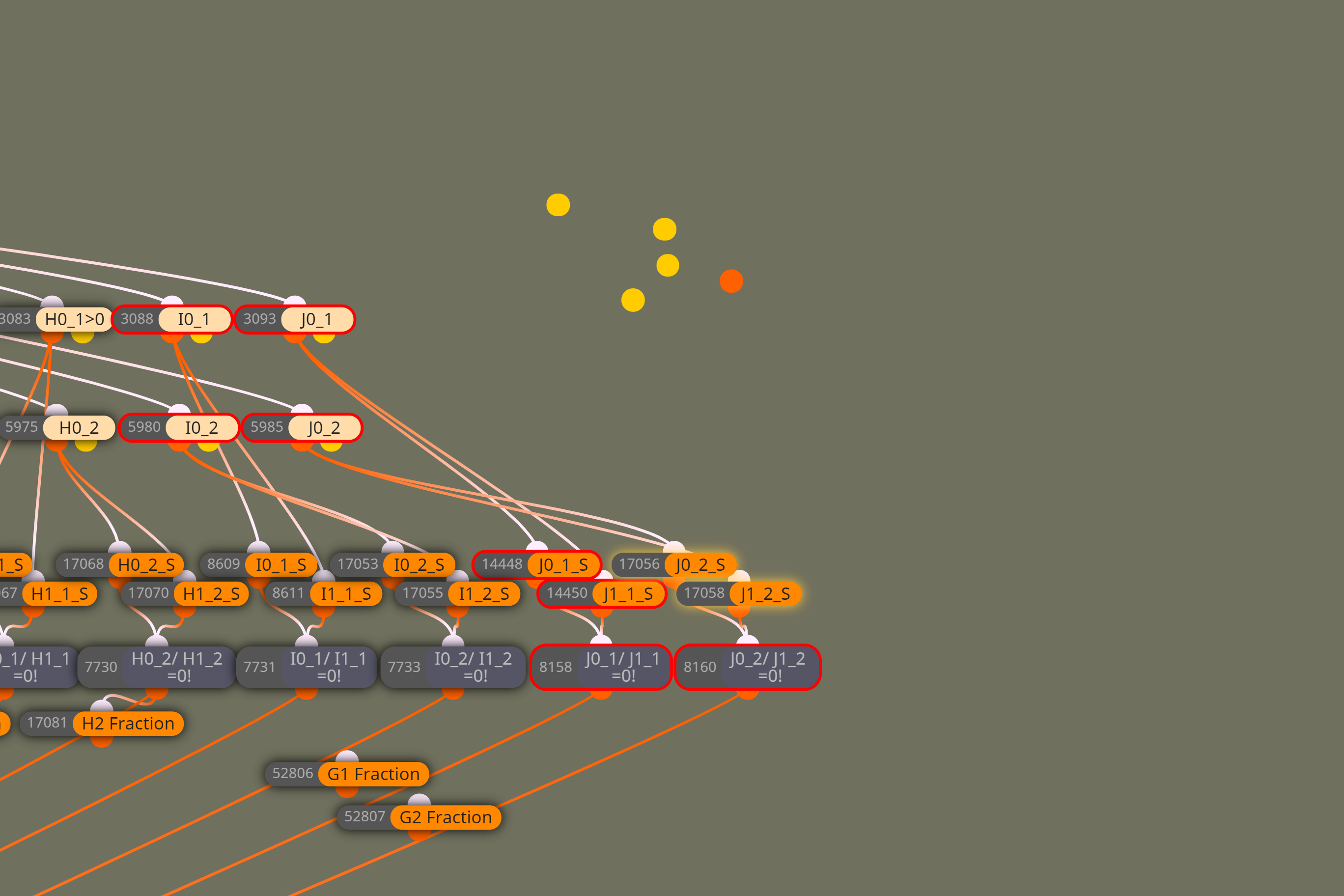
Every time I want to connect blocks it isn't possible. The dot occurs and stays on the screen. I cannot continue with the EA. Any ideas?
Nerve wrecking...
Hey peeps,
is it possible to have the timeframe as an input aka variable in a condition block?
I tried several things as using "enum_timeframes" where normally "double" or "string" stays.
It would be great for being able to change several timeframes in several blocks with just one click.
Appreciate your suggestions!