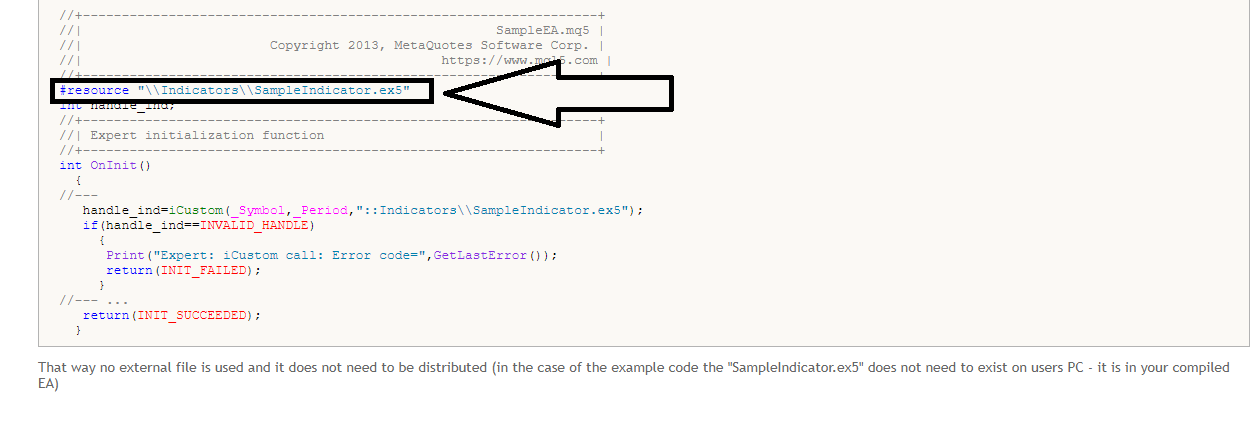
bloody hell ......i dont know how i missed this line before , by the looks of it , this line should include the whole source code in the compiled file by itself , right ?

bloody hell ......i dont know how i missed this line before , by the looks of it , this line should include the whole source code in the compiled file by itself , right ?
@hadees thanks bro , unfortunately its a lot information for a noob like me , but i think i am starting to understand the concept of the post you shared ,
whenever i open the mq4 file in the metaeditor , all hell break lose ,
i am gonna go through the post again and again a few more time to fully understand the idea , then i am gonna bother you again with a few questions
anyways thank you , i highly appreciate your help
cheers
@hadees apparently the example in this article is how to embed the indicator directly in to the code of the ea , which is way to confusing and difficult for a person who knows nothing about the coding , thats why i was wondering if it can be done via a custom block in fxdreema , because doing it via fxdreema seems much more easier than doing it in the code , because the source code from fxdreema ea is way too confusing if a person have no understanding of the coding
@hadees thanks a lot
this looks helpful i am gonna have a look at it and i hope i can make any sense out of it
@l-andorrà yes one of the Indicstors is really complex, and if it's possible then it would save me lots of trouble, cuz there is not way to keep the strategy safe, if I want to give the ea to someone with indicators, the strategy can easily be figured out
this is fairly easy to achieve , just go to on chart tab and from there select the option " keyboard pressed" and there you will have two options , either to detect any key pressed or filter the keys by key code , in your case just use the key code and add the key code that you wanna use , for example b for buy and s for sell , search their codes online (i think by key code it means asci codes of the keys ) then attach the remaining block like buy now or sell now for the required task to be accomplished
hello
i was just wondering if it is possible to keep the custom indicator in one file.
i am using 2 custom indicators and i would really love to keep them in one code/file (main ea code) instead of sending the indicators along with the indicators.
s is it possible to achieve this using the " create custom block" option and pasting the source code of the indicator there somehow ?
i have been thinking about this for quite some time and its driving me crazy.
@spuzy
Did and now errors are gone but there is still no message or screenshot in the telegram channel, strange thing is that it was working previously, but then it started giving the above mentioned error and now it's no longer working
@spuzy said in [Custom Block Release] Send a message or screenshot to Telegram Blocks:
hi spuzy everything was sorted out but all of a sudden it started to miss some code apparently its not picking the sendMessage code,
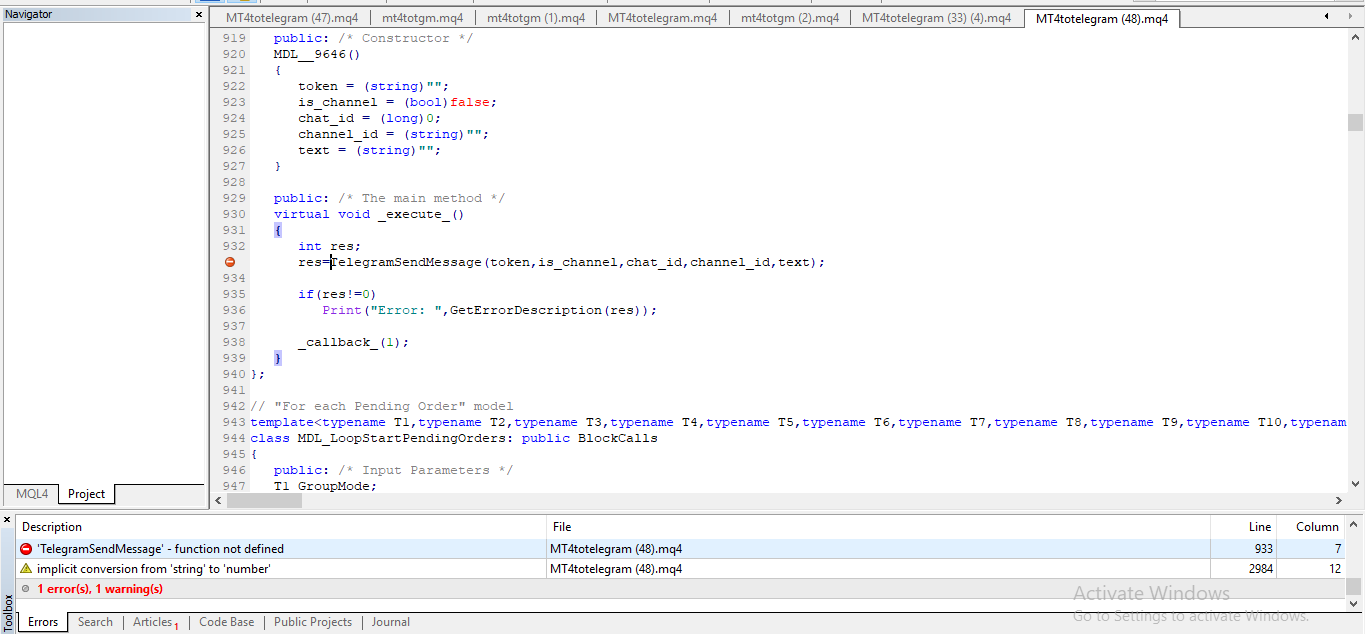
[
[
but obviously the code is inside the block
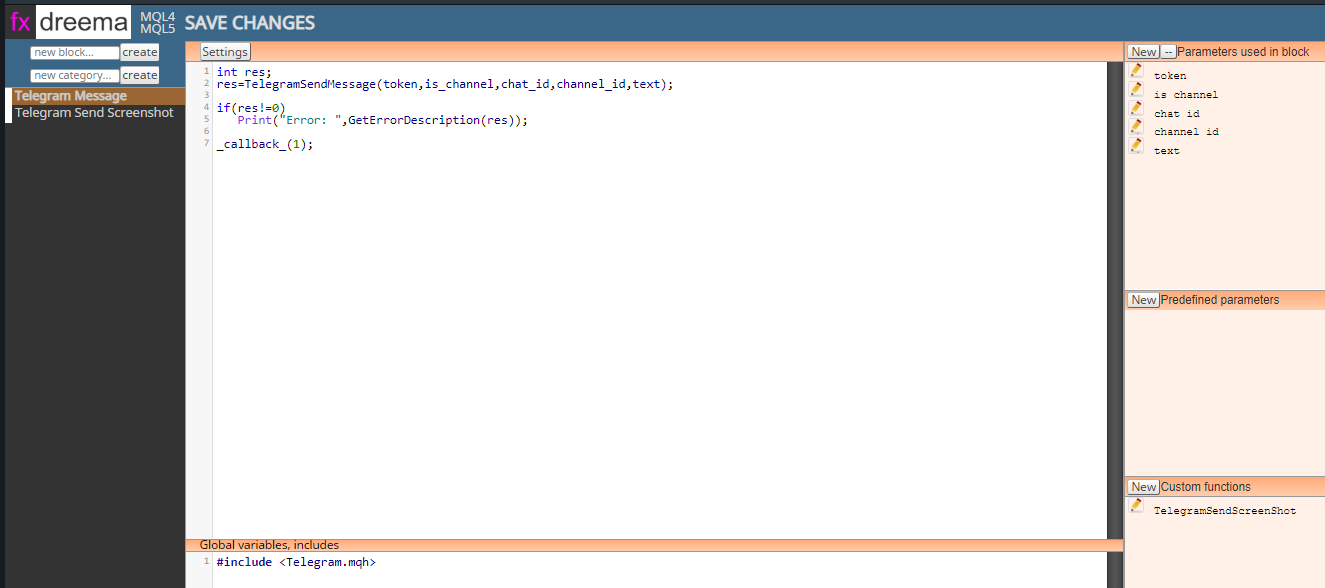
but its not being included in the code
@l-andorrà do you mean something like this ?

@fabien-s thanks, but at the moment I am trying to figure out a way to keep everything inside of one ea file,
So if I use this, I will have to send out the indicator along with the ea, which I don't want 
@fabien-s naaahhh these blocks sums up multiple trades and then save the result in the variable , i only need the last closed trade's statistics
is there any way of doing this:
saving last closed trade's profit or loss pips in variable
@roar tried that as well... It didn't work its working thanks roar
i was using the on trade event option , thats why it was mixing everything
@roar this is what i meant :
i am trying to send pending order details to the telegram channel,
so here is whats happening :
i opened a buy trade and this is what i got in the telegram channel :

it sent the buy trade but also sent buy stop , buy limit , sell stop , sell limit which i didnt even placed on the chart
then i placed a sell limit and it sent sell limit , but also sent buy limit :
then i placed buy limit , and it sent sell limit and buy limit both :

@roar thanks roar i tried it before , but its mixing everything up ,
is it possible to get pending order details and save them into the variable ? like the price of pending order , the tp and sl and volume of the pending order ?
@spuzy do you know what could be causing it to send two messages for every trade that is opened ? and the messages are a bit different from one another ...
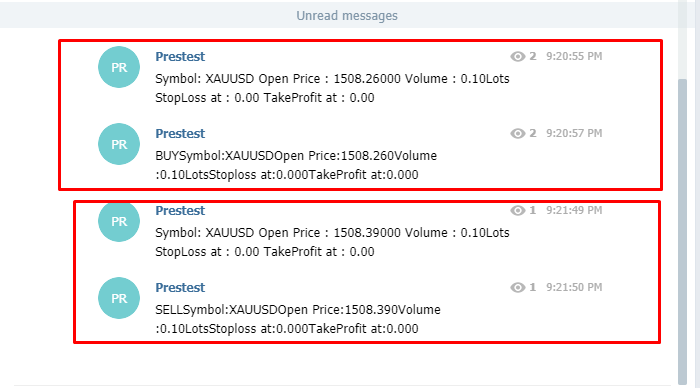
@spuzy is there a way to make it work with the pending orders ? cuz i am trying to use for each pending order block and its not working maybe because of the condition of "on trade (event data)
Edited : Never mind its working for pending orders as well