@gunji80 to prevent it from taking trades on fakeouts you can try changing the the level 0 to a more suitable level , but you will need some testing for that

@gunji80 to prevent it from taking trades on fakeouts you can try changing the the level 0 to a more suitable level , but you will need some testing for that
@gunji80 you mean it should trade on all these bars?

@gunji80 https://fxdreema.com/shared/Ee5QMIHA
something like this?
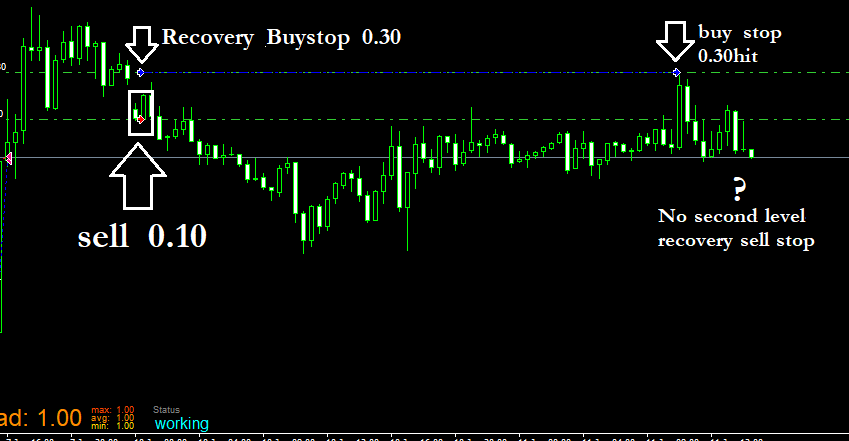
@ambrogio sorry for the delayed reply , it worked when i used 10 as money instead of pips but honestly speaking its kinda broke my heart lol
everything went good at the start but after a while the recovery trades were going till 104 lot size so i stepped away from this project for sometime and i will start working on it again after a day or two , just trying to figure out a way to keep those lots under control
here is the bt report
http://www.filedropper.com/strategytesxter
@trader-philipps no need to change ea indicators.
just save the template in your mt4 and then use the name of that template in template block
@clacky
https://fxdreema.com/shared/pUmNON0Td
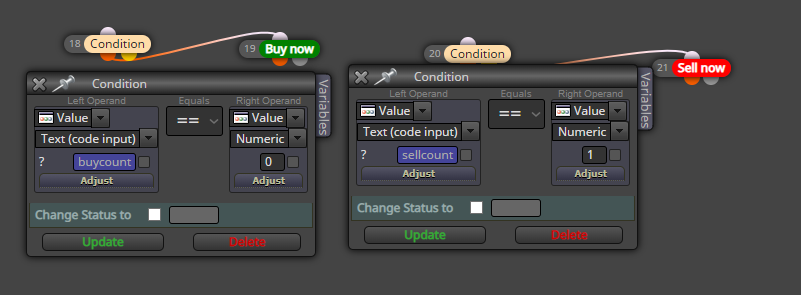
In this example block 1, 2, 3, 4 are the conditions that you wanna confirm before you buy or sell, so replace them with what ever you want
Block 7 and 8 count the number of trades that the ea executes (separately for both long and short)
Look in the on trade menu you will find blocks with ID 9, 10 11 and 12 these blocks are decreasing the number of trades that are previously counted in case a trade is closed.
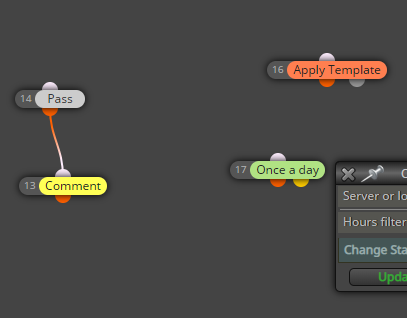
Block 13 Is used to print the number of currently long and short trades on the chart. The variable buycount and sellcount are storing the number of long and short trades you can use these 2 variables to further proceed
In my case I simply printed them on the screen hence block 13, and 14, you can do whatever you want with these 2 variables
@tyquan1414 check this:
https://fxdreema.com/shared/Dzg0CABFc
i havent tested it but it should work
all the levels are working now
just the close all on 10pip profit isnt working
@ambrogio https://fxdreema.com/shared/p6vJfV2yb
check block 32 now its working with the level 3 trades ,
havent tested level 4 yet
problem now is its not closing all the trades when the recovery trade recovers the loss meaning when its in 10 pip profit
@ambrogio
still no 3rd level recovery
@ambrogio
i did that because it needs to close all running trades when the recovery trade is in 10 pip profit otherwise it wont recognize the recovery trade , cuz i dont want it to close the first trade in 10 pips profit when there is no recovery trade
@ambrogio
can you please take a look?
https://fxdreema.com/shared/kGiBZE4gd