UPDATE time, write here if you have problems!
-
@anse33
I have the same problems -
Guys, I can give you back the lost days if you say. If anyone lost time trying to battle with problems after the update, say to me and I will compensate. Those problems are my fault.
Can someone actually show that this block is not working as exoected? Because when I tried it, it worked normally. I will check it again, but...
-
@fxDreema
OK, let's approach to this problem step by step.
As I wrote, I extracted the ATR block as the relevant point, causing different results of the same EA compiled before and after the update. Of course, it's very simplified now. But I suppose, the error will occur here already.
Can you compile the extracted blocks one time with the current version of fxDreema and one time with the version before the last update and tell, wheather there are different results? -
@anse33 are you using candle ID 0 or candle ID 1 in that block?
-
@miro1360 It's starting with candle ID 0, the current candle.
-
try with ID 1 ... because ID 0 can cause this ... maybe it is more metatrader issue ...
-
@miro1360 Using Shift "1" instead of "0" has the same effect:
The same EA without any changes, compiled after the update, gives different (worse) results than compiled before the update. -
not shift but Candle ID ...
-
@miro1360 It's the same here:
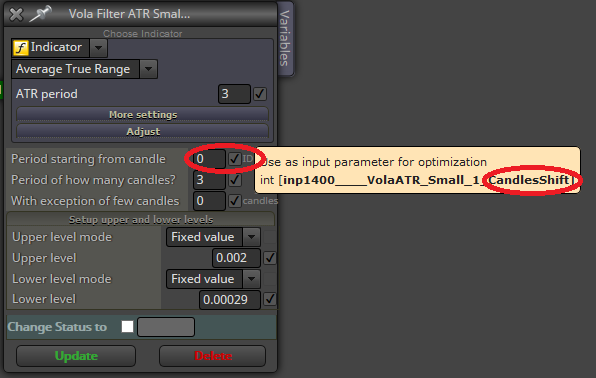
https://fxdreema.com/shared/k7s6vOlzc -
here is Candle ID
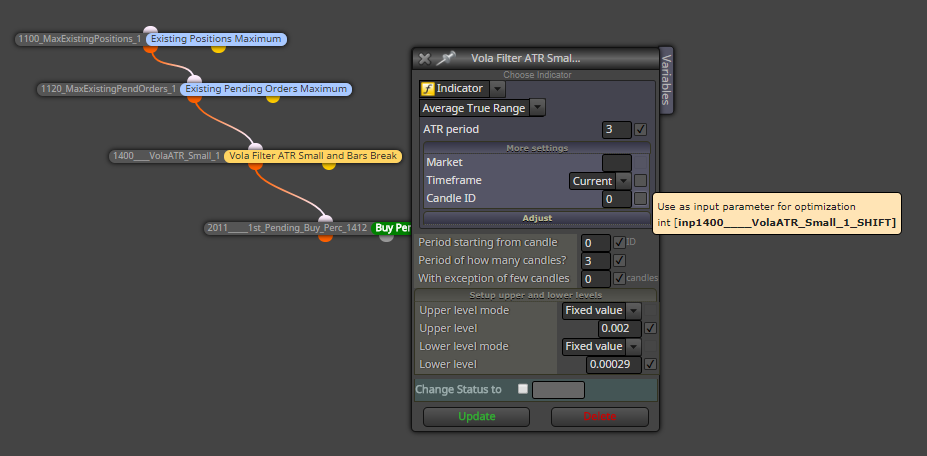
-
@miro1360 Unfortunately, I can not try this out.
Because I didn't activate that field for optimization in the former version I compiled before the update. So I have no possibility for comparation with this modified parameter before and after the update. -
yes thats true ... another true is, tester can give you different results when you use candle ID 0 ... I dont know this situation but I think this is caused by tester and metatrader (because now EAs are compiled with strict parameter and that ticks math modeling can be different in this mode - but I am not sure with this) ...
-
-
-
@fxDreema I remove it by reloading my template.
Reloading the EA and setting via template.
Nothing to worry right?
It run without any problem.
Thanks.
-
@fxDreema Did you find out something concerning the problem of different results before/after the update already?
https://fxdreema.com/shared/k7s6vOlzc -
@fxDreema there is a problem: doesn't save .mq4 and .exe file
talk later -
@fxDreema I have the same problem. The EA compiles (or at least says it is doing so), but no "save as" dialogue appears so I can't save it as either an .mq4 or an .exe file.
-
I have the same problem with save .mq4 or .ex4 file(s).
-
Same problem here, cannot save the mq4 or ex file onto my harddrive