example: Price PullBack EA
-
Notice: This is not proved EA and is not prepared for real trading. Test it only with demo account.
All you are doing is your own responsibility, not mine.How to make price PullBack EA.
It is a lot of meanings what price PullBack can be, here is one of them based on 3 exponential moving averages:
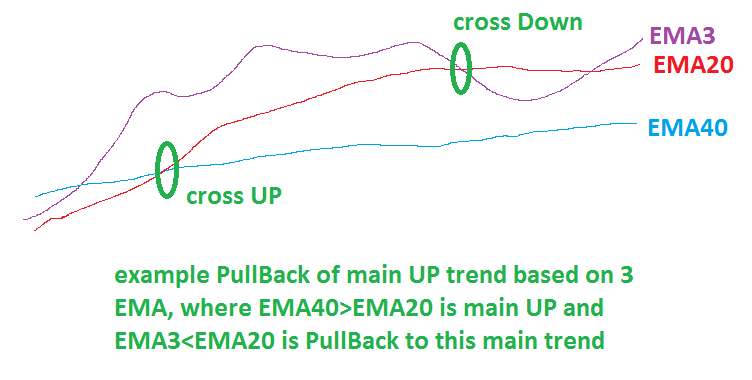
and here is my example of EA in fxDreema how to make this one with more additional settings:
https://fxdreema.com/shared/1IpxvLruc

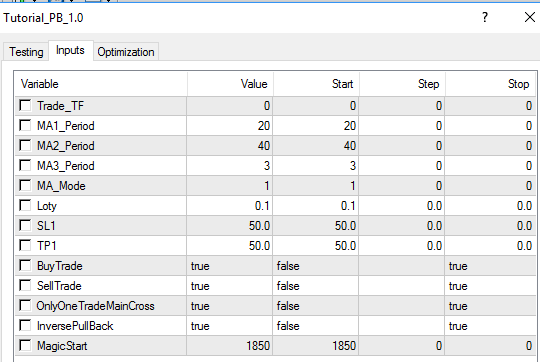
I added few next options, like "OnlyOneTradeMainCross" if true, only one trade is taken on main cross and after that wait for next main cross
EMA20 x> EMA40 for main UP (buy)
EMA20 x<EMA40 for main DN (sell)
if OnlyOneTradeMainCross is false, more trades are opened on one cross and for simplify cross is not needed, only condition EMA20>EMA40(buy), or EMA20<EMA40(sell)
next option is InversePullBack, this option is probably bad named, but when it is false it wait for cross: EMA3 x> EMA20 and next condition EMA3>EMA40 for buy
when it is true pullback for buy is when EMA3<EMA20
With "BuyTrade" or "SellTrade" selected as false can be trading buy/sell disabled.
These additional options shows you, how to make more alternatives for EA easily switched in EA settings.Default EA settings for above described strategy:
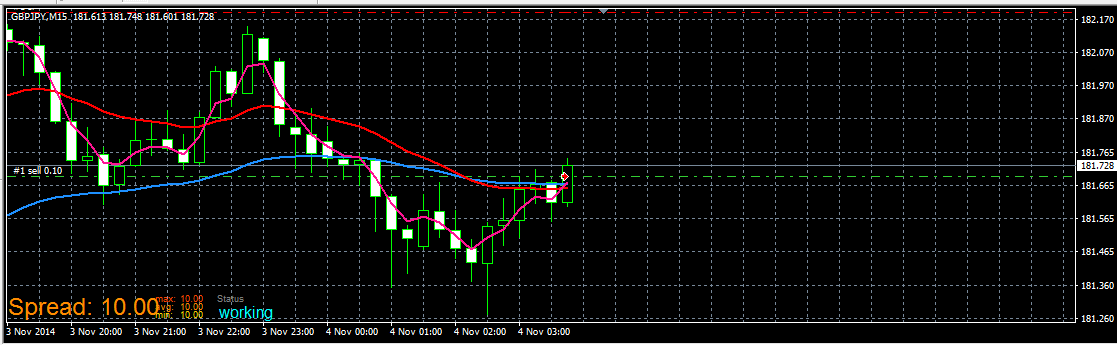
Demo trades from EA:
start of Sell
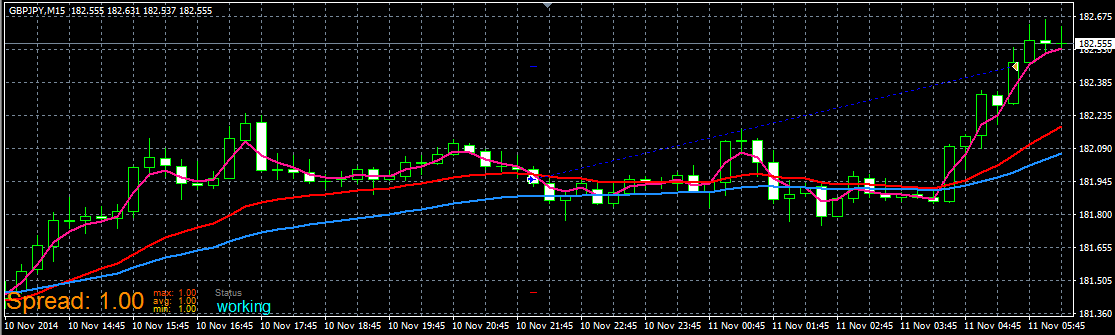
completed Buy:
In other tutorials you can find how to work with buttons. Using buttons you can create this EA for better manual control.
have fun!
Between trading and gambling is a very small gap, be careful.
-
@miro1360 Thank you for giving this example.. My EA also works on this principles but have and already made signal before all this MA,s crossing.. will surely borrow some of this from you.. thank you!
-
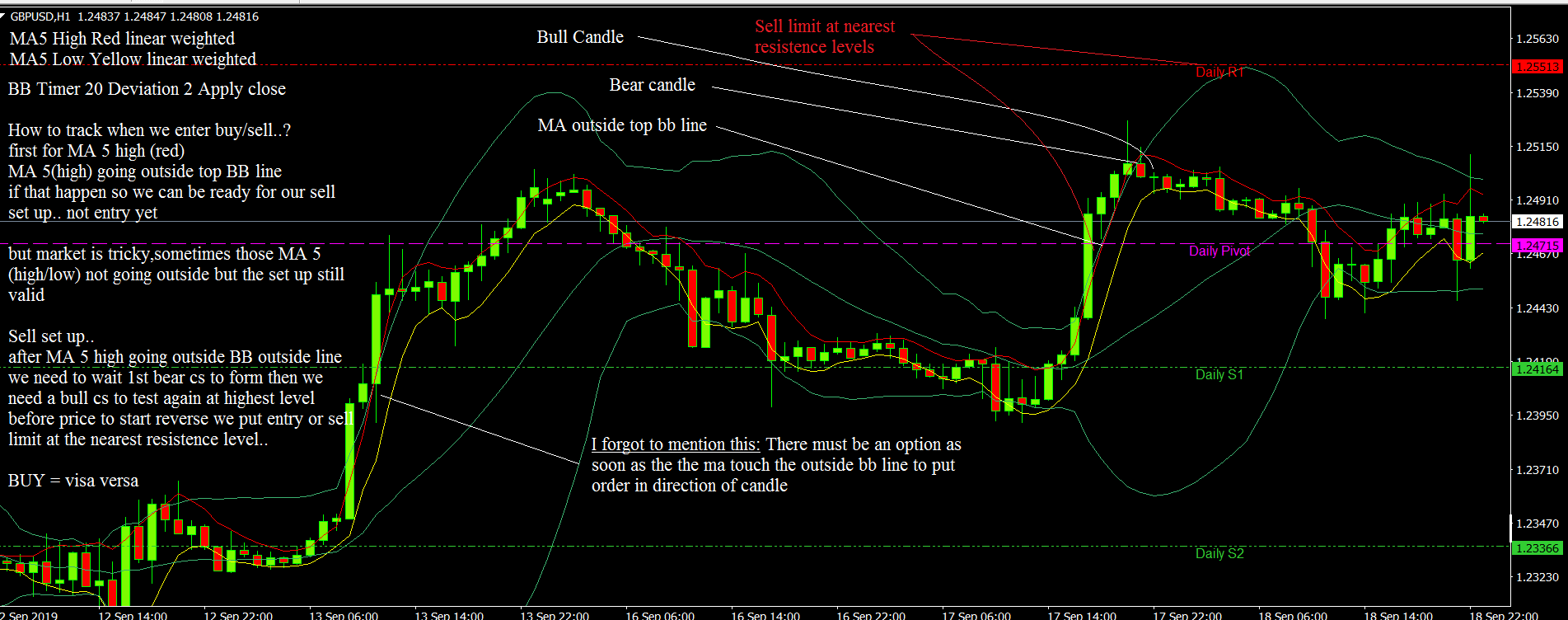
Hallo Miro... Could you help me to incorporate my strategy into yours. The especial difficulty is: that there is order setup even if the MA not cross BB
-
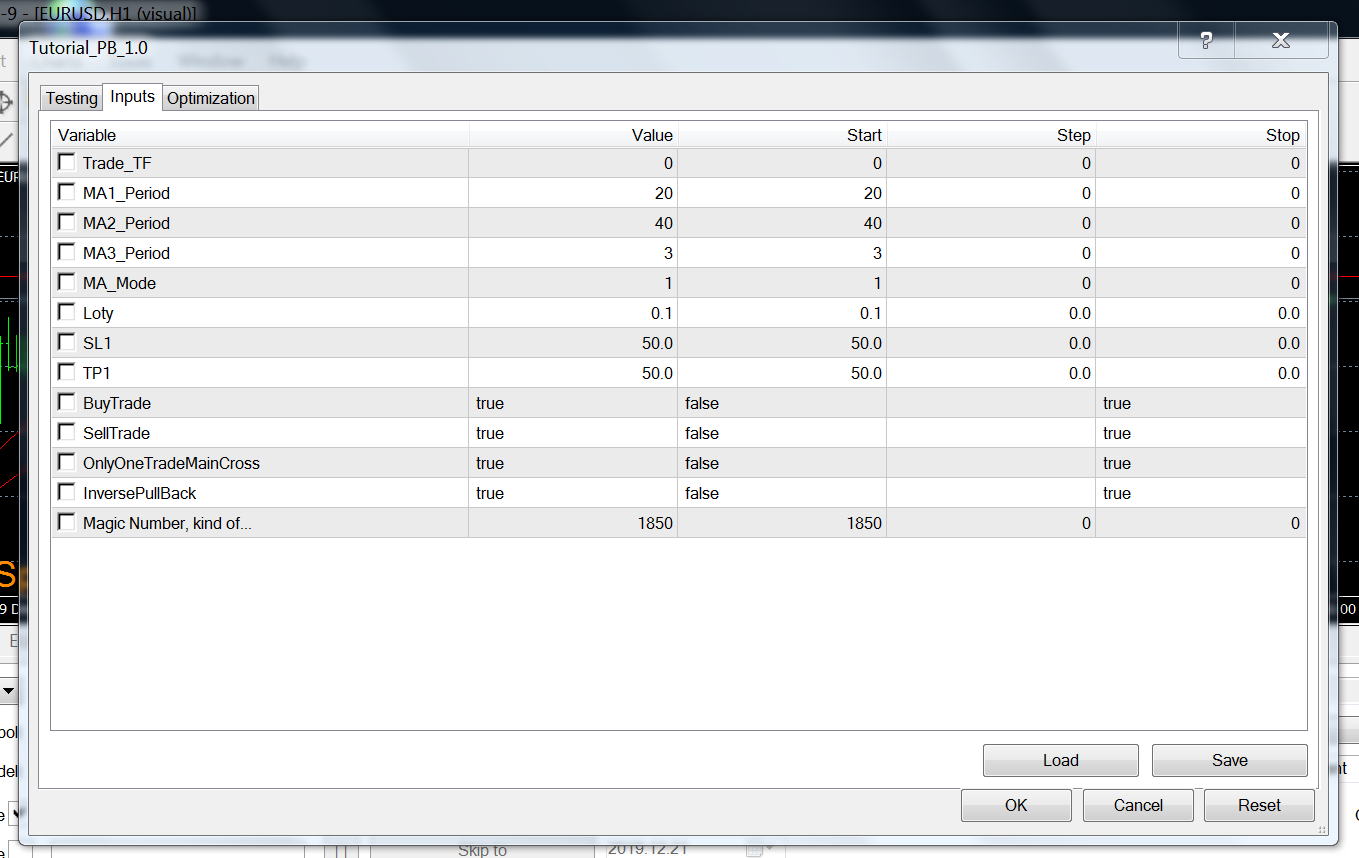
@miro1360 I do not seem to get this EA to work? What am I doing wrong?



-
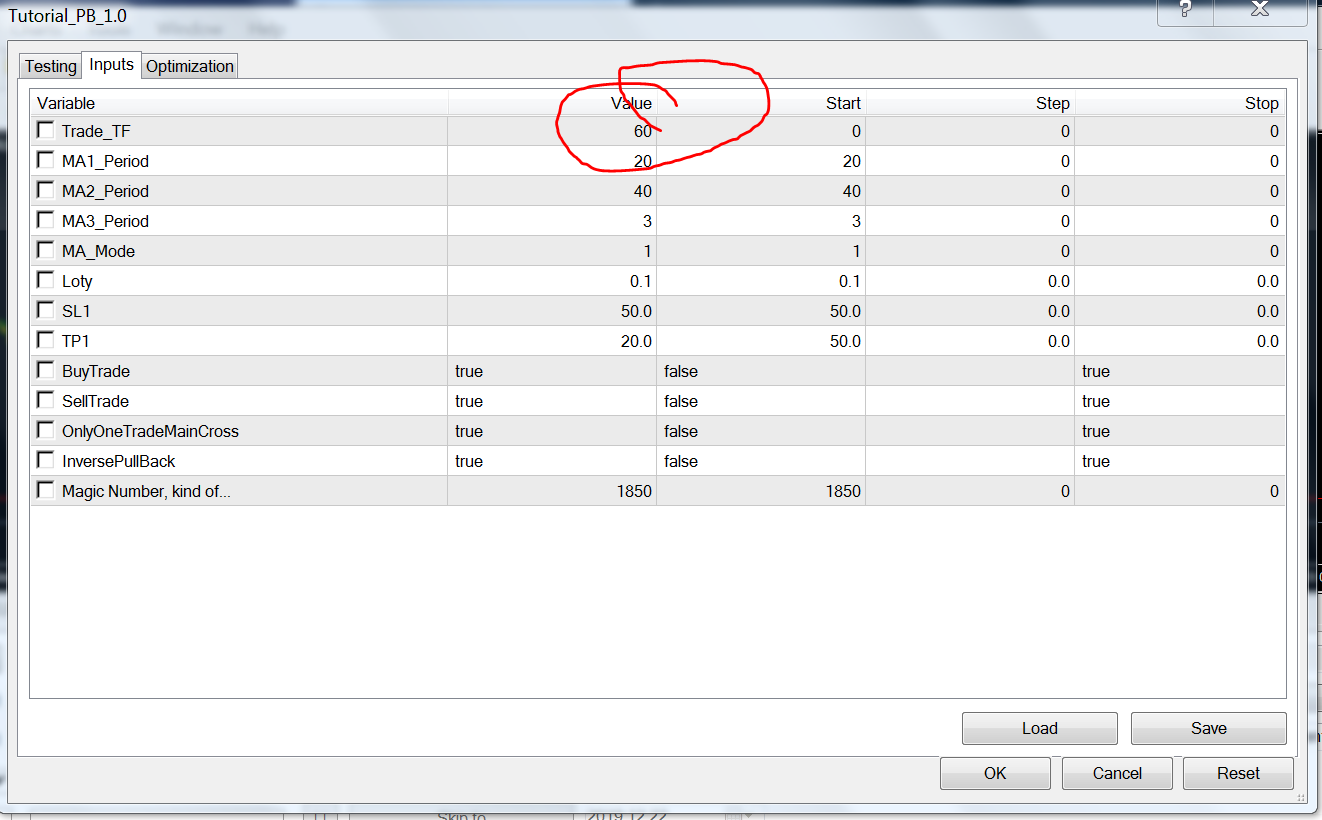
@alphaomega Trade_TF(Trade Timeframe) is set to 0. You will need to input the time in minutes (1,5,15,30,60,240,1440) . Break your project down into parts and test each part individually. then add them together and test again.
-
@hadees Thank you
-
@hadees Still the same story: No orders..

-
@alphaomega it works ok for me check that you have enough hard drive space and if that doesn't work reinstall mt4 ?
-
@hadees said in example: Price PullBack EA:
@alphaomega it works ok for me check that you have enough hard drive space and if that doesn't work reinstall mt4 ?
ok... enough hard disk space ... will re-install mt4... thx for the reply
-
@hadees no Luck... I am confused... all my other ea,s are working.. ??
-
Thank you for the help.. I started the MT4 this morning and like magic the EA also worked... Still do not know what the problem was but happy it is working now. Just feedback.. Thank you
