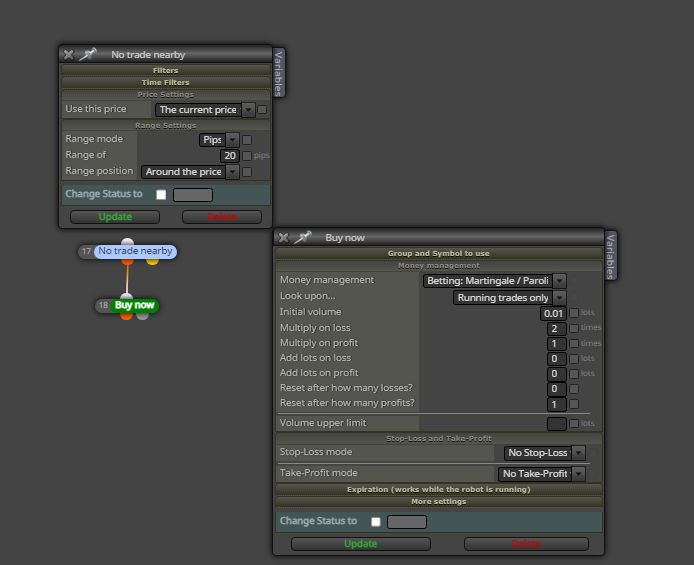
@alok This happens in a few months, in backtesting
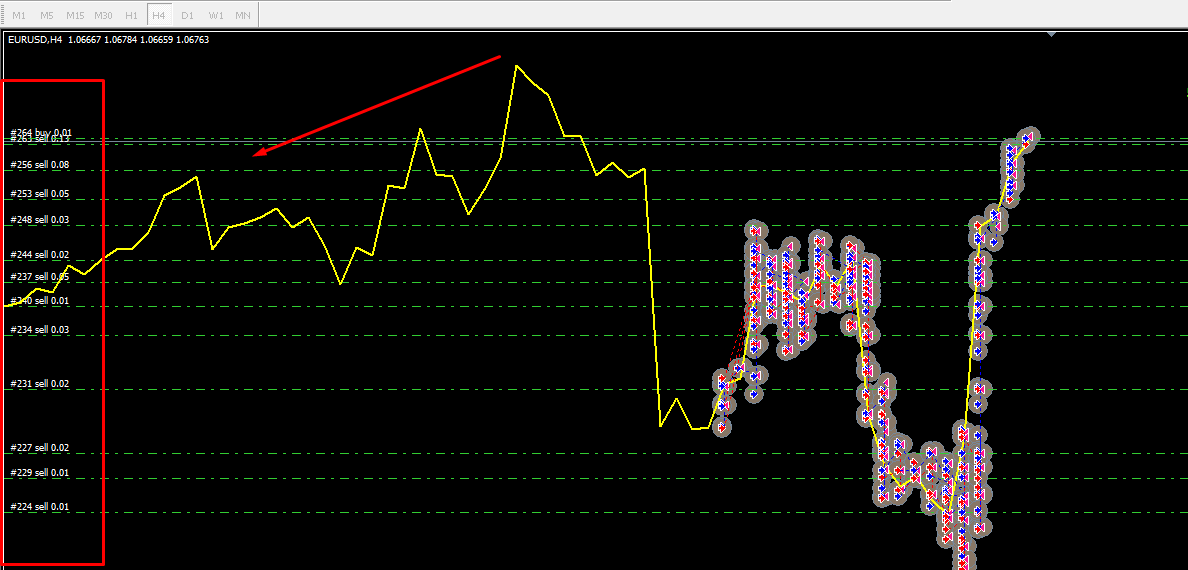
opens grid order in wrong sequence
@alok This happens in a few months, in backtesting
opens grid order in wrong sequence
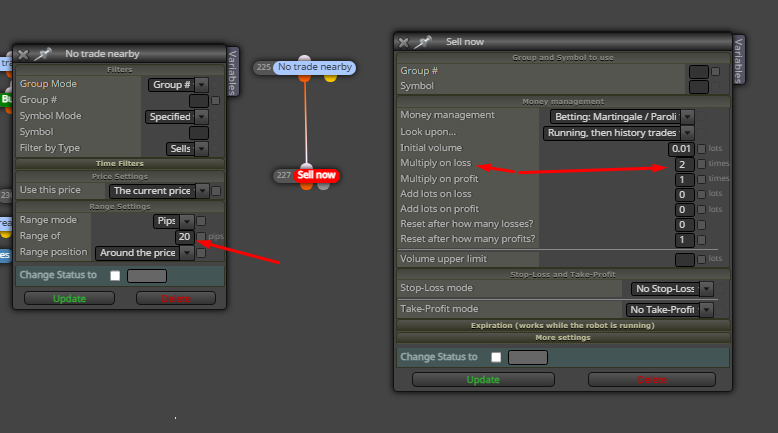
@jstap Example, correct was to open multiply 2.0 Grid lots 0.01, 0.02, 0.04, 0.08, 0.16 when the bug appears it opens 0.01, 0.02, 0.04, 0.02, 0.02, 0.01, 0.02, 0.16
'No trade nearby' Bug in Martingale Grid Sequence
50% of the time
@Zackry said in Check Unrealized loss of all trades in pips not working:
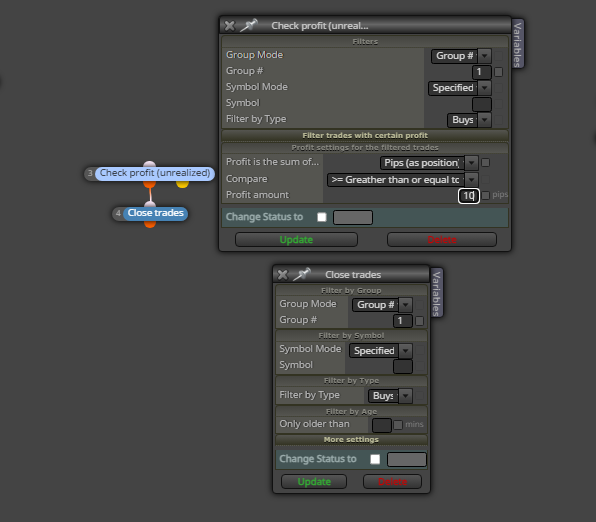
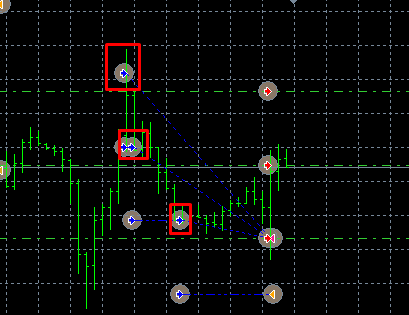
i am trying to close all running trades from current chart if unrealized loss in pips for combined trades reaches 50 pips , but the block isnt working correctly for some reason , and it didnt closed the trades on 50 pips combined loss and instead trades were closed because of some other condition in the EA , 3 trades marked in the photo are closed because of indicator giving sell entry so it closed the trades , but right before closing , the total unrealized loss in pips was 92 pips , where as i set it to close the trades on -50 pips unrealized loss as total sum
here is how i am using the unrealized profit block : https://fxdreema.com/shared/Eona3uxkd
i even tried using it with the block bucket of trades but still didnt work
Hi, I'm having the same problem, did you manage to solve it? If so could you help me, thank you!
50 examples of different types of inputs in MQL4:
input int value1 = 10;
input double value2 = 2.5;
input string value3 = "Hello";
input bool value4 = true;
input color value5 = Blue;
input ENUM_TIMEFRAMES value6 = PERIOD_M5;
input ENUM_MA_METHOD value7 = MODE_SMA;
input ENUM_APPPLIED_PRICE value8 = PRICE_OPEN;
input ENUM_STYLES value9 = STYLE_SOLID;
input ENUM_LINE_STYLE value10 = STYLE_DOT;
input int value11[] = {1, 2, 3}; // Array of integers
input double value12[] = {1.5, 2.5, 3.5}; // Array of decimals
input string value13[] = {"Apple", "Banana", "Orange"}; // Array of strings
input bool value14[] = {true, false, true}; // Array of booleans
input color value15[] = {Red, Green, Yellow}; // Color array
input int value16 = 0; // Used as a counter
input double value17 = 0.0; // Used as accumulator
input string value18 = ""; // Used for text input
input bool value19 = false; // Used to activate/deactivate features
input color value20 = Black; // Used to define colors
input int value21 = Symbol(); // Returns the current symbol
input double value22 = Ask; // Returns the current selling price
input double value23 = Bid; // Returns the current purchase price
input int value24 = Digits; // Returns the number of decimal places in the symbol
input double value25 = Point; // Returns the pip size of the symbol
input ENUM_TIMEFRAMES value26 = Period(); // Returns the current chart period
input ENUM_MA_METHOD value27 = MODE_EMA; // Exponential moving average method
input ENUM_APPLIED_PRICE value28 = PRICE_CLOSE; // Closing price applied
input ENUM_STYLES value29 = STYLE_DASH; // Dashed line style
input ENUM_LINE_STYLE value30 = STYLE_SOLID; // Solid line style
input int value31 = Bars; // Returns the number of bars on the chart
input double value32 = iClose(Symbol(), Period(), 0); //Closing value of current bar
input string value33 = SymbolName(Symbol(), true); // Current symbol name
input bool value34 = iRSI(Symbol(), Period(), 14, 0) > 70; // Condition based on an indicator
input color value35 = Aqua; // Light blue color
input int value36 = TimeCurrent(); // Returns the current time
input double value37 = NormalizeDouble(1.23456, Digits); // Normalizes a value according to the decimal places of the symbol
input string value38 = DoubleToStr(123.45, 2); // Converts a double to a string with two decimal places
input bool value39 = StringLen("Hello") > 5; // Condition based on the length of a string
input color value40 = Crimson; // Dark red color
input int value41 = iHigh(Symbol(), Period(), 0); // Highest value of the current bar
input double value42 = iLow(Symbol(), Period(), 0); // Lowest value of the current bar
input string value43 = AccountName(); // Trading account name
input bool value44 = AccountFreeMarginCheck(Symbol(), OP_BUY, 0.1); // Check free margin before opening a position
input color value45 = DarkOrange; // Dark orange color
input int value46 = OrdersTotal(); // Returns the total number of orders
input double value47 = OrderOpenPrice(); // Current order opening price
input string value48 = OrderSymbol(); // Current order symbol
input bool value49 = OrderSelect(0, SELECT_BY_POS); // Select the first order
input color value50 = DodgerBlue; // Bright blue color
@fxDreema said in Check last closed trade status.:
I am allowed to open more than one trades in a single market.
This should be the EA from the PDF is I didn't missed something:
http://fxdreema.com/shared/zlHZzgzXc
@jjot said in On-Off switch for Condition Block:
@cpbonzo Thanks for the idea. Is there a way to do this without an object in the chart? E.g. with a switch that can be set to thru / false in the EA settings?
Try this
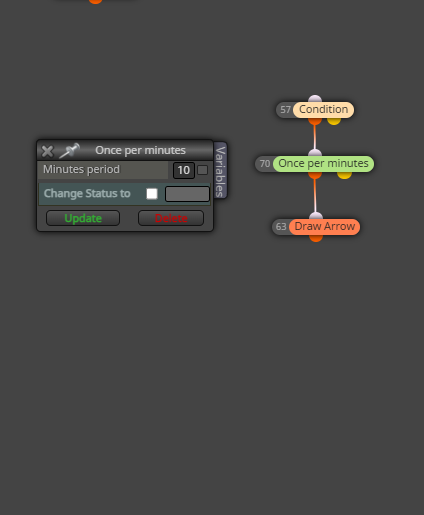
@l-andorrà said in Once per minutes:
You'd better use the 'on timer' tab instead.
if I mount the tab 'on time' does it work?
this same way? thanks
@sktsec said in Once per minutes:
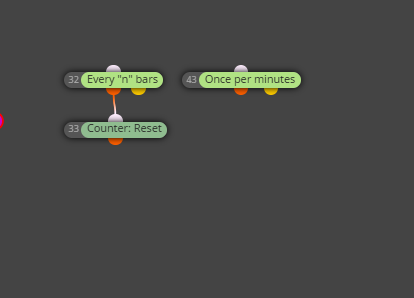
In your case, it means once every 10 minutes
this friend, once every 10 minutes, how to use this block i tried to do this but it doesn't work properly
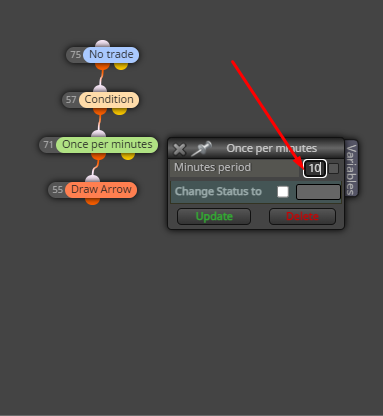
Please how to make this block work, "Once per minutes" wait 10 minutes
@l-andorrà said in wait for post trade 10 minutes without making trade:
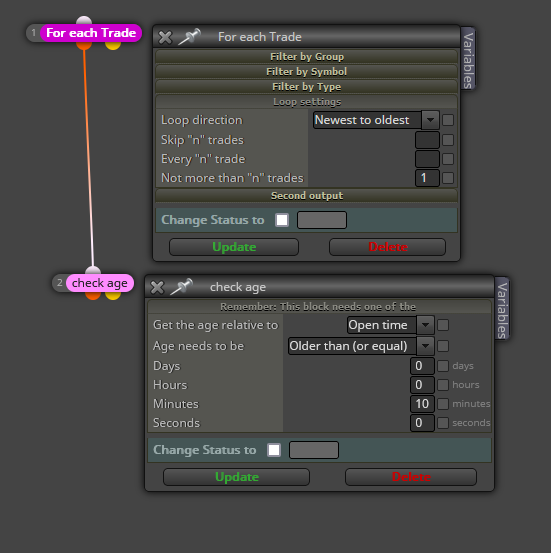
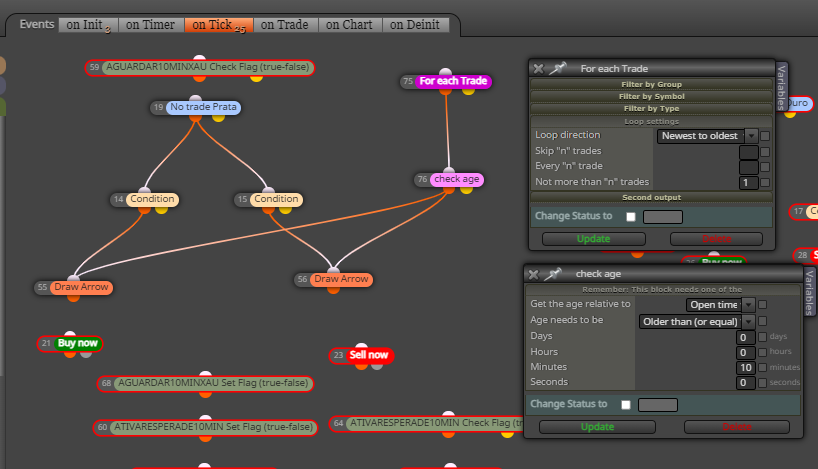
@alok Then you need this:
Both block should be connected immediately above both buy/sell now blocks.
Thanks for the help, that didn't work
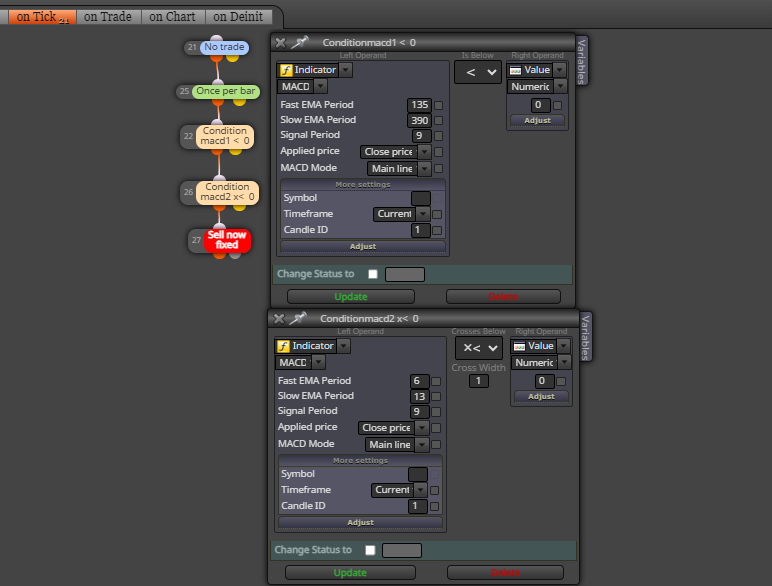
@aminmirzaaghaei said in How to use two macd indicators?:
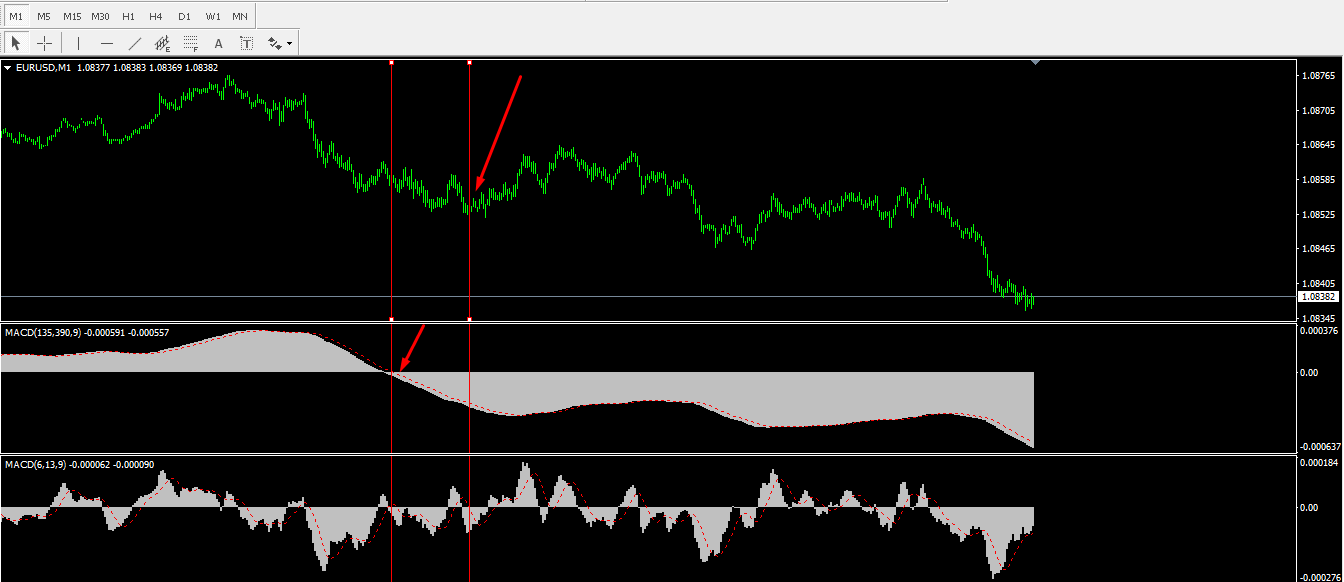
this strategy is more complicated than what is seen here
this will work for sure
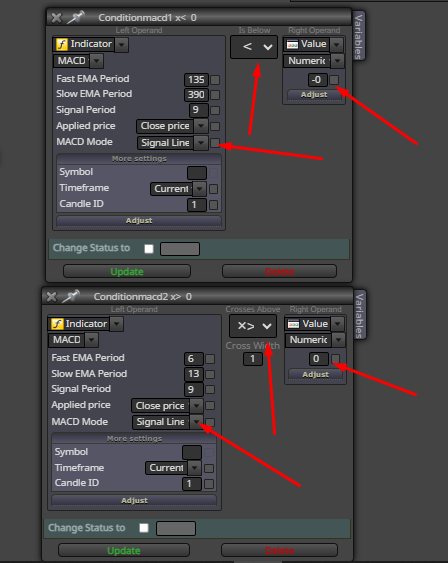
@aminmirzaaghaei I didn't quite understand what you want to do, would that be it, like this?
@l-andorrà This exactly no new trade should be opened for 10 minutes after the last one has been opened, could you send a printout with an explanation please thank you!
please help, wait for post trade 10 minutes without making trade