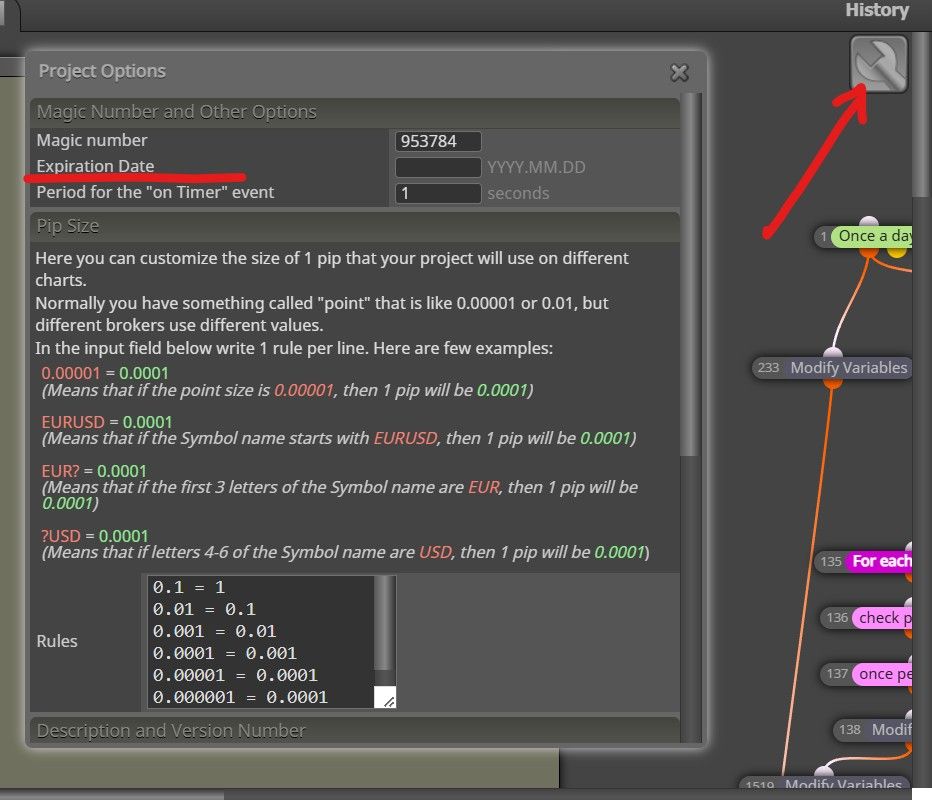
@aakash-waghule It's not a bug.
Free version allows 10 connection between blocks, not 10 blocks
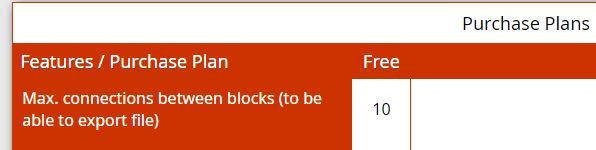
@aakash-waghule It's not a bug.
Free version allows 10 connection between blocks, not 10 blocks
@nbathan You can leave it there because it is irrelevant to the project, it only serves to make a copy and paste into the MT4 editor 
@surachefx Hi, the candle ID 0 does not exist, try to review all the candle IDs starting from the candle ID 1 instead of ID 0
I have not tried
@kallamamran said in Finally , Integration of News Filter [ MT4 Only ]:
@ambrogio Hello,
I have managed to open the MQ4 in MetaEditor and compiled it with the manually created Boolean trade-variable, but I do get a warning compiling the script.
I don't know if I need to do something about this or what to do. Can you please advice?! <<< Doesn't matter, it's a warning only >>>
Also what's meant by "You will have to copy that 2 block from Oninit() and other 2 also from Deinint()". Where are these supposeed to be copied?! <<< I Don't unterstand this question, i don't see where is placed this suggestion >>>
Best regards // Kallamamran
@enrico531 Yes, but you must remove the link between #4 buy now and #5 condition, it's an error
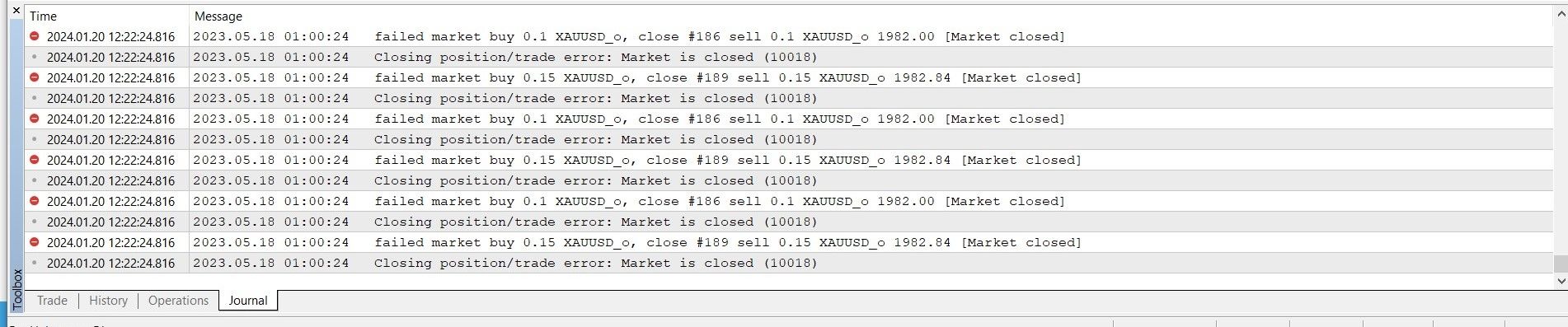
@MEHRDAD768 said in eror market close [10018]:
it is a common mistake (our mistake, not a bug) both in backtest and live, when we want to open or close orders outside the allowed trading hours. I suggest you to place two filter, one for weekdays and one for time hours, according with the time of your broker.
By searching on forum typing "market closed" you can find a lot of post.
@josh01 In the links below there is stuff to do what you ask. Please let me know, okay?
https://www.mql5.com/en/articles/1456
https://www.mql5.com/en/articles/1457
https://www.mql5.com/en/articles/1463
@zedeai2 I don't remember at all if that link works, but in my projects I found this one that MUST BE TESTED
https://fxdreema.com/shared/twV9ZV9zb
This file should be your template to always use when you want to integrate the news filter.

I highlighted where to start with your expert, and also the block # 2020 that we will need after.
STEP 1) When you have finished your expert, save it through the .mq4 button
STEP 2) With the MetaEditor application, open the file you just saved
STEP 3) Copy and paste the content of block #2020 in the place i have indicate in this screenshot

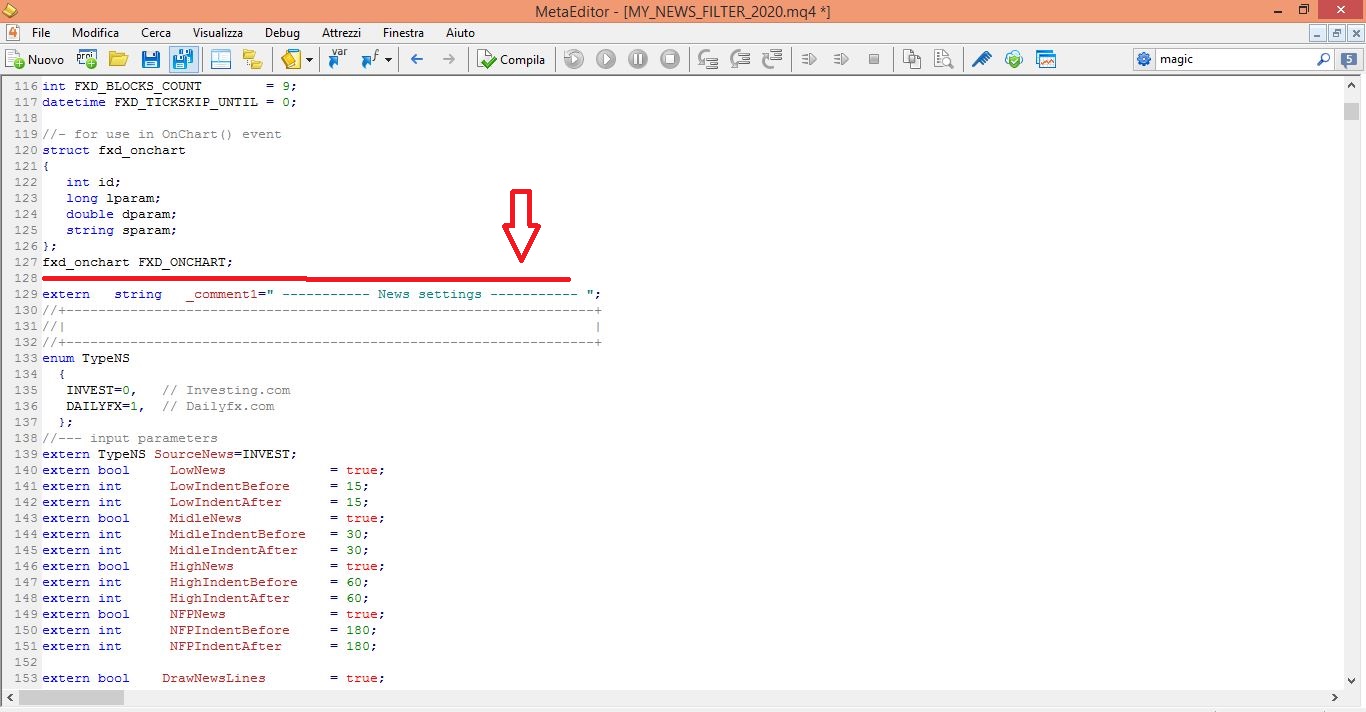
Your project is ready to be tested.
BUT REMEMBER: if you reload the new modified .mq4 file in the fxdreema builder you will lose the content copied from the 2020 block, and you will have to redo the steps above.
@zackry in condition block seems to be a value 0, remove the comma
If you look at the RSI value it has at least 4 decimal numbers, so it is very difficult to look for the value equal to eg.: 50. You can put two conditions in a row rsi >=49.9 and rsi <=50.1
https://fxdreema.com/shared/EM7CovZSb
try this, it is a mq4 file because I don't have the BTC on MT5, you can copy and save it as mq5, for me it works
please note that BTC pips are not calculated like normal pairs


@princeomughele you started the topic by saying that RSI == doesn't work. I explained to you that it is not a bug, I explained to you how to have the signal very close to the value 50 (or whatever value you want). If you want the signal that comes from below and cross the value 50, you have to use the cross X> condition instead >= or <=
@MeHrAn_HmGi what happens if you tick these boxes? They should appear in the input window

@gomen when you have a lot of Sell orders while the price goes up a big drawdown is inevitable, better you change strategy
I've always used Chrome, never had this problem


 Re:
Re: