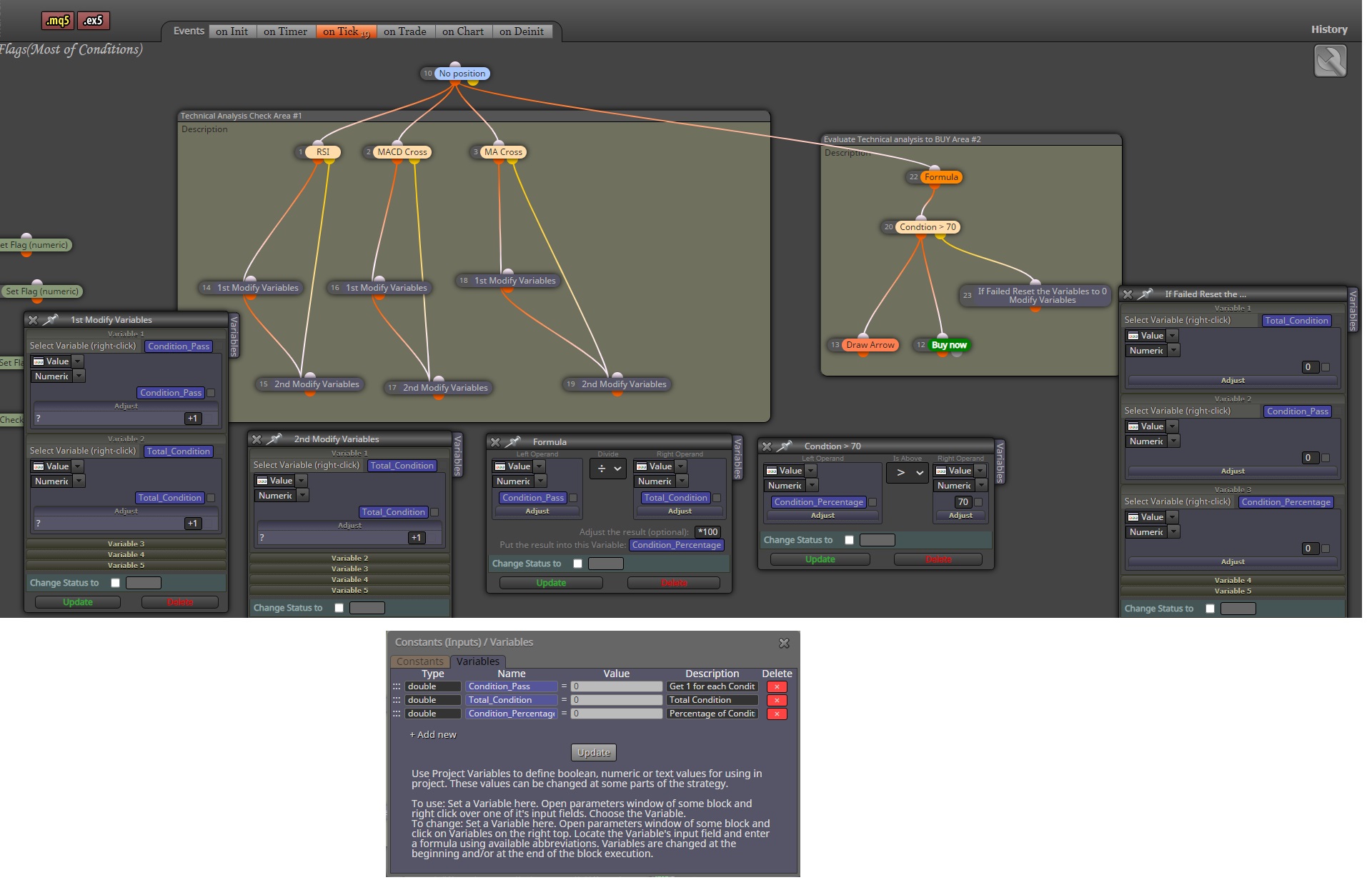
Yup, you can use variable and formula to do these.
Let me know if this work, I just do it in a hurry 

Yup, you can use variable and formula to do these.
Let me know if this work, I just do it in a hurry
@mohamed80 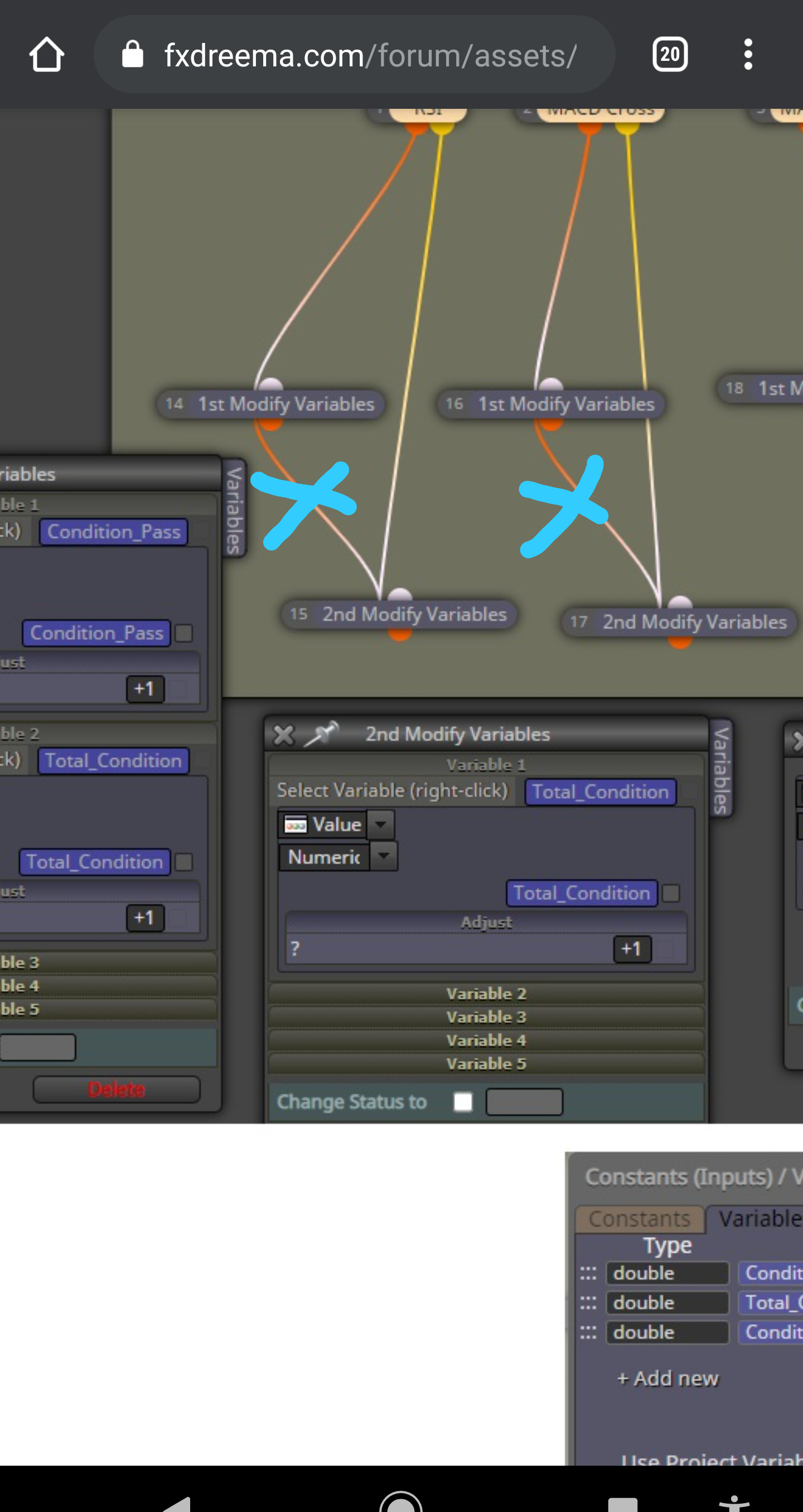
Sorry, I think I made a mistake when I
look to it again on the 2nd modify variables link, sorry my bad
I am glad to help kindly show the partial link of your connected block, so that we may understand you buy block parameters...
Nice tutorial on Storing Variables...
Perfect!
Thank you again @miro1360 
\may be I can help you with that.
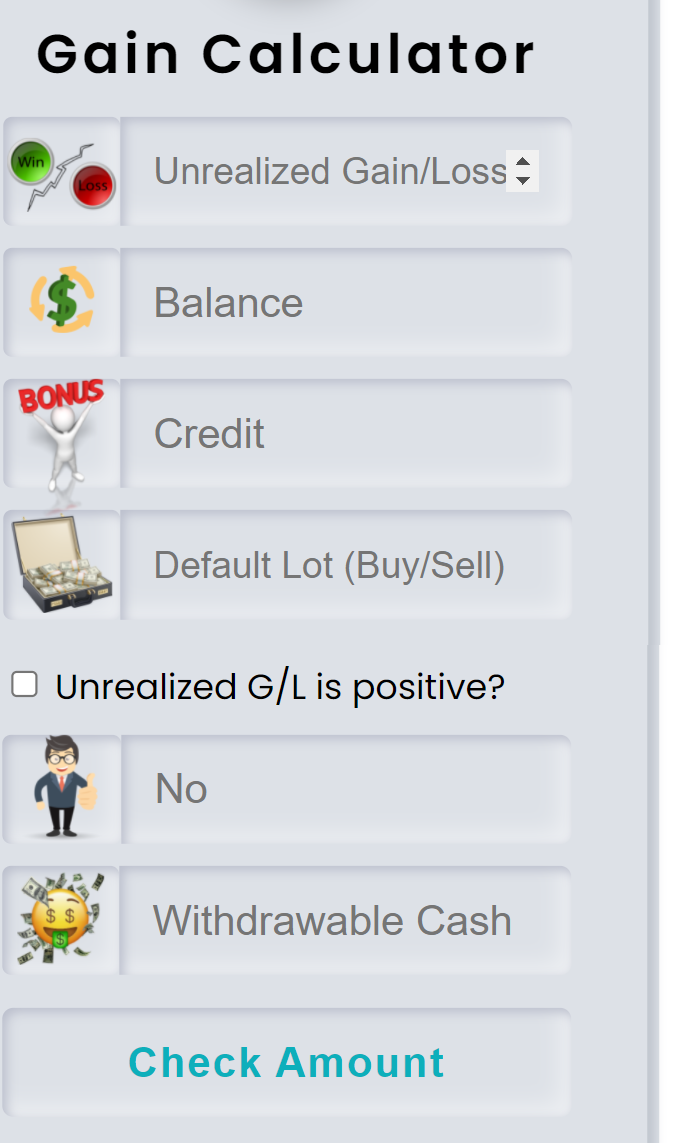
This sample of my gui, if it is just simple and you dont want super looking UI. I can offer you my help...
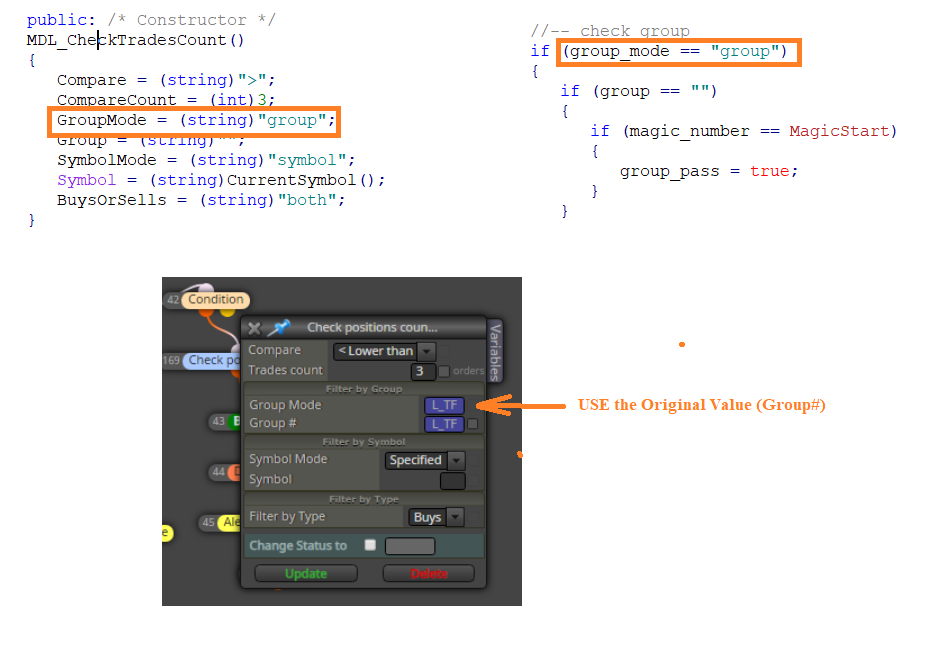
Try not to replace the Group Mode Parameter and use the original value because when you check the coding of fxdreema it has a special argument that uses the default Group Mode values : "group"
Try it!
@aku_ami
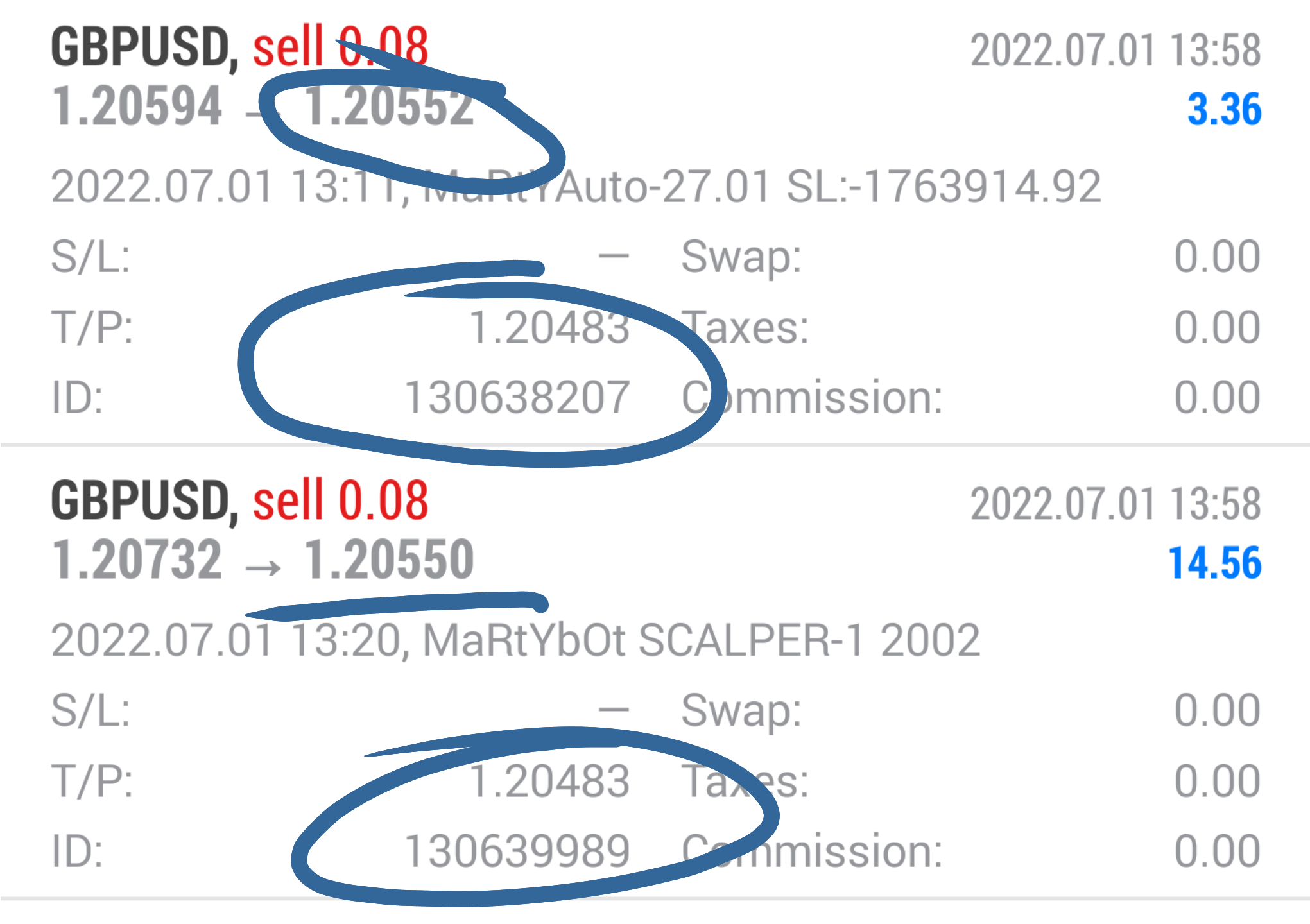
Here is mine, working's fine at 11pips gain in pips. I set target tp as 18pips to hide my actual tp target of 11pips.

@droctagon
I think it is working fine on my side, I've used the block both on mt4 and mt5 as my failsafe when my formula on computing target profit with swap, especially on multiple order.
You may make that Constants dependent on set files parameters to be variables. Then make your EA communicate to your website via web request to download the values. Viola! You have updated your EA's group parameters...
@Hiten7405
You need to download the mql5 file. Then open it on mql5 editor and compile it. Then the generated new ex5 file can be uploaded on the market.
@gggvvvv
Try this connection of block:
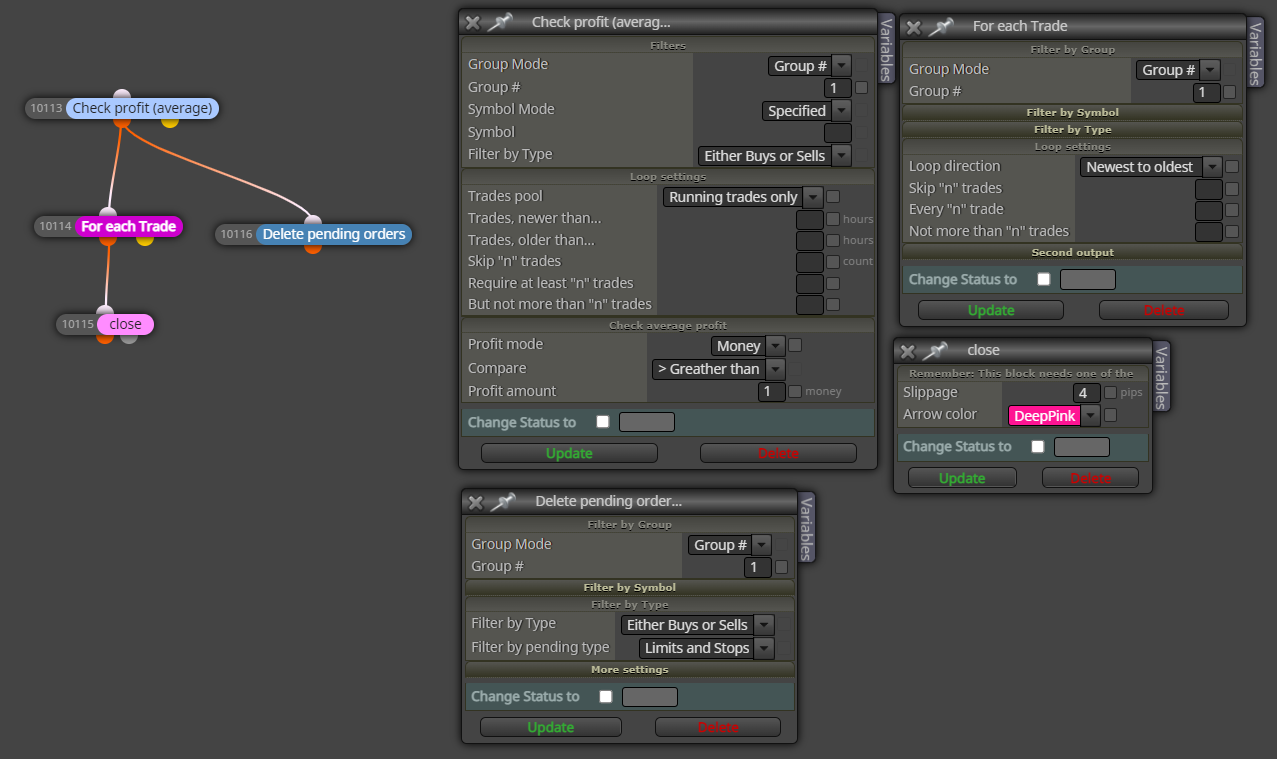
@gggvvvv
may you provide another link, it looks the same to me.
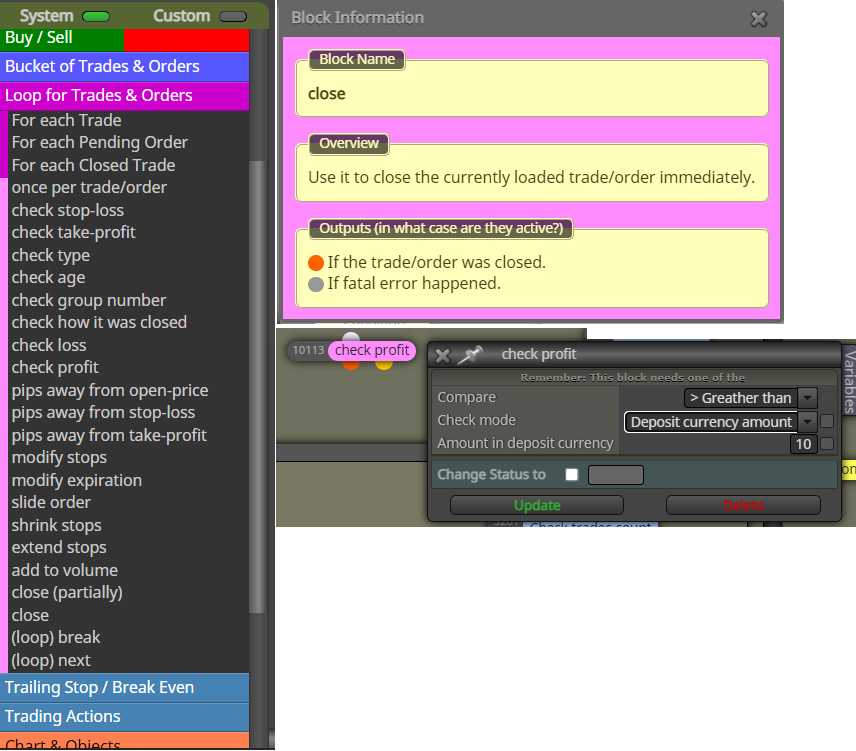
depends on your strategy: deposit currency amount or %PL or pips
As much as possible avoid mixing the block of pink and blue.
Since you are looping each trades using pink block. Use this:
@dre
Add logic after your buy/sell block when broker server did not successfully processed the order due to their DB is not yet opened.
It is usually happened at the start day of week before the Broker server open eventhough there are tick event received by EA but the broker server is not yet ready to accept trade events from EA (e.g. Sell order, close trade etc...)